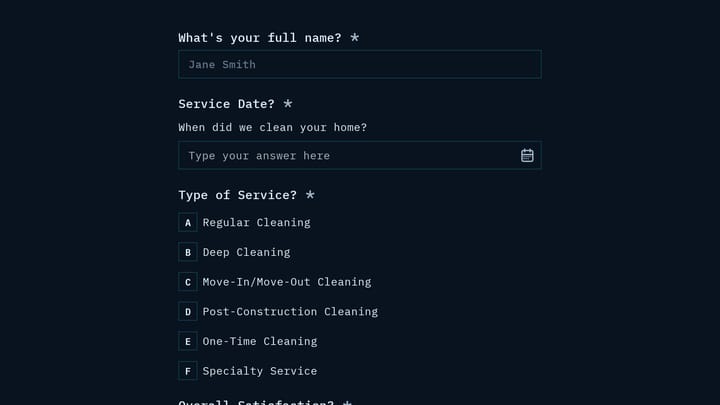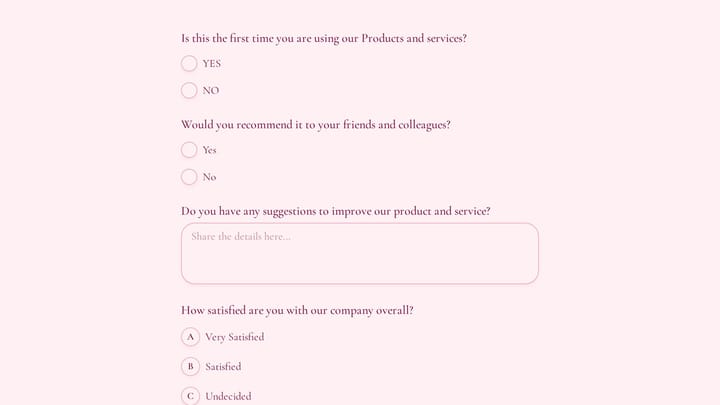
Your customers have opinions about your product. The problem isn’t that they won’t share them — it’s that most customer feedback forms make sharing feel like homework. The average feedback form gets a 15-20% completion rate, which means 4 out of 5 people who see your form close the tab.
The forms that hit 40%+ response rates aren’t lucky. They’re designed differently. They ask fewer questions, use smarter structures, and respect the person filling them out.
Here’s how to build a customer feedback form that people actually finish.
Define what you need before you build
Generic “How was your experience?” forms produce generic answers. The feedback forms that generate useful data start with a focused goal.
Pick 2-3 areas, not 10. You might want feedback on your product, your support team, your checkout flow, your onboarding, and your pricing, all at once. Resist that urge. A feedback form trying to cover everything produces shallow data across the board.
Choose one of these focus areas per form:
- Product experience — features, usability, missing functionality
- Service quality — support interactions, response times, resolution
- Overall satisfaction, like NPS score and likelihood to recommend
- Specific touchpoints such as checkout, onboarding, or a recent purchase
A focused 5-question form about your checkout process will teach you more than a 20-question survey about “everything.” And it’ll actually get completed.
Match the form type to the situation
Different feedback goals call for different form structures. Using the wrong format for the situation tanks your response rate before anyone reads the first question.
Post-purchase feedback
Send within 24-48 hours of delivery. Keep it to 5-8 questions — a mix of star ratings and one open-text field. People are willing to share while the experience is fresh, but their patience is limited.
Support interaction feedback
Trigger immediately after the interaction closes. Focus on that specific conversation, not general satisfaction. “How well did our agent resolve your issue?” produces actionable data. “How do you feel about our company?” does not.
Quarterly satisfaction surveys
These can run longer, around 10-15 questions, because you’re sending them less frequently. Include demographic questions for segmentation. But set expectations in the email: “This takes about 3 minutes.” If it actually takes 3 minutes, people trust you next quarter too.
Structure questions using the funnel approach
The order of your questions directly affects whether people finish your customer feedback form. Start easy, get specific, end optional.
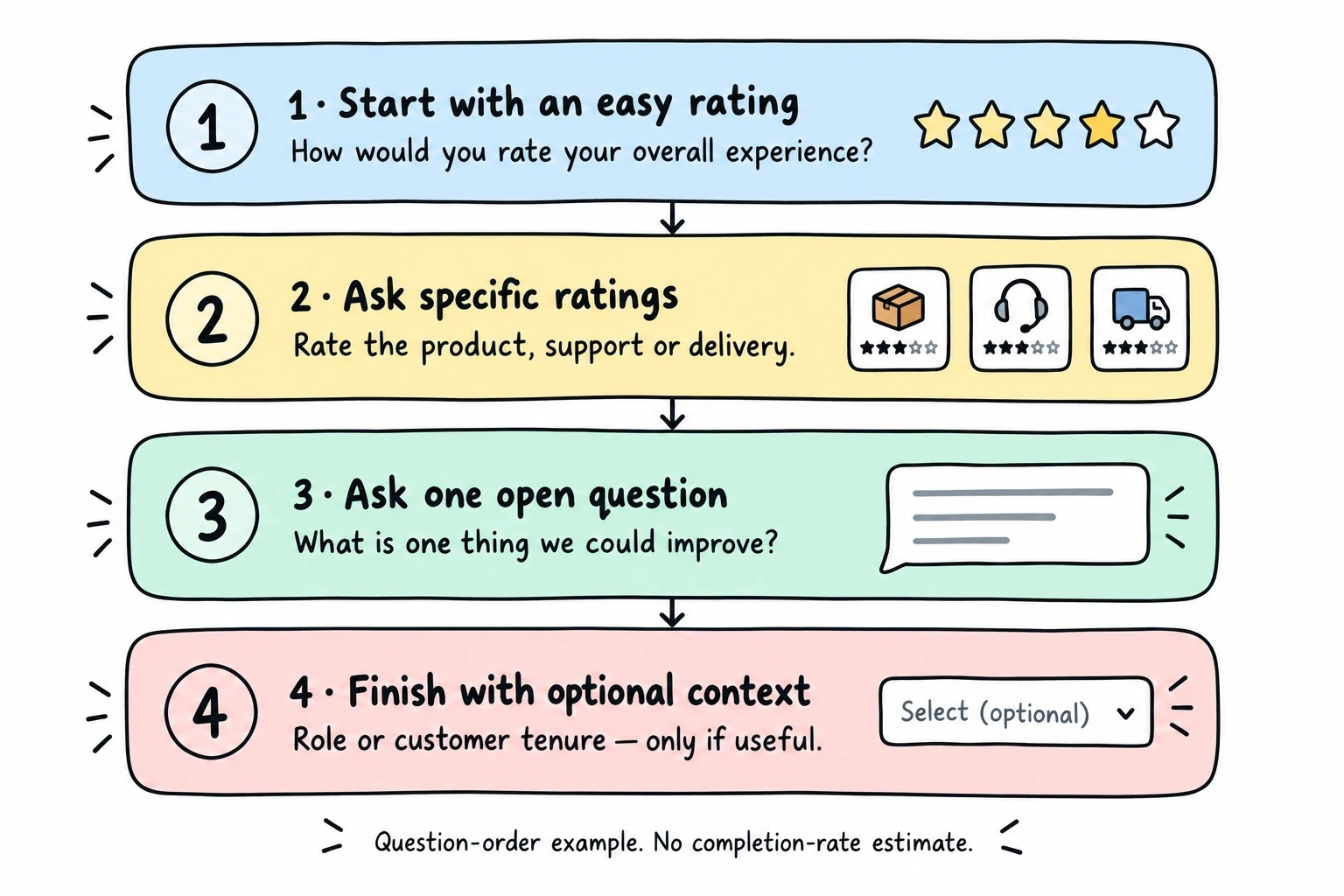
First: one easy rating. “How would you rate your overall experience?” with a 5-star scale. Almost everyone completes this. It builds momentum.
Then 2-3 specific ratings. Rate the product, the support, the delivery — whatever your focus area is. Keep each question to a single clear topic.
Next, one open-ended question. “What’s one thing we could improve?” This is where the gold is. But it only works if people have already committed to the form by answering the easier questions first.
Last, optional demographics. Age, role, how long they’ve been a customer. Mark these clearly as optional and put them at the end. If someone skips these, you still have their ratings and feedback.
Why this works
People who answer the first question feel invested. Each completed question makes the next one feel easier to finish. Dropping a hard open-ended question first, before they’ve built any momentum, is why so many forms get abandoned at question one.
Write questions that produce useful answers
The difference between feedback you can act on and feedback that sits in a spreadsheet is usually in the phrasing.
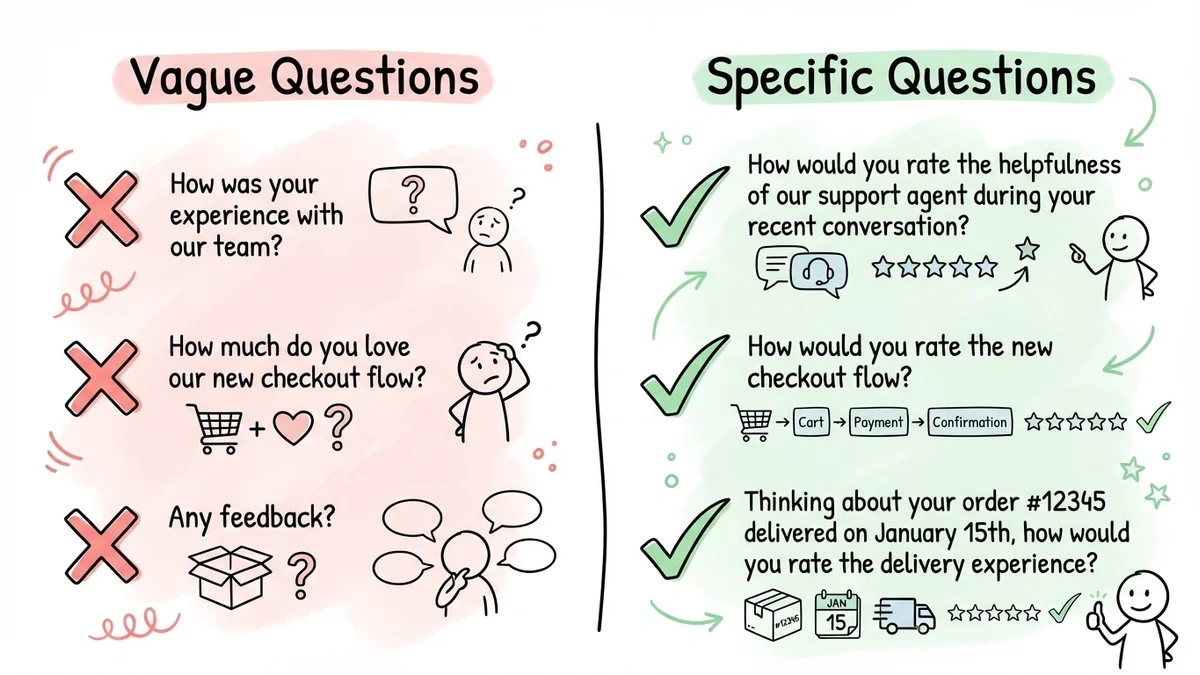
Be specific
Vague: “How was your experience with our team?” Specific: “How would you rate the helpfulness of our support agent during your recent conversation?”
The vague version gets vague answers. The specific version tells you exactly which interaction and which quality to evaluate.
Stay neutral
Leading: “How much do you love our new checkout flow?” Neutral: “How would you rate the new checkout flow?”
Leading questions bias your data. If you’re asking because you want validation, you’re not collecting feedback — you’re collecting compliments. Neutral phrasing gives you the honest answers that actually improve your product.
Add context for specific interactions
When asking about a particular event, remind the customer what you’re referring to: “Thinking about your order #12345 delivered on January 15th…” Context reduces confusion and improves answer quality.
Balance numbers with narratives
Aim for roughly 60% quantitative (rating scales, multiple choice) and 40% qualitative (open text). The numbers give you trends you can track over time. The text gives you the “why” behind the numbers.
Design for thumbs, not mice
More than 60% of feedback forms are completed on phones. If your form isn’t built for mobile, you’re losing the majority of potential responses before they start.
Large tap targets are non-negotiable. Buttons, radio buttons, and input fields should be at least 44px tall. Anything smaller and people will tap the wrong option or just give up.
Use a single-column layout. Side-by-side fields look neat on desktop monitors but create a cramped, frustrating experience on a 6-inch screen.
Minimize typing. Every open-text field on mobile means wrestling with an on-screen keyboard. Use rating scales, dropdowns, and radio buttons wherever possible. Save open-text fields for the one or two questions where you genuinely need written responses.
For forms longer than 5 questions, show a progress bar. “Question 3 of 7” tells people the end is in sight. Without it, they’re guessing, and guessing leads to abandoning.
Visual design affects trust, too. A feedback form that matches your brand (your fonts, your colors, consistent spacing) signals that you care about the details. A default-styled form with mismatched fonts signals the opposite.
Choose how and when to send it
Distribution and timing affect response rates as much as the form itself.
Email delivery
The most common method for existing customers. Keep the email short and direct: explain what you’re asking, estimate the completion time, and include one clear link to the form. Don’t bury the link below three paragraphs of pleasantries.
Send one follow-up reminder to non-responders. Two reminders is the absolute max. More than that and you’re training people to ignore your emails.
Website embed
Embedded forms work well for real-time feedback — a slide-in form on your pricing page, a post-checkout popup, or a feedback widget on your support docs. The key is triggering them at a relevant moment, not randomly.
QR codes at physical locations
For retail, events, or offices. Print a QR code that links directly to a short feedback form. Include the estimated time (“30 seconds”) on the signage. People scan QR codes impulsively — make sure the form matches that impulse by being fast.
Timing rules of thumb
- Post-purchase: 24-48 hours after delivery
- Post-support: Immediately after the interaction
- General satisfaction: quarterly, on a consistent schedule
- Feature feedback: 1-2 weeks after a major release
Test before you send it to 10,000 people
Internal testing catches problems that seem obvious in hindsight.
Have 3-5 team members complete the form while you watch (or while they time themselves). You’re looking for confused pauses, misread questions, and “wait, what does this mean?” moments. If a question confuses your team, it’ll confuse your customers.
Check the form on at least two different phones. What looks clean on an iPhone 15 might break on an older Android device or a tablet.
After launch, track these metrics:
- Start rate — what percentage of people who see the form begin filling it out
- Completion rate — what percentage finish after starting (aim for 80%+ on short forms)
- Average completion time, and if it’s taking longer than expected, a question is causing friction
- Open-text response quality — are people writing useful feedback or one-word answers?
Act on feedback (or stop asking for it)
Collecting feedback you never use is worse than not asking at all. Customers who share their thoughts and see nothing change stop responding. Eventually, they stop being customers.
Organize what you collect
Group quantitative data into dashboards — average ratings per question, trends over time, segment comparisons. Look for patterns, not individual outliers.
Categorize qualitative responses into themes. If 30 people mention slow shipping and 5 people mention confusing navigation, you know where to focus first.
Build a simple action loop
- Identify the top 2-3 themes from each feedback cycle
- Assign each to someone with a deadline
- Fix the issue or make a plan for when it’ll be addressed
- Tell customers what changed — “You told us X was a problem. Here’s what we did.”
That last step is the one most companies skip, and it’s the most powerful. A customer who sees their feedback result in a real change becomes your most loyal advocate.
Mistakes that kill response rates
Forms that take longer than promised. If your email says “2-minute survey” and the form takes 7 minutes, you’ve broken trust. People won’t believe your next estimate.
Asking for feedback at the wrong time. A satisfaction survey sent before the product arrives is useless. A support feedback form sent a week after the interaction is forgotten. Timing is everything.
30-question “comprehensive” surveys will tank your completion rate. It craters after 10 questions. If you need that much data, split it into multiple shorter forms sent at different times.
Never closing the loop. The fastest way to train customers to ignore feedback requests is to never acknowledge or act on what they tell you.
Ignoring mobile. If your form requires pinch-zooming, horizontal scrolling, or careful aim to hit a radio button, expect most mobile users to abandon it.
Build your customer feedback form
You’ve got the structure, the question strategies, the design principles, and the distribution plan. Now build the form.
Fomr’s guest editor lets you create a mobile-optimized feedback form without creating an account. You get unlimited forms and responses on the free plan, rating components, multi-page layouts, and enough design control to match your brand. Start collecting feedback that actually means something.
Give it a try
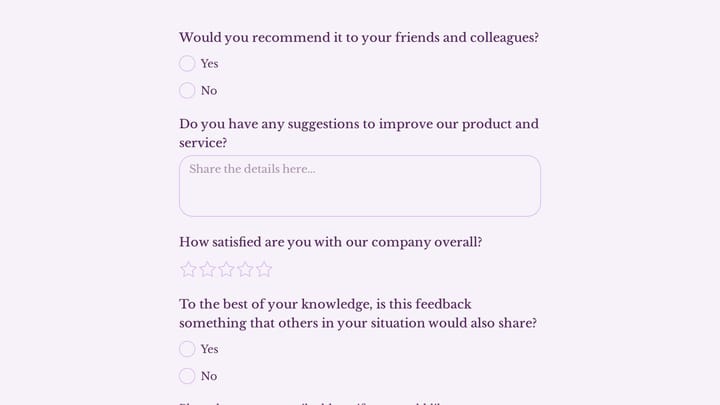
Try this Fomr product customer feedback form
Try the satisfaction and improvement questions in this Fomr product-feedback form. Compare the choices with the written-response fields before adapting it to your product.