Your users found a bug. They want to report it. But your current bug report form is either non-existent, buried somewhere on your site, or so complicated that people give up halfway through filling it out.
The result? Critical issues go unreported. Users get frustrated and leave. Your development team wastes time hunting down vague reports like “the login thing doesn’t work.”
A well-designed bug report form fixes all of this. It captures the specific details your developers need while making it easy for users to submit reports. You get better bug data, faster fixes, and happier users.
Why bug report forms matter more than you think
Most companies treat bug reporting as an afterthought. They slap together a basic contact form and call it done. But here’s what happens when you do it right:
Developers get actionable information. Instead of “your app is broken,” they get reports with browser versions, steps to reproduce, and screenshots. They can actually fix the problem.
Users feel heard. A thoughtful bug report form shows you care about their experience. They’re more likely to stick around and report future issues.
You catch issues faster. The easier it is to report bugs, the more reports you’ll get. You’ll spot patterns and critical issues before they affect everyone.
Support tickets decrease. When users can report bugs directly to your development team, they don’t flood your support inbox with technical issues.
Step 1: Choose the right form builder for bug reports
You need a form builder that can handle the specific requirements of bug reporting. Your bug report form will need file uploads for screenshots, conditional logic to show relevant fields (coming soon), and the ability to integrate with your development workflow.
Look for these essential features:
- File upload fields for screenshots and screen recordings
- Dropdown menus for categorizing bug types and severity levels
- Multi-line text areas for detailed descriptions
- Integration with project management tools like Jira, Trello, or GitHub (coming soon)
- Custom styling to match your brand
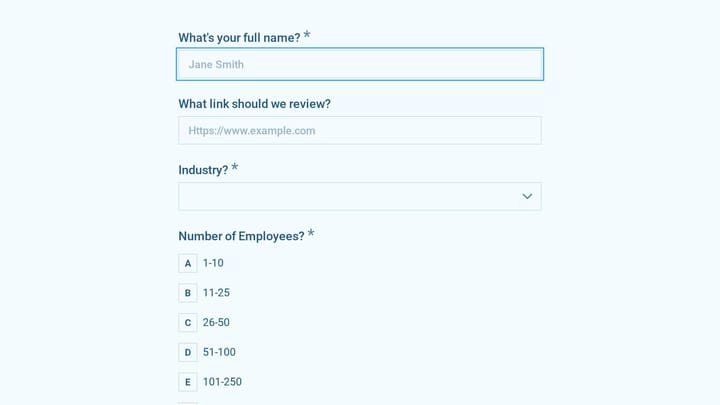
We built Fomr specifically for forms that need to look professional and collect detailed information. Our drag and drop form builder includes all the field types you need for bug reporting, and you can customize the design completely.
Give it a try
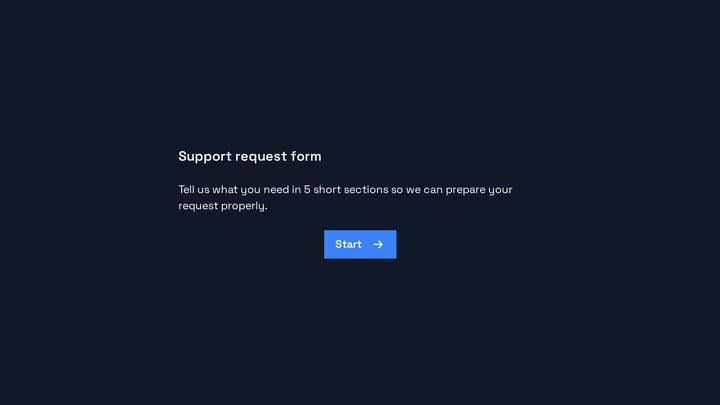
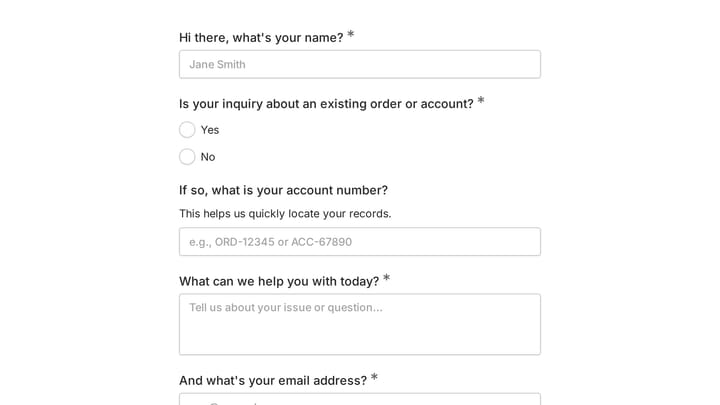
Try this Fomr support request form
Try this Fomr support-request form as a starting point for bug intake. Add reproduction steps, expected behavior, and environment fields in the editor; the attachment field here is a simulated preview.

Avoid these common mistakes:
Don’t use a basic contact form for bug reports. Generic forms don’t collect the structured data developers need.
Don’t pick a form builder that limits file uploads or charges extra for them. Screenshots are essential for bug reports.
Don’t choose a platform that makes it hard to export or integrate your data. You need bug reports flowing into your development workflow, not stuck in a form builder’s database.
Step 2: Plan your bug report form structure
Before you start building, map out exactly what information you need. Too many fields and users won’t complete the form. Too few and developers can’t reproduce the issue.
| Ask the reporter | Collect when available | Optional follow-up |
|---|---|---|
| Short bug title | Browser and version | Contact email |
| Steps to reproduce | Device and app version | Account type |
| Expected and actual behavior | URL where it happened | Additional notes |
| Severity or impact | Screenshot or recording | Anything the reporter could not reproduce |
Essential fields every bug report form needs:
- Bug title — A short, descriptive summary
- Steps to reproduce — Numbered list of exactly what the user did
- Expected behavior — What should have happened
- Actual behavior — What actually happened instead
- Severity level — How critical is this bug?
Technical context and evidence, when available:
- Browser/device information, preferably detected automatically or selected from a list
- Screenshots or recordings that help reproduce the issue; do not block a report when none are available
Optional fields that add value:
- User email for follow-up questions
- URL where the bug occurred
- User account type (free, premium, admin)
- Additional context or notes
Start with the essentials and add optional fields only if your team actually uses that information. Every extra field reduces completion rates.
Step 3: Design your bug report form for clarity
Bug reports often involve frustrated users. Your form design needs to be crystal clear and easy to navigate, even when someone is annoyed.
Use clear, specific labels:
Instead of “Description,” use “Describe what went wrong.” Instead of “Additional info,” use “Anything else that might help us fix this?”
Group related fields together:
Put all the technical details (browser, device, URL) in one section. Keep the bug description separate from reproduction steps. This makes the form feel organized instead of overwhelming.
Make severity levels obvious:
Use a dropdown with clear options:
- Critical (app crashes, can’t use core features)
- High (major feature doesn’t work as expected)
- Medium (minor feature issue, has workaround)
- Low (cosmetic issue, typo, suggestion)
Add helpful placeholder text:
In the “Steps to reproduce” field, add placeholder text like “1. I clicked the login button 2. I entered my email and password 3. I clicked submit 4. Nothing happened.”
This shows users the level of detail you need and the format you prefer.
Step 4: Set up smart conditional logic
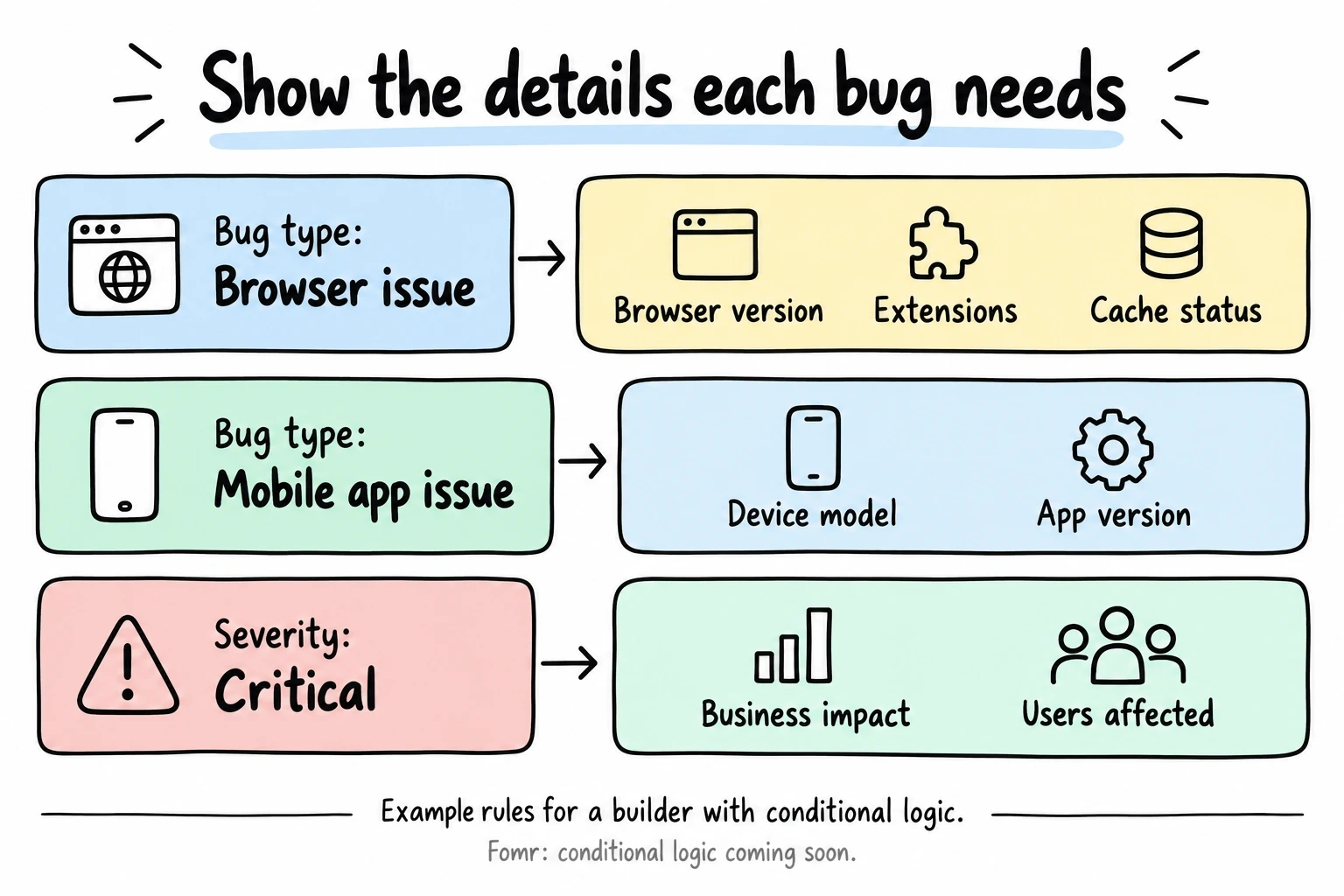
Not every bug report needs the same information. Use conditional logic (coming soon) to show relevant fields based on the user’s initial selections.
Show browser-specific fields only when relevant:
If someone selects “Browser issue” as the bug type, show fields for browser version, extensions, and cookies/cache status. If they select “Mobile app issue,” show device model and app version instead.
Adjust severity options by bug type:
A typo can’t be “Critical” severity. A login failure can’t be “Low” severity. Set up your dropdown options to match the bug type selected.
Request more details for high-severity bugs:
If someone marks a bug as “Critical,” show a field asking about business impact or how many users are affected.
This keeps your form concise while collecting all necessary information for each type of report.
Step 5: Optimize for mobile users
Many users will report bugs from the same device where they encountered the issue. If your app has mobile users, your bug report form needs to work perfectly on small screens.
Use mobile-friendly field types:
- Large text areas that expand as users type
- Dropdown menus instead of radio buttons (they take less space)
- File upload buttons that clearly work with phone cameras
- Date/time pickers that use the device’s native interface
Keep labels and instructions concise:
Mobile users won’t read long explanations. Use short, clear labels and put detailed instructions in placeholder text or help tooltips.
Test the camera upload flow:
Make sure users can easily take and upload screenshots directly from their phone’s camera. This is often how mobile bugs get reported.
Step 6: Add file upload capabilities
Screenshots and screen recordings are crucial for bug reports. Developers can see exactly what the user experienced instead of trying to interpret written descriptions.
Set up multiple file upload options:
Allow users to upload multiple files — they might have screenshots from different steps of the bug. Set a reasonable file size limit (10MB covers most screenshots and short videos).
Accept common file formats:
Support PNG, JPG, GIF for images and MP4, MOV for videos. Don’t make users convert files just to report a bug.
Make file uploads optional but encouraged:
Required file uploads prevent users from reporting bugs when they can’t or won’t provide screenshots. Make it optional but add text like “Screenshots help us fix bugs faster.”
Show upload progress:
Users need to know their files are uploading successfully, especially for larger video files.
Step 7: Write helpful field instructions
Users often struggle with providing the right level of detail in bug reports. Good field instructions guide them toward giving you exactly what you need.
For “Steps to reproduce”:
“Please list the exact steps you took before the bug happened. Start with where you were in the app and include every click, tap, or action. Example: 1. Opened the app 2. Tapped ‘New Project’ 3. Entered project name 4. Tapped ‘Save’ 5. App froze”
For “Expected vs. actual behavior”:
“Expected: What did you think would happen? Actual: What happened instead? Be specific — instead of ‘it didn’t work,’ describe exactly what you saw.”
For browser/device information:
“If you’re not sure, that’s okay — we can detect most technical details automatically. Just select what you know.”
For additional context:
“Anything else that might help? Were you doing something unusual? Did this happen before? Any error messages we should know about?”
Clear instructions reduce back-and-forth emails and help you get complete reports on the first try.
Step 8: Connect your bug report form to your workflow
The best bug report form in the world is useless if reports disappear into an inbox nobody checks. Connect your form directly to your development workflow.
Popular integration options:
- Jira — Create tickets automatically with all form data mapped to the right fields (coming soon)
- GitHub Issues — Generate new issues in your repository with labels and assignees (coming soon)
- Trello — Add cards to your bug tracking board with attachments and due dates (coming soon)
- Slack — Send immediate notifications to your development team (coming soon)
- Email — Send formatted reports to specific team members
Set up automatic categorization:
Use the bug type and severity selections to automatically assign labels, priorities, or team members. Critical bugs should ping someone immediately, not wait for the next sprint planning meeting.
Create a confirmation process:
Send users a confirmation email with their report details and a ticket number. This shows you’re taking their report seriously and gives them a way to reference it later.
Step 9: Test your bug report form thoroughly
Before launching your form, test it from every angle. You want to catch usability issues before frustrated users do.
Test the complete user journey:
Start from wherever users would discover your bug report form. Is it easy to find? Does the link work? Can users complete the form without confusion?
Try different scenarios:
Submit reports for different bug types and severity levels. Make sure conditional logic works correctly and all integrations fire properly.
Test on multiple devices:
Check your form on desktop, tablet, and mobile. Test file uploads from different devices and browsers.
Have non-technical people test it:
Your QA team might understand technical terminology that confuses regular users. Get feedback from customer service or marketing team members.
Check your integration endpoints:
Submit test reports and verify they appear correctly in Jira, GitHub, or wherever you’re routing them. Check that all form fields map to the right places.
Common mistakes that kill bug report forms
Making it too hard to find. Your bug report form shouldn’t be buried in a help center or behind a login. Put a clear “Report a Bug” link in your app footer, error pages, and main navigation.
Requiring account creation. Anonymous bug reports are fine — you want to lower barriers, not raise them. You can always follow up for more details if needed.
Using technical jargon. Terms like “stack trace,” “user agent,” or “DOM element” confuse non-technical users. Use plain language or provide simple explanations.
Making every field required. Users might not know their browser version or be able to provide screenshots. Require only the absolute essentials.
Ignoring mobile users. If your app works on mobile, your bug report form needs to work on mobile too. Test it thoroughly on small screens.
Forgetting to acknowledge submissions. Users need to know their report was received. Send a confirmation email or show a clear success message.
Launch and iterate based on feedback
Your first version won’t be perfect. Launch with the essentials and improve based on actual usage patterns.
Monitor completion rates: If lots of users start the form but don’t finish, you might have too many fields or confusing instructions.
Track the quality of reports: Are developers getting the information they need? Do they have to follow up for basic details?
Ask your development team: Which reports are most helpful? What information is consistently missing? What details do they ignore?
Survey users occasionally: Send a quick follow-up survey to people who submitted bug reports. Was the form easy to use? Did they feel heard?
Use this feedback to refine your form design, adjust field requirements, and improve your integration workflow.
Ready to build your bug report form?
A well-designed bug report form transforms how your team handles user feedback. Instead of vague complaints, you get actionable reports with all the details developers need to fix issues quickly.
Start building your bug report form today with our free drag and drop form builder. You can create unlimited forms with file uploads and Google Sheets workflows on Free. Conditional logic and additional integrations are still on the roadmap. Try it now without even creating an account.