You need changes approved, but your current process is a mess. Emails get lost, requests lack crucial details, and approvals take forever. A well-designed change request form fixes all of this by standardizing how people submit requests and giving you the information you need to make quick decisions.
The right form structure makes the difference between chaos and control. Here’s how to build a change request form that actually works.
Why change request forms matter
Most organizations handle change requests through email chains or informal conversations. This creates three major problems:
Missing information. Without a standard format, requesters forget critical details like timelines, business justification, or impact analysis. You end up playing email tag to get basic information.
No paper trail. When changes go wrong, you need to trace the decision-making process. Email threads and verbal approvals disappear into digital chaos.
Inconsistent evaluation. Different requests get evaluated using different criteria, leading to unfair decisions and frustrated stakeholders.
A structured change request form solves these issues by capturing consistent information upfront and creating a clear approval workflow.
Step 1: Define your change categories
Before building your form, identify what types of changes people actually request. This determines which fields you’ll need and how complex your form should be.
Common change categories include:
- IT system changes (software updates, server modifications, security changes)
- Process improvements (workflow updates, policy revisions, procedure changes)
- Project scope changes (timeline adjustments, budget modifications, deliverable updates)
- Personnel changes (role modifications, team restructuring, reporting changes)
Start with a dropdown field that lets requesters select their change category. This helps you route requests to the right approvers and apply category-specific evaluation criteria.
Pro tip: Keep categories broad enough that requesters don’t struggle to pick the right one, but specific enough that you can customize follow-up questions based on their selection.
Step 2: Gather essential information
Every change request form needs these core fields:
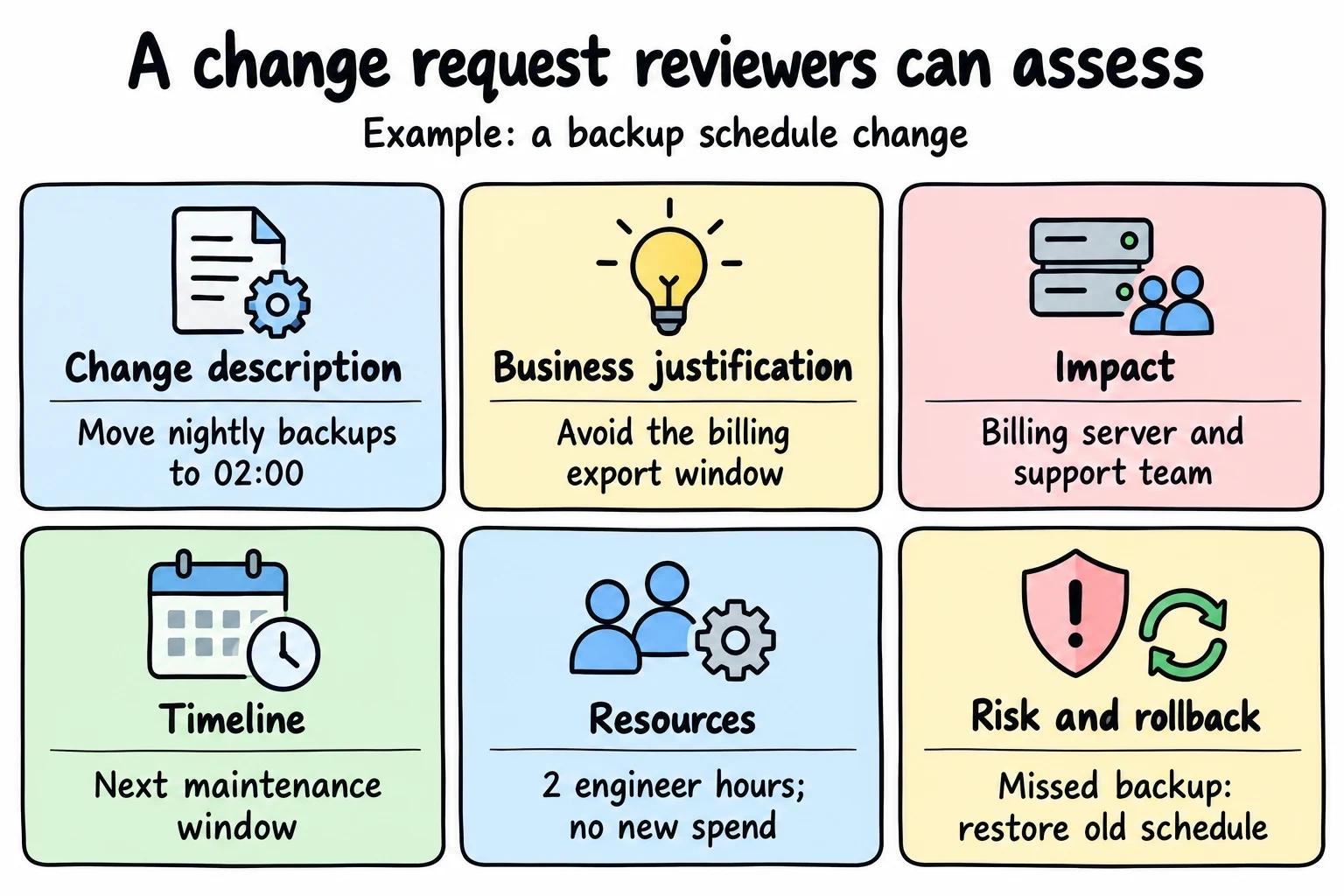
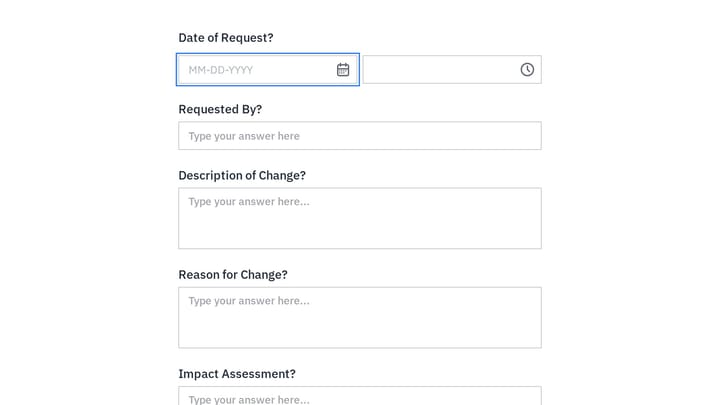
Change description (long text field): What exactly needs to change? Be specific about current state vs. desired state.
Business justification (long text field): Why is this change necessary? What problem does it solve or opportunity does it capture?
Impact assessment (multiple choice or text): Who or what will this change affect? Consider systems, processes, people, and external stakeholders.
Timeline requirements (date fields): When does this change need to happen? Include both “needed by” dates and any blackout periods to avoid.
Resource requirements (text or multiple choice): What resources are needed? This might include budget, personnel time, equipment, or external vendors.
Risk assessment (multiple choice or rating scale): What could go wrong? Ask requesters to identify potential risks and their likelihood.
Use a mix of field types to make completion easier. Multiple choice fields work well for standardized responses like risk levels or priority ratings. Text fields give flexibility for detailed explanations.
Step 3: Design the approval workflow
Your form needs to capture who should approve this change and in what order. This prevents requests from sitting in limbo while people figure out the approval chain.
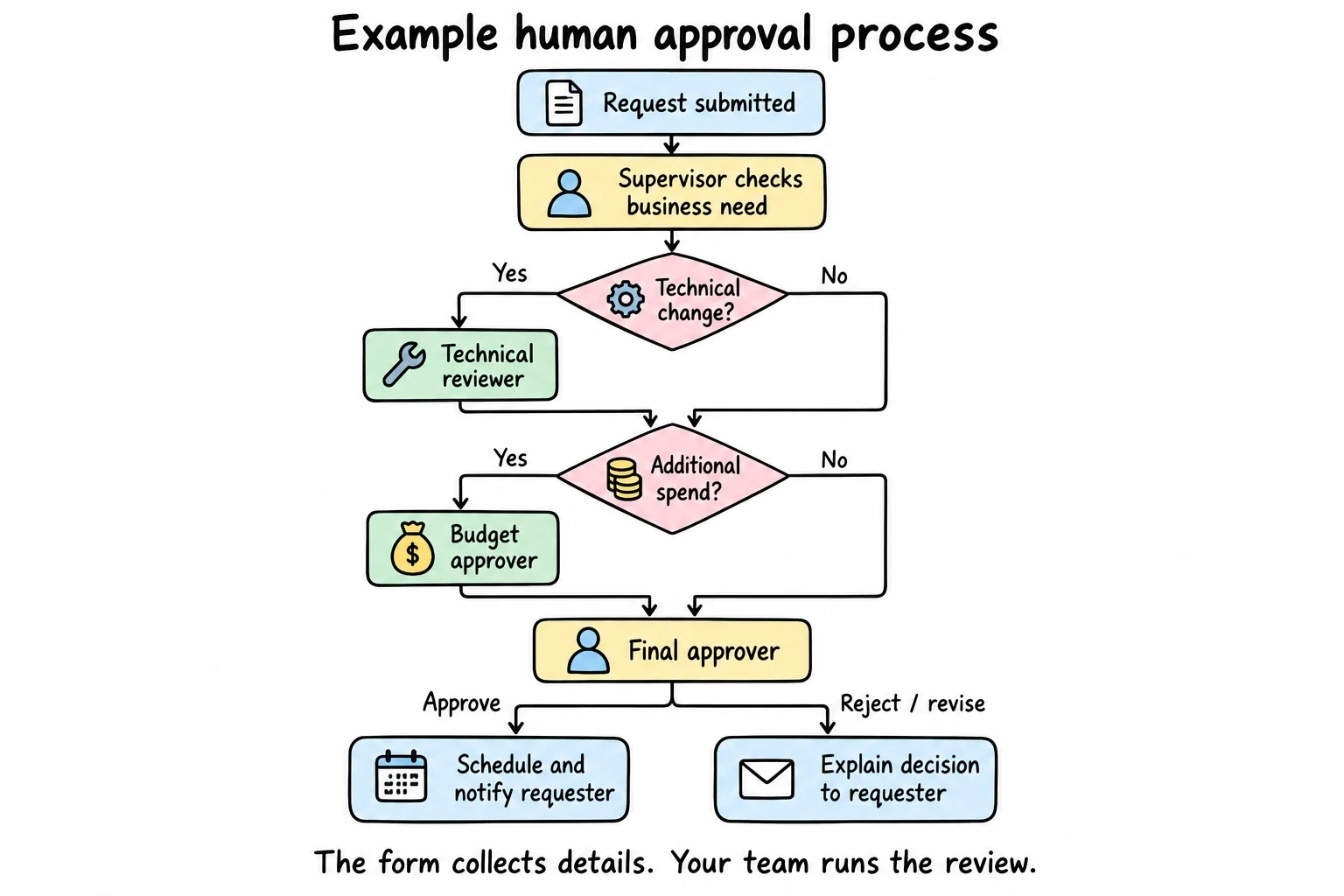
Add these workflow fields:
Immediate supervisor (text field): The requester’s direct manager who can speak to business need and resource availability.
Technical reviewer (dropdown or text): For IT or technical changes, who needs to review feasibility and implementation approach?
Budget approver (dropdown or text): If the change has cost implications, who controls the relevant budget?
Final approver (dropdown): Who has ultimate authority to approve or reject this type of change?
Consider using conditional logic (coming soon) to show different approval fields based on the change category selected in Step 1. IT changes need technical review, while process changes might need different stakeholders.
Step 4: Add supporting documentation
Changes often require supporting materials like technical specifications, cost estimates, or impact analyses. Make it easy for requesters to attach relevant documents.
Include these fields:
File upload: Let people attach documents directly to the request.
Supporting links (URL fields): For documents stored in shared drives, wikis, or project management tools.
Reference information (text fields): Related ticket numbers, project codes, or previous change requests.
Contact information (text fields): Who can provide additional details if questions arise during review?
Keep file requirements reasonable. Ask for essential documentation only, and specify acceptable file formats and size limits upfront.
Step 5: Set clear expectations
Your change request form should tell people what happens next. This reduces follow-up questions and sets realistic expectations about timing.
Add an information section that explains:
- Review timeline: How long does the approval process typically take?
- Next steps: What happens after they submit the form?
- Contact information: Who should they contact with questions?
- Status updates: How will they know when their request is approved or rejected?
Consider adding this information as help text within the form or as a separate section at the beginning.
Try a change request in Fomr
Use Fomr to collect the proposed change and supporting details before your team reviews it. The example below collects a request; it does not run an approval workflow.
Give it a try
Try this Fomr backup server configuration request
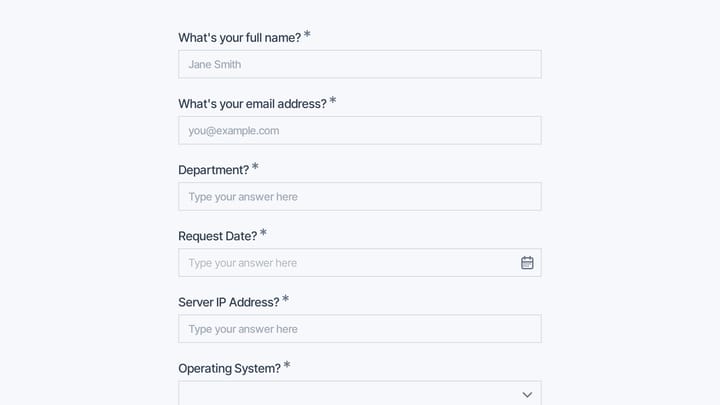
Try the server and backup-requirement fields in this Fomr configuration-request example. It illustrates a technical change request for human review, not automated approval.

Step 6: Test your change request form
Before rolling out your form organization-wide, test it with a small group of frequent requesters. Ask them to submit real requests and provide feedback on:
- Clarity: Are the questions clear and unambiguous?
- Completeness: Does the form capture all the information reviewers need?
- Ease of use: How long does it take to complete? Are any sections frustrating?
- Mobile experience: Can they complete the form on their phone if needed?
Use this feedback to refine field labels, add help text, or reorganize sections before the full launch.
Common mistakes to avoid
Making the form too long. Every additional field reduces completion rates. Include only information that directly impacts the approval decision.
Using unclear labels. “Business impact” could mean financial impact, operational impact, or customer impact. Be specific about what you’re asking for.
Forgetting about mobile users. Many people will complete your form on their phone. Test the mobile experience and keep text fields appropriately sized.
Not providing examples. Help requesters understand what level of detail you need by including examples of good responses.
Ignoring conditional logic. Different types of changes need different information. Use conditional fields (coming soon) to show only relevant questions based on earlier responses.
Skipping the confirmation message. After submission, clearly explain what happens next and provide a reference number for tracking.
Best practices for change request forms
Use progressive disclosure. Start with basic information and reveal additional fields based on responses. This keeps the initial form looking manageable.
Provide clear help text. Explain what information you’re looking for and why it matters for the approval process.
Make priority fields obvious. Use visual cues like asterisks or different colors to highlight required fields.
Include realistic time estimates. Tell people how long the form takes to complete so they can plan accordingly.
Offer multiple submission methods. While online forms are most efficient, some situations might require paper or email alternatives.
Plan for exceptions. Build in a way to handle urgent requests that can’t wait for the normal approval cycle.
Measuring success
Track these metrics to evaluate your change request form’s effectiveness:
- Completion rate: What percentage of people who start the form actually finish it?
- Time to approval: How long does it take from submission to final decision?
- Request quality: Are you getting the information needed to make good decisions?
- Rejection rate: What percentage of requests get rejected, and why?
- User satisfaction: Are requesters and approvers happy with the process?
Use this data to continuously improve your form design and approval workflow.
Ready to build your change request form?
A well-designed change request form transforms chaotic approval processes into smooth, predictable workflows. Start with the essential fields we’ve covered, test with real users, and refine based on feedback.
Our drag and drop form builder makes it easy to create professional change request forms without any technical expertise. You can start building immediately without creating an account and see exactly how your form will look as you design it. Try our guest editor and have your change request form ready in minutes.