A well-designed client intake form is the difference between starting projects with clarity or spending weeks in back-and-forth emails. Yet most intake forms either ask too little (leaving you scrambling for details later) or too much (scaring clients away before they hit submit).
We’ve built hundreds of client intake forms at Fomr, and the pattern is clear: the best forms collect exactly what you need to start strong while feeling effortless for clients to complete. Here’s how to build one that works.
Why your client intake form matters more than you think
Your intake form is often a client’s first real interaction with your process. A clunky form signals disorganization. A thoughtful one builds confidence before you even meet.
The numbers back this up. Forms with clear structure and logical flow see completion rates 40% higher than those that dump every question on one page. More importantly, the quality of information improves when clients understand why you’re asking each question.
Think of your client intake form as the foundation of every project relationship. Get it right, and you’ll start with aligned expectations, clear scope, and all the details you need. Get it wrong, and you’ll spend project time fixing what should have been solved upfront.
Step 1: Define what information you actually need
Before touching any form builder, list out what you genuinely need to know before the first meeting. Not what might be nice to know — what you actually need.
Start with three categories:
Essential information — project can’t start without this. Usually includes contact details, project type, timeline, and budget range.
Important context — helps you prepare better but isn’t a deal-breaker. Think current challenges, previous solutions they’ve tried, or specific goals.
Nice-to-have details — interesting but not critical for initial discussions. Company history, detailed preferences, or extensive background information.
Your client intake form should focus heavily on essential information, include some important context, and skip most nice-to-have details. You can always gather more specifics later.
Here’s a practical test: if you wouldn’t ask the question in the first 10 minutes of a phone call, don’t put it on your intake form.
Step 2: Choose the right form builder for your needs
Your choice of online form builder affects both your workflow and your clients’ experience. Free form builders can work for simple intake forms, but you’ll want features like conditional logic (coming soon), file uploads, and custom branding for professional client intake.
Look for these features:
- Drag and drop form builder — you’ll iterate on your form design, so visual editing saves time
- Multi-page forms — long intake forms work better split across pages
- Conditional logic — show relevant questions based on previous answers (coming soon)
- File upload capability — clients often need to share documents or examples
- Custom branding — your form should match your professional image
We built Fomr specifically for forms that need to look professional while being easy to create. You get unlimited forms and responses on the free plan, plus full design control with 1,700+ fonts and custom branding options.
Give it a try
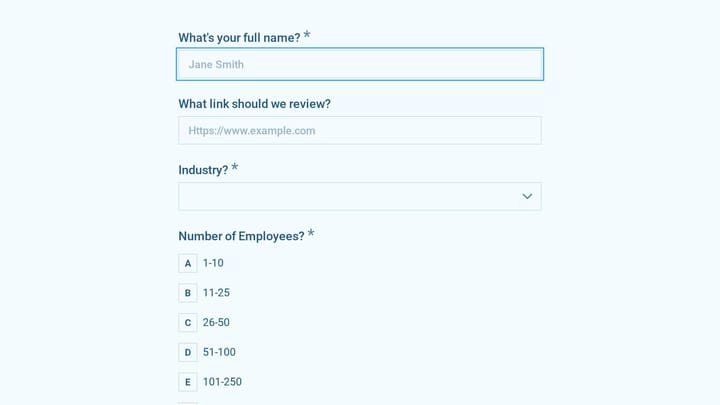
Try this Fomr it support client intake form
Try the company, contact, and technical-environment questions in this Fomr IT intake example. Keep the questions your service needs and remove the industry-specific ones that do not apply.

Step 3: Structure your client intake form flow
The order of questions matters enormously. Start with easy, obvious questions to build momentum. Save complex or sensitive topics (like budget) for later when clients are already invested in completing the form.
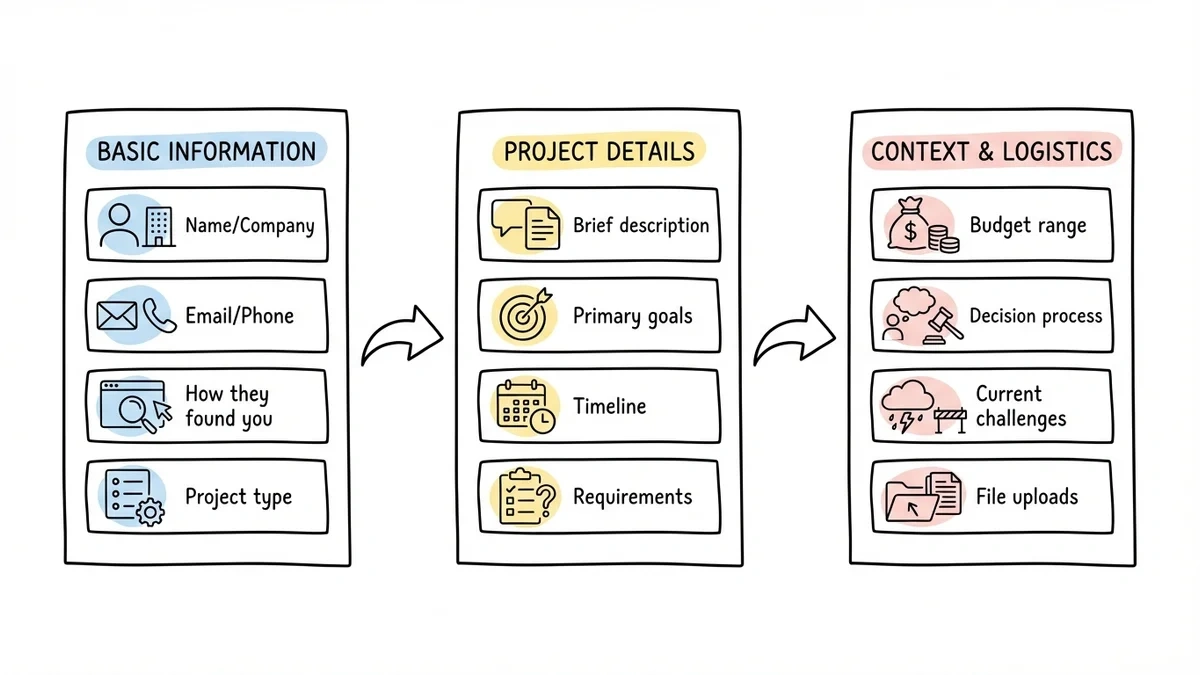
Here’s a proven structure:
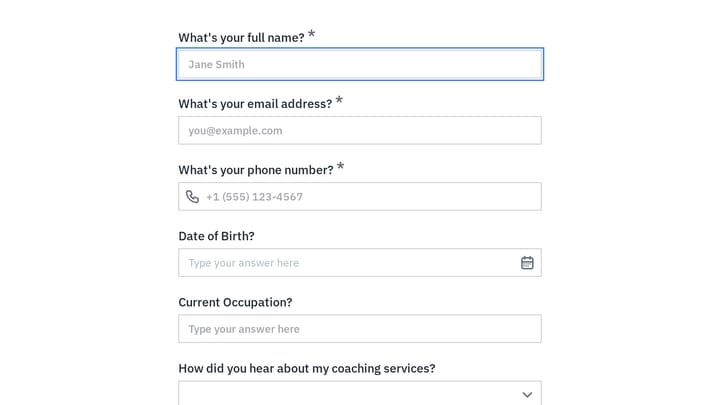
Page 1: Basic information
- Name and company
- Email and phone
- How they found you
- Project type (if you offer multiple services)
Page 2: Project details
- Brief project description
- Primary goals
- Timeline preferences
- Any specific requirements
Page 3: Context and logistics
- Budget range
- Decision-making process
- Current challenges
- File uploads if needed
This flow works because it mirrors a natural conversation. You’d introduce yourselves before diving into project specifics, and you’d discuss scope before talking budget.
Step 4: Write questions that clients actually want to answer
The way you phrase questions determines both completion rates and response quality. Vague questions get vague answers. Leading questions bias responses. Overwhelming questions get skipped entirely.
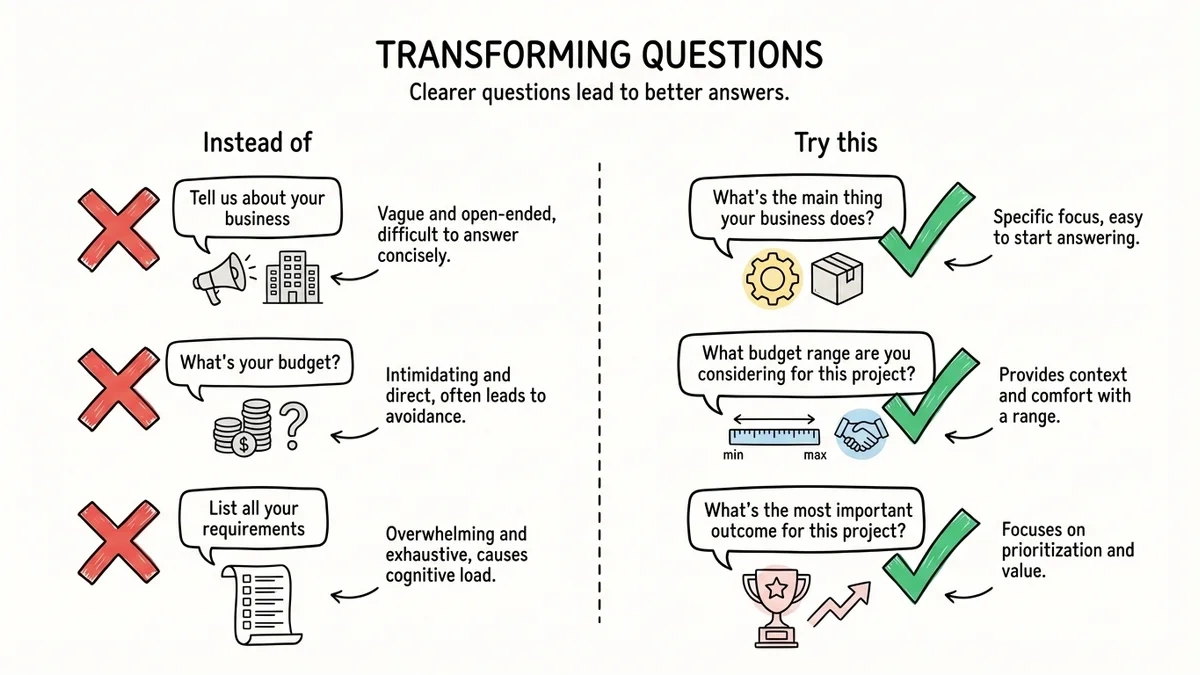
Instead of: “Tell us about your business” Try: “What’s the main thing your business does?” (specific and answerable)
Instead of: “What’s your budget?” (feels confrontational) Try: “What budget range are you considering for this project?” (collaborative tone)
Instead of: “List all your requirements” (overwhelming) Try: “What’s the most important outcome for this project?” (focused)
Use field labels that explain why you’re asking. “Your timeline (helps us plan resources)” works better than just “Timeline.” Clients complete forms faster when they understand the purpose behind each question.
For multiple choice questions, include an “Other” option. For budget ranges, use realistic brackets based on your actual pricing. For text fields, add placeholder text showing the kind of response you’re looking for.
Step 5: Design for completion, not perfection
Visual design affects completion rates more than most people realize. A cluttered form feels like work. A clean, well-spaced form feels like a conversation.
Use plenty of white space. Cramped forms feel overwhelming even when they’re short. Give each question room to breathe.
Group related questions visually. Contact information should look like a group. Project details should be clearly separate from budget questions.
Make progress clear. If using multiple pages, show progress indicators. Clients complete forms when they know how much is left.
Choose readable fonts and colors. Your brand colors might not work for form text. Readability trumps brand consistency in forms.
Test on mobile. Many clients will fill out your intake form on their phone. If it’s hard to use on mobile, you’ll lose responses.
The goal isn’t to win design awards — it’s to remove every possible friction point between your client and a completed form.
Step 6: Set up smart follow-up and organization
A great client intake form doesn’t just collect information — it organizes it for action. Set up your workflow before launching the form.
Immediate confirmations — clients should get a confirmation email immediately after submitting. Include what happens next and when they’ll hear from you.
Internal notifications — you should know about new submissions right away. Most form builders can email you or integrate with project management tools.
Response organization — decide how you’ll store and access responses. Will they go into a CRM? A shared folder? A project management system?
Follow-up timeline — commit to a specific response time and stick to it. “We’ll get back to you within 24 hours” builds more trust than “We’ll be in touch soon.”
Consider creating response templates based on common project types. If 80% of your web design clients have similar next steps, prepare that email in advance.
Common client intake form mistakes to avoid
Making it too long. Every question reduces completion rates. If your form takes more than 5 minutes to complete, it’s probably too long.
Asking for information you already have. If they filled out a contact form on your website, don’t ask for their email again in the intake form.
Using required fields for everything. Mark only truly essential fields as required. Optional fields still get filled out most of the time, but required fields feel demanding.
Forgetting about mobile users. Test your form on an actual phone, not just a desktop browser. Tiny text fields and cramped layouts kill mobile completion rates.
No clear next steps. After submitting, clients should know exactly what happens next and when. Uncertainty creates anxiety.
Generic confirmation messages. “Thank you for your submission” feels automated. “Thanks for sharing your project details — we’ll review everything and get back to you by tomorrow afternoon” feels personal.
Advanced tips for better client intake forms
Use conditional logic wisely. Show budget questions only for certain project types. Display timeline options based on project scope. But don’t overdo it — too much branching confuses clients. (Note: conditional logic is coming soon to Fomr)
Include examples in text fields. Instead of just asking “Describe your target audience,” add placeholder text like “Small business owners, 25-45 years old, primarily in healthcare.”
Offer scheduling integration. After form completion, let clients book a follow-up call immediately. Strike while interest is high.
Create different forms for different services. A web design intake form needs different questions than a consulting intake form. Don’t try to make one form serve every use case.
Track completion rates and iterate. Most form builders show you where people drop off. If everyone abandons at the budget question, that’s data worth acting on.
Testing and refining your client intake form
Launch your form but treat it as a draft. Real client behavior will teach you things you can’t predict.
Send the form to a few trusted contacts first. Ask them to complete it and give honest feedback about confusing questions or technical issues.
Monitor your completion rates. If fewer than 70% of people who start your form actually finish it, something needs fixing. Common culprits: too many required fields, unclear questions, or mobile usability problems.
Track the quality of responses. If clients consistently leave important fields blank or give unhelpful answers, revise those questions.
Pay attention to follow-up conversations. If you find yourself asking the same clarifying questions after every intake form, add those questions to the form itself.
Ready to build your client intake form?
A well-designed client intake form sets the tone for every client relationship. It shows professionalism, gathers the information you need, and makes clients feel heard before you even meet.
The key is balancing thoroughness with simplicity. Ask what you need to know, skip what you don’t, and make the experience as smooth as possible for your clients.
Start with a client intake form template if you want a ready-made structure, then adapt it to the services you offer.
You can start building your client intake form right now with Fomr’s guest editor — no signup required. Choose from professional templates or start from scratch with our drag-and-drop builder.