Your students just finished your course, and you need their honest feedback. But generic course evaluation forms often produce bland, unhelpful responses that don’t tell you what’s actually working or what needs to change.
The difference between useful feedback and checkbox responses comes down to how you design your course evaluation form. Ask the right questions in the right way, and you’ll get insights that improve your teaching. Ask poorly, and you’ll get polite non-answers that waste everyone’s time.
Here’s how to build a course evaluation form that encourages thoughtful, actionable feedback from your students.
Why course evaluation forms matter more than you think
Most instructors treat course evaluations as a necessary chore — something required by their institution or organization. But well-designed feedback collection can transform your teaching approach.
Students want to help you improve. They’ve invested time and often money in your course. When you ask specific, thoughtful questions, they’ll give you specific, thoughtful answers. The key is making it easy for them to share what they really think.
A good course evaluation form also shows students you care about their experience. This builds trust and often leads to higher completion rates and better word-of-mouth recommendations for future courses.
Step 1: Choose the right timing and format
When to send your course evaluation form
Send your evaluation within 24-48 hours after the course ends. Students’ memories are still fresh, but they’ve had time to process what they learned. Wait longer than a week, and response rates drop significantly.
For multi-session courses, consider sending a brief mid-course check-in (3-4 questions) and a detailed final evaluation. This lets you adjust your approach while the course is still running.
Digital vs. paper evaluations
Online forms win every time. Students can respond when convenient, you get organized data automatically, and there’s no risk of losing handwritten responses. An online form builder makes this process straightforward — you can create, share, and analyze responses from one dashboard.
Paper forms make sense only if your students don’t have reliable internet access during class.
Step 2: Structure your course evaluation form effectively
Start with easy questions
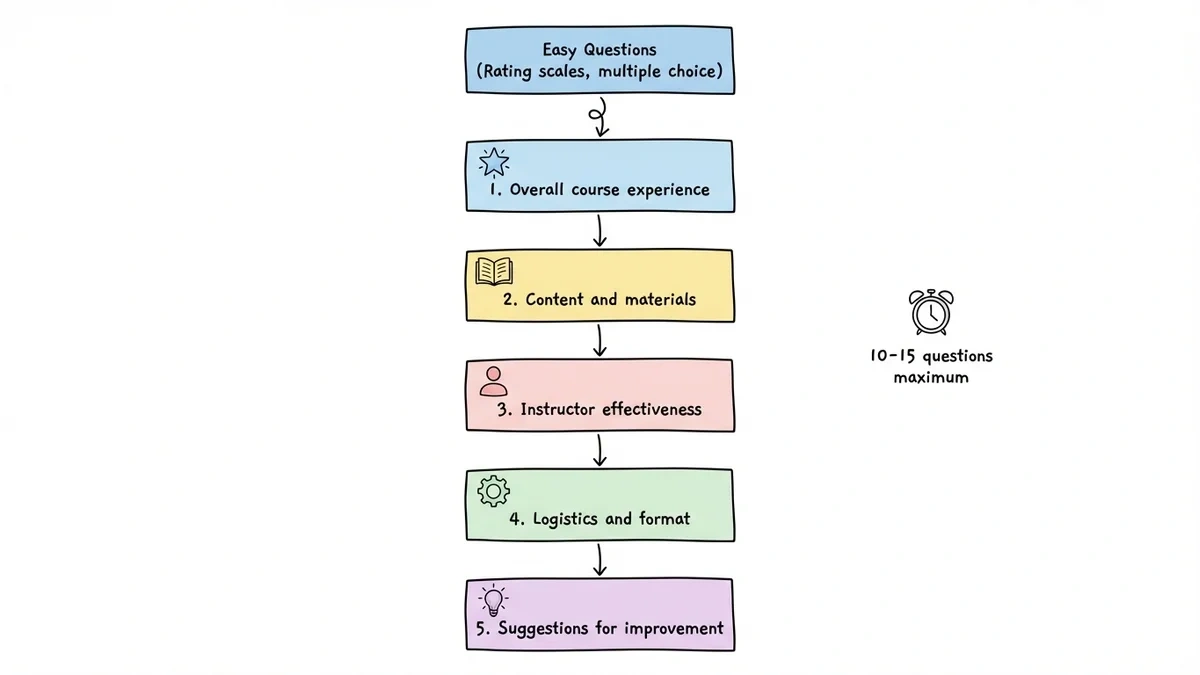
Begin with simple rating scales or multiple choice questions. This gets students engaged without requiring much mental effort. Save open-ended questions for later when they’re already committed to completing the form.
Use a logical flow
Organize questions from general to specific:
- Overall course experience
- Content and materials
- Instructor effectiveness
- Logistics and format
- Suggestions for improvement
This structure feels natural to students and produces more thoughtful responses in each section.
Keep it concise
Aim for 10-15 questions maximum. Students will abandon longer forms, especially if they’re completing evaluations for multiple courses. Every question should serve a specific purpose — if you won’t act on the answer, don’t ask the question.
Step 3: Write questions that generate useful feedback
Mix question types strategically
Use rating scales (1-5 or 1-10) for quantitative data you can track over time. Use multiple choice for logistics questions. Use open-ended questions for nuanced feedback about content and teaching methods. When it’s time to share the results, our free Likert scale chart maker turns agree-disagree counts into a presentation-ready chart.
Rating scale best practices
- Use consistent scales throughout your form (don’t mix 1-5 with 1-10)
- Always clarify what each number means (“1 = Poor, 5 = Excellent”)
- Include a “Not Applicable” option when relevant
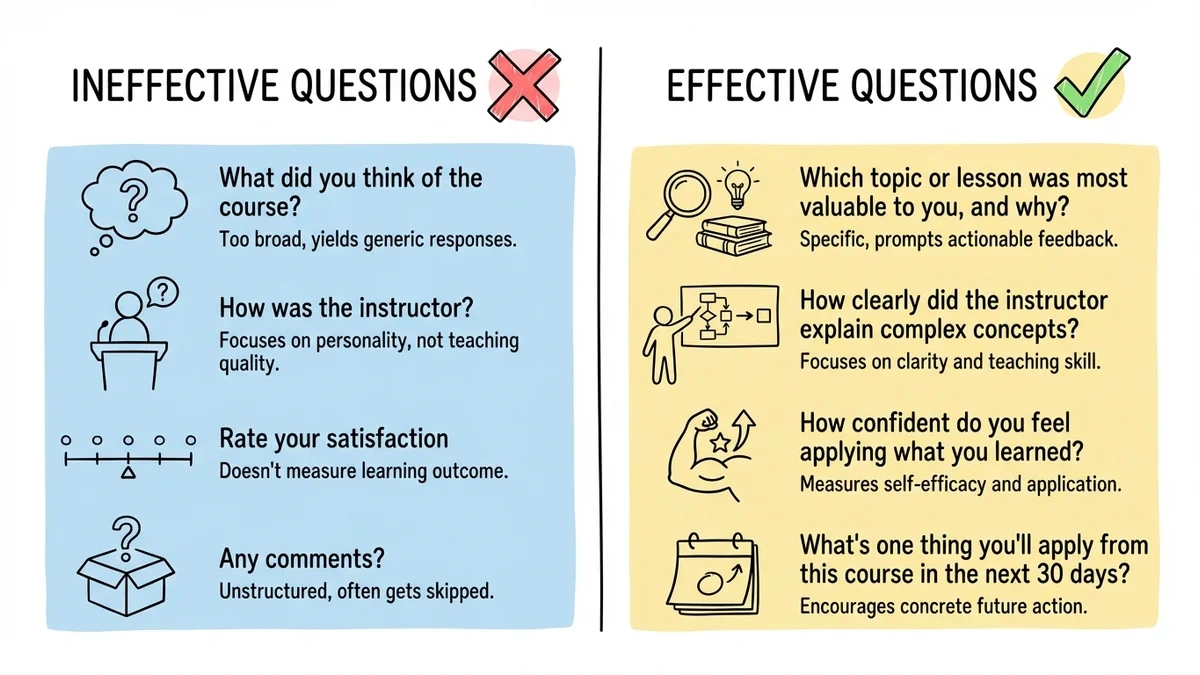
- Ask about specific aspects: “How clearly did the instructor explain complex concepts?” rather than “How was the instructor?”
Open-ended questions that work
Instead of “What did you think of the course?” try:
- “Which topic or lesson was most valuable to you, and why?”
- “What’s one thing you’ll apply from this course in the next 30 days?”
- “If you were redesigning this course, what would you change?”
These questions prompt specific, actionable responses rather than vague praise or criticism.
Step 4: Address common course evaluation areas
Content and curriculum
- Was the course content relevant to your goals?
- How appropriate was the difficulty level?
- Which topics deserved more or less time?
- How well did the course materials support your learning?
Instructor effectiveness
- How clearly did the instructor communicate concepts?
- How helpful was the instructor’s feedback on assignments?
- How well did the instructor manage class discussions?
- How accessible was the instructor outside of class time?
Course format and logistics
- How effective was the course format (online, in-person, hybrid)?
- Were technical aspects (platform, audio, video) reliable?
- How reasonable was the workload?
- How well-organized was the course schedule?
Learning outcomes
- What skills or knowledge did you gain from this course?
- How confident do you feel applying what you learned?
- Would you recommend this course to others in your situation?
Step 5: Design for honest responses
Make it anonymous by default
Students give more honest feedback when they don’t worry about retaliation. Unless you have a specific need to identify respondents, keep evaluations anonymous. If you do need names for follow-up, make that field optional and explain why you’re asking.
Ask about negatives directly
Don’t just ask what students liked. Ask what frustrated them, what confused them, or what they’d remove from the course. Frame these as improvement opportunities: “What’s one thing that made this course more difficult than it needed to be?”
Include a “parking lot” question
End with something like: “Is there anything else about this course that we haven’t covered?” This catches important feedback that doesn’t fit your other categories.
Step 6: Set up your form for maximum responses
Choose the right form builder
You need a visual drag-and-drop editor that makes it easy to mix question types and customize the design. Look for features like:
- Multiple question types (rating scales, multiple choice, text areas)
- Custom branding to match your course materials
- Mobile-responsive design (many students will complete evaluations on their phones)
- Automatic data export for analysis
Optimize for mobile completion
Over 60% of form responses happen on mobile devices. Test your course evaluation form on a phone before sending it out. Make sure rating scales are easy to tap and text boxes are large enough for thumb typing.
Write a compelling subject line
If you’re sending the form via email, your subject line determines whether students open it. Try:
- “Help improve [Course Name] — 2 minutes”
- “Your feedback on [Course Name] (quick survey)”
- “How was [Course Name]? Share your thoughts”
Avoid generic phrases like “Course Evaluation” or “Please Complete Survey.”
Try a course evaluation in Fomr
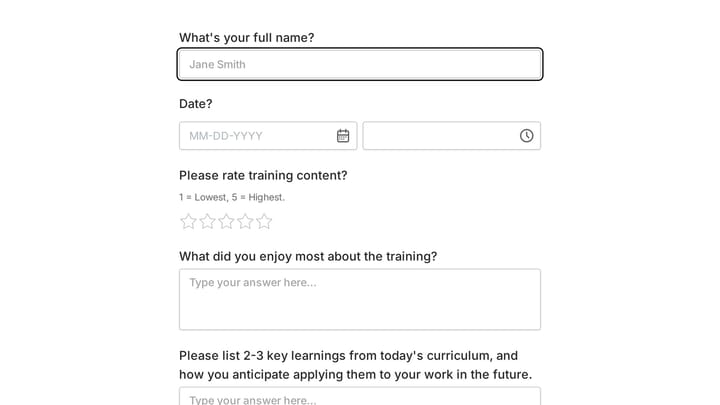
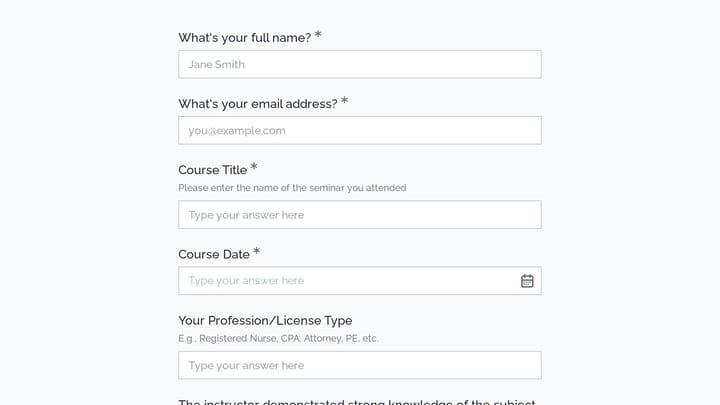
Fomr lets you build a course evaluation with rating and written-feedback questions. Try this training feedback example, then adapt the questions to your course.
Give it a try
Try this Fomr training feedback form
Try rating the training content and adding written feedback in this Fomr example. Adapt the questions to your course or workshop after trying the respondent view.

Step 7: Follow up and close the feedback loop
Send reminder emails strategically
Send one reminder 3-4 days after your initial request, and a final reminder after another 3-4 days. After that, you’re likely bothering non-respondents rather than encouraging them.
Make reminders shorter and more direct than your original request. Focus on how their feedback helps future students.
Share what you learned
Tell students what you discovered from their feedback and what you plan to change. This can be a brief email or a post in your course community. Students who see their feedback taken seriously are more likely to provide thoughtful responses to future evaluation forms.
Act on the feedback
The fastest way to get poor response rates on future evaluations is to ignore the feedback you receive. You don’t need to implement every suggestion, but address the most common concerns and communicate your decisions.
Common mistakes that kill response rates
Making the form too long
Students will abandon forms that feel like a burden. If you need extensive feedback, consider sending a short post-course survey and a more detailed follow-up survey 2-3 weeks later for willing participants.
Using only generic questions
“Rate your overall satisfaction” tells you almost nothing useful. Ask about specific aspects of your course that you can actually improve.
Poor mobile experience
If your form is hard to complete on a phone, you’ll lose most of your responses. Always test on mobile devices before sending.
No clear purpose
Students respond better when they understand how their feedback will be used. Tell them you’re planning the next version of the course or working to improve specific aspects of the curriculum.
Getting started with your course evaluation form
Building an effective course evaluation form doesn’t require complex tools or extensive design skills. The key is asking the right questions in a format that encourages honest, specific responses.
Start with our free visual drag-and-drop editor — you can create a professional course evaluation form in minutes without any technical setup. Choose from multiple question types, customize the design to match your course branding, and start collecting feedback immediately.
Try building your course evaluation form now — no account required to get started.