Most job application forms are terrible. They ask for a resume upload and then make you retype everything from that resume into 30 separate fields. Or they’re so bare-bones that hiring managers get applications with zero useful context. Neither extreme works.
A good job application form sits in the middle. It collects what you actually need to evaluate a candidate, respects their time, and makes your hiring process look organized. Here’s how to build one that does all three.
Why your job application form affects who applies
The form itself is a filter, and not always in the way you’d want. A frustrating application process doesn’t just lose impatient people. It loses employed candidates who have limited time, senior professionals who won’t tolerate bad UX, and anyone who takes your company’s attention to detail as a signal of what working there is like.
Research from Appcast shows that application completion rates drop by roughly 50% when forms take longer than 15 minutes. That’s half your candidate pool gone before you’ve read a single resume.
Your application form is the first real interaction a candidate has with your organization. If it’s clunky, slow, or confusing, you’re telling them something about how you operate. Whether that’s fair or not, it’s how people think.
Step 1: Decide what you actually need to know upfront
Before building anything, write down the information you need to make a first-pass decision on a candidate. Not everything you’d eventually want to know. Just what you need to decide “yes, let’s talk to this person” or “no, not a fit.”
For most roles, that list is shorter than you think:
- Contact information (name, email, phone)
- The specific role they’re applying for
- A resume or work history summary
- A brief explanation of why they’re interested
- Their availability or earliest start date
That’s it for a first screen. Salary expectations, references, detailed work history breakdowns, personality assessments — all of that can come later in the process. Every extra field you add at this stage costs you applicants.
There’s a real temptation to front-load your application with every question the hiring team might eventually ask. Resist it. You’ll get better candidates by keeping the initial form short and following up with the ones worth pursuing.
Step 2: Pick the right fields for your job application form
The field types you choose affect both the quality of responses and how long the form takes to complete. Here’s what works well for each section of a job application form.
Contact information
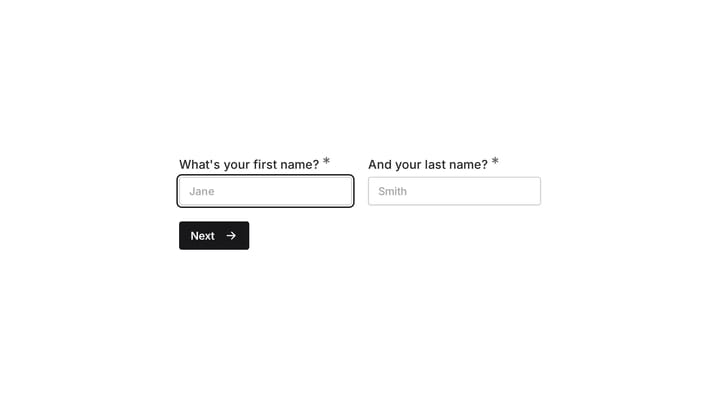
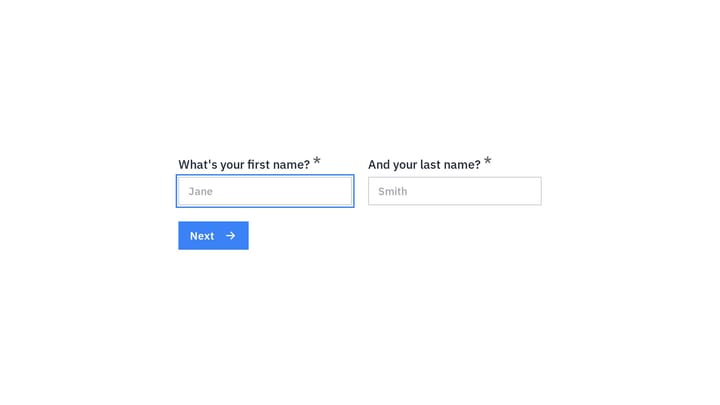
Keep this simple. A name field, email field, and phone number field cover the basics. Don’t split the name into first/middle/last unless your HR system requires it — that’s an extra click for every applicant.
Skip the mailing address. You almost never need a physical address at the application stage, and asking for one feels invasive. If location matters for the role, a single “city” or “region” dropdown works better.
Role selection
If you’re hiring for multiple positions, use a dropdown or radio button list. Don’t make candidates type the job title into a text field — you’ll get inconsistent responses that are painful to sort through.
Include a “General / Open Application” option if you accept speculative applications. Some of your best hires might not fit a current opening perfectly.
Work history and qualifications
This is where most application forms go wrong. You have two reasonable approaches:
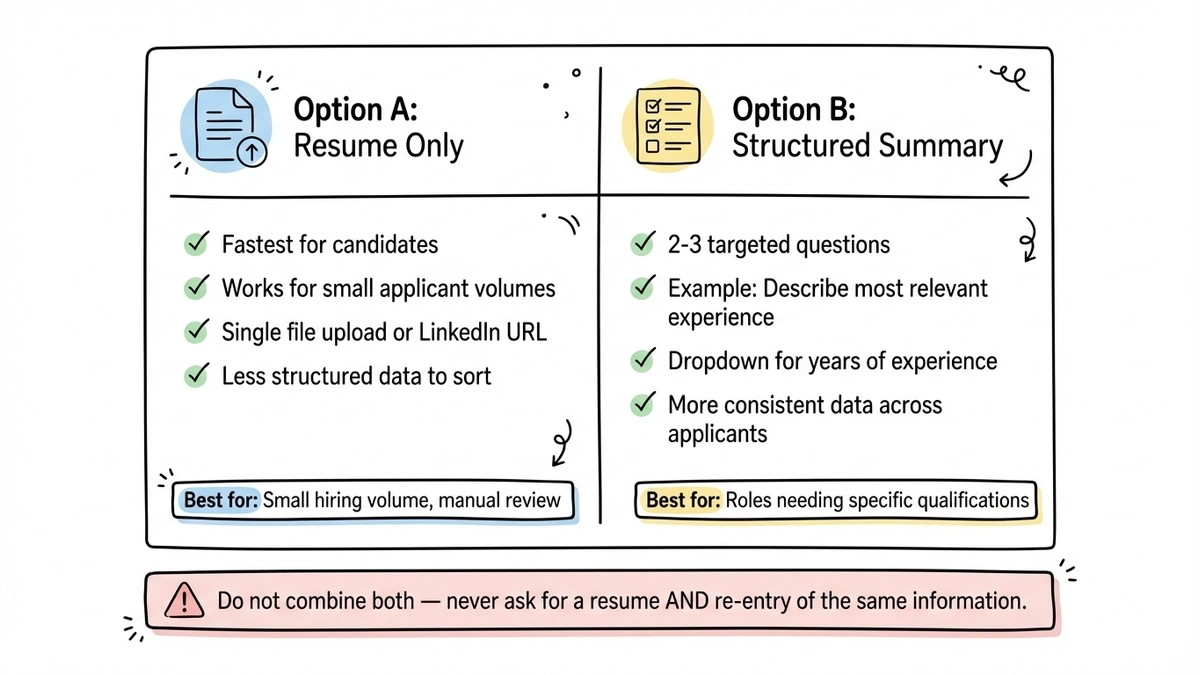
Option A: Resume only. Ask for a resume upload or a link to their LinkedIn profile. This is fastest for candidates and works well when you have a small number of applicants to review manually.
Option B: Structured summary. Ask 2-3 targeted questions instead of a full work history. “Briefly describe your most relevant experience for this role” gets you more useful information than a chronological job list. Pair it with “How many years of experience do you have in [relevant skill]?” as a dropdown.
Don’t do both. Asking for a resume and then requiring candidates to re-enter all the same information is the single most common complaint about online applications. Pick one approach and commit to it.
Screening questions
If the role has hard requirements (certifications, location, legal work authorization), ask about them directly with yes/no or multiple choice fields. These are legitimate filters that save everyone’s time.
But be honest with yourself about what’s truly a requirement versus a preference. “Do you have a valid driver’s license?” is a reasonable screen for a delivery role. “Do you have 7+ years of experience with React?” when you’d happily interview someone with 4 years is just filtering out good candidates for no reason.
The “why” question
One open-ended question about motivation or interest tends to be the most valuable part of any application. Something like “What interests you about this role?” or “Why are you looking to make a change?” gives you a window into the candidate’s thinking that a resume can’t provide.
Keep it to one question, though. Two or three essay prompts and you’re writing a college application, not a job form.
Step 3: Structure the form for completion
A job application form with 15 fields on a single page looks intimidating even if it only takes 5 minutes. Breaking it into multiple pages changes the psychology completely.
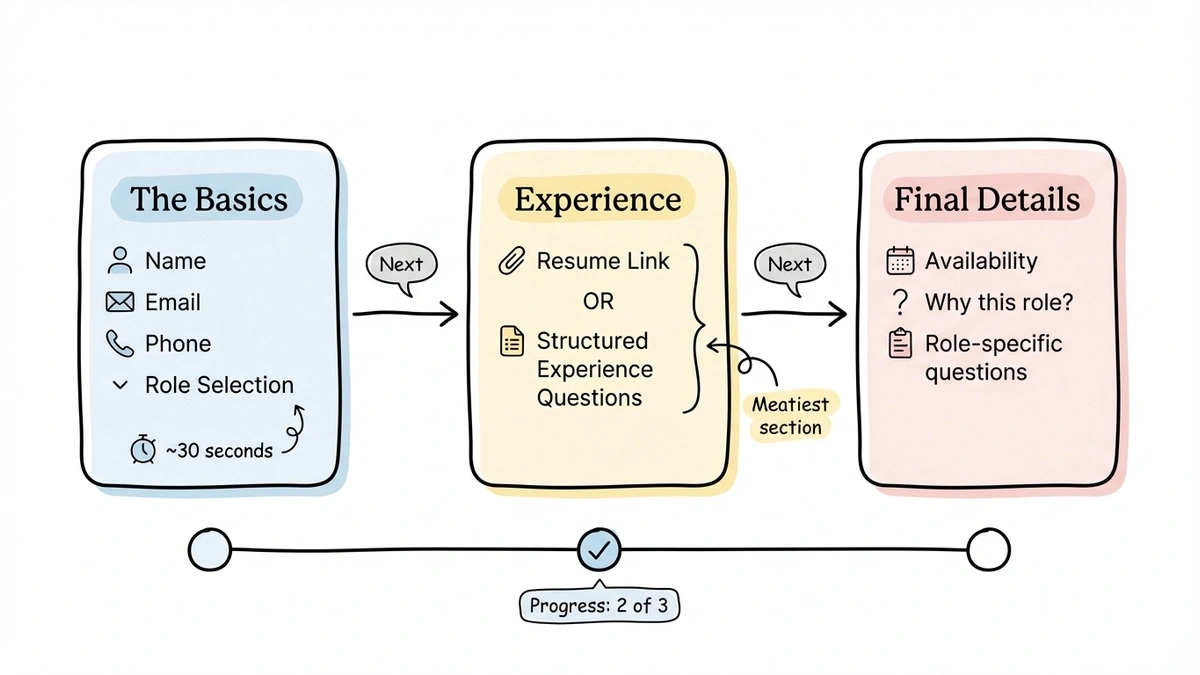
Here’s a structure that works:
Page 1: The basics. Name, email, phone, and role selection. This takes 30 seconds and gets candidates committed to finishing.
Page 2: Experience. Resume link or structured experience questions. This is the meatiest section but feels manageable as its own page.
Page 3: Final details. Availability, the “why” question, and anything role-specific. By this point, candidates have invested enough time that they’ll finish.
Show a progress indicator. Candidates who can see they’re on step 2 of 3 are far more likely to continue than candidates staring at an endless scroll of fields.
In Fomr, you can build multi-page forms with the drag-and-drop editor and see exactly how each page looks before publishing. The progress bar is built in, so candidates always know where they stand.
Give it a try
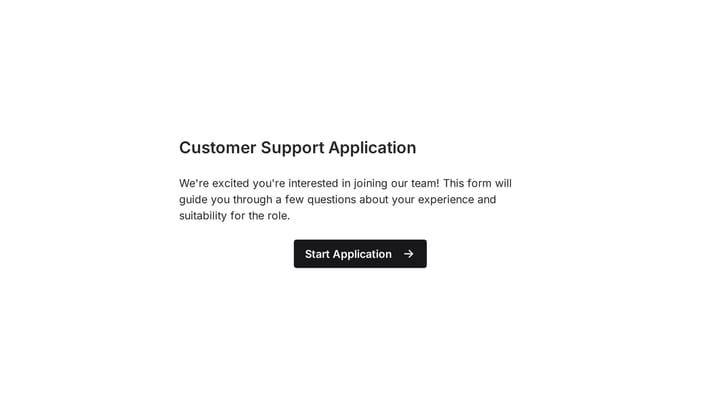
Try this Fomr customer service job application form
Try the contact and customer-service experience questions in this Fomr application. Move through the pages to judge the amount of work each step asks of a candidate.

Step 4: Design the form to match your employer brand
Your job application form is a branding opportunity that most companies waste. A generic white form with default fonts says nothing about your company. A form that matches your website’s look and feel reinforces your brand at exactly the moment a candidate is deciding whether to invest their time.
A few design choices that matter:
Use your brand colors and logo. This sounds obvious, but a surprising number of companies use default-styled forms that look disconnected from their careers page. Fomr gives you full control over colors, backgrounds, and logos — plus access to 1,700+ fonts so you can match your brand typography exactly.
Keep it clean. Resist the urge to add decorative elements, stock photos, or long introductory paragraphs. Candidates want to apply, not read a brochure. A brief sentence about the role at the top of the form is plenty.
Make the submit button clear. “Submit Application” is better than “Submit.” It confirms what they’re doing and feels more intentional.
Test on mobile. According to Glassdoor, over 50% of job searches happen on mobile devices. If your application form is painful on a phone, you’re losing candidates who are browsing jobs during their commute or lunch break.
Step 5: Write clear instructions and set expectations
Ambiguity kills completion rates. For every field that isn’t self-explanatory, add a brief description or placeholder text.
For a “relevant experience” text area, add placeholder text like: “2 years managing social media campaigns for B2B SaaS companies, including paid and organic strategy.” That one example tells candidates exactly the level of detail you’re looking for.
At the top of the form, tell candidates what to expect:
- How long the form takes (be honest — “about 5 minutes”)
- What happens after they submit
- When they’ll hear back
That last point matters more than you’d think. “We review applications weekly and respond within 5 business days” is specific enough to set expectations. “We’ll be in touch” is vague enough to be meaningless.
On the confirmation page after submission, repeat the timeline and include any next steps. If there’s a skills assessment or phone screen coming, mention it so candidates can prepare.
Common job application form mistakes
Requiring a cover letter. Unless writing is central to the role, mandatory cover letters just reduce your applicant pool. Make it optional if you want to offer the opportunity, but don’t gate the application on it.
Too many required fields. Mark only the fields you genuinely need as required. Optional fields still get filled out most of the time, but making everything required feels demanding and increases abandonment.
No mobile optimization. If a candidate can’t comfortably complete your form on their phone, you’ve lost them. Test the form on an actual phone before publishing.
Asking for references upfront. References make sense at the final interview stage, not the application stage. Candidates don’t want to bother their references for every job they apply to, and you don’t need references for people you haven’t even screened yet.
Generic confirmation messages. “Thank you for your submission” is forgettable. “Thanks for applying to the Marketing Manager role at [Company]. We’ll review your application and get back to you within one week” is specific and reassuring.
No way to save progress. Long forms without auto-save are risky. If a candidate’s browser crashes or they need to step away, losing their progress means losing the application. Fomr auto-saves form progress, so candidates can pick up where they left off.
Tips for specific industries
Not every job application form should look the same. Here are adjustments worth making based on your context.
Creative roles (design, writing, marketing): Add a field for portfolio links. A URL field is cleaner than asking candidates to describe their work in text. If you want work samples, ask for 1-2 specific pieces rather than “send us your portfolio.”
Technical roles (engineering, data, IT): Consider adding a brief technical question or a link to a coding challenge instead of asking candidates to describe their skills in paragraph form. Self-reported skill levels (“rate your Python proficiency 1-5”) are notoriously unreliable.
Customer-facing roles (sales, support, retail): A short situational question works well here. “Describe how you’d handle an upset customer who received the wrong order” tells you more about a candidate than their resume does.
Remote positions: Add a timezone field and a question about remote work experience. “Have you worked remotely before? If so, for how long?” helps you gauge whether someone is prepared for the reality of remote work.
How to share your job application form
Once your form is built, you need to get it in front of candidates. There are a few approaches depending on where you post jobs.
Direct link. Every Fomr form gets a shareable link you can paste into job board listings, social media posts, or emails. This is the simplest option and works everywhere.
Embedded on your careers page. If you have a careers section on your website, embedding the form directly keeps candidates on your site instead of redirecting them. Fomr uses a lightweight JavaScript widget for embedding — just add a script tag and a div element where you want the form to appear:
<script async src="https://fomr.io/widget/embed.js"></script><div data-fomr-id="YOUR_FORM_ID"></div>Popup on job listing pages. If you want candidates to read the full job description before applying, a popup form triggered by an “Apply Now” button keeps the flow clean:
<script async src="https://fomr.io/widget/embed.js"></script><button data-fomr-id="YOUR_FORM_ID" data-fomr-type="popup" data-fomr-popup-overlay="true" data-fomr-popup-position="center"> Apply Now</button>QR code. For job fairs, printed flyers, or in-store hiring signs, Fomr generates a QR code for every form. Candidates scan it with their phone and start applying immediately.
Organizing and reviewing applications
Collecting applications is only half the job. You also need a system for reviewing them efficiently.
Set up email notifications so you know when new applications come in. If you’re hiring for multiple roles, make sure notifications include which role the candidate applied for.
Create a simple scoring rubric before you start reviewing. Decide on 3-4 criteria that matter most for the role and rate each application against them. This prevents the common trap of evaluating early applications more carefully than later ones as fatigue sets in.
Respond to every applicant, even rejections. An automated “we’ve decided to move forward with other candidates” email is better than silence. Candidates who have a positive experience — even when rejected — are more likely to apply again, refer others, or become customers.
If you’re collecting a high volume of applications, consider integrating your form with a spreadsheet or applicant tracking system. Fomr syncs responses straight to Google Sheets, and Notion and Zapier integrations are coming soon, which will make it easy to pipe applications directly into your existing workflow.
Start building your job application form
A thoughtful job application form does two things at once: it collects the information you need to make good hiring decisions, and it shows candidates that your company respects their time. Both of those things give you an edge in competitive hiring.
Keep the form short, make it look professional, test it on mobile, and follow up promptly. That’s really all it takes to be better than 90% of the application forms out there.
You can build your job application form right now with Fomr’s guest editor — no account required. Use the drag-and-drop builder to set up your pages, customize the design to match your brand, and share the link or embed it on your careers page. Unlimited forms and responses are free.