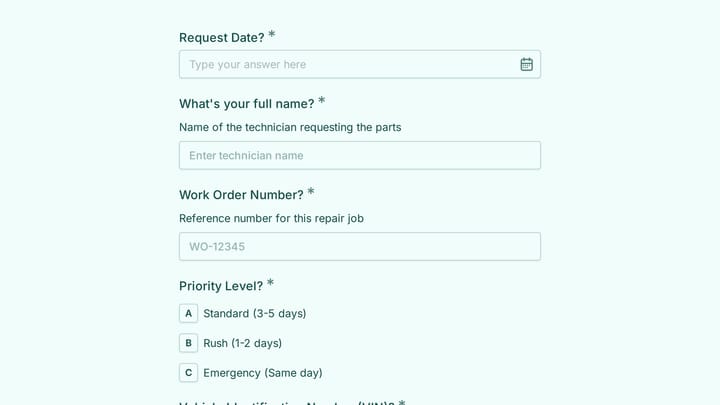
A broken air conditioner at 2 AM. A leaky faucet that’s been dripping for weeks. A flickering light in the hallway that nobody reports until it goes completely dark. Property managers and facility teams know the drill — maintenance issues pile up fast when you don’t have a clear system for tracking them.
A well-designed maintenance request form is your first line of defense against chaos. It captures the right details upfront, routes requests to the right people, and creates a paper trail that keeps everyone accountable. More importantly, it gives tenants and employees a simple way to report problems before they become expensive emergencies.
Let’s walk through building a maintenance request form that actually works.
Why your current system probably isn’t working
Most maintenance request systems fail for predictable reasons. Tenants call the office during business hours only, leaving voicemails that get lost. Emails get buried in inboxes. Text messages lack important details like unit numbers or urgency levels.
The result? Frustrated tenants, overwhelmed maintenance teams, and small problems that turn into big expenses. A dedicated maintenance request form solves these issues by standardizing how requests come in and making sure nothing falls through the cracks.
Step 1: Choose the right form builder platform
Your maintenance request form needs to work 24/7, capture structured data, and route requests efficiently. This rules out basic contact forms or generic survey tools that weren’t built for this purpose.
Look for a form builder that offers:
- Mobile-friendly design — most requests come from phones
- Conditional logic to show relevant fields based on request type
- File upload capability for photos of the problem
- Email notifications to alert your maintenance team instantly
- Data export options for tracking and reporting
We built Fomr specifically for forms like this. Our drag and drop form builder handles everything from simple contact forms to complex maintenance workflows, and the free plan includes unlimited forms and responses.
Give it a try
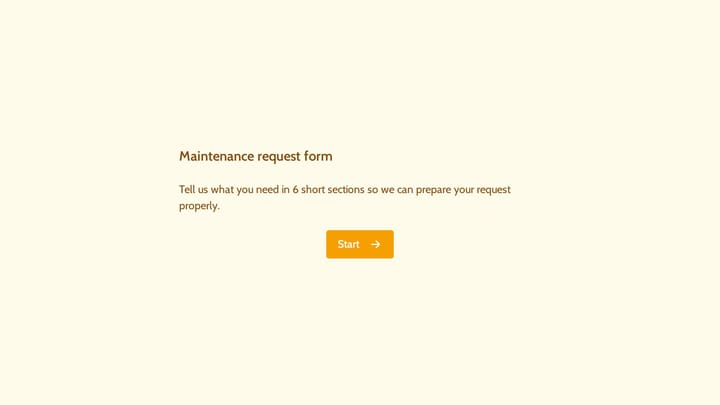
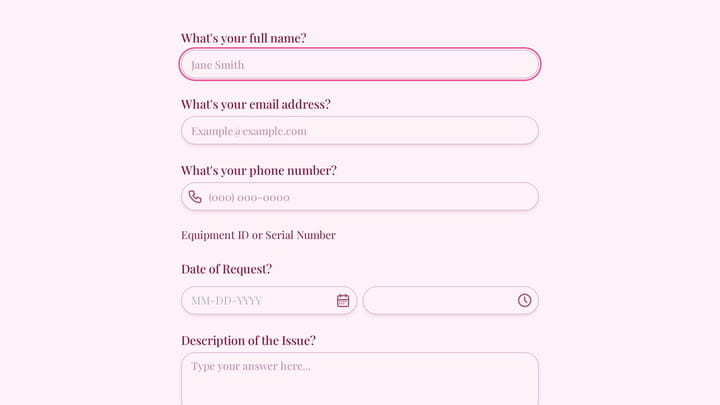
Try this Fomr equipment maintenance request form
Try describing an equipment issue, selecting its urgency, and adding contact details in this Fomr example. The evidence-upload field is simulated in the preview.

Step 2: Plan your maintenance request form structure
Before you start building, map out what information you actually need. Too many fields and people won’t complete the form. Too few and you’ll waste time going back for details.
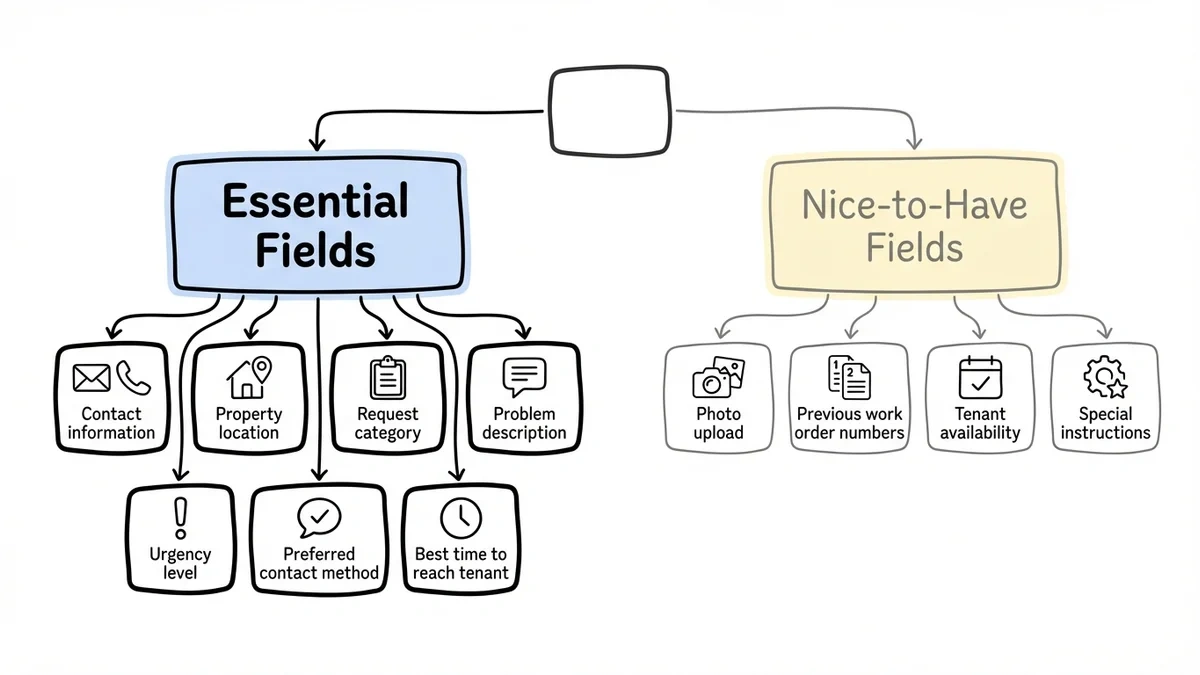
Essential fields for every maintenance request form:
- Contact information (name, phone, email)
- Property location (building, unit number, floor)
- Request category (plumbing, electrical, HVAC, general)
- Problem description
- Urgency level (emergency, urgent, routine)
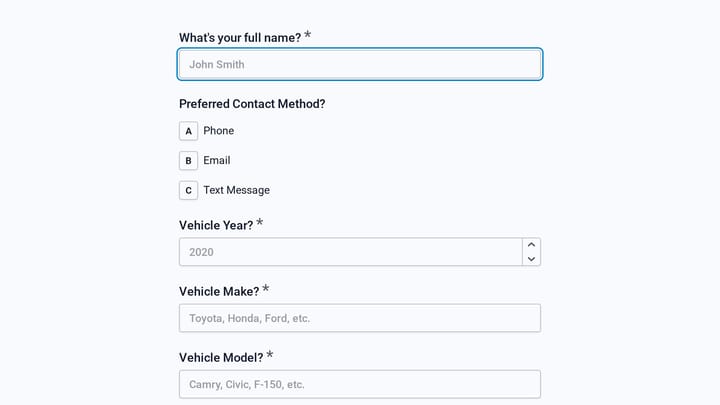
- Preferred contact method
- Best time to reach tenant
Nice-to-have fields:
- Photo upload for visual problems
- Previous work order numbers for recurring issues
- Tenant availability for access
- Special instructions or access codes
Start with the essentials. You can always add more fields later based on what your team actually needs.
Step 3: Design for mobile users
Here’s a stat that matters: 73% of maintenance requests come from mobile devices. Your form needs to work perfectly on phones, or people simply won’t use it.
Mobile design best practices:
- Keep form fields large enough to tap easily
- Use dropdown menus instead of long text fields where possible
- Break longer forms into multiple pages
- Test the form on your own phone before launching
Most online form builders claim to be mobile-friendly, but few actually optimize for the mobile experience. When you’re evaluating options, fill out a test form on your phone. If it’s frustrating for you, it’ll be frustrating for your tenants.
Step 4: Set up smart field logic
Not every maintenance request needs the same information. A broken dishwasher requires different details than a burnt-out lightbulb. Conditional logic shows relevant fields based on the request type, making your form shorter and more focused.
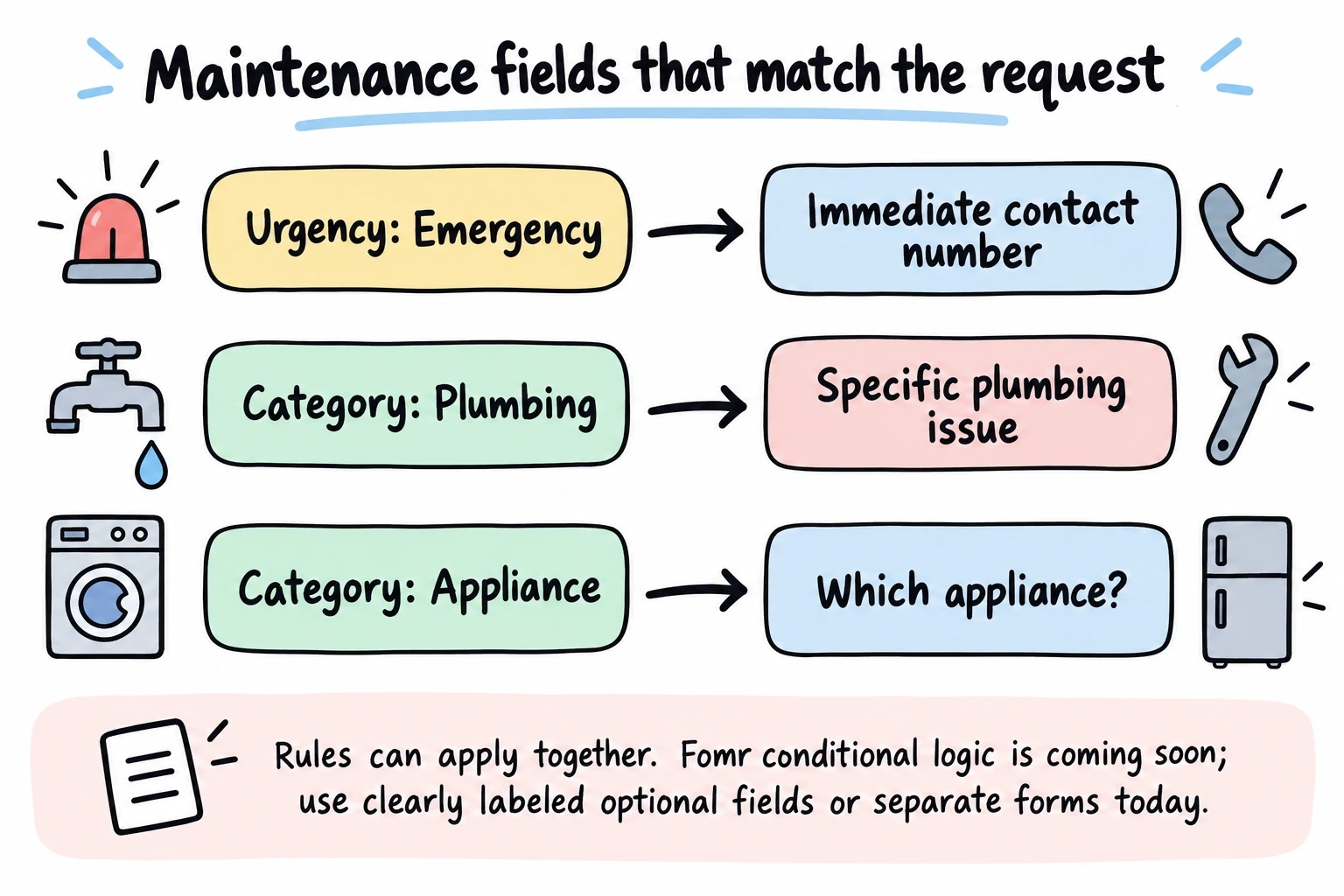
Example logic flow:
- If “Emergency” is selected → show field for immediate contact number
- If “Plumbing” is selected → show options for specific plumbing issues
- If “Appliance” is selected → show dropdown for which appliance
This approach reduces form abandonment while capturing better data. Instead of a generic “describe the problem” box, you get structured information that helps your maintenance team prepare.
Note: Conditional logic is coming soon to Fomr. In the meantime, you can design your form to include all relevant fields or create separate forms for different maintenance categories.
Step 5: Write clear field labels and instructions
The difference between a good maintenance request form and a great one often comes down to the copy. Clear labels and helpful instructions prevent confusion and reduce incomplete submissions.
Instead of: “Issue” Write: “What type of maintenance do you need?”
Instead of: “Description” Write: “Describe the problem in detail (include location within unit if relevant)”
Instead of: “Priority” Write: “How urgent is this request?”
Add help text under fields when needed. For urgency levels, define what qualifies as an emergency versus routine maintenance. This prevents tenants from marking everything as urgent while making sure real emergencies get proper attention.
Step 6: Configure notifications and routing
Your maintenance request form is only as good as your response system. Set up automatic notifications so the right people see new requests immediately.
Basic notification setup:
- Send all requests to your main maintenance email
- CC property managers on emergency requests
- Send confirmation emails to tenants with request numbers
Advanced routing:
- Route plumbing issues to plumbing contractors
- Send emergency requests to after-hours phone numbers
- Escalate urgent requests if not acknowledged within 2 hours
Most form builders include email notifications, but few offer sophisticated routing. If you’re managing multiple properties or specialized maintenance teams, this feature becomes critical.
Step 7: Add photo upload capability
A picture really is worth a thousand words for maintenance requests. Photos help your team:
- Assess the severity before arriving on-site
- Bring the right tools and parts
- Provide accurate time estimates to tenants
- Document issues for insurance or warranty claims
Make photo uploads optional for most requests but required for damage reports. Include instructions like “Take photos that clearly show the problem and its location.”
Fomr’s File Upload component handles this well: tenants can attach up to 20 photos per question, you can restrict the field to images and set a size cap, and photos preview right alongside each request in your workspace.
Step 8: Create a tenant-friendly confirmation page
Don’t underestimate the confirmation experience. After submitting a maintenance request, tenants want to know what happens next. A good confirmation page includes:
- Request number for future reference
- Expected response timeframe
- Emergency contact information
- Instructions for urgent issues that can’t wait
This simple step reduces follow-up calls and builds confidence in your maintenance system.
Step 9: Test your form thoroughly
Before launching your maintenance request form, test it from every angle:
Technical testing:
- Submit test requests from different devices
- Verify all notifications are working
- Check that file uploads process correctly (when available)
- Test any conditional logic flows (when available)
User experience testing:
- Have someone unfamiliar with your system fill it out
- Time how long it takes to complete
- Note any confusing fields or instructions
- Test the mobile experience specifically
Fix any issues before going live. A broken form is worse than no form at all.
Common maintenance request form mistakes to avoid
Asking for too much information upfront. Keep initial requests simple. You can always follow up for details.
Making photo uploads required for everything. Not every maintenance issue needs a photo. Requiring uploads for routine requests creates unnecessary friction.
Using vague urgency categories. “High, medium, low” means different things to different people. Define what qualifies as an emergency versus routine maintenance.
Forgetting about after-hours requests. Your form should work 24/7, but make sure tenants know when to call for true emergencies.
Not following up on completed requests. Send a quick follow-up email asking if the issue was resolved to their satisfaction. This feedback helps improve your maintenance process.
Measuring success: Key metrics to track
Once your maintenance request form is live, track these metrics to measure effectiveness:
- Form completion rate — how many people start versus finish the form
- Average response time — from submission to first contact
- Request resolution time — from submission to completion
- Tenant satisfaction scores — follow up with quick feedback surveys
- Repeat request rate — how often the same issue comes back
Use this data to refine your form and maintenance processes over time.
Ready to build your maintenance request form?
A well-designed maintenance request form transforms how you handle property maintenance. It reduces phone calls, captures better information, and creates accountability for your team. Most importantly, it gives tenants confidence that their issues will be addressed promptly and professionally.
Ready to get started? Try our guest editor to build your maintenance request form without creating an account. You’ll have a working form in minutes, complete with mobile optimization and automatic notifications.