Registration forms are the gatekeepers to your events, courses, memberships, and communities. Get them wrong, and you’ll watch potential participants abandon halfway through. Get them right, and you’ll see sign-ups flow in smoothly.
Learning how to create a registration form isn’t just about collecting names and emails. It’s about designing an experience that feels effortless for your users while capturing the information you actually need. We’ll walk you through each step, from planning your fields to publishing your form.
Plan your registration form fields
Before you open any form builder, grab a pen and list exactly what information you need. Not what might be nice to have — what you actually need.
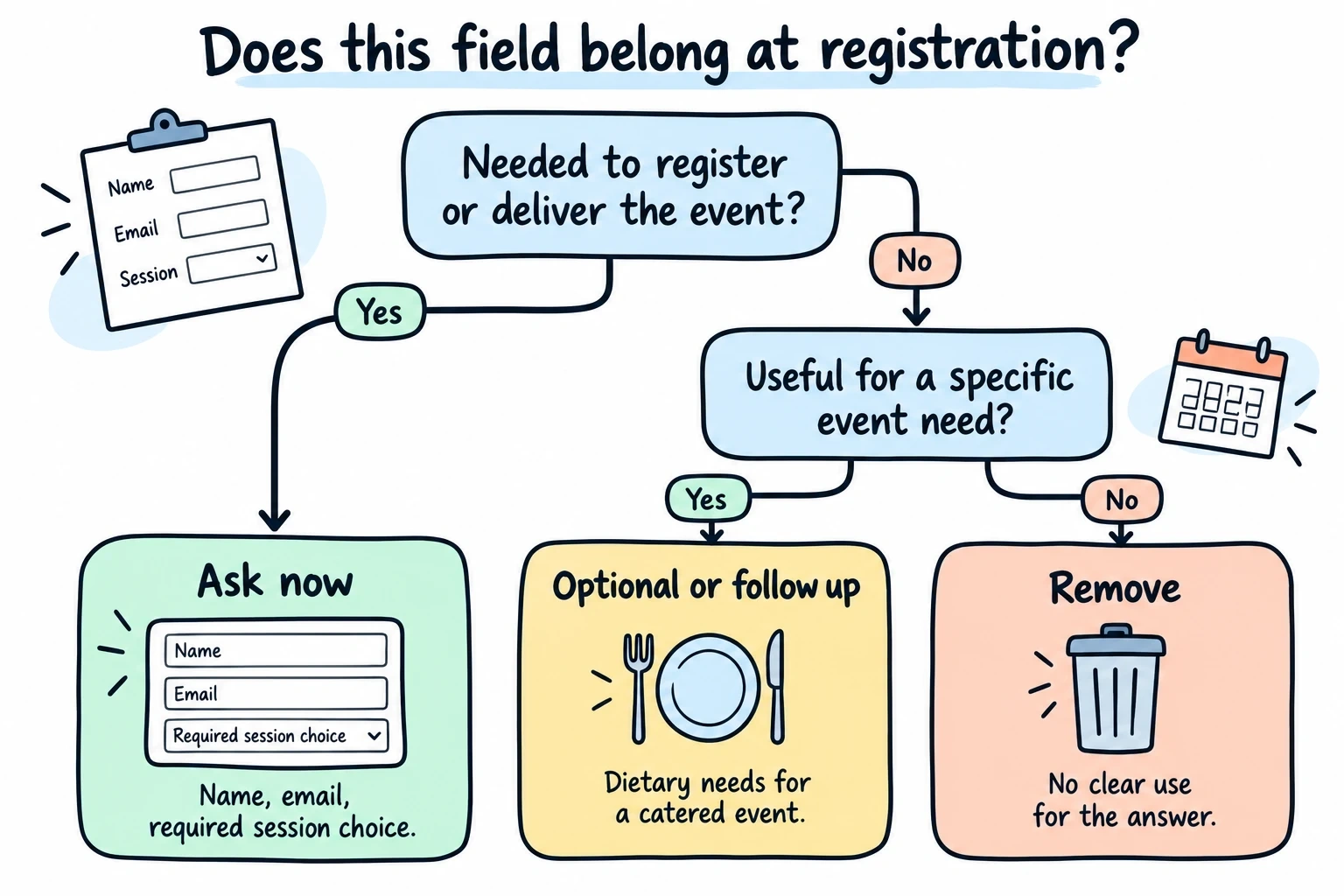
Start with the essentials: name, email, and any event-specific requirements. For a workshop, you might need dietary restrictions. For a conference, you might need t-shirt sizes. For a membership, you might need payment details.
Avoid the kitchen sink approach. Extra questions create work, but there is no universal conversion penalty per field. Cut fields that do not serve a clear purpose, then measure completion on your own form.
Group related fields together mentally. Contact information goes together. Event preferences go together. Payment details go together. This grouping will help you structure your form logically.
Choose your form builder platform
You need a platform that makes building registration forms straightforward without requiring coding skills. Look for these features:
- Drag-and-drop editor for quick form building
- Multiple field types (text, dropdowns, checkboxes, file uploads)
- Mobile-responsive design since 60% of forms are filled on phones
- Customization options to match your brand
- Reliable data collection and export capabilities
Free form builders like Fomr give you unlimited forms and responses, which is perfect for testing different registration approaches without budget constraints. You can create professional-looking forms without the monthly fees that other platforms charge.
Give it a try
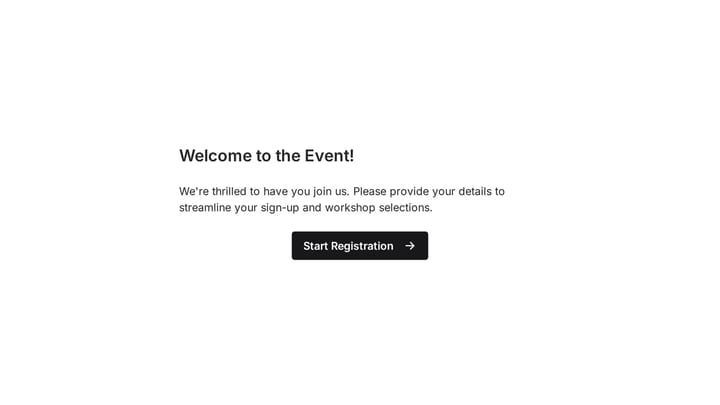
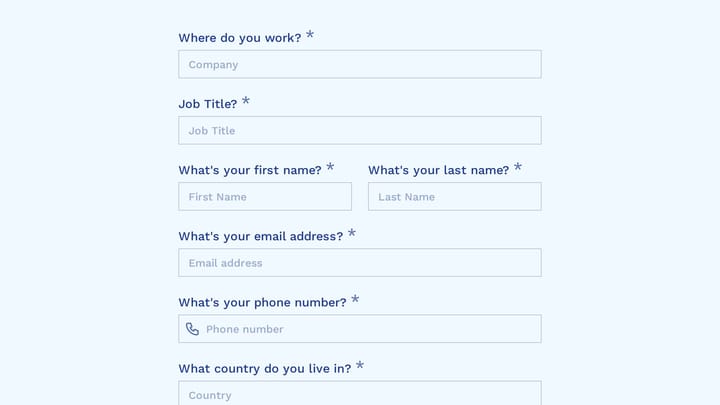
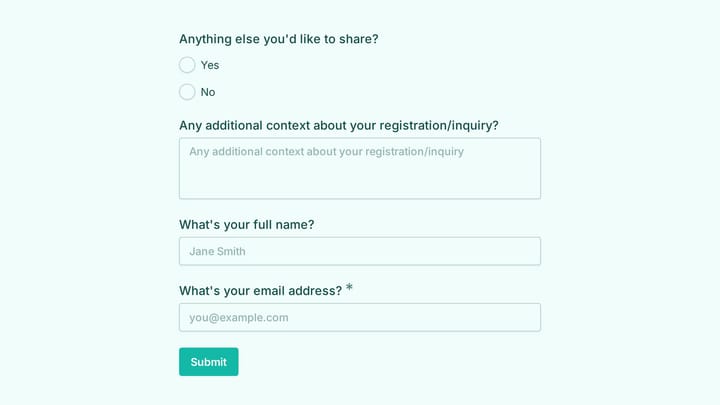
Try this Fomr club registration form
Try the contact and membership questions in this Fomr club-registration example. Adapt the field list to the information your own club needs.

Structure your registration form layout
Start with a clear, descriptive title. “Event Registration” is boring. “Reserve Your Spot at the Digital Marketing Summit” tells people exactly what they’re signing up for.
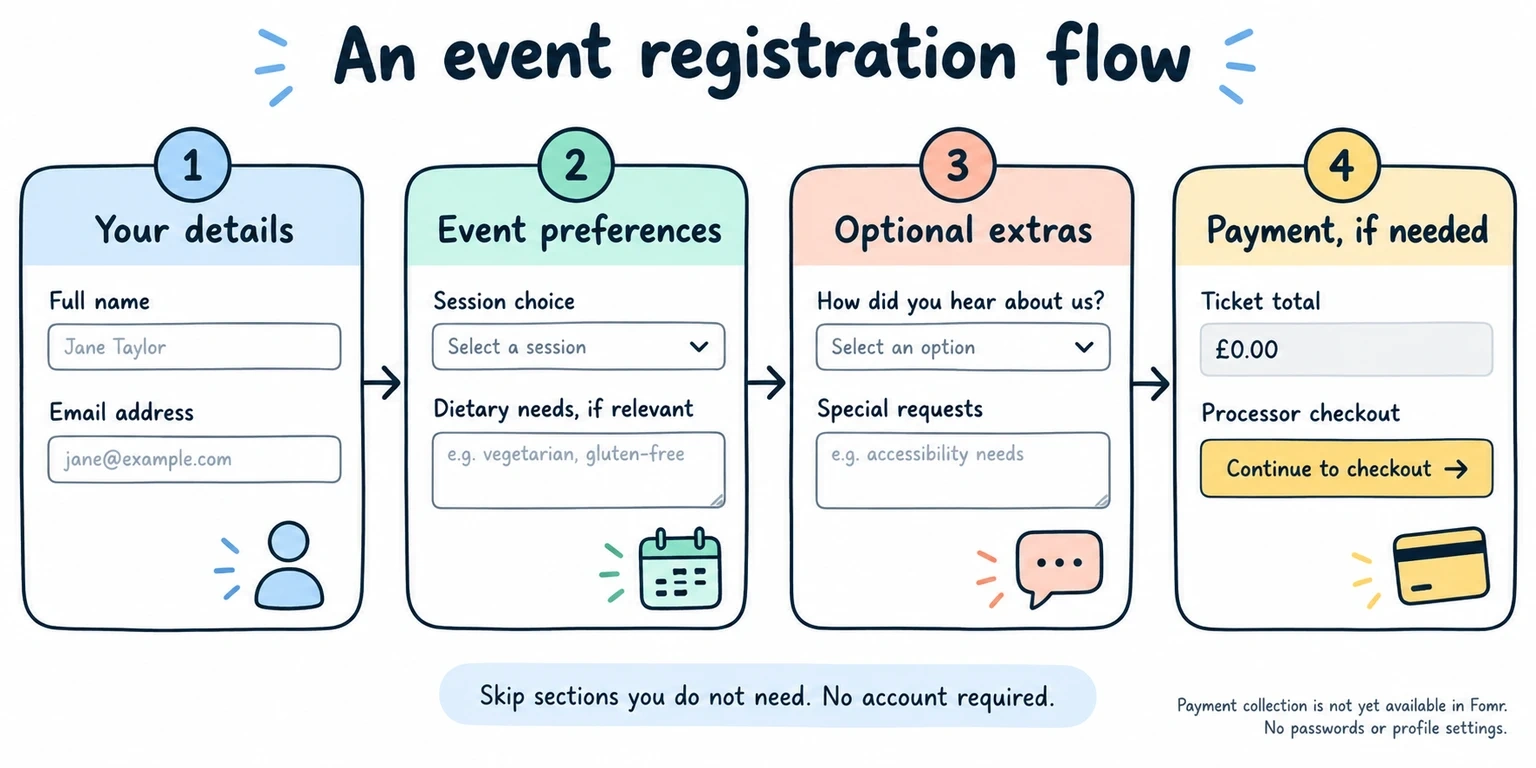
Organize your fields in a logical flow:
- Basic contact information (name, email)
- Event-specific details (session preferences, dietary needs)
- Optional information (how they heard about you, special requests)
- Payment details (if applicable)
Use section breaks or multiple pages for longer forms. Nobody wants to scroll through 15 fields on their phone. Break a long registration form into digestible chunks: “Your Details,” “Event Preferences,” and “Payment.”
Make required fields obvious
Mark required fields clearly with asterisks or labels. Better yet, make most fields optional and only require what you absolutely need. You can always follow up later for additional details.
Design for mobile users
Most people will fill out your registration form on their phone. Design mobile-first, then check how it looks on desktop.
Keep field labels short and clear. “First Name” works better than “Please enter your first name here.” Use single-column layouts on mobile — side-by-side fields are frustrating on small screens.
Choose appropriate input types. Use email fields for email addresses, phone fields for phone numbers, and date pickers for dates. This helps mobile users by showing the right keyboard and validation.
Write clear field labels and instructions
Your field labels should be conversational and specific. Instead of “Name,” use “Full Name” or “First Name” and “Last Name” as separate fields. Instead of “Additional Information,” try “Special dietary requirements or accessibility needs.”
Add helpful placeholder text sparingly. “[email protected]” in an email field is useful. “Enter your email address here” is redundant.
For complex fields, add brief instructions below the label. If you’re asking for emergency contacts, explain why: “We’ll only contact this person in case of a medical emergency during the event.”
Add smart validation and error handling
Set up real-time validation to catch errors before users hit submit. Email fields should check for proper formatting. Phone fields should accept different formats gracefully.
Write error messages in plain English. “Please enter a valid email address” beats “Invalid input detected in field_email_001.” Tell users exactly what went wrong and how to fix it.
Don’t clear the entire form if someone makes a mistake. Highlight the problematic field and keep everything else filled in. Losing 10 minutes of work because of one typo is the fastest way to make someone abandon your form.
Set up confirmation and follow-up
Create a clear confirmation message that appears immediately after submission. Include key event details: date, time, location, and what happens next.
Send an automated confirmation email within minutes. Include:
- Event details and location
- What to bring or expect
- Contact information for questions
- Calendar invite attachment
Set up a reminder email sequence. Send one email a week before the event and another the day before. This reduces no-shows and keeps your event top-of-mind.
Test your registration form thoroughly
Fill out your own form on different devices. Use your phone, tablet, and computer. Try different browsers. What seems obvious on your laptop might be confusing on a phone.
Ask a colleague to test the form without any context. Watch where they hesitate or get confused. Those moments reveal friction points you’ve become blind to.
Test your confirmation emails and follow-up sequences. Make sure calendar invites work correctly and all links are functional.
Common registration form mistakes to avoid
Don’t ask for information you won’t use. If you’re not going to segment by job title, don’t ask for job title. Every unused field is wasted effort for your users.
Don’t hide important details until after registration. Be upfront about costs, time commitments, and requirements. Surprises after registration lead to cancellations.
Don’t make the form longer than necessary. Use conditional logic (coming soon) to show relevant fields only. If someone selects “vegetarian,” then show dietary restriction options. Don’t show them to everyone.
Don’t forget about accessibility. Use proper heading structures, alt text for images, and ensure your form works with screen readers.
Optimize registration form conversion rates
Lead with value, not fields. Start your form with a brief reminder of what they’re getting: “Join 200+ marketers for actionable insights and networking.”
Use progress indicators for multi-step forms. People are more likely to complete a process when they know how much is left.
Remove unnecessary friction. Don’t require account creation unless absolutely necessary. Let people register as guests and create accounts later if they want.
Make your call-to-action button specific. “Register Now” or “Save My Spot” works better than generic “Submit” buttons.
Manage registration data effectively
Export your registration data regularly and back it up. Don’t rely solely on your form builder’s storage — download CSV files and store them securely.
Set up automated workflows where possible. Connect your registration form to your email marketing platform, CRM, or event management software to reduce manual data entry.
Plan for last-minute registrations and changes. Build processes for handling late sign-ups, cancellations, and special requests without scrambling.
Ready to build your registration form?
Creating an effective registration form comes down to respecting your users’ time while collecting the information you need. Focus on clear design, logical flow, and mobile-friendly layouts.
Start building your registration form today with our drag-and-drop form builder — no sign-up required. You can create, customize, and publish professional registration forms in minutes, with unlimited responses on our free plan.