Your customers have opinions about your product, service, or experience — but getting them to share honest feedback is harder than it looks. A poorly designed satisfaction survey gets ignored or filled with useless responses. A well-crafted one becomes a goldmine of actionable insights.
We’ll walk you through creating satisfaction surveys that people actually want to complete, from choosing the right questions to designing forms that feel effortless to fill out.
What makes a satisfaction survey work
The best satisfaction surveys share three traits: they’re short, specific, and easy to complete. Generic questions like “How satisfied are you overall?” tell you almost nothing. Specific questions like “How easy was it to find what you needed on our website?” give you something to act on.
Timing matters just as much as the questions. Send a satisfaction survey right after someone completes a purchase, finishes a support call, or uses your product. Their experience is fresh, and they’re more likely to provide detailed feedback.
Visual design plays a bigger role than most people realize. A survey that looks professional and loads quickly signals that you value their time. A clunky survey form suggests you don’t care about their experience — which is ironic for a satisfaction survey.
Step 1: Define what you want to measure
Before writing a single question, decide what specific aspect of satisfaction you’re measuring. Are you tracking customer service quality? Product usability? Website experience? Purchase satisfaction?
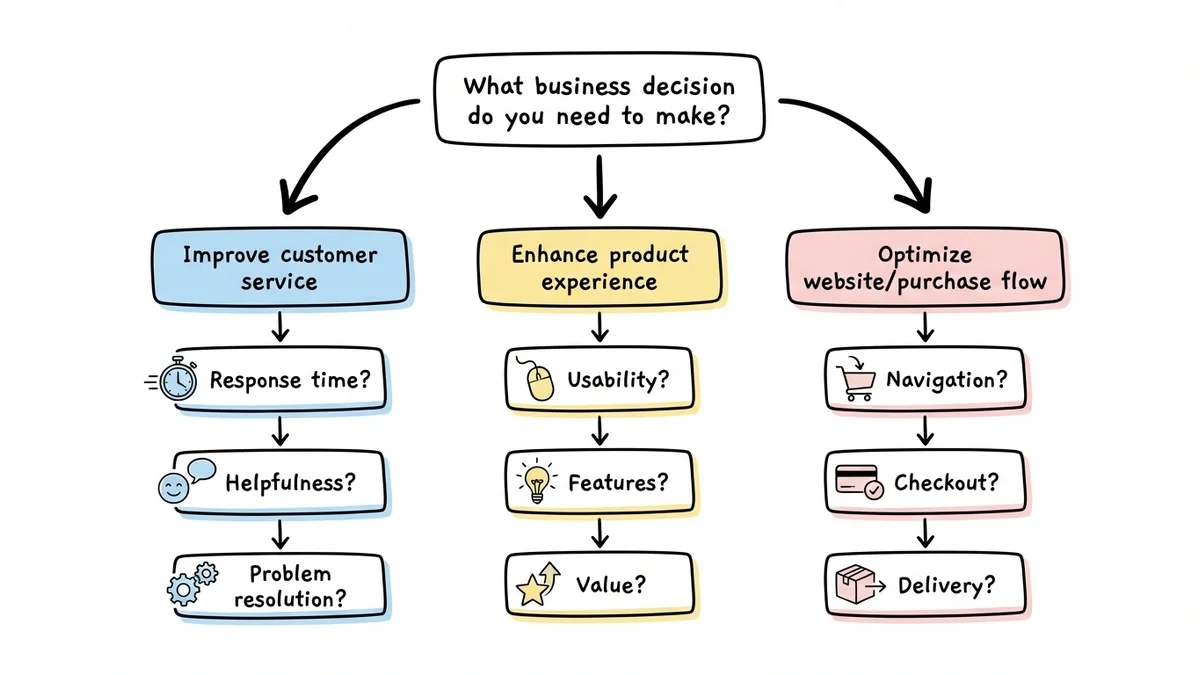
Each focus area needs different question types. Customer service surveys should ask about response time, helpfulness, and problem resolution. Product satisfaction surveys need questions about features, ease of use, and value for money.
Write down 2-3 specific business decisions you want to make based on the survey results. This keeps your questions focused and actionable. If you can’t connect a question to a decision you might make, cut it.
Step 2: Choose your satisfaction survey questions
The NPS question (Net Promoter Score)
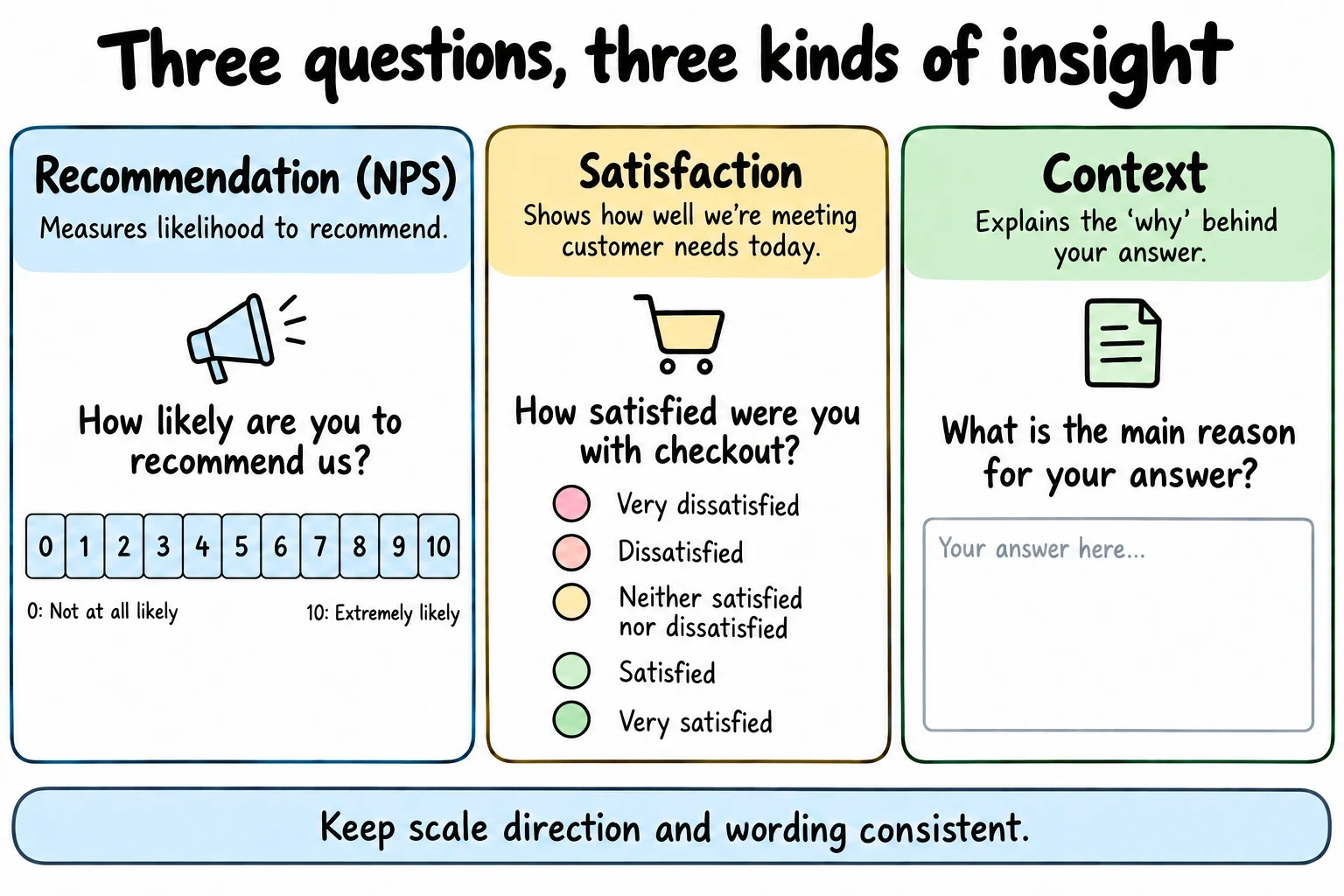
Start with the classic NPS survey question: “How likely are you to recommend [product/service] to a friend or colleague?” Use a 0-10 scale where 0 is “not at all likely” and 10 is “extremely likely.”
NPS gives you a single metric to track over time, but it doesn’t tell you why people feel that way. Always follow up with an open-ended question: “What’s the main reason for your score?”
Rating scale questions
Use 5-point scales for specific satisfaction areas. “How satisfied were you with the checkout process?” with options from “Very dissatisfied” to “Very satisfied” works better than a 10-point scale for most people.
For a five-point satisfaction scale, include a neutral midpoint such as “Neither satisfied nor dissatisfied.” Do not force respondents with no preference into a positive or negative answer. Add a separate “Not applicable” option when someone may not have used the service. Pew Research Center explains why the choice and order of response options matter.
Multiple choice for specific issues
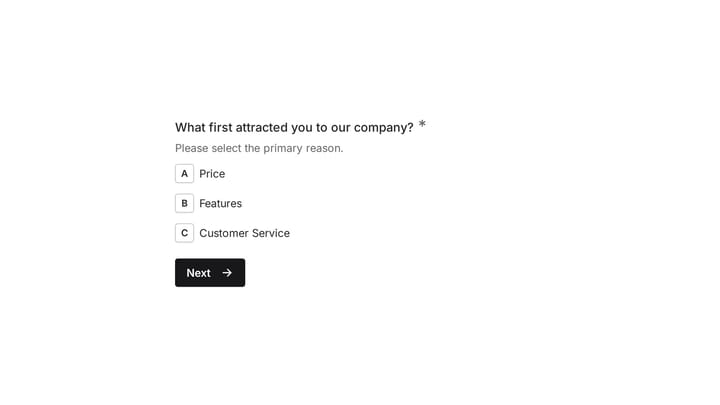
When you know common pain points, use multiple choice questions to quantify them. “Which of these made checkout difficult?” with options like “Too many steps,” “Confusing payment options,” or “Website was slow” gives you clear action items.
Open-ended for context
Include 1-2 open-ended questions, but make them specific. “What would make this experience better?” works better than “Any other comments?” People need direction to give useful feedback.
Step 3: Design your satisfaction survey form
Keep it short and scannable
Aim for 5-7 questions maximum. People will abandon longer surveys, especially on mobile devices. If you need more information, run multiple shorter surveys over time rather than one long survey.
Use white space generously. Cramped survey forms feel overwhelming before people even start reading the questions. Each question should have room to breathe.
Make mobile the priority
Over 60% of survey responses come from mobile devices. Test your survey form on a phone before launching. Questions that work fine on desktop can be frustrating to answer on a small screen.
Single-column layouts work better than multi-column designs on mobile. Dropdown menus are harder to use than radio buttons on touch screens.
Use progress indicators
Show people how many questions remain, especially for surveys longer than 3 questions. A simple “Question 2 of 5” indicator reduces abandonment rates.
Don’t use progress bars that barely move after each question — they make short surveys feel long.
Try a satisfaction survey in Fomr
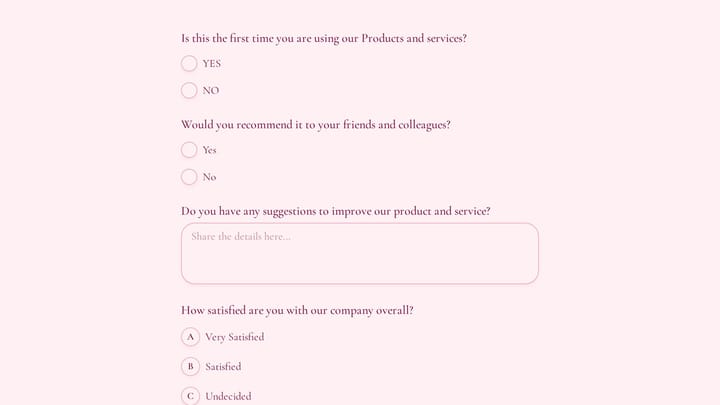
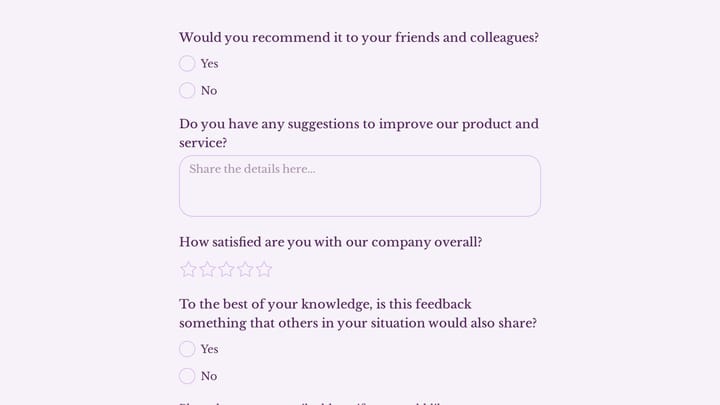
Use Fomr to combine rating questions with space for an explanation. This customer feedback example gives you a starting point for the survey structure above.
Give it a try
Try this Fomr customer feedback survey form
Try the recommendation, improvement, and satisfaction questions in this Fomr feedback survey. It shows how to collect responses, without automated research analysis or scoring.

Step 4: Write questions that get honest answers
Be specific about timeframes
“How satisfied were you with customer service?” is too vague. “How satisfied were you with the customer service you received today?” gives people a clear reference point.
Recent experiences get more accurate responses than asking people to remember interactions from weeks ago.
Avoid leading questions
“How amazing was our new feature?” pushes people toward positive responses. “How would you rate our new feature?” lets them give honest feedback.
Watch for words that suggest the “right” answer: amazing, fantastic, terrible, awful. Use neutral language: effective, useful, helpful, clear.
Make scales consistent
If you use a 5-point satisfaction scale for one question, use the same scale for all satisfaction questions in that survey. Switching between different scale types confuses people and makes data harder to analyze.
Label your scale endpoints clearly. “Very satisfied” to “Very dissatisfied” is clearer than “5” to “1” without labels.
Step 5: Test before you launch
Send it to colleagues first
Ask 3-4 people to complete your satisfaction survey and time how long it takes. If it’s over 2 minutes, cut questions. If any questions confuse your colleagues, they’ll confuse your customers.
Pay attention to which questions people skip or seem to rush through. Those need rewording or removal.
Check on different devices
Test your survey form on desktop, tablet, and mobile. Questions that fit nicely on a large screen might require excessive scrolling on a phone.
Make sure all buttons and form fields are easy to tap on mobile devices. Small touch targets frustrate people and increase abandonment.
Review the thank you experience
Don’t forget what happens after someone submits your satisfaction survey. A generic “Thank you” page feels impersonal. Acknowledge their specific feedback: “Thanks for rating your checkout experience” feels more connected.
Step 6: Time your satisfaction survey right
Right after key interactions
Send satisfaction surveys within 24 hours of the experience you’re measuring. Customer service surveys should go out immediately after a support ticket closes. Purchase satisfaction surveys work best 1-2 days after delivery.
Don’t wait weeks to ask about satisfaction. People forget details quickly, and their feelings about the experience change over time.
Avoid survey fatigue
Don’t send satisfaction surveys to the same customers more than once per quarter unless they specifically request more opportunities to give feedback. Frequent surveys feel pushy and get lower response rates.
Keep a record of who you’ve surveyed recently to avoid over-surveying your most engaged customers.
Common satisfaction survey mistakes to avoid
Too many open-ended questions
Open-ended questions give rich feedback, but they require effort to answer. More than 2 open-ended questions in a single survey dramatically increases abandonment rates.
Use multiple choice questions to identify issues, then use one open-ended question to understand the context behind those issues.
Generic demographic questions
Asking for age, location, or job title rarely improves satisfaction survey insights unless you’re specifically comparing satisfaction across those groups. Skip demographic questions unless you have a clear plan for using that data.
Forgetting to follow up
The worst satisfaction survey mistake is collecting feedback and then doing nothing with it. If customers see the same problems persist after giving feedback, they’ll stop responding to future surveys.
Share what you learned and what you’re changing based on survey results. This encourages future participation and shows you value their input.
Analyzing your satisfaction survey results
Look for patterns in both quantitative and qualitative responses. If 30% of people rate checkout satisfaction as poor, but their open-ended responses mention different issues, you have multiple problems to address.
Compare satisfaction scores across different customer segments, time periods, or product lines. A drop in satisfaction for new customers might indicate onboarding issues, while declining satisfaction among long-term customers suggests different problems. Our free CSAT calculator turns raw response counts into a score you can compare across segments.
Track your NPS score over time, but pay more attention to the reasons behind score changes. An improving NPS score with feedback about slow customer service tells you what to prioritize next.
Ready to create your satisfaction survey?
The difference between surveys that get ignored and surveys that drive real improvements comes down to thoughtful design and specific questions. Focus on one area of satisfaction at a time, keep questions short and actionable, and make the survey form itself a good user experience.
Start building your satisfaction survey with our guest editor — no signup required. You can create, preview, and share your survey in minutes, with full control over design and question types.