Getting consent shouldn’t feel like pulling teeth. Whether you’re collecting photo permissions for an event, medical consent for research, or legal agreements for services, creating a consent form online streamlines the entire process for both you and your participants.
The problem with traditional paper consent forms is obvious — they’re slow, easy to lose, and impossible to track. Digital consent forms solve these headaches while creating a better experience for everyone involved. You get instant submissions, automatic storage, and clear audit trails. Your participants get a form they can complete anywhere, anytime.
Here’s exactly how to build a consent form that works.
Why online consent forms beat paper every time
Before diving into the how-to, let’s address why making the switch matters. Online consent forms eliminate the back-and-forth of paper forms entirely. No more chasing down signatures, no more lost documents, no more illegible handwriting.
Digital forms also create better legal protection. Every submission includes a timestamp, IP address, and complete record of what the person agreed to. This documentation proves invaluable if you ever need to verify consent was properly obtained.
Plus, online forms are simply more accessible. Participants can read terms clearly, take their time to understand what they’re agreeing to, and complete the form on their preferred device.
Step 1: Choose the right form builder platform
Your form builder choice determines everything from design flexibility to data security. Look for these essential features:
Security and compliance should be non-negotiable. Your platform needs HTTPS encryption, SOC 2 compliance, and GDPR alignment. Consent forms handle sensitive agreements — cutting corners on security isn’t worth the risk.
Customization capabilities matter more than you might think. Generic-looking forms reduce trust and completion rates. You need full control over fonts, colors, layouts, and branding to create professional-looking consent forms.
Response management becomes crucial once submissions start flowing in. Look for platforms that let you export data, set up notifications, and organize responses effectively.
Free platforms work well for basic consent forms, but verify they include the security features you need. Some free form builders limit encryption or data retention, which could create compliance issues.
Step 2: Plan your consent form structure
A clear structure helps people understand the choice you are asking them to make. These sections are a starting point; the required wording and records depend on the activity and applicable law:
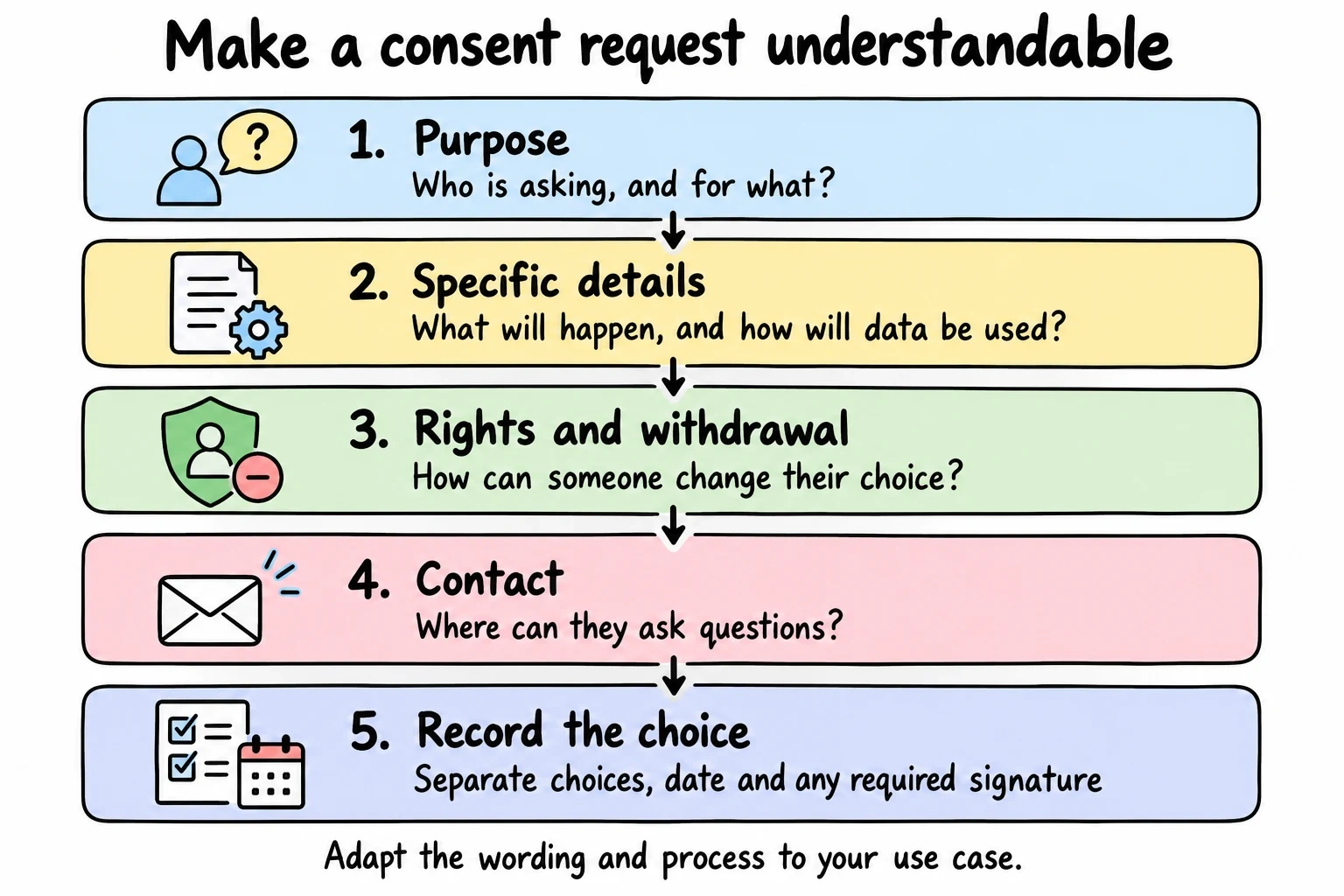
Introduction and purpose — Explain who you are, what you’re requesting consent for, and why it matters. Keep this section brief but informative. People need context before they agree to anything.
Detailed explanation of what they’re consenting to — Be specific. Instead of “we may use your information,” explain exactly how you’ll use it, where it might be shared, and for how long you’ll keep it.
Rights and withdrawal options — Always include how participants can withdraw consent later. This isn’t just good practice — it’s legally required in many jurisdictions.
Contact information — Provide a clear way for people to ask questions or raise concerns about the consent process.
Record the choice and date — Decide which consent record and signature method your use case requires. A checkbox or drawn signature alone does not establish that every legal requirement is met.
Plan this structure before you start building. Consent forms that feel thrown together reduce trust and completion rates.
Step 3: Design for trust and clarity
Consent form design directly impacts how people perceive your request. Professional design builds confidence. Sloppy design raises red flags.
Start with clean, readable typography. Choose fonts that work well on mobile devices — many people will complete your form on their phones. Stick to standard web fonts or carefully selected Google Fonts that load quickly.
Use plenty of white space to avoid overwhelming participants. Dense, cramped forms feel aggressive and pushy. Give each section room to breathe.
Color choices should reinforce trust. Blues and grays typically work well for consent forms. Avoid aggressive colors like bright red or orange that might create anxiety about what they’re signing.
Consider adding your logo and branding to reinforce legitimacy. People are more likely to trust consent requests from recognized organizations.
Test your design on multiple devices. A form that looks great on desktop but breaks on mobile will frustrate participants and reduce completion rates.
Step 4: Write clear, jargon-free content
Legal language kills consent form completion rates. Your goal is informed consent, not confused abandonment.
Use plain English throughout the form. Replace “heretofore” with “before now.” Replace “pursuant to” with “according to.” If you need legal precision, add plain-language explanations alongside required legal text.
Break up long paragraphs into digestible chunks. Wall-of-text consent forms overwhelm people and reduce actual comprehension. Use bullet points, numbered lists, and short paragraphs to improve readability.
Be specific about data use. Instead of vague statements like “we may contact you,” explain exactly when and how you’ll make contact. “We’ll send a follow-up survey via email within 30 days” gives people clear expectations.
Explain the benefits of participating. Why should someone give consent? What’s in it for them? Even if participation is required, explaining the purpose helps people feel good about their decision.
Have someone outside your organization review the content. If they can’t understand what they’re consenting to, your language needs work.
Step 5: Add essential form fields
Consent form online success depends on collecting the right information without overwhelming participants. Here are the must-have fields:
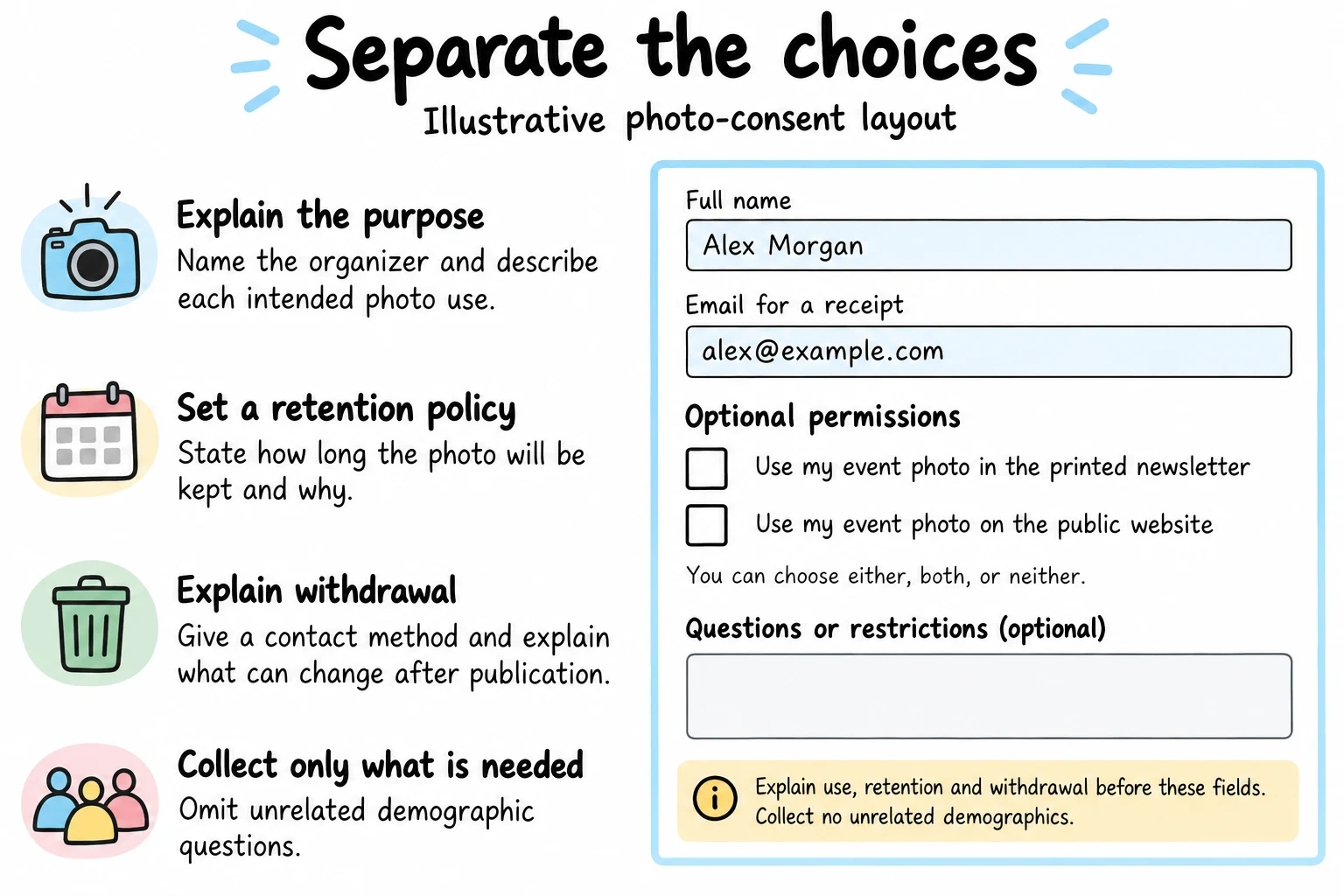
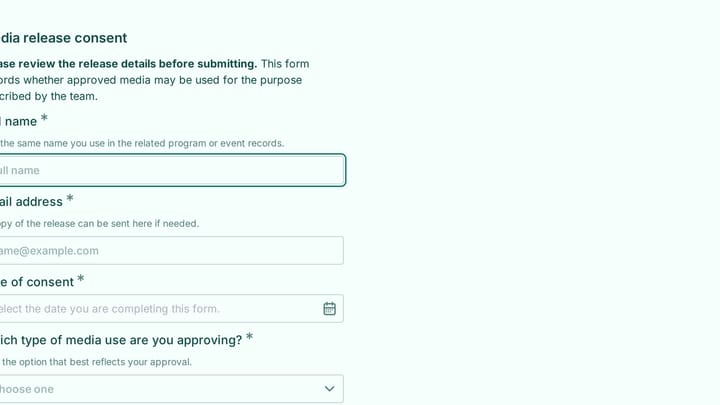
Illustrative photo-permission fields, not a complete consent notice or a product screenshot. Add the purpose, use details, withdrawal method and contact information needed for your use case.
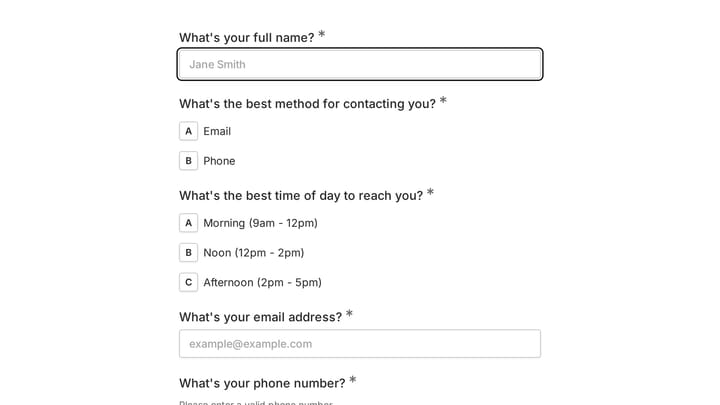
Full name field — Use a single text field rather than separate first/last name fields. People know how to write their own names.
Email address — Essential for sending confirmation receipts and follow-up communications. Make this field required.
Date field — Auto-populate with today’s date, but allow participants to change it if needed. Some people complete forms on behalf of others.
Consent checkboxes — Create separate checkboxes for different types of consent. Don’t bundle everything into one massive agreement. People want granular control over what they’re agreeing to.
Digital signature field — This can be as simple as typing their name with a disclaimer that typing constitutes a legal signature.
Optional demographic fields — Only collect additional information if you actually need it. Every extra field reduces completion rates.
Consider adding a comments or questions field where participants can note concerns or ask for clarification. This prevents confusion later.
Try a consent form layout in Fomr
Use Fomr to prototype the wording and question order for a consent form. This media-release example is a layout starting point; adapt its language and review the requirements for your use case before publishing.
Give it a try
Try this Fomr media release consent form
Try selecting a media-use option and adding any conditions in this Fomr consent example. Review and adapt the wording for your own use before publishing.

Step 6: Implement smart form logic
Modern online form builders offer conditional logic that makes consent forms more user-friendly and efficient.
Show relevant sections based on previous answers. If someone indicates they’re under 18, automatically display parental consent requirements. If they’re participating as an organization representative, show business-specific fields.
Skip unnecessary questions for different participant types. Researchers might need detailed methodology explanations while event participants need simpler language.
Provide contextual help text that appears when people click on specific fields. This keeps the form clean while offering guidance when needed.
Set up smart validation that catches common errors like invalid email formats or missing required fields. But don’t be overly restrictive — let people enter information in their preferred format when possible.
Test your logic thoroughly. Broken conditional logic creates a frustrating experience that can kill consent form completion rates.
Step 7: Configure notifications and follow-up
Proper notification setup ensures you never miss a consent form submission and participants get immediate confirmation.
Set up instant email notifications to yourself or your team when new consent forms arrive. Include key details in the notification email so you can quickly assess each submission.
Create automatic confirmation emails for participants. Include a copy of what they consented to, your contact information, and instructions for withdrawing consent if needed.
Plan your follow-up sequence before launching the form. When will you contact participants again? What information will you share? How will you handle consent withdrawals?
Export and backup data regularly. Consent forms create important legal records that need proper storage and organization.
Consider integrating your form builder with your existing systems. Many platforms offer connections to email marketing tools, CRM systems, and project management software.
Step 8: Test before you launch
Never launch a consent form without thorough testing. Broken forms create legal and practical headaches.
Test on multiple devices — desktop computers, tablets, and smartphones. Pay special attention to mobile experience since many people complete forms on their phones.
Try different browsers including Chrome, Firefox, Safari, and Edge. What works perfectly in Chrome might break in Safari.
Complete the entire form yourself multiple times. Check that all fields work, notifications arrive, and confirmation emails send properly.
Have colleagues test the form and provide feedback. Fresh eyes catch issues you might miss.
Verify data exports work correctly. You need to be able to access and organize consent form responses easily.
Fix any issues before going live. It’s much easier to correct problems during testing than after you’ve started collecting real consent forms.
Common consent form mistakes to avoid
Even well-intentioned consent forms can fail because of preventable mistakes. Here are the biggest pitfalls:
Making forms too long kills completion rates. Every additional field reduces the percentage of people who finish the form. Only collect information you actually need.
Using confusing language defeats the purpose of informed consent. If participants don’t understand what they’re agreeing to, the consent isn’t valid.
Forgetting mobile optimization frustrates the growing number of people who complete forms on smartphones. Test thoroughly on mobile devices.
Bundling different types of consent into single checkboxes removes participant choice. Separate consent for photos, marketing emails, and data sharing into distinct options.
Not explaining withdrawal options creates legal compliance issues in many jurisdictions. Always include clear instructions for revoking consent.
Skipping confirmation emails leaves participants without proof of what they agreed to. This creates confusion and potential disputes later.
Ignoring security requirements puts sensitive consent data at risk. Use platforms with proper encryption and compliance certifications.
Making your online consent form work long-term
Launching your consent form is just the beginning. Successful consent form online strategies require ongoing attention and optimization.
Monitor completion rates and identify where people abandon the form. If lots of participants start but don’t finish, your form might be too long or confusing.
Track the time people spend on each section. Sections that take much longer than expected might need clearer explanations or simpler language.
Collect feedback from participants about the consent process. They’ll often point out confusing elements you missed during testing.
Keep consent forms updated as your practices change. Outdated consent forms create legal risks and participant confusion.
Review your consent management process regularly. Are you responding to questions promptly? Are withdrawal requests handled efficiently? Are you maintaining proper records?
Ready to build your consent form?
Creating an effective consent form online doesn’t require technical expertise — just attention to detail and focus on participant experience. The right drag and drop form builder makes the process straightforward while ensuring you get all the features needed for professional consent collection.
Start building your consent form today with our free form builder — no account required. You’ll get unlimited responses, full design control, and all the security features needed for proper consent management.