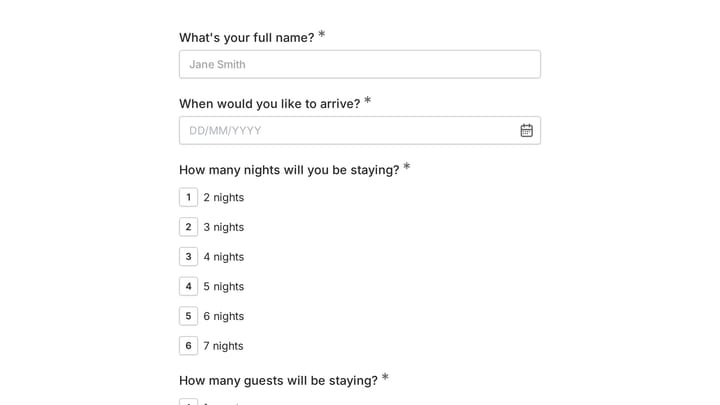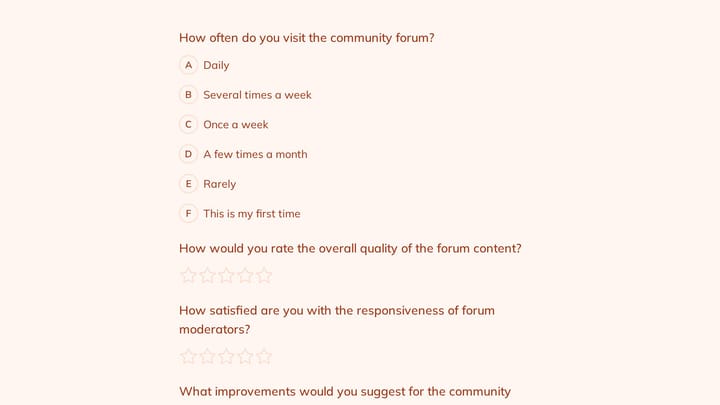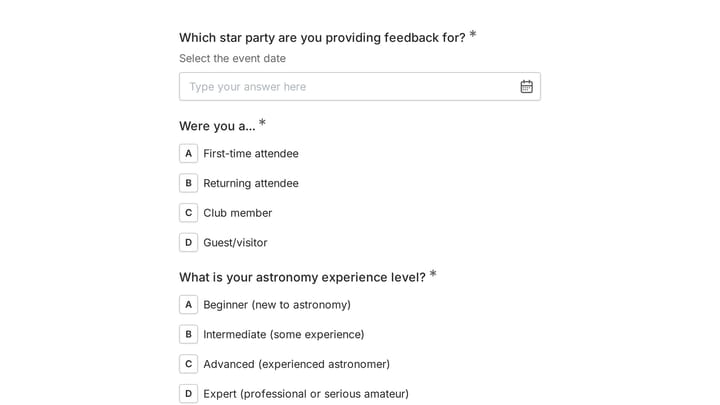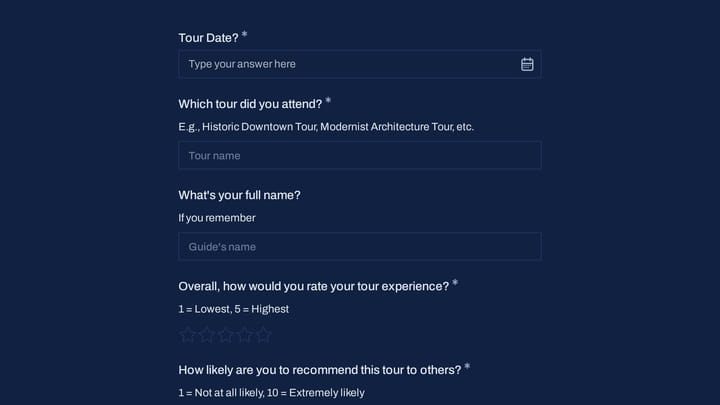
You’re staring at a list of form builders and they all claim to be the best. One charges $25/month for basic features. Another is free but makes every form look identical. A third promises unlimited everything but hides the catch in the fine print. Picking the wrong tool means either overpaying for months or rebuilding all your forms when you hit a wall.
This form builder comparison breaks down what actually matters: design flexibility, pricing honesty, and the features you’ll use daily, so you can make a decision you won’t regret.
What separates a good form builder from a bad one
Before comparing specific tools, it helps to know what criteria actually matter. Marketing pages won’t tell you this, but these five things determine whether you’ll love or hate your form builder six months from now:
Your forms represent your brand, so design control is essential. If the builder gives you three color options and one font, every form you create will look like everyone else’s.
Honest pricing matters more than a flashy free tier. A “free plan” that caps you at 10 responses per month isn’t really free. Look at what you actually get before you need to pay.
You need field variety beyond basic text fields and checkboxes. Dropdowns, rating scales, date pickers, multi-select options, and specialized inputs like email and phone validation are table stakes for serious data collection.
Mobile performance is easy to overlook. More than half your respondents will fill out your form on a phone. If the mobile experience is clunky, your completion rates will suffer.
The editor itself should be intuitive. Building a contact form shouldn’t take an hour.
Give it a try
This live responsive contact form is ready to fill out
This is a real, working template from our gallery. Fill it out like a respondent would, then make it your own.

Typeform: great design, expensive reality
Typeform pioneered the one-question-at-a-time conversational interface, and it genuinely changed how people think about forms. Their designs are polished, the animations are smooth, and the experience feels premium.
Where Typeform shines:
- Beautiful, modern templates with a distinctive visual style
- Conversational flow that works well for surveys and quizzes
- Strong analytics and reporting tools
- Solid integrations (Zapier, HubSpot, Slack, and more)
Where Typeform falls short:
- The free plan is extremely limited, only 10 responses per month. That’s not a usable free tier; it’s a trial.
- Paid plans start at $25/month and scale up quickly for teams
- The one-at-a-time format slows people down on data-heavy forms like applications or registrations
- Limited flexibility if you want a traditional multi-field layout
Typeform is a strong choice if you’re running polished surveys, collecting NPS feedback, or building quiz-style lead magnets, and you have the budget for it. For straightforward contact forms or registration pages, it’s overkill and I’d honestly skip it.
Google Forms: free and functional, but boring
Google Forms is the tool everyone defaults to because it’s free and familiar. For basic internal surveys or quick polls, it gets the job done.
Where Google Forms shines:
- Completely free with unlimited responses, no hidden caps
- Automatic Google Sheets integration for easy data management
- Zero learning curve if you use Google Workspace
- Reliable performance and near-perfect uptime
Where Google Forms falls short:
- Extremely limited design options. Every Google Form looks like a Google Form. You can change the header color and add a banner image. That’s it.
- No custom fonts, no brand matching, no design control
- Basic field types with no advanced components
- No conditional logic for dynamic question paths
- Forms always look like they belong to Google, not to you
If brand appearance doesn’t matter and you just need data, Google Forms works. But if your form is client-facing, embedded on your website, or represents your business in any way, the generic look is a real liability.
Side-by-side feature comparison
| Feature | Typeform | Google Forms | Jotform | Fomr |
|---|---|---|---|---|
| Free responses | 10/month | Unlimited | 100/month | Unlimited |
| Field types | 15+ | 9 | 30+ | 30+ |
| Design customization | High | Low | Medium | Very high |
| Custom fonts | Limited selection | None | Basic selection | 1,700+ |
| Multi-page forms | Yes | Yes | Yes | Yes |
| Offline capability | No | No | No | Yes |
| Team collaboration (free) | No | Yes | No | Yes |
| Remove branding (free) | No | N/A | No | No |
| Starting paid price | $39/month ($28 annual) | Free only | $39/month ($34 annual) | $34/mo monthly or $24/mo yearly |
| Conditional logic | Yes | Limited | Yes | Coming soon |
| File uploads | Yes | Yes | Yes | Yes |
| Payment collection | Yes | No | Yes | Coming soon |
Jotform: feature-packed but cluttered
Jotform is worth considering because it’s one of the most feature-complete form builders available. It has everything from payment forms to appointment scheduling to PDF generation.
Where Jotform shines:
- Massive template library (10,000+) covering nearly every use case
- Advanced features like e-signatures, payment processing, and approval workflows
- Strong conditional logic and calculation fields
- Integrations with practically everything
Where Jotform falls short:
- The free plan caps at 100 monthly responses and 5 forms. You’ll hit limits quickly.
- The interface feels outdated and cluttered compared to modern builders
- Paid plans start at $39/month for Bronze, or $408 a year billed annually, making it one of the more expensive options
- Templates prioritize quantity over design quality
- Performance can be sluggish with complex forms
Jotform is the right choice if you need advanced workflow features (payment processing, PDF generation, approval chains) and price isn’t the primary concern. For simpler forms, you’re paying for a lot of features you’ll never touch.
Choosing the right tool for your use case
Different forms need different builders. Here’s how to match your use case to the right tool.
Contact forms
You need something that looks professional, loads fast, and reliably captures leads. Google Forms works technically but looks generic. Typeform is expensive for a simple contact form. A builder with strong design controls and free unlimited responses is the sweet spot. Your contact form should match your site’s look without costing $25/month.
Surveys and feedback
This is where Typeform’s conversational format genuinely excels. The one-at-a-time experience reduces survey fatigue and can boost completion rates for longer questionnaires. If you’re running serious research with 20+ questions, the investment in Typeform often pays off through better response quality.
For shorter feedback forms (3-5 questions), you don’t need the conversational format. A standard multi-field layout is faster for respondents and free with most builders.
Registration and application forms
These forms collect structured data across multiple fields: names, dates, selections, and text responses. The one-question-at-a-time approach actually hurts here because it slows people down. You want multi-field pages with clear sections, progress indicators, and form validation.
Look for builders with multi-page support and strong field variety. Breaking a long registration into logical pages (personal info, preferences, payment) significantly improves completion rates.
Client work
If you’re building forms for clients, three things matter: design control to match their brand, a presentation that doesn’t showcase your tools (“Powered by X” badges), and affordable pricing that doesn’t eat into your margins. White-label options typically require paid plans across all builders.
The pricing reality
Let’s talk about what form builders actually cost once you start using them.
Most “free” plans are designed to get you building, then charge you the moment your forms get traction. Typeform’s 10-response limit is the most aggressive example. You’ll hit it with a single social media post.
Hidden costs to watch for:
- Response limits that force upgrades right when your form starts working
- Per-user pricing that makes team collaboration expensive
- Branding removal locked behind paid tiers
- Features like file uploads or conditional logic available only on premium plans
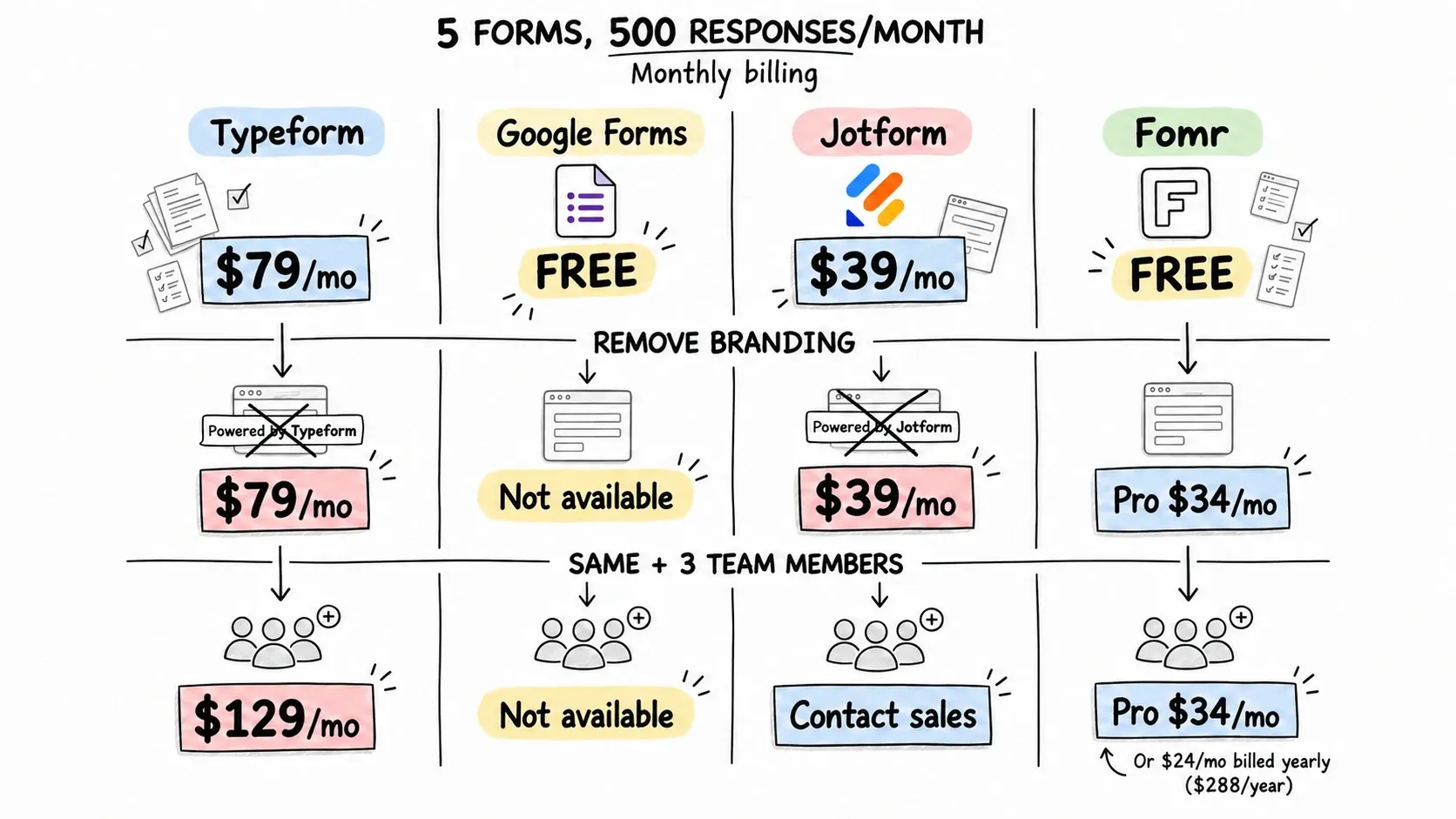
The honest question to ask is: what will this cost me in six months when I have 5 forms and 500 responses per month? Run that calculation for each builder. The answer is often surprising.
Monthly billing, including branding removal in the final row:
| Scenario | Typeform | Google Forms | Jotform | Fomr |
|---|---|---|---|---|
| 5 forms, 500 responses/mo | $79/mo | Free | $39/mo | Free |
| Same + remove branding | $79/mo | Not available | $39/mo | $34/mo |
| Same + 3 team members | $129/mo | Not available | Contact sales | $34/mo |
Fomr Pro is also available at $24/month billed yearly ($288/year). Adding team members does not increase the Fomr price. See Typeform pricing and Jotform pricing for their plan limits.
What’s missing from every builder (including ours)
No form builder does everything perfectly. Being honest about limitations helps you plan.
Typeform lacks design flexibility for non-conversational layouts and its pricing punishes growth.
Google Forms lacks any meaningful design customization and advanced features.
Jotform lacks a clean, modern interface and affordable pricing.
Fomr has several bigger workflow features coming soon: conditional logic, payment collection, integrations (including Zapier, Notion, Airtable, and CRM tools), REST API access, and webhooks. If you need them today, you’ll need to look elsewhere.
Being upfront about this matters. If conditional logic is essential for your forms, Typeform or Jotform will serve you better right now. If design control and generous free limits are your priority, the trade-off may be worth it.
Making your decision
Here’s a practical framework:
Choose Google Forms if you need basic internal forms, don’t care about design, and want zero cost. It’s the default for a reason.
Choose Typeform if you’re running surveys or quizzes where the conversational experience adds value, and you have the budget for their paid plans.
Choose Jotform if you need advanced workflow features like payment processing, e-signatures, or approval chains, and you’re willing to pay for the feature depth.
Choose Fomr if you want strong design control, unlimited responses and team members on the free plan, and can work without conditional logic for now.
The best form builder comparison is the one you do by actually testing your top 2-3 options. Build the same form in each. See which editor feels right, which output looks best, and which pricing works for your growth.
Try before you decide
You don’t need to commit to anything to test-drive a form builder. Fomr’s guest editor lets you build a full form with 30+ components and complete design control, no account required. See how it compares to your current tool, then decide.