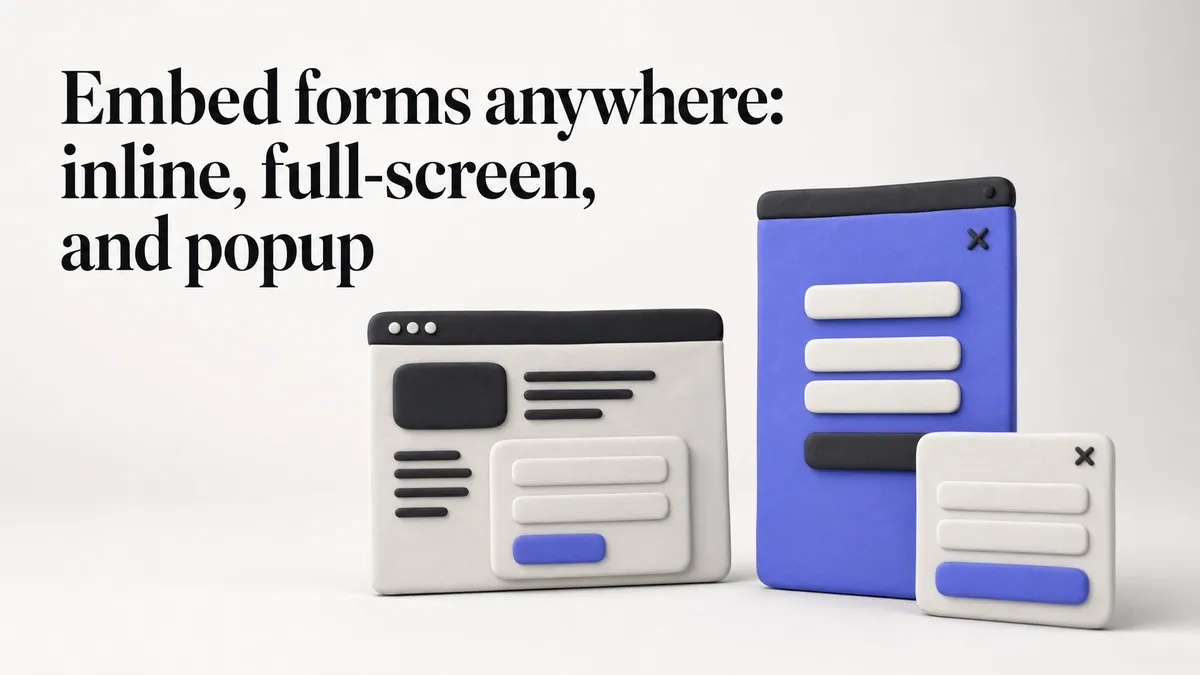
A form that lives on a standalone link is useful, but most forms need to live on your website — on a contact page, inside a landing page, or as a popup that appears at the right moment.
We’ve just shipped three embedding options for Fomr forms.
Standard embed
The simplest option. Copy a code snippet, paste it into your website’s HTML, and the form appears inline on the page. It takes up exactly the space it needs and scrolls naturally with the rest of your content.
<!-- Step 1: Add to <head> --><script async src="https://fomr.io/widget/embed.js"></script>
<!-- Step 2: Add where form should appear --><div data-fomr-id="YOUR_FORM_ID"></div> 
This works on any website: WordPress, Squarespace, Wix, static HTML, React apps, Webflow — anywhere you can paste HTML. The embed is responsive by default, so it adapts to the container width.
Best for: contact pages, quote request forms, feedback forms on product pages, registration forms on event landing pages.
Full-screen embed
Some forms deserve the full screen. A full-screen embed gives your form an entire page — no navigation, no sidebar, no distractions. Just the form.
<html> <head> <meta name="viewport" content="width=device-width, initial-scale=1.0, maximum-scale=1.0, user-scalable=0"> <title>Your Form</title> <script async src="https://fomr.io/widget/embed.js"></script> <style type="text/css">html, body { margin: 0; min-height: 100%; }</style> </head> <body> <div data-fomr-id="YOUR_FORM_ID" data-fomr-type="fullscreen"></div> </body></html>This is ideal for forms where completion is the only goal. Lead magnets, job applications, detailed surveys. The respondent’s attention is fully on the form, which typically improves completion rates.
You get a dedicated URL that you can link to from anywhere: email campaigns, social media posts, QR codes, or buttons on your website.
Popup embed
The newest option. A popup form appears on top of your existing page content, triggered by a button click or any JavaScript event you configure.
<!-- Step 1: Add to <head> --><script async src="https://fomr.io/widget/embed.js"></script>
<!-- Step 2: Add data attributes to a trigger element --><button data-fomr-id="YOUR_FORM_ID" data-fomr-type="popup" data-fomr-popup-overlay="true" data-fomr-popup-position="center"> Open form</button> 
Two popup styles are available:
Center popup — A modal overlay that appears in the center of the screen. Good for forms triggered by a “Contact Us” or “Get a Quote” button. The overlay dims the background, focusing attention on the form.
Bottom-right corner popup — A smaller, less intrusive popup that sits in the bottom corner of the screen. Think of a feedback widget or a quick survey. It’s visible but doesn’t block the page content.
Both popup types are dismissible. Respondents can close them and return to what they were doing.
One form, multiple embed options
Here’s what’s nice: you don’t have to create separate forms for each embed method. Build one form, and use it as an inline embed, a full-screen page, and a popup — all from the same form URL.
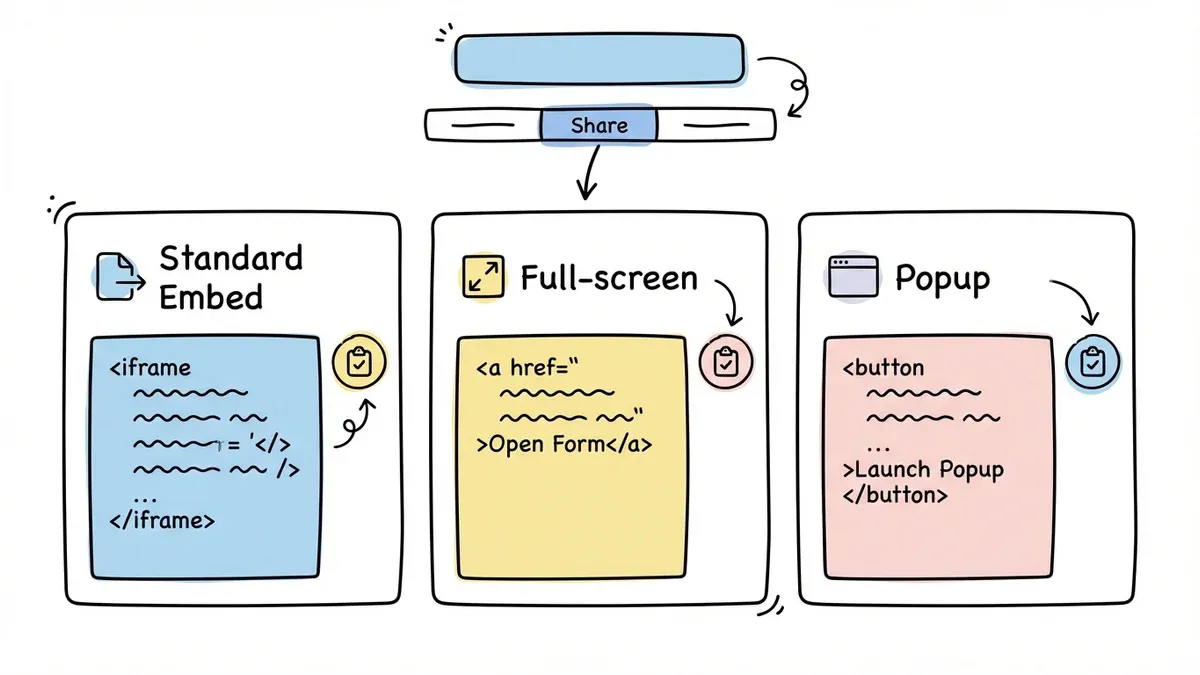
The Share tab in the editor gives you the code snippet for each option. Copy the one you need, paste it, done.
When to use each option
| Embed type | Best for | Attention level |
|---|---|---|
| Standard | Contact pages, landing pages, product pages | Medium — competes with other page content |
| Full-screen | Applications, surveys, lead magnets | High — nothing else on the page |
| Center popup | Quote requests, CTAs, gated content | High — overlay focuses attention |
| Corner popup | Feedback widgets, quick surveys, support | Low-key — present but not intrusive |
The right choice depends on the form’s purpose and where it appears in the user journey. A feedback form on a SaaS dashboard works best as a corner popup. A registration form for an event works best as a standard embed or full-screen page.
Available now
All three embed options are available on the free plan. No response limits, no form limits.
Create a form and try embedding it on your site.