Wufoo was one of the first form builders that made sense. When it launched in 2006, the idea of building a web form without writing HTML was genuinely novel. The interface was friendly, the pricing was fair, and it earned a loyal following among small businesses and freelancers who just needed a contact form on their website.
Then SurveyMonkey acquired Wufoo in 2011, and development slowed to a crawl. The editor hasn’t had a meaningful redesign in over a decade. The free plan caps you at 5 forms and 100 entries per month. The templates look like they were built for a web that ran on Internet Explorer. If you’ve been using Wufoo out of habit, you’ve probably noticed that the rest of the form builder market moved on without it.
This isn’t a hit piece. Wufoo earned its place in the history of web tools. But if you’re searching for a Wufoo alternative in 2026, it’s because you’ve outgrown a product that stopped growing itself. Here are seven replacements worth your time, starting with the one we built.
Why people leave Wufoo
Before the list, it’s worth naming the specific frustrations that push people away. Not everyone leaves for the same reason, and knowing yours will help you pick the right replacement.
The free plan is too restrictive. Five forms and 100 entries per month is barely enough to test the product, let alone run a business on it. Most modern form builders offer significantly more on their free tiers.
The editor feels stuck in 2012. Wufoo’s drag-and-drop builder was ahead of its time, but “its time” was fifteen years ago. There’s no real-time preview, limited design customization, and the whole experience feels sluggish compared to what’s available now.
Design options are minimal. You can pick from a handful of themes and adjust some colors, but you can’t control fonts, backgrounds, spacing, or layouts with any precision. Every Wufoo form looks like a Wufoo form.
Integrations are stale. Wufoo has some integrations, but the list hasn’t expanded meaningfully in years. If you’re using modern tools like Notion, Airtable, or newer CRMs, you’ll likely hit a wall.
SurveyMonkey’s pricing model crept in. The paid plans ($14.08 to $183.25/month) feel misaligned with what you actually get. You’re paying 2026 prices for a 2012 product.
If any of that sounds familiar, here are seven Wufoo alternatives that solve different versions of the problem.
1. Fomr — best for design control with a genuinely free plan
We built Fomr, so read this section with that in mind. But we built it because tools like Wufoo convinced us that form builders could be better at design — and then stopped trying.
Fomr is a visual drag-and-drop editor with instant preview. You place fields where you want them, adjust layouts across multiple pages, and see exactly what your respondents will see as you build. The design toolkit goes deep: 1,700+ fonts, full color control, custom backgrounds, logo uploads, and flexible layouts that let you build forms that actually match your brand.
The free plan has no caps. Unlimited forms, unlimited responses, unlimited fields, unlimited team members. That’s not a trial — it’s the real product. Compare that to Wufoo’s 5 forms and 100 entries, and the gap is obvious.
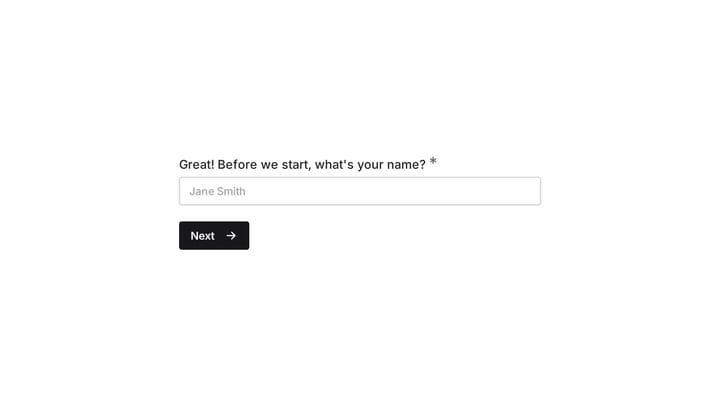
You can share forms via direct link, embed them on your website using our JavaScript widget (not iframes), display them as popups, or generate QR codes. There’s also a guest editor that lets you build a complete form without creating an account, which is useful if you want to see the editor before committing.
Where Fomr falls short: Conditional logic, payment collection, and integrations with tools like Zapier are coming soon. Wufoo already has basic conditional logic and some integrations, so if those are critical to your workflow today, Fomr isn’t the right switch yet.
Pricing:
- Free: Unlimited forms, responses, fields, and team members
- Pro: $34/month or $24/month billed yearly for custom domains, removed branding, and SEO controls
Best for: Anyone who wants forms that look professionally designed and needs an unlimited free plan. If visual quality matters more than conditional logic right now, Fomr is the strongest option here. If you need branching or integrations today, keep reading.
Give it a try
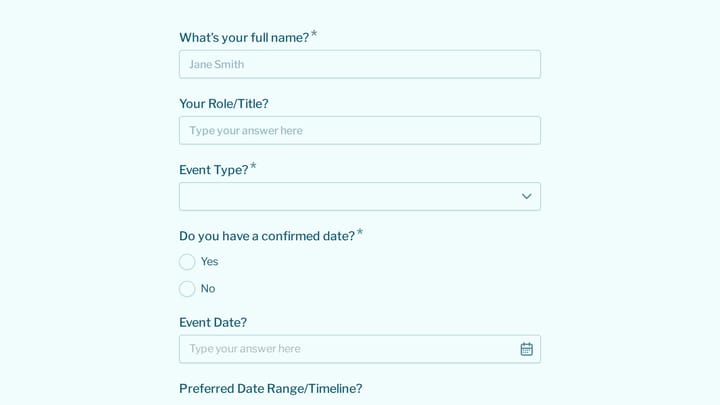
See a real event volunteer form in action
This is a real, working template from our gallery. Fill it out like a respondent would, then make it your own.

2. Typeform — best for conversational forms
Typeform is the opposite of Wufoo in almost every way. Where Wufoo shows all your fields on one page in a traditional layout, Typeform presents one question at a time with smooth animations and a conversational flow. It’s engaging, it looks polished, and it genuinely improves completion rates for surveys and lead capture forms.
The conditional logic is strong. You can build branching paths that feel natural, and the analytics dashboard shows you where respondents drop off — something Wufoo never offered. If you’re collecting customer feedback or running research surveys, Typeform’s format is hard to beat.
The problem is pricing. Typeform’s free plan gives you 10 responses per month across all forms, cut from 100 in early 2026, which is a tighter ceiling than Wufoo’s — and just as frustrating. The Basic plan starts at $25/month for those same 100 responses. If you’re leaving Wufoo partly because of cost, Typeform might not feel like an upgrade.
Pricing:
- Free: 10 responses/month across all forms
- Basic: $25/month (100 responses)
- Plus: $50/month (1,000 responses)
Best for: Marketing teams and researchers who want high engagement rates and can justify the per-response cost. Not a great Wufoo replacement if pricing was your main complaint.
3. Google Forms — best for zero-cost simplicity
If Wufoo’s free plan limitations are what’s pushing you out, Google Forms is the most straightforward fix. It’s completely free, has no response limits, and if you have a Google account you can create a form in about two minutes. Responses flow automatically into Google Sheets, which is probably where you wanted the data anyway.
The tradeoff is design. Google Forms gives you a color picker, a header image slot, and that’s about it. No custom fonts, no layout control, no background images. Every Google Form looks like a Google Form. For internal surveys and quick data collection, that’s fine. For anything client-facing, it’s a problem.
There’s also no payment processing, limited conditional logic (you can do basic section branching), and no embed customization. But for the price of free with zero learning curve, it’s hard to argue with.
Pricing:
- Free (with a Google account)
Best for: Internal forms, quick polls, and situations where you need a Wufoo replacement today and genuinely don’t care about design. We covered more free options in our guide to free online form builders.
4. JotForm — best for feature depth
JotForm launched the same year as Wufoo (2006), but unlike Wufoo, it kept building. The feature list is massive: conditional logic, payment processing, e-signatures, HIPAA compliance, PDF generation, approval workflows, and a template library with over 10,000 options. If you need a specific form feature, JotForm probably has it somewhere in its menus.
That breadth comes with clutter. The interface is busy, and building a simple form involves more clicking through panels than it should. It’s not as dated as Wufoo, but it’s not exactly modern either. The design output is functional rather than attractive — forms work, but they won’t win any design awards.
The free plan gives you 5 forms and 100 monthly submissions, which is identical to Wufoo’s limits. Paid plans start at $39/month for Bronze, or $408 a year billed annually. So if you’re leaving Wufoo because of restrictive free tiers and high prices, JotForm might feel like a lateral move on those fronts. The value is in the features you get once you’re paying.
For a deeper comparison across the category, check our breakdown of the top form builders.
Pricing:
- Free: 5 forms, 100 submissions/month
- Bronze: $39/month, or $408/year billed annually (25 forms, 1,000 submissions)
- Bronze: $39/month (100 forms, 2,500 submissions)
Best for: Organizations that need advanced workflow features — payments, e-signatures, HIPAA compliance — and have the budget for them. A genuine upgrade from Wufoo on features, even if the free plan is equally stingy.
5. Tally — best free alternative with a modern editor
Tally is what Wufoo might look like if someone rebuilt it from scratch in 2023 with Notion as the design inspiration. The editor is type-based — you write questions in a document-like interface, and Tally converts them into form fields. It’s fast, intuitive, and feels nothing like Wufoo’s aging drag-and-drop.
The free plan is genuinely generous: unlimited forms and unlimited responses. That alone makes it a compelling Wufoo replacement for anyone frustrated by the 5-form, 100-entry ceiling. Conditional logic is included on the free tier, which is a real differentiator.
Design customization is moderate. You can adjust colors and fonts, but you’re working within Tally’s visual framework. You won’t get the level of control that a dedicated design-first builder offers. The paid plan ($29/month) adds custom domains, file uploads, and some integrations.
Pricing:
- Free: Unlimited forms and responses
- Pro: $29/month (custom domains, file uploads, integrations)
Best for: People who want a modern, free form builder with conditional logic included. A strong Wufoo alternative if you value simplicity and don’t need deep design customization.
6. Fillout — best for database-connected forms
Fillout is worth a look if your workflow runs through Notion or Airtable. It connects directly to both, letting you use existing databases as form backends. Responses flow into your tables without middleware, which saves you from the export-import dance that Wufoo makes you do.
The editor sits somewhere between a document-style builder and a traditional drag-and-drop. Conditional logic works well. There’s a built-in scheduling feature that eliminates the need for a separate booking tool. The free plan gives you 1,000 responses per month — ten times Wufoo’s limit, though not unlimited.
Design customization is the weak spot. You can change colors and fonts, but forms still look distinctly like Fillout forms. If brand consistency matters, you’ll feel the constraints.
Pricing:
- Free: 1,000 responses/month
- Starter: $15/month
- Pro: $35/month
Best for: Teams using Notion or Airtable who want form responses to flow directly into their existing databases. Less compelling if you don’t use those tools. We wrote a detailed look at JotForm alternatives that covers Fillout in more depth.
7. Paperform — best for content-rich forms
Paperform takes a document-first approach to form building. Instead of a field-by-field editor, you build forms like you’d write a page — mixing text, images, videos, and form fields on the same canvas. The result looks more like a landing page than a traditional form, which works well for event registrations, order forms, and booking pages.
Built-in payment processing through Stripe, Square, and Braintree is a genuine advantage over Wufoo, which requires workarounds for payments. Conditional logic is solid, and the design output is generally polished.
The catch: there’s no free plan. Paperform starts at $20/month after a 14-day trial. If you’re leaving Wufoo partly because you don’t want to pay for a form builder, Paperform isn’t the answer. But if you’re leaving because Wufoo’s paid plans don’t deliver enough value, Paperform’s feature set might justify the cost.
Pricing:
- Essentials: $20/month (1,000 submissions)
- Pro: $40/month (10,000 submissions)
Best for: Small businesses that need forms with embedded payments and prefer a content-first editing experience. Not ideal if a free plan matters to you.
Quick comparison
| Feature | Wufoo | Fomr | Typeform | Google Forms | JotForm | Tally | Fillout | Paperform |
|---|---|---|---|---|---|---|---|---|
| Free forms | 5 | Unlimited | 3 | Unlimited | 5 | Unlimited | Unlimited | No free plan |
| Free responses | 100/mo | Unlimited | 100/mo | Unlimited | 100/mo | Unlimited | 1,000/mo | No free plan |
| Editor style | Drag-and-drop | Drag-and-drop | Conversational | List-based | Drag-and-drop | Type-based | Hybrid | Document |
| Design control | Low | Very high | Moderate | Very low | Medium | Moderate | Moderate | High |
| Custom fonts | No | 1,700+ | Limited | No | Basic | Limited | Limited | Yes |
| Conditional logic | Yes | Coming soon | Yes | Limited | Yes | Yes | Yes | Yes |
| Payments | Limited | Coming soon | Yes | No | Yes | Paid | Yes | Yes |
| Starting paid price | $14.08/mo | $34/mo monthly or $24/mo yearly | $25/mo | Free only | $34/mo | $29/mo | $15/mo | $20/mo |
How to pick the right Wufoo replacement
The best Wufoo alternative depends on what specifically bothers you about Wufoo.
If the free plan limits are the problem: Fomr, Tally, and Google Forms all offer unlimited forms and responses for free. Fomr and Tally also include modern editors that make Wufoo’s interface feel ancient.
If you want better design: Fomr gives you the deepest visual customization — 1,700+ fonts, custom backgrounds, flexible layouts. Paperform also produces good-looking forms, but without a free plan.
If you need advanced features: JotForm has the widest feature set in the category. Payments, e-signatures, HIPAA compliance, approval workflows. The interface is dated, but the capabilities are real.
If you want the conversational format: Typeform is still the best at one-question-at-a-time forms. Budget for the response limits.
If you need database integrations: Fillout’s native Notion and Airtable connections are its strongest selling point.
If you just want free and simple: Google Forms. No frills, no limits, no design. It works.
Wufoo had its moment
There’s no shame in having used Wufoo for years. It was a genuinely good product that made web forms accessible to people who couldn’t write code. A lot of businesses got their start with a Wufoo contact form on a WordPress site, and that matters.
But the web moved on. Form builders in 2026 offer real-time previews, deep design customization, generous free plans, and modern editors that make building forms feel less like a chore. Wufoo offers none of that, and SurveyMonkey doesn’t seem interested in changing course.
If you want to see what a modern form builder feels like, try Fomr’s guest editor. No account required, no credit card, no sales pitch. Build a form and decide for yourself whether it’s time to move on.