The no-code movement gets a lot of attention for app builders, website creators, and automation platforms. But form building was no-code before no-code had a name. Google Forms launched in 2008. Wufoo was around even earlier. People have been dragging and dropping form fields for close to two decades.
What’s changed isn’t the concept. It’s the quality. Early no-code form builders gave you a handful of field types, zero design control, and a URL that screamed “this was made with a free tool.” Today’s visual form builders produce forms that look custom-built, handle complex multi-page flows, and integrate with the rest of your stack. The gap between what a developer can hand-code and what a non-technical person can build visually has gotten remarkably small.
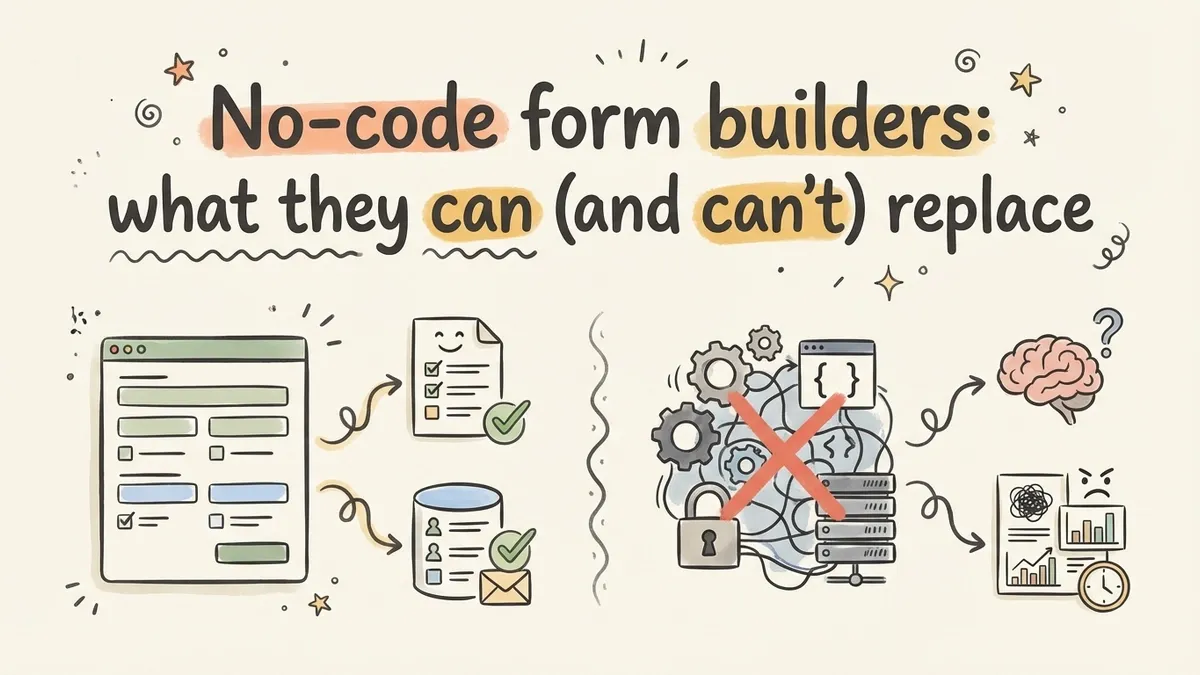
This post breaks down the current landscape of no-code form builders, compares the different approaches available, and draws an honest line between what you can skip code for and what still needs a developer.
What a no-code form builder actually does
At its core, a no-code form builder replaces four things you’d otherwise need to build or hire someone to build:
The frontend. Instead of writing HTML and CSS, you design the form visually. You pick field types, arrange them on a canvas, choose fonts and colors, and see the result in real time. No markup, no stylesheets.
The backend. Responses go to a hosted database. You don’t set up a server, configure an endpoint, or worry about storage. The tool handles all of it.
The hosting. Your form gets a shareable URL the moment you publish. Some tools also give you embed codes, popup widgets, and QR codes. No deployment pipeline, no DNS configuration (unless you want a custom domain).
The maintenance. Security patches, uptime monitoring, mobile responsiveness, spam protection. The platform handles ongoing operations so you don’t have to think about them after launch.
That’s a lot of work eliminated. For a developer, building all four of those layers for a single form takes a few hours at minimum. For a non-technical person, it was previously impossible without hiring help.
Three approaches to building forms without code
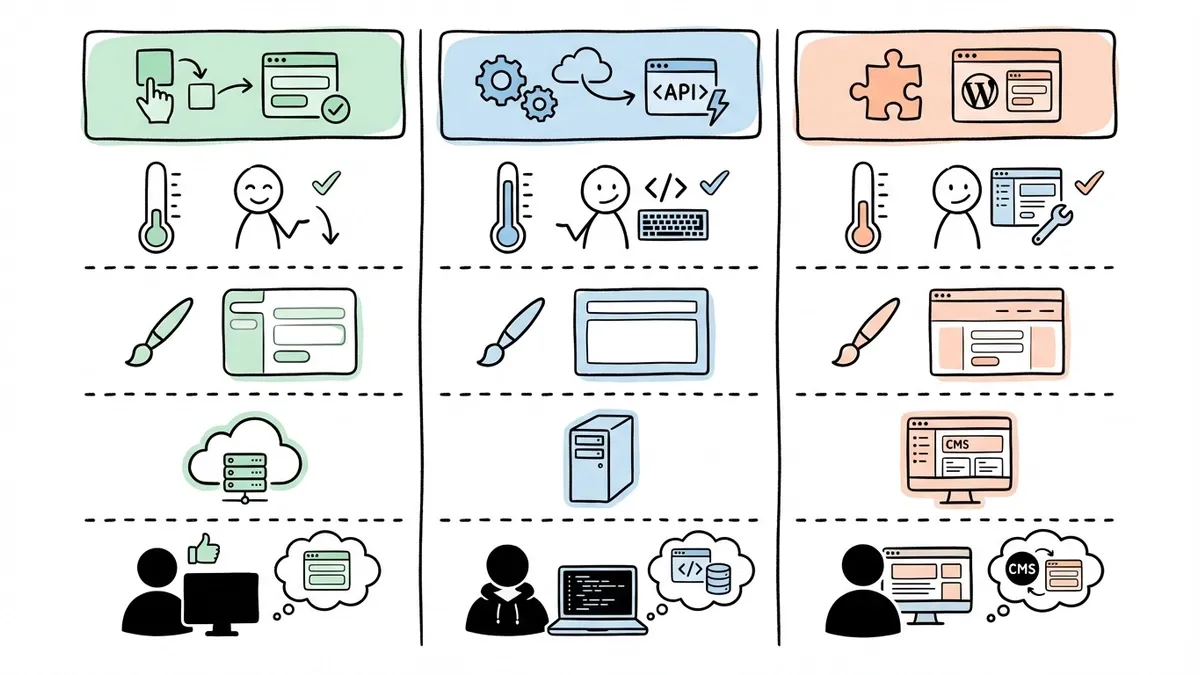
Not all no-code form tools work the same way. The market has settled into roughly three categories, and understanding the differences helps you pick the right one.
Visual drag-and-drop builders
This is what most people mean when they say “no-code form builder.” You open an editor, drag components onto a canvas, style them visually, and publish. The form is fully hosted by the platform.
Examples include Typeform, Jotform, Tally, and Fomr. Each takes a slightly different approach to the editor experience. Some use a one-question-at-a-time conversational layout. Others give you a freeform canvas where you control the exact position of every element. We’ve written a detailed comparison of the top form builders if you want the specifics on each tool.
The strength of visual builders is speed and design quality. You can go from nothing to a published, professional-looking form in under ten minutes. The weakness is that you’re working within the platform’s constraints. If the tool doesn’t support a particular field type or layout, you can’t hack around it the way you could with code.
Form backend services and APIs
These sit at the opposite end of the spectrum. Services like Formspree, Basin, and Getform don’t give you a visual editor at all. Instead, you write your own HTML form and point it at their API endpoint. They handle the backend: storing responses, sending notifications, and providing a dashboard.
This approach is popular with developers who want full control over the form’s appearance but don’t want to build and maintain a backend. You get pixel-perfect design freedom because you’re writing the HTML yourself. But you also need to know HTML, which makes this a “low-code” solution rather than truly no-code.
The trade-off is clear: maximum design flexibility, but you need technical skills to use it. For most people reading this, form backend services aren’t the right fit.
WordPress plugins and CMS add-ons
If your website runs on WordPress, Squarespace, Wix, or another CMS, you’ve probably seen form plugins. WPForms, Gravity Forms, and Contact Form 7 are the big names in the WordPress world. Squarespace and Wix have their own built-in form components.
These work well when your form lives on a page within your existing site and you don’t need it anywhere else. The form inherits your site’s theme, which keeps things visually consistent. But the editing experience is usually clunkier than a dedicated form builder, and you’re locked into that CMS. If you ever move your site to a different platform, your forms don’t come with you.
CMS plugins also tend to lag behind standalone form builders in features. Conditional logic, multi-page flows, and advanced field types often require premium plugin tiers or additional add-ons that stack up in cost.
What you can build without writing any code
The range of forms you can create with a visual builder has expanded a lot in the past few years. Here’s what’s solidly in no-code territory now:
Contact and lead capture forms. The bread and butter. Name, email, message, submit. Every visual builder handles this well, and most let you customize the design far beyond what a basic HTML form would look like.
Multi-page surveys and questionnaires. Long forms that would be overwhelming on a single page can be split across multiple steps. Good builders show progress indicators and let respondents navigate back and forth. We covered why multi-step forms improve completion rates in a separate post.
Registration and application forms. Event signups, job applications, membership forms, volunteer applications. These typically need a mix of field types (text, dropdowns, date pickers, file uploads) and some conditional logic to show or hide sections based on previous answers.
Feedback and satisfaction surveys. NPS scores, star ratings, open-ended feedback. The conversational format that Typeform popularized works particularly well here, and several builders now offer similar one-question-at-a-time modes.
Internal operations forms. Expense reports, time-off requests, incident reports, maintenance requests. These don’t need to look flashy, but they do need to be easy to fill out on mobile and route responses to the right people.
Quizzes and assessments. Scored quizzes with correct/incorrect answers, personality assessments, knowledge checks. Most visual builders support scoring logic and result screens.
That covers probably 90% of the forms most organizations need. If you’re curious about the step-by-step process, our guide to creating a form without coding walks through the full workflow.
Where no-code form builders hit their limits
Honesty matters here. No-code tools have gotten very good, but they aren’t a replacement for custom development in every scenario. Here’s where you’ll still need a developer, or at least a more technical solution:
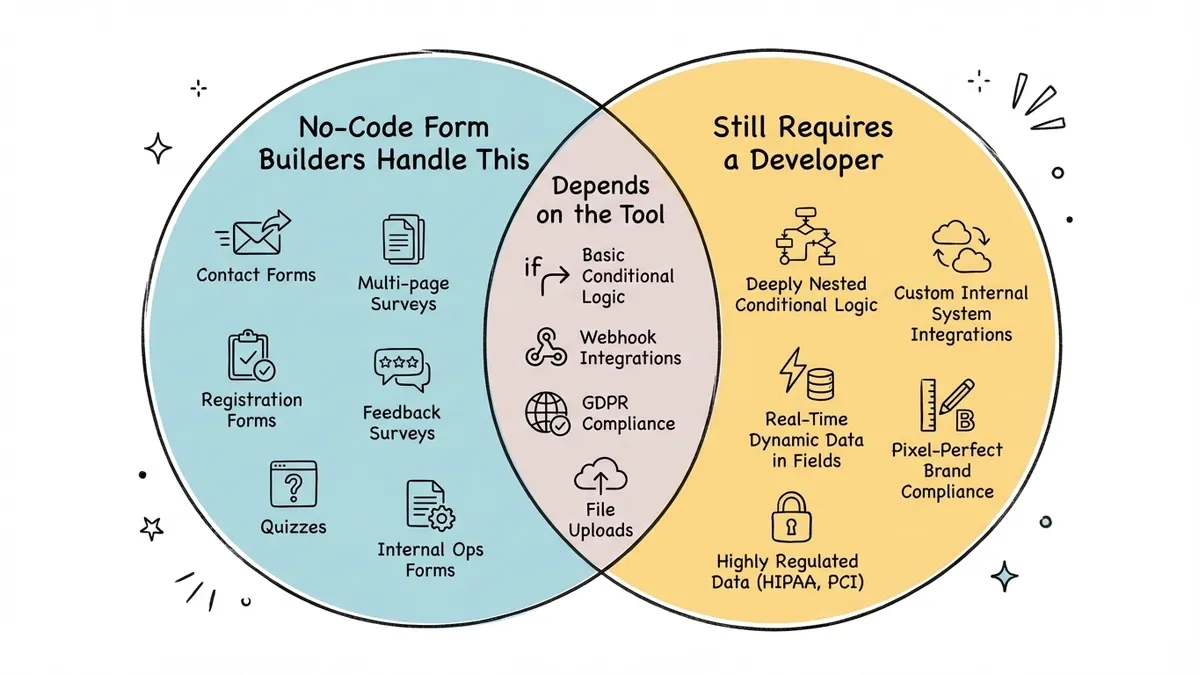
Complex conditional logic chains. Most visual builders support basic show/hide logic: “If the answer to question 3 is ‘Yes,’ show question 4.” But deeply nested logic trees with multiple dependencies and calculated values can push past what a visual interface handles cleanly. Some tools manage this better than others, but it’s the area where no-code form builders struggle most.
Custom integrations with internal systems. If you need form responses to write directly to your proprietary database, trigger a custom API call, or interact with an internal tool that doesn’t have a Zapier connector, you’ll need code. Most form builders offer webhook support or Zapier/Make integrations, which cover common use cases. But anything truly custom requires development work.
Highly dynamic forms. Forms where the available options change based on real-time data from an external source (like pulling inventory levels from your database to populate a dropdown) typically need a coded solution. Static option lists are easy in no-code tools. Dynamic ones that query an API on every page load are not.
Pixel-perfect brand compliance. Visual form builders give you a lot of design control. Fomr, for instance, offers 1,700+ fonts, custom colors, backgrounds, and full layout flexibility. But if your brand guidelines specify exact pixel spacing, custom animations, or a form that’s visually indistinguishable from the rest of your web app, you might need to code the frontend and use a form backend service instead.
Regulated data collection. Healthcare forms with HIPAA requirements, financial forms with PCI compliance, or government forms with specific accessibility mandates sometimes need specialized solutions. General-purpose form builders are improving on compliance (SOC 2, GDPR, HTTPS encryption are increasingly standard), but highly regulated industries may need purpose-built tools.
How to pick the right no-code form builder
If you’ve decided a visual builder is the right approach (and for most use cases, it is), here’s what to evaluate:
Free tier honesty. Some tools advertise a free plan but cap you at 10 or 100 responses per month. That’s a trial, not a free tier. Look for builders that give you enough room to actually use them without paying. Unlimited responses on free plans do exist.
Design flexibility. Can you change fonts, colors, and backgrounds? Can you add your logo? Can you control the layout beyond just stacking fields vertically? The difference between a form that looks generic and one that matches your brand often comes down to how much the builder lets you customize.
Editor experience. Spend five minutes in the editor before committing. Does it feel intuitive? Can you rearrange fields easily? Is there a live preview, or do you have to switch between edit and preview modes? The editor is where you’ll spend all your time, so it needs to feel good.
Sharing and embedding options. A shareable link is the minimum. But you’ll probably also want to embed forms on your website, open them as popups, or generate QR codes for physical locations. Check what distribution options are available and whether they require a paid plan.
What’s included vs. what costs extra. Some builders charge for features that others include free: removing branding, adding more than a few fields, using certain question types, or accessing response data. Read the pricing page carefully. We compared the best free form builders and found significant differences in what “free” actually means.
The no-code form builder keeps getting better
A few years ago, the advice would have been: “Use a no-code form builder for simple stuff, hire a developer for anything complex.” That line has moved. Visual builders now handle multi-page forms, conditional logic, custom branding, team collaboration, and embedded widgets. Features that used to require a developer are becoming drag-and-drop.
The trend is clear. Payment collection, file uploads, advanced conditional logic, and deeper integrations are all on the roadmap for most major form builders. The set of use cases that genuinely require custom code shrinks every year.
For right now, though, the practical advice is straightforward. If you need to collect information from people and you don’t have a very specific technical requirement that forces you into code, a no-code form builder will get you there faster, cheaper, and with less ongoing maintenance than a custom solution.
Start building
If you want to see what a modern visual form builder feels like, try Fomr’s guest editor. No account required. Drag a few fields onto the canvas, pick a theme, and publish. The whole thing takes about five minutes, and you’ll have a working form with a shareable link before you finish your coffee.