
Run forms for 3+ clients?
Form builder for agencies and freelancers
Fomr has no response cap on any plan, so your bill doesn't grow every time a client has a good month. Pro gives each client its own workspace and removes Fomr branding, and teammates are free.

No response cap on any plan
Responses are unlimited on Free and Pro, so a client's best month never closes a form or pushes you onto a bigger plan.
A workspace for every client
On Pro, each client gets a workspace with its own forms, templates, and assets. One account, one bill.
Unlimited teammates, free
Add a contractor for a busy month and the bill stays the same. There's no per-seat pricing on any plan.
10 clients, $24 a month
Ten clients, about 3,000 responses a month between them. Here's the cheapest plan that covers it.
Typeform Business
$91/mo billed yearly
- Plus includes 1,000 responses a month, so 3,000 needs Business
- Capped at 10,000 responses a month
- 5 seats
Fomr Pro
$24/mo billed yearly
- No response cap
- Unlimited teammates
- A workspace per client, Fomr branding removed
Prices from Typeform's pricing page and Fomr pricing, checked November 3, 2026. Typeform's plan cards are used; its comparison table listed lower prices that day.
One account. A workspace per client.
Ten clients in one flat list of forms gets messy fast. On Pro, each client gets a workspace with its own forms, templates, and assets, so nobody edits the wrong client's lead form.
Keep your logo and go-to templates in the Default Workspace and every client workspace can use them. Move a form between workspaces and its link, responses, and workflows come along. How workspaces work
Workspaces
Your client's lead form shouldn't advertise your form tool
A "Powered by" badge under a client's lead form is free advertising for someone else. Fomr Pro removes Fomr branding from every form.
Fonts, colors, logos, backgrounds, and layouts are on every plan, so each form looks like the client's site instead of a template. See form design and themes.
Forms that stay open in launch week
The worst week for a client's form to stop taking leads is the week the campaign works. Fomr doesn't count responses on any plan, including Free, so there's no limit to hit and no cap to reset.
That includes the test entries you send to check a client's setup, and the giveaway that does three months of volume in a weekend.
Form at its monthly response limit
"This form is no longer accepting responses"
Same form on Fomr
Accepting responses. No response cap on any plan.
Add a contractor. The bill stays the same.
Bringing on a designer or a VA for a busy month shouldn't change your software bill. Every plan has unlimited team members, and everyone can build, edit, and read responses.
Forms belong to your organization, not to whoever built them, so work stays put when a contractor moves on. More on team members.




Send leads straight to the client's Google Sheet
The form isn't the deliverable. The leads are. Connect a client's form to a Google Sheet they can open, and every new response is added as a row, on every plan.
Export responses as CSV when a contract ends, or read them through the REST API. Read more about Google Sheets workflows.
Move one client first
Switching ten clients at once is a week of work. One client is an afternoon.
- 1
Start with your busiest client
That's where response caps hurt most. Keep the old form live and run both for a month.
- 2
Rebuild one form
Open the guest editor without signing up, or start from a template and change every field.
- 3
Match the client's brand
Set their fonts, colors, logo, and background, then move the form into the client's workspace.
- 4
Hand off the leads
Connect the client's Google Sheet and swap the link in the ad. A custom domain keeps the next move from breaking links.
Client forms to start from
Quote requests and lead forms you can clone into a client workspace and rebrand in minutes.

Digital Marketing Consultant Quote Form
This digital marketing consultant quote form template simplifies how you gather client requests and service preferences. It helps consultants efficiently create accurate estimates and prioritize the most promising leads for their digital marketing services.
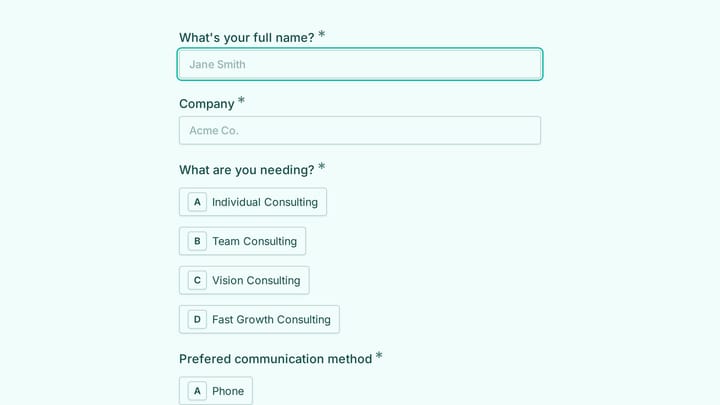
Consulting Lead Generation Form
Help consultants and agencies qualify inquiries by collecting contact information, consulting needs, preferred communication methods, and project notes in one form.
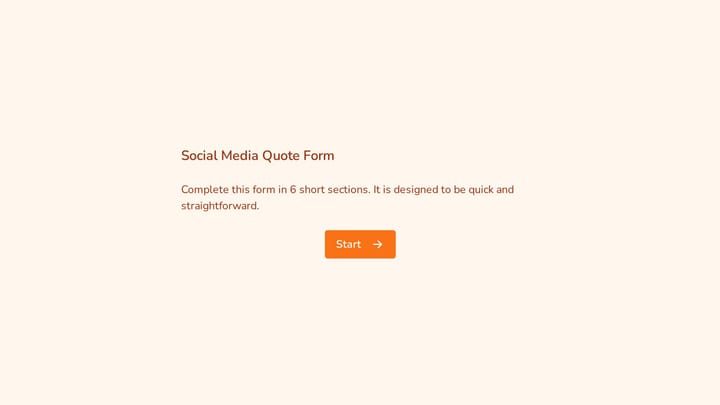
Social Media Quote Form
This social media quote form helps agencies and consultants collect the details they need to price social media services and qualify new leads. It asks about goals, active channels, and top-performing profiles so follow-up conversations ca…
Try it on one client
Rebuild a client form free
Build and preview a form in the guest editor with no signup. Create an account when you're ready to publish, and upgrade to Pro when the second client moves over.

Fomr Pro
$24/mo billed yearly, or $34 month to month
- No response cap
- A workspace per client
- Fomr branding removed
- One custom domain
- Unlimited teammates
Client forms on Fomr: straight answers
No. Fomr doesn't cap responses on Free or Pro, so a client's launch or giveaway keeps collecting leads without an upgrade. Test entries you send to check a client's setup don't count against anything either.
Not yet. Everyone in your organization can open every workspace. If a client insists on logging in, you can create a separate organization for them with its own team and billing, but each organization that needs Pro features needs its own Pro subscription.
Pro includes one custom domain, so it covers your agency's domain or one client's. Multiple custom domains are planned for a higher plan that isn't on sale yet.
Not yet. Google Sheets is the native integration, and you can export responses as CSV or read them through the REST API. If your clients' leads must flow into HubSpot or Salesforce automatically, Fomr isn't the right fit today.
No. Every plan, including Free, has unlimited team members. Adding a designer or a VA for a busy month doesn't change your bill.
Pro is $24/month billed yearly ($288/year) or $34 month to month. One subscription covers every workspace in your organization. See pricing for the full plan comparison.
Yes. Pro removes Fomr branding from every form. Custom fonts, colors, logos, and backgrounds are available on every plan, so each client's forms can match their brand.
Most agencies connect each client's form to a Google Sheet the client can open, so every response lands as a new row. Response notifications go to members of your organization, up to 10 per form.
Yes. The guest editor lets you build and preview a form with no account. Sign up when you're ready to publish and collect responses.