
Logic and calculations
Ask follow-up questions only when they apply, skip what doesn't, and do the math while people answer. No code, and every rule reads like a sentence.
Show only what matters
Reveal follow-up questions when an answer calls for them, hide the rest, and make questions required only when they apply.
Skip and route
Jump past pages that don't apply, and on Pro send each outcome to its own ending or straight to your site.
Calculate as they answer
Keep quiz scores, lead scores, and order totals up to date, show them in the form, and save them with every response.


Open Logic in the editor and add a rule: when some conditions match, then do something. "When Are you buying for a business? is Yes, then show and require Company name." No formulas to learn and no code to write.
Conditions can check any answer, a hidden value, or a calculated value, and you can combine them with every, any, or nested groups. Rules update the form the moment an answer changes, and the Logic panel flags any rule that conflicts or no longer makes sense before your respondents notice.

Calculated values keep a number or a piece of text up to date while people fill in your form. Add up an order total, score a quiz, rate a lead, or build a personalized recommendation.
Type @ to show a value anywhere in your form, such as a
total on the ending page, use it in the conditions of other rules,
and find it saved as its own column in every response. See
calculated values for formulas and examples.
Skip pages that don't apply and send people to the ending that fits them. A group booking gets a "Let's talk group pricing" page, while a single ticket gets a quick confirmation.
Jumping past pages works on every plan. Multiple endings, up to 10 per form, are part of Fomr Pro.
On Pro, a redirect rule sends people from any ending to your checkout, booking calendar, or website as soon as they submit, with their answers or calculated values already in the link.
Preview shows the exact address instead of leaving the editor, so you can check every link before you publish. See redirect after submission.

Order forms where the right follow-up questions and a live total save everyone time.
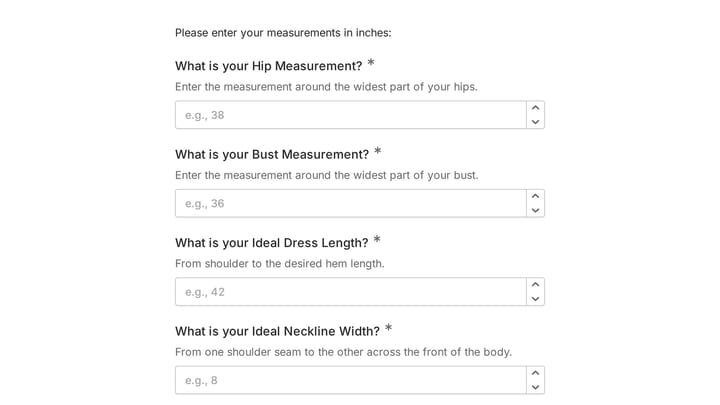
This body measurement form provides a straightforward way to record essential physical dimensions. It's an ideal tool for custom clothing design, fitness tracking, or monitoring personal progress with precision.

Empower your branding projects from the start with this essential intake form template. It guides creative professionals in capturing crucial client details like project goals, target audience, style preferences, and necessary assets for a perfectly aligned kickoff.
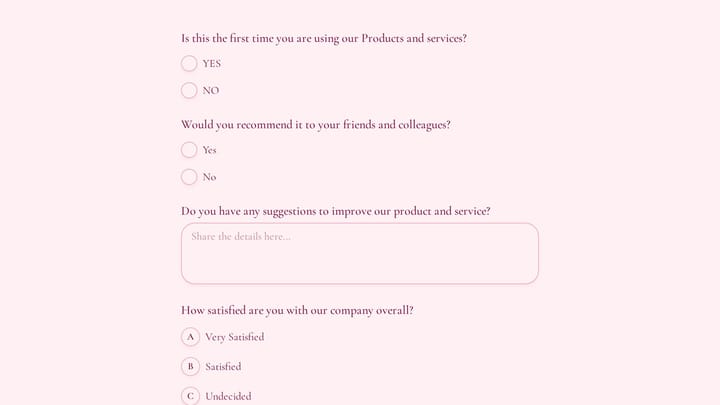
Use this customer feedback form to collect clear feedback, satisfaction scores, and open-ended comments in one place. It helps teams understand what is working well and where the experience can improve.
Yes. Logic rules and calculated values are included on every plan, including Free. You can show or hide questions and pages, make questions required or optional, skip pages that don't apply, and keep scores and totals as people answer. Multiple endings and redirecting respondents to your own page after they submit are part of Fomr Pro.
Every rule reads like a sentence: When some conditions match, Then do something. Conditions can check any answer, a hidden value, or a calculated value, and you can require every condition or just one, or group them. Rules run from top to bottom and update the form as soon as an answer changes. If two rules disagree, the one higher in the list wins and the Logic panel flags the conflict. See the conditional logic guide for every condition and action.
Calculated values keep a number or a piece of text up to date while people fill in your form. Use them for quiz scores, lead scores, order totals, or a personalized recommendation. Insert a value into any text with @ to show it, such as an order total on the ending page, use it in the conditions of other rules, and find it saved with every response. See calculated values for formulas and examples.
Yes, on Fomr Pro. A form can have up to 10 endings, and a Jump to page rule sends each respondent to the right one, such as a group booking page for large orders. A Redirect to URL rule can send respondents from any ending to your checkout, booking calendar, or site, with their answers or calculated values in the link. See redirect after submission.
Free forever. Unlimited responses. No signup to start.
