Walk into any clinic or hospital and you’ll see the same scene: a clipboard, a stack of paper forms, and a patient squinting at tiny print while trying to remember their medication list. The front desk staff will later spend twenty minutes deciphering that handwriting and typing it into an EHR system. Multiply that by forty patients a day, five days a week, and you start to understand why healthcare administration costs in the U.S. alone exceed $800 billion annually, according to a 2019 JAMA study.
Healthcare is one of the most form-heavy industries that exists. Patient intake, consent forms, medical history questionnaires, appointment requests, satisfaction surveys, referral forms, insurance verification, pre-op checklists. Every patient interaction generates paperwork, and most of that paperwork is still handled with processes designed in the 1990s.
A good form builder for healthcare can fix a lot of this. But picking the right one requires understanding something that most “best form builder” articles gloss over: not every form in healthcare carries the same compliance requirements, and not every form builder needs to be HIPAA compliant for every use case.
Let’s break this down.
The forms healthcare organizations actually need
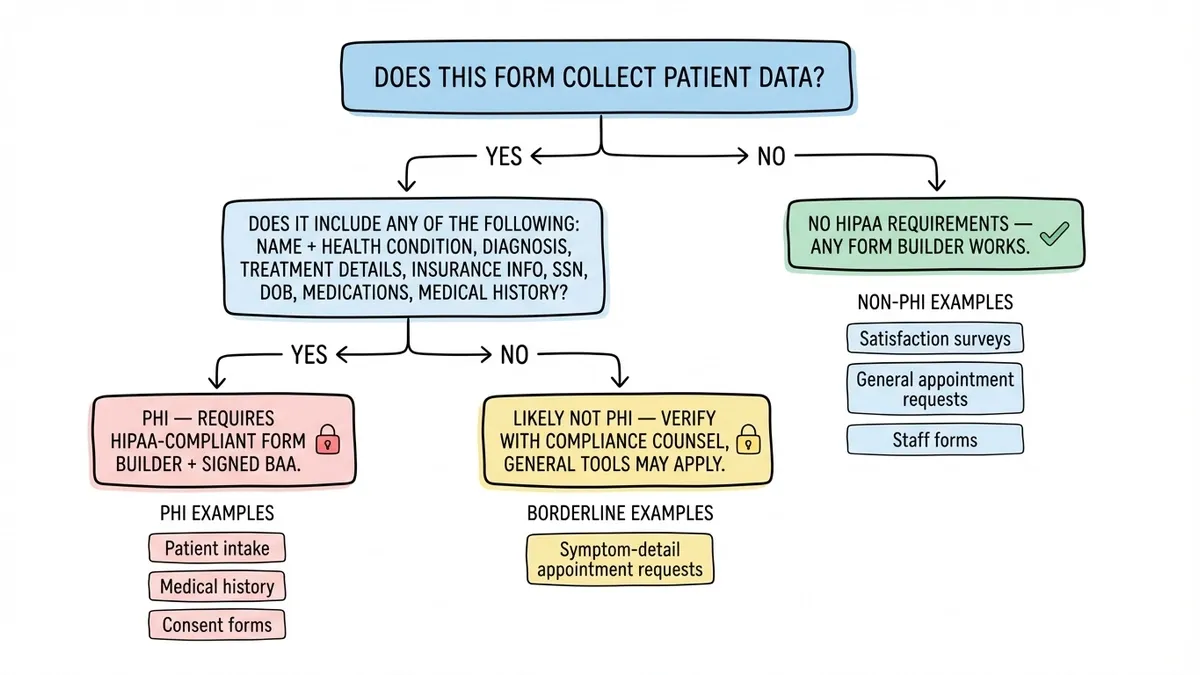
Before comparing tools, it helps to categorize the forms your practice or organization uses. They fall into two broad buckets: forms that collect protected health information (PHI) and forms that don’t. This distinction matters more than any feature comparison, because it determines your compliance requirements.
Patient intake forms
This is the big one. Patient intake forms collect names, dates of birth, addresses, insurance details, medical history, current medications, and sometimes social security numbers. Every field on a typical intake form qualifies as PHI under HIPAA.
A paper intake form takes 8-12 minutes for a patient to complete in the waiting room. A well-designed digital version can cut that to 5-7 minutes, especially if patients fill it out on their phone before they arrive. The time savings compound fast across a busy practice.
The challenge is that any form builder handling patient intake data needs to meet HIPAA requirements. That means encryption, access controls, audit logs, and a signed Business Associate Agreement (BAA) with the form builder vendor. We have a full walkthrough on building patient intake forms that covers field planning and layout in detail.
Consent and authorization forms
Informed consent for procedures, HIPAA privacy notices, telehealth consent, research participation agreements, release of information authorizations. These forms are legally required, and they need to be documented with timestamps and some form of signature capture.
Consent forms almost always reference a patient’s condition or treatment plan, which makes them PHI. Some are simpler, like a general HIPAA acknowledgment that just confirms the patient received the privacy notice. But most procedure-specific consent forms will contain enough clinical detail to fall under HIPAA protection.
Our guide on creating online consent forms covers the structure and field types you’ll want for these.
Medical history questionnaires
Past surgeries, chronic conditions, family health history, allergies, current medications, immunization records. These forms are dense with PHI and often the most tedious for patients to complete. They’re also the forms most likely to contain errors when filled out on paper, because patients rush through them or forget details under the pressure of a waiting room.
Multi-page digital forms help here. Splitting a 30-field medical history questionnaire across four or five pages, grouped by topic (medications on one page, surgical history on another, family history on a third), makes the process feel less overwhelming. Patients are more likely to provide complete, accurate information when they’re not staring at a wall of fields.
Appointment request forms
Here’s where things get interesting from a compliance standpoint. A basic appointment request form that collects a name, phone number, preferred date, and reason for visit (“annual checkup,” “follow-up,” “new patient consultation”) is arguably not PHI in most interpretations. The patient isn’t disclosing a diagnosis or treatment details. They’re requesting a time slot.
That said, some practices add fields like “describe your symptoms” or “which provider are you seeing for this condition,” which pushes the form into PHI territory. The design of the form itself determines the compliance requirement.
For straightforward appointment requests that stick to scheduling logistics, you have more flexibility in which tools you use.
Patient satisfaction surveys
Post-visit satisfaction surveys are increasingly important for healthcare organizations. CMS ties reimbursement rates to patient experience scores through programs like HCAHPS, and even private practices use satisfaction data to identify operational problems.
A well-designed satisfaction survey asks about wait times, staff communication, facility cleanliness, and overall experience. It doesn’t need to reference the patient’s diagnosis or treatment specifics. If you keep the questions focused on the experience rather than the clinical encounter, these forms typically fall outside PHI requirements.
We wrote a guide on creating satisfaction surveys that covers question design and response rate optimization. The principles apply directly to healthcare settings.
Give it a try
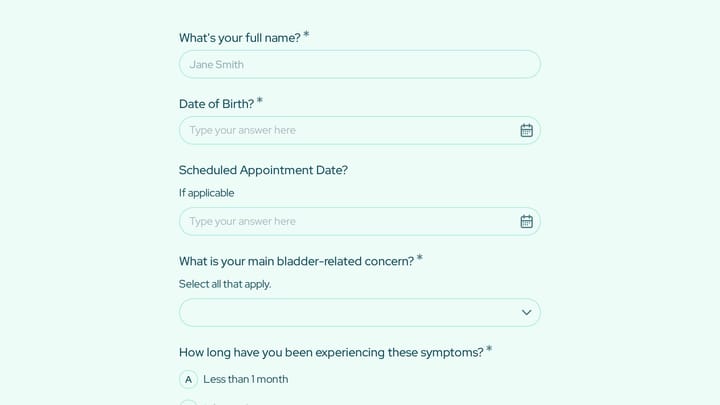
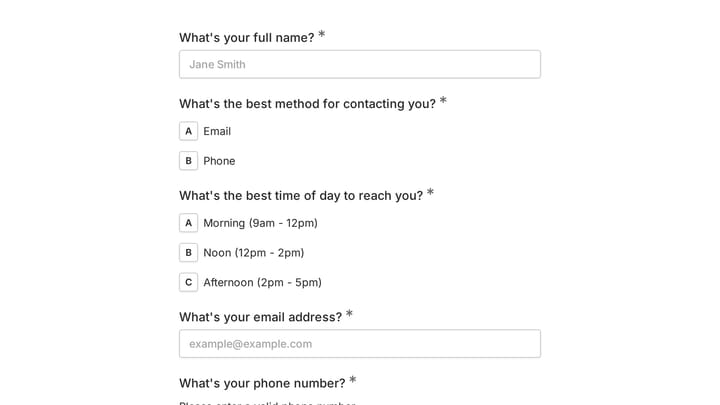
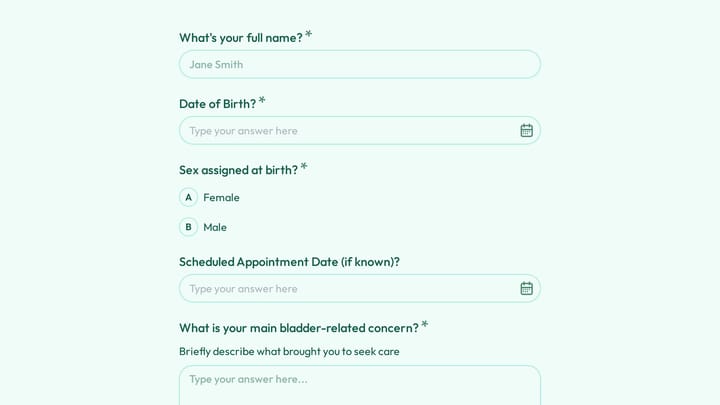
A working doctor appointment form you can try now
This is a real, working template from our gallery. Fill it out like a respondent would, then make it your own.

HIPAA compliance: what it actually means for form builders
HIPAA gets thrown around a lot in healthcare software discussions, often without much precision. Here’s what it actually requires from a healthcare form builder that handles PHI.
The basics
The HIPAA Security Rule requires three categories of safeguards for electronic PHI (ePHI):
- Administrative safeguards: Policies for who can access data, workforce training, incident response procedures
- Physical safeguards: Controls on physical access to systems that store ePHI
- Technical safeguards: Encryption (in transit and at rest), access controls, audit logging, automatic session timeouts
For a form builder specifically, the technical safeguards are the most relevant. Your form submissions need to be encrypted both when the patient hits “submit” (in transit) and when they’re stored on the vendor’s servers (at rest). The vendor needs to provide role-based access controls so only authorized staff can view submissions. And there needs to be an audit trail showing who accessed what data and when.
The Business Associate Agreement
This is the part that trips people up. Under HIPAA, any vendor that handles PHI on behalf of a covered entity (your practice or hospital) must sign a Business Associate Agreement. The BAA is a legal contract that makes the vendor responsible for protecting PHI according to HIPAA standards.
If a form builder vendor won’t sign a BAA, you cannot use that tool for any form that collects PHI. Full stop. It doesn’t matter how good their encryption is or how many security certifications they have. Without a BAA, using that tool for PHI-containing forms is a HIPAA violation.
The HHS website has detailed guidance on what BAAs must include and when they’re required.
What HIPAA compliance does not mean
HIPAA compliance doesn’t mean every form your healthcare organization uses needs to go through a HIPAA-compliant tool. It means forms that collect PHI need to go through a compliant tool. Forms that don’t touch PHI, like anonymous satisfaction surveys, general appointment requests without clinical details, or staff scheduling forms, can use any form builder that meets your general security standards.
This distinction is worth understanding because HIPAA-compliant form builders tend to be significantly more expensive. If you’re routing every form through a $100+/month HIPAA tool when half of them don’t collect PHI, you’re overspending.
What to look for in a medical form builder
The feature set that matters depends on whether you’re building PHI forms, non-PHI forms, or both. Here’s what I’d prioritize for each.
For forms that collect PHI
BAA availability is non-negotiable. Before evaluating any other feature, confirm the vendor offers a BAA. Some vendors only offer BAAs on their enterprise plans, which can run $300-500/month. Others include them at lower tiers. Ask before you invest time in building forms.
Encryption standards should be AES-256 at rest and TLS 1.2+ in transit. These are table stakes for any serious HIPAA-compliant tool, but verify them explicitly. Don’t assume.
Access controls matter once multiple staff members need to view submissions. You want role-based permissions so the billing coordinator can see insurance information but the receptionist only sees appointment details.
Audit logging is required by HIPAA and useful for your own internal compliance reviews. Every access to a submission should be logged with a timestamp and user identity.
Data retention controls let you set automatic deletion policies, which helps with the HIPAA minimum necessary standard. You shouldn’t be storing patient intake forms from 2019 in your form builder if they’ve already been transferred to your EHR.
For forms that don’t collect PHI
This is where you have more options and can often save money. Satisfaction surveys, general feedback forms, appointment requests (without clinical details), event registrations for health fairs, community health screening signups, and staff-facing forms like supply requests or maintenance reports don’t need HIPAA-grade infrastructure.
For these forms, prioritize:
Design quality matters more than you might think. A patient satisfaction survey that looks professional and matches your practice’s branding gets higher completion rates than a generic-looking form. Healthcare organizations spend real money on their physical spaces to create a sense of trust and competence. Your digital forms should reflect that same standard.
Mobile responsiveness is critical. Most patients will fill out a post-visit survey on their phone, often while sitting in their car in the parking lot. If the form doesn’t work well on a small screen, they’ll close the tab.
Ease of use for staff who aren’t technical. The person building your patient satisfaction survey might be an office manager, not a developer. Drag-and-drop editors with visual preview make a real difference here.
Unlimited responses on the free tier prevents the unpleasant surprise of hitting a cap during a busy survey period. If you’re running a satisfaction survey across a multi-provider practice, you can easily generate hundreds of responses in a week.
A practical approach: use two tools
Here’s what I’d actually recommend for most healthcare organizations, and it’s not the advice you’ll see in most articles on this topic.
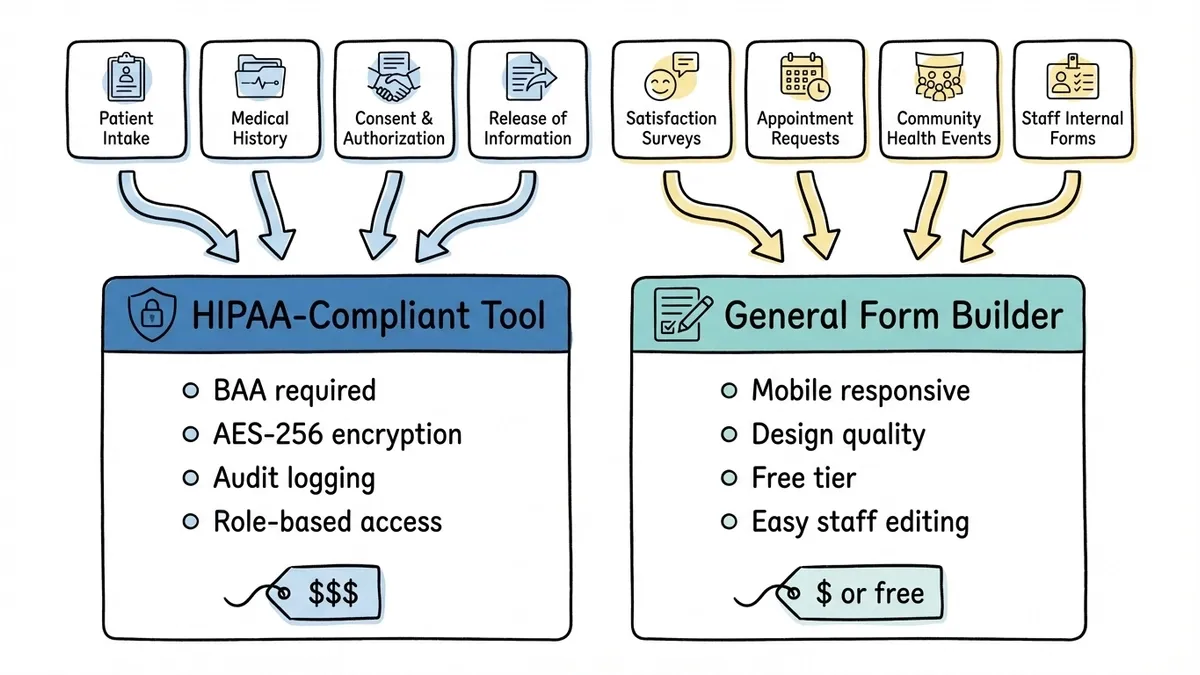
Use a HIPAA-compliant form builder for forms that collect PHI. Patient intake, medical history, consent forms, anything that references a patient’s health condition or treatment. Pay for the compliance infrastructure where it’s legally required.
Use a general-purpose form builder for everything else. Satisfaction surveys, appointment requests, community outreach forms, internal staff forms. These don’t need HIPAA compliance, and you’ll get better design tools, easier editing, and lower costs (often free) by using a tool built for general form building rather than one built primarily around compliance.
This two-tool approach isn’t just about saving money. HIPAA-compliant tools often have clunkier editors and fewer design options because their development resources go toward security infrastructure. For forms where compliance isn’t required, you’ll build better-looking, higher-converting forms with a tool that focuses on the form-building experience itself.
Fomr works well for the non-PHI side of this equation. The free plan includes unlimited forms and responses, the drag-and-drop editor gives you real design control (custom fonts, colors, backgrounds, multi-page layouts), and patients can fill out forms on any device. For satisfaction surveys, appointment requests, and community health event registrations, it handles the job without the overhead of a compliance-focused tool. To be straightforward: Fomr is not HIPAA compliant and doesn’t offer a BAA, so it’s not the right choice for forms that collect protected health information. But for the many healthcare forms that don’t touch PHI, it’s a strong option.
For the PHI side, look at tools like Jotform’s HIPAA plans, Formstack, or dedicated healthcare form platforms. Compare their BAA terms, pricing, and whether their feature set matches your specific form needs.
Common mistakes healthcare organizations make with forms
A few patterns come up repeatedly, and they’re worth flagging.
Using a HIPAA tool for everything. This leads to overspending and often worse form design. Categorize your forms by PHI content first, then choose tools accordingly.
Assuming “secure” means “HIPAA compliant.” SSL encryption and SOC 2 certification are good security practices, but they don’t equal HIPAA compliance. Without a signed BAA and the specific safeguards HIPAA requires, a secure tool is still not compliant for PHI.
Collecting more data than necessary. HIPAA’s minimum necessary standard says you should only collect the PHI you actually need. If your appointment request form asks for a detailed symptom description when a dropdown of general categories would suffice, you’re creating unnecessary compliance obligations.
Ignoring mobile users. Over 60% of patients prefer to complete healthcare forms on their phones, according to a 2023 Experian Health survey. If your forms aren’t mobile-friendly, you’re pushing patients back to paper.
Skipping the patient experience. A form is often the first digital interaction a patient has with your practice. A clunky form sets a tone. A clean, well-organized one that works on a phone tells the patient this practice pays attention to details.
Getting started
If you’re a healthcare organization looking to move forms online, start by listing every form you currently use. Categorize each one: does it collect PHI, or doesn’t it? That single question determines your tool requirements for each form.
For forms that collect PHI, evaluate HIPAA-compliant form builders based on BAA availability, pricing, and whether their editor can handle your specific form complexity (multi-page layouts, conditional sections, signature capture).
For forms that don’t collect PHI, you can start building today. Fomr’s guest editor lets you create a form without even signing up, so you can test the experience with a satisfaction survey or appointment request form in a few minutes. If it works for your needs, the free plan has no caps on forms or responses.
The goal isn’t to digitize every form overnight. Start with the forms that cause the most friction: the ones patients complain about, the ones that create data entry backlogs, the ones that generate the most errors. Fix those first, then expand.
Disclaimer: This article provides general information about HIPAA and healthcare form compliance. It is not legal advice. Consult with a qualified healthcare compliance professional or attorney to determine the specific requirements for your organization.