A decade ago, starting a petition meant standing outside a grocery store with a clipboard. You’d catch people on their way in, pitch your cause in thirty seconds, and hope they’d stop long enough to scribble their name. Most didn’t.
Online petitions changed that completely. Platforms like Change.org proved that millions of people will sign something if you make it easy enough. But here’s what most people miss: you don’t need a massive platform to run an effective petition. A well-built petition form online hosted on your own site or shared through your own channels can be just as powerful for local causes, workplace issues, school campaigns, and community organizing.
The difference between a petition that collects 50 signatures and one that collects 5,000 usually isn’t the cause. It’s the form itself. Let’s build one that works.
What makes a petition form different from a regular form
A petition form has a specific job: collect as many verified signatures as possible for a defined cause. That sounds simple, but it creates design constraints you won’t find in a typical registration form or signup form.
Every extra field you add is friction. Friction kills signatures. A contact form can afford to ask five or six questions because the person filling it out already wants something from you. A petition signer is doing you a favor. They’ll bail at the first sign of hassle.
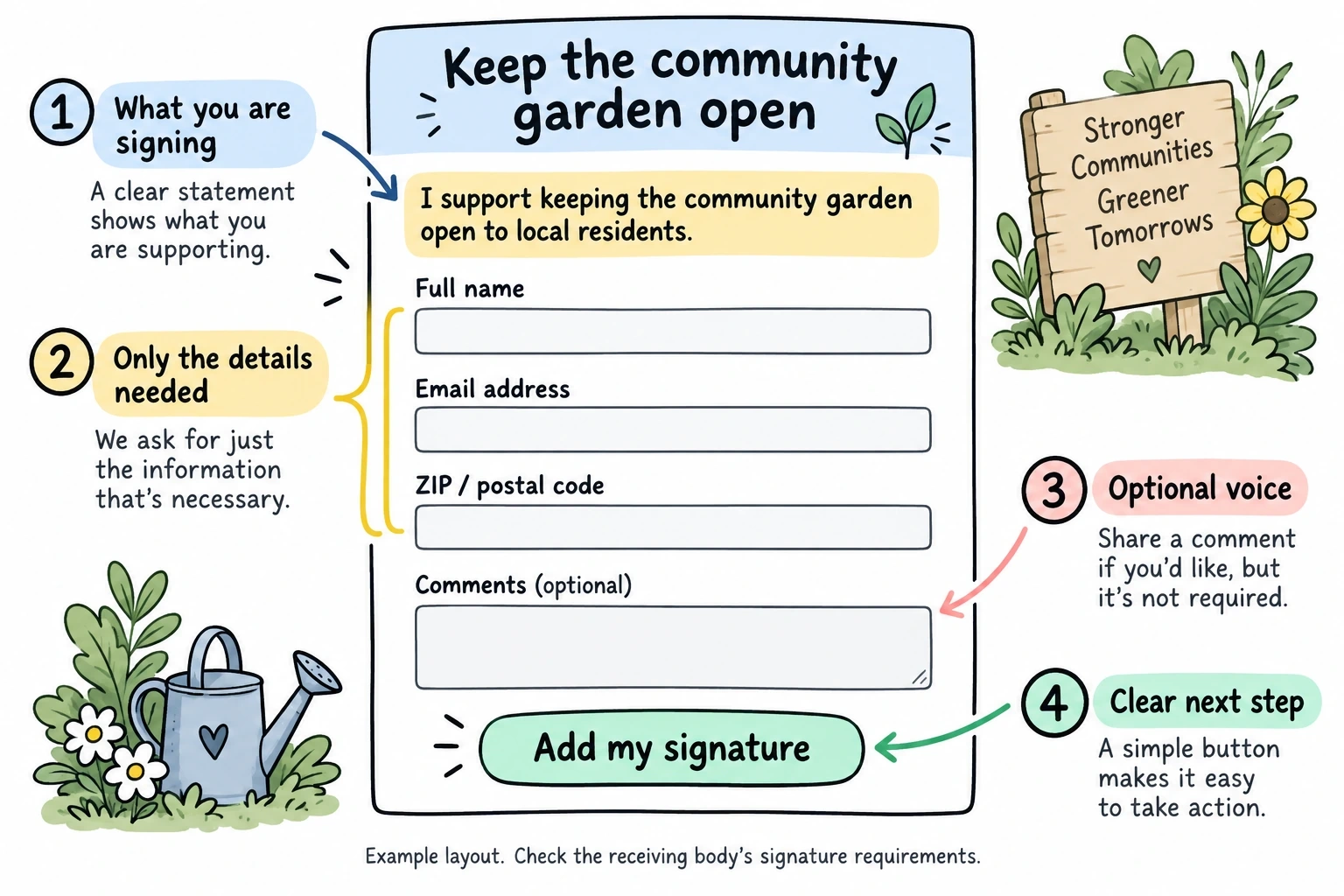
Here’s what a solid digital petition form actually needs:
- Full name (first and last, in separate fields or one combined field)
- Email address for verification and updates
- ZIP/postal code to prove geographic relevance
- An optional comments field for people who want to add their voice
- A clear statement of what they’re signing
That’s it. Five elements. Anything beyond that should earn its place with a very good reason.
Some petitions also collect physical addresses or phone numbers, but only when the petition will be submitted to a government body that requires them. If you’re petitioning your city council, you might need full addresses to prove residency. If you’re petitioning a company to change a policy, ZIP codes are plenty.
Legal considerations for petition signatures
This is where people get nervous, and honestly, the legal side of petitions is less scary than it seems. But you do need to get a few things right.
Digital signatures are legally valid in most contexts. The ESIGN Act in the United States and the eIDAS regulation in the EU both recognize electronic signatures. For most petitions, a typed name combined with an email address and timestamp counts as a valid signature.
There’s an important distinction, though. Petitions submitted to government bodies for ballot initiatives or legislative action often have stricter requirements. Some states require wet ink signatures on paper. Others accept digital signatures but need specific verification steps. If your petition has legal force (like putting a measure on a ballot), check your local election office requirements before building anything.
For advocacy petitions, open letters, and community campaigns, the bar is much lower. You need to show that real people signed voluntarily. That means:
- Collecting enough identifying information to verify signers are real
- Timestamping each submission
- Storing data securely so it can’t be tampered with
- Including a clear description of what signers are agreeing to
One thing I’d recommend: add a checkbox that says something like “I agree to add my name to this petition” right above the submit button. It’s not legally required for most petitions, but it removes any ambiguity about intent.
Designing your petition form for maximum signatures
The goal of a petition form is conversion. You want every person who lands on it to sign. That means your design decisions should all point toward reducing friction and building trust.
Keep it to one page
Multi-step forms work great for complex data collection, but petitions should be one page. The signer needs to see the cause, read the statement, fill in their details, and hit submit without clicking “next” even once. If they have to wonder how many steps are left, you’ve already lost some of them.
Write a compelling petition statement
This is the most important part of your form, and it’s not even a form field. The petition statement sits above your fields and does the heavy lifting of persuasion.
A good petition statement has four parts:
- Who you’re petitioning (the mayor, the school board, a company’s CEO)
- What the problem is in concrete terms, not abstractions
- What you’re asking for as a specific action
- Why it matters with a human angle, not statistics alone
Bad example: “We the undersigned call upon the city to address environmental concerns in our community.”
Better example: “We call on Mayor Rodriguez to halt construction at the Pine Street lot until an independent environmental review is completed. Soil testing in March 2026 found lead levels three times above EPA limits, and 200 children attend the elementary school across the street.”
See the difference? The second version names a person, states a specific ask, and gives concrete evidence. People sign specific petitions. They scroll past vague ones.
Design for trust
Petition signers are handing over their name and email to support a cause. If your form looks sketchy, they won’t do it.
Use clean typography and professional colors. Match your form’s branding to your organization’s website or social media presence. If you’re a neighborhood group without established branding, keep it simple: a readable font, a neutral background, and your group’s name prominently displayed.
With Fomr, you get access to 1,700+ fonts and full control over colors, backgrounds, and logos on the free plan. That matters because a petition form that looks like it was thrown together in five minutes doesn’t inspire confidence. You don’t need to be a designer, but your form should look intentional.
Add a signature counter
This is a psychological trick that genuinely works. If people can see that 847 others have already signed, they’re more likely to add their name. It’s social proof in action.
Not every form builder supports live counters natively, but you can display an approximate count in your petition statement and update it periodically. Something like “Join 800+ neighbors who have already signed” above the form creates momentum.
Mobile-first, always
More than half of your signatures will come from phones. Someone shares your petition on Instagram or in a group chat, and the signer taps through on their phone. If your form doesn’t work perfectly on a small screen, you’re losing the majority of potential signers.
Test your form on an actual phone before you share it. Check that fields are large enough to tap, that the petition statement is readable without zooming, and that the submit button is easy to reach with a thumb.
Building your petition form step by step
Here’s the practical walkthrough. I’ll keep this tool-agnostic, but I’ll note where specific features help.
Step 1: Set up your form
Open your form builder and create a new form. If you want to test this out quickly, Fomr’s guest editor lets you start building without creating an account.
Give it a try
Try this Fomr petition form
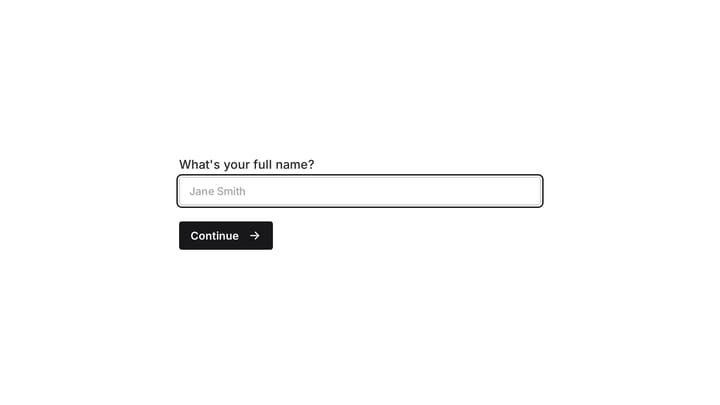
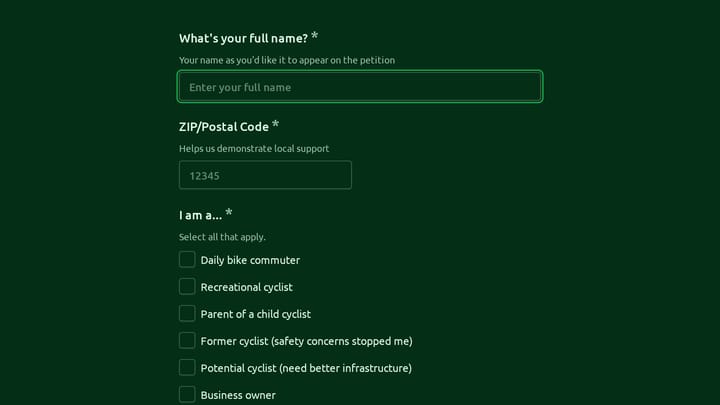
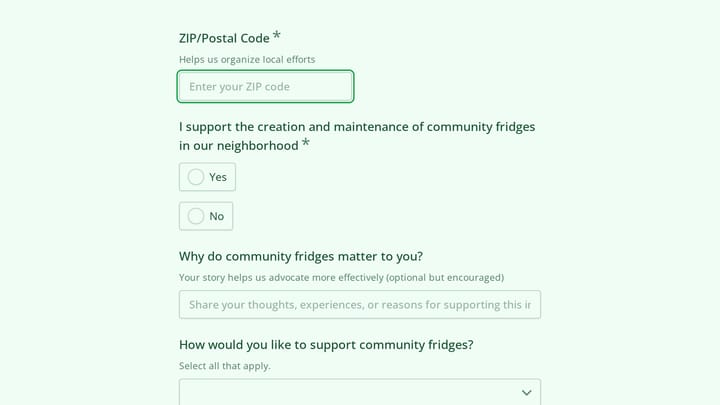
Try the contact, campaign-support, and explanation steps in this Fomr petition. It collects statements of support rather than verified electronic signatures.

Give your form a clear title. “Petition” alone is useless. Use the format: “Petition to [recipient] to [action].” For example: “Petition to the School Board to Restore Art Programs.”
Step 2: Add your petition statement
Before any form fields, add a text block with your petition statement. This is what people are signing, so it needs to be visible and readable. Use a slightly larger font size than your form fields to give it visual weight.
Step 3: Add your fields
Keep the field list short:
- Full name (required)
- Email address (required)
- ZIP or postal code (required)
- Comments (optional, with placeholder text like “Why does this matter to you?”)
- Agreement checkbox: “I voluntarily add my name to this petition”
The comments field is optional but valuable. When someone writes a personal note about why they signed, that comment becomes powerful testimony you can use when presenting the petition. Some of the most persuasive petition deliveries include selected quotes from signers.
Step 4: Customize the submit button and confirmation
Change the default “Submit” button text to something cause-specific. “Sign This Petition” or “Add My Name” feels more meaningful than a generic submit.
After submission, show a thank-you message that does two things: confirms their signature was recorded and asks them to share the petition. Something like: “Thank you for signing! Share this petition with friends and family to help us reach 1,000 signatures.” Include your sharing link right in the confirmation.
Step 5: Set up a custom thank-you redirect (optional)
If you have a website, redirect signers to a page with more information about the cause, upcoming events, or ways to get involved beyond signing. A petition is often the first touchpoint with a supporter. Don’t waste it. In Fomr, redirecting from an ending is a Pro feature, and the link can include the signer’s answers.
Sharing your petition for maximum reach
Building the form is half the job. The other half is getting it in front of people who’ll sign.
Direct link sharing
The simplest approach. Share your form’s direct link on social media, in emails, and in messaging apps. When you share, don’t just post the link. Write a short, emotional hook that explains why someone should care.
Bad: “Please sign our petition [link]”
Better: “The city wants to close our only public pool. 3,000 kids use it every summer. We need 500 signatures by Friday to get a hearing. Sign here: [link]“
Embed on your website
If you have a website or blog, embed the petition form directly on a page. Embedded forms convert better than links because the signer never leaves the page they’re on. They read your argument, scroll down, and sign without any extra clicks.
QR codes for physical outreach
Don’t abandon the physical world entirely. Print QR codes on flyers, posters, and handouts that link directly to your online petition form. This bridges the gap between in-person advocacy and digital signature collection. You get the reach of standing outside that grocery store with the convenience of an online form.
Email campaigns
If you have an email list, use it. Petitions shared via email consistently outperform social media shares in terms of conversion rate. People who open your email already care about your cause. Give them a direct link and a clear ask.
Partner with aligned organizations
Reach out to other groups that share your concern. If you’re petitioning for better bike lanes, contact local cycling clubs, environmental groups, and parent organizations. Ask them to share the petition with their members. Each partner multiplies your reach without any extra effort on your part.
Common mistakes that kill petition momentum
I’ve seen a lot of petitions fizzle out. Here are the patterns:
Asking for too much information. Every field beyond name, email, and ZIP code costs you signatures. I’ve seen petitions ask for phone numbers, full addresses, dates of birth, and employer information. Unless a government body requires it, cut it.
Vague petition language. “We want change” isn’t a petition. It’s a bumper sticker. Name the decision-maker, state the specific action, and set a deadline if possible.
No sharing strategy. Building the form and posting it once on Facebook isn’t a strategy. Plan your outreach before you launch. Line up partners, draft email copy, and schedule social posts for the first week.
Ignoring mobile users. Test on a phone. Then test on a different phone. Then ask a friend to test on their phone. If the form is annoying to fill out on mobile, your signature count will plateau fast.
No follow-up. After someone signs, they should hear from you again. Send an update when you hit milestones. Share the petition delivery. Tell people what happened because of their signature. This builds your list for future campaigns.
After you collect signatures
A petition with signatures is just a document. What you do with it determines whether it creates change.
Compile your signatures into a presentable format. Most form builders let you export responses as CSV files, which you can format into a clean list. Include the total count prominently.
Deliver the petition formally. Email it to the decision-maker, present it at a public meeting, or submit it through official channels. Document the delivery with photos or video for your supporters.
Then close the loop. Email everyone who signed and tell them what happened. Even if the outcome isn’t what you hoped for, people respect transparency. And they’ll be more likely to sign your next petition.
Start collecting signatures today
A petition form doesn’t need to be complicated. It needs to be clear, trustworthy, and easy to sign on any device. Get those three things right, and the signatures will come if your cause resonates.
You can build a professional petition form in about ten minutes with Fomr — no account required to start, and the free plan gives you unlimited forms and responses. Create your petition, share it widely, and put those signatures to work.