In January 2022, the Austrian data protection authority ruled that a website’s use of Google Analytics violated GDPR because it transferred EU visitor data to the United States without adequate safeguards. The fine itself was modest, but the ripple effect was enormous. Within months, similar rulings followed in France and Italy. Companies scrambled to audit their data flows.
But here’s what a lot of those companies missed: the analytics pixel wasn’t their only problem. Their forms were collecting data they didn’t need, storing it indefinitely, and doing it all without proper consent. Forms are one of the most direct ways you collect personal data from people. Name, email, phone number, address, health information, payment details. If your forms aren’t GDPR compliant, you have a problem that no cookie banner can fix.
The fines are real. Meta was hit with a 1.2 billion euro penalty in 2023 for data transfers. Amazon got 746 million euros in 2021. Those are extreme cases, but smaller organizations get fined too. The GDPR Enforcement Tracker lists thousands of penalties, many against companies you’ve never heard of, for violations as basic as collecting data without a lawful basis or failing to respond to a deletion request.
This guide covers what GDPR actually requires for your forms, the mistakes that trip people up most often, and what to look for when choosing a GDPR compliant form builder.
A quick disclaimer before we go further: this article is educational, not legal advice. GDPR is complex, and the specifics depend on your situation, your jurisdiction, and the type of data you collect. Talk to a qualified data protection lawyer or consultant for guidance on your particular setup.
What GDPR actually requires for forms
GDPR isn’t a checklist you can knock out in an afternoon. It’s a framework built around principles, and those principles apply every time you collect personal data through a form. Here’s what matters most.
Lawful basis for processing
Every piece of data you collect needs a lawful basis. For most forms, that means either consent or legitimate interest.
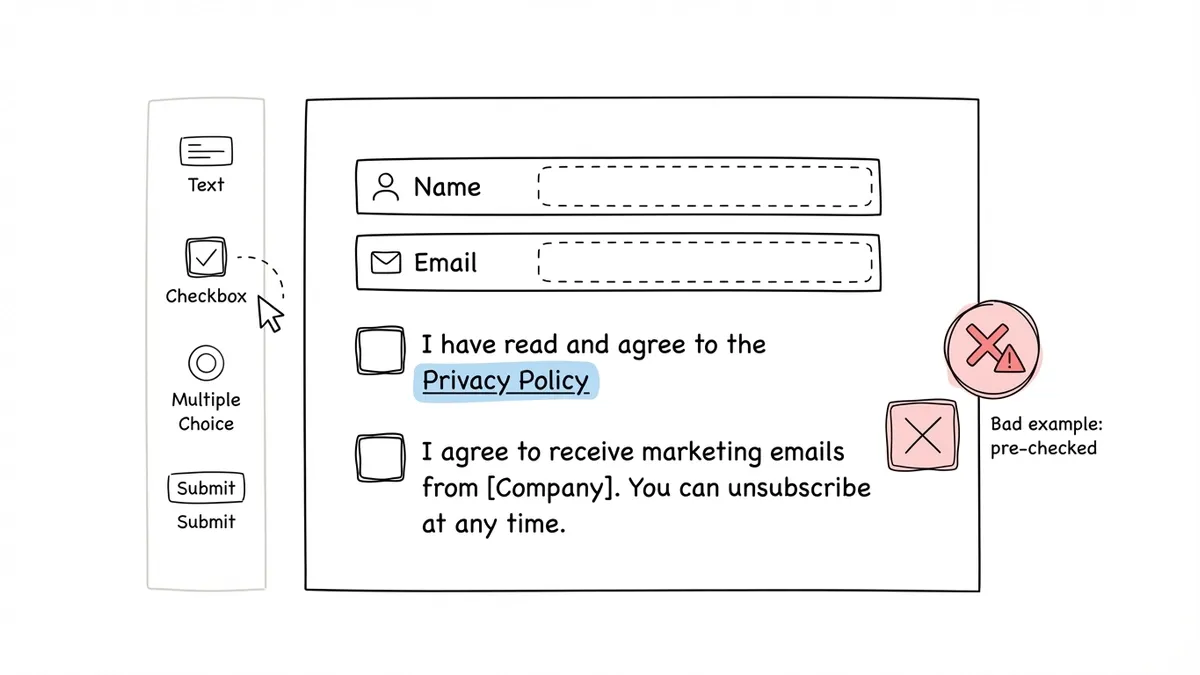
Consent is the one people think of first. The person filling out your form actively agrees to you processing their data for a specific purpose. But consent under GDPR has strict requirements: it must be freely given, specific, informed, and unambiguous. Pre-ticked checkboxes don’t count. Bundled consent (where agreeing to one thing forces agreement to another) doesn’t count either.
Legitimate interest is the other common basis. If someone fills out a contact form on your website, you have a legitimate interest in responding to their inquiry. You don’t necessarily need a separate consent checkbox for that. But you do need to document your reasoning, and you need to make sure the person’s rights don’t override your interest.
The distinction matters because it changes how you design your forms. A newsletter signup needs explicit consent with a clear opt-in. A contact form where someone is asking you a question probably falls under legitimate interest.
Data minimization
Collect only what you need. This sounds obvious, but it’s one of the most commonly violated principles. If you’re building a newsletter signup form, you need an email address. You don’t need a phone number, job title, or company name. Every extra field you add is extra data you’re responsible for protecting, storing correctly, and deleting when it’s no longer needed.
Data minimization is also good for conversion rates. Shorter forms get more completions. GDPR compliance and good UX point in the same direction here.
Transparency and privacy notices
People have a right to know what you’re doing with their data before they hand it over. Your form needs to link to a privacy policy that explains:
- Who you are (the data controller)
- What data you’re collecting and why
- The lawful basis for processing
- Who you share data with (including your form builder, email provider, CRM, etc.)
- How long you keep the data
- The person’s rights (access, correction, deletion, portability, objection)
- How to contact your data protection officer (if you have one)
This doesn’t mean pasting your entire privacy policy into the form. A clear link near the submit button works. Something like “By submitting this form, you agree to our [Privacy Policy]” with a working link.
Right to access and deletion
Anyone who submits data through your form can ask to see what you have on them, and they can ask you to delete it. You need to be able to do both within 30 days. That means your form builder and any connected tools need to let you search for, export, and delete individual submissions.
This is where a lot of setups fall apart. If form responses are scattered across email inboxes, spreadsheets, and CRM systems with no central way to find and remove a specific person’s data, you’re going to struggle to comply with deletion requests.
Consent records
If you’re relying on consent as your lawful basis, you need to keep records of that consent. When did the person consent? What exactly did they consent to? How did they give consent? GDPR doesn’t specify a format for these records, but you need to be able to produce them if a regulator asks.
A timestamp, the form version, and the specific consent text the person agreed to are the minimum. Some form builders log this automatically. Others don’t.
Give it a try
See how this data collection form flows
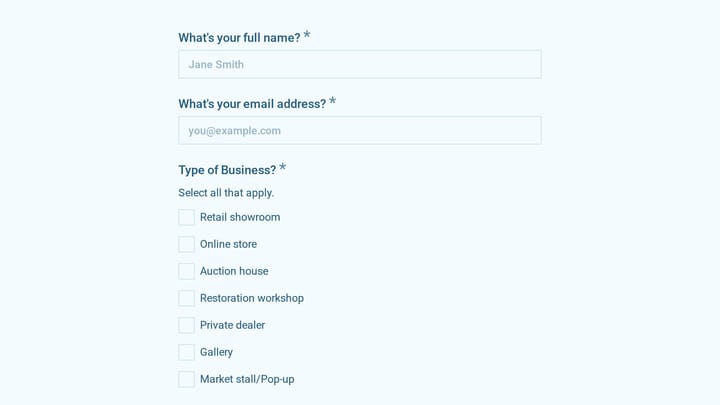
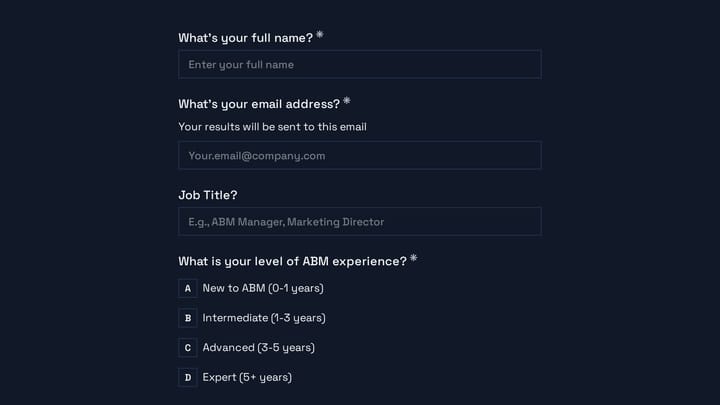
This is a real, working template from our gallery. Fill it out like a respondent would, then make it your own.

Common GDPR violations in forms
Knowing the rules is one thing. Knowing where people actually mess up is more useful. These are the violations I see most often.
Pre-checked consent boxes
This one should be dead by now, but it isn’t. The Court of Justice of the European Union ruled in the Planet49 case (2019) that pre-ticked checkboxes do not constitute valid consent. The user must take an affirmative action. If your marketing opt-in checkbox is checked by default, that consent is invalid under GDPR.
Bundled consent
“By submitting this form, you agree to our terms of service AND consent to receiving marketing emails.” That’s bundled consent, and it’s not valid. Consent for different purposes must be separate. A person should be able to submit a contact form without also signing up for your newsletter.
Collecting data you don’t use
If your event registration form asks for a phone number but you never call attendees, you’re collecting data without a purpose. That violates the data minimization principle. Audit your forms periodically and remove fields that don’t serve a clear function.
No privacy policy link
A form that collects personal data without linking to a privacy policy is a straightforward GDPR violation. It doesn’t matter how good your internal data practices are if you haven’t told the person submitting the form about them.
Indefinite data retention
“We keep your data until we decide to delete it” is not a retention policy. GDPR requires you to define how long you keep data and to actually delete it when that period ends. If your form builder doesn’t support automatic data deletion or at least make manual deletion easy, you’re accumulating risk over time.
What to look for in a GDPR compliant form builder
Not every form builder makes GDPR compliance easy. Some actively make it harder. Here’s what to evaluate.
Data processing location and agreements
Where does the form builder store your data? If it’s a US-based company with servers in the US, you need to understand the legal mechanism they use for EU-to-US data transfers. The EU-US Data Privacy Framework currently provides a basis for this, but the legal landscape has shifted before (Privacy Shield was invalidated in 2020) and could shift again.
Look for form builders that offer a Data Processing Agreement (DPA). Under GDPR, you need a written agreement with any processor that handles personal data on your behalf. Reputable form builders provide a DPA you can sign or accept. If a form builder doesn’t mention DPAs anywhere on their site, that’s a red flag.
Encryption and security
GDPR requires “appropriate technical and organizational measures” to protect personal data. At minimum, your form builder should use HTTPS encryption for data in transit and encrypt data at rest. SOC 2 compliance is a strong signal that a company takes security seriously, though it’s not a GDPR requirement per se.
Consent management features
Can you add consent checkboxes that are unchecked by default? Can you separate consent for different purposes? Can you customize the consent text? Can you link to your privacy policy from within the form? These aren’t nice-to-haves. They’re requirements if you’re relying on consent as your lawful basis.
Data export and deletion
You need to be able to find a specific person’s submission, export it, and delete it. If the form builder only lets you export all responses as a CSV with no way to delete individual records, handling data subject requests becomes a manual headache.
Sub-processors and third-party tracking
Does the form builder load third-party scripts on your form pages? Google Analytics, Facebook pixels, advertising trackers? Every third party that receives your respondents’ data is a sub-processor you need to disclose in your privacy policy. Form builders that are minimal about third-party scripts make your compliance job easier.
Data retention controls
Can you set automatic deletion of responses after a defined period? Can you manually purge old data easily? The ability to enforce retention policies directly in your form builder saves you from building workarounds.
How to build a GDPR compliant form step by step
Theory is useful. Practice is better. Here’s a concrete process for building a form that respects GDPR.
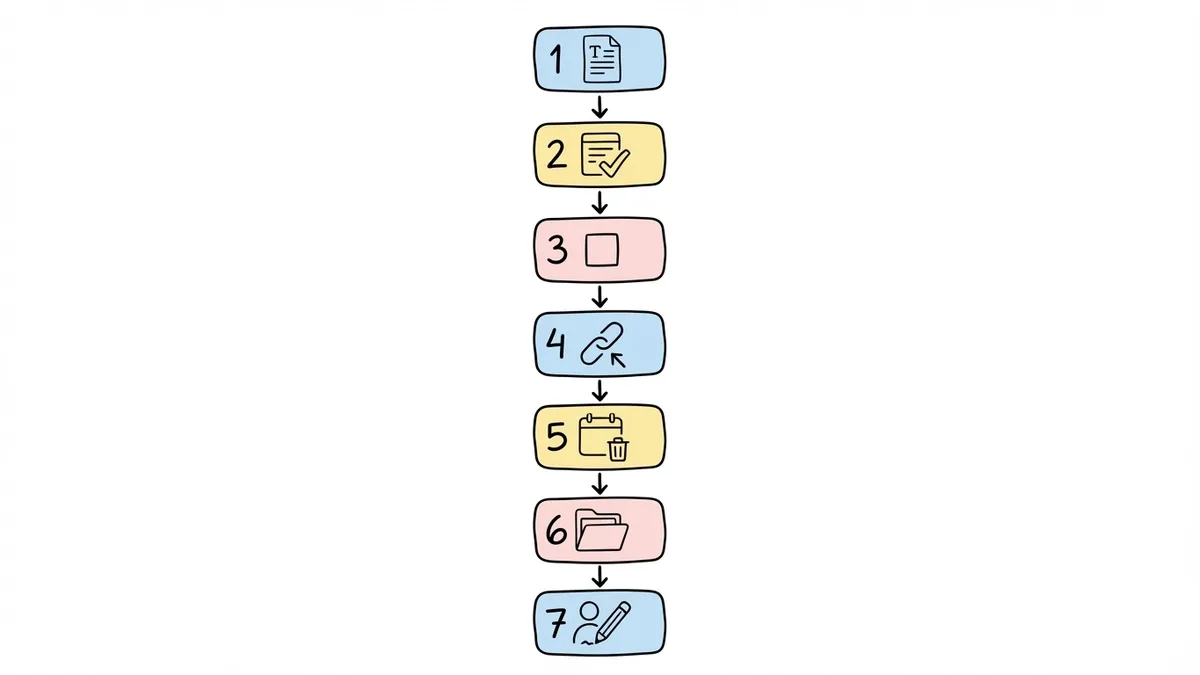
1. Define your purpose and lawful basis. Before you open any form builder, write down what data you need, why you need it, and which lawful basis applies. This takes five minutes and saves you from collecting data you can’t justify.
2. Use only the fields you need. If you’re building a consent form, you need the specific consent fields and identification. If it’s a feedback survey, you might not need names at all. Question every field.
3. Add separate consent checkboxes. If you need consent for marketing, make it a separate, unchecked checkbox with clear language. “I agree to receive marketing emails from [Company]. You can unsubscribe at any time.” Don’t bundle it with form submission.
4. Link to your privacy policy. Add a visible link near the submit button. Make sure the privacy policy is up to date and covers the specific data this form collects.
5. Set up data retention. Decide how long you need to keep responses and configure your tools accordingly. If your form builder supports automatic deletion, use it. If not, put a recurring reminder in your calendar to purge old data.
6. Document everything. Record your lawful basis, your retention period, your sub-processors, and your consent mechanisms. This documentation is what you’ll need if a regulator comes knocking.
7. Test the form as a respondent. Fill out your own form. Is it clear what data you’re collecting and why? Is the consent language understandable? Can you easily find the privacy policy link? If anything feels unclear, fix it before publishing.
Accessibility and GDPR go hand in hand
This is a connection that doesn’t get enough attention. Accessible form design and GDPR compliance share a common principle: respect for the person on the other end.
If your consent checkbox is invisible to screen readers, a visually impaired person can’t give informed consent. If your privacy policy link has insufficient color contrast, people can’t find it. If your form doesn’t work with keyboard navigation, some users literally cannot submit it, which means they can’t exercise their right to interact with your organization on equal terms.
Building accessible, GDPR compliant forms isn’t twice the work. Most of the practices overlap. Clear labels, logical structure, readable text, and proper semantic markup serve both goals.
Where Fomr stands on GDPR
We want to be straightforward about this. Fomr stores form data in the European Union, hosted in SOC 2-compliant data centers, encrypts it in transit over HTTPS/TLS and at rest, and is built with GDPR alignment in mind. You can add consent checkboxes (unchecked by default), link to your privacy policy, and export or delete individual responses.
On the Pro plan ($34/month or $24/month billed yearly), you get custom domains and the ability to remove Fomr branding, which matters if you want full control over how your forms appear to respondents. The free plan gives you unlimited forms, responses, and fields with no artificial caps.
There are things we don’t have yet. Automatic data retention policies with scheduled deletion aren’t built in, so you’ll need to manage retention manually for now. We also don’t offer a self-serve DPA signing flow yet, though you can contact us to arrange one.
No form builder makes you GDPR compliant by itself. Compliance depends on how you configure your forms, what data you collect, how you handle it downstream, and whether your broader data practices hold up. But picking a form builder that doesn’t fight you on the basics makes the whole process less painful.
A practical GDPR form checklist
Before you publish any form that collects personal data, run through this:
- Every field has a clear purpose you can articulate
- Consent checkboxes are unchecked by default and use plain language
- Consent for different purposes is separated (not bundled)
- A working privacy policy link is visible near the submit button
- You’ve documented your lawful basis for processing
- You know where the data is stored and who has access
- You can find, export, and delete individual submissions
- You have a defined data retention period
- Your form is accessible to people using assistive technology
- You’ve listed your form builder and other tools as sub-processors in your privacy policy
None of this is optional. But none of it is particularly hard either, once you know what to look for.
Start building forms that respect your users’ data
GDPR compliance isn’t a feature you bolt on after the fact. It’s a set of decisions you make from the start: what data to collect, how to ask for consent, where to store responses, and when to delete them.
If you’re looking for a form builder that handles the technical basics (encryption, consent fields, data export) without locking core features behind expensive plans, give Fomr a try. You can build your first form without even creating an account.
And whatever tool you choose, talk to a data protection professional about your specific situation. Blog posts (including this one) are a starting point, not a finish line.