A procurement team at a mid-size company sends you a vendor security questionnaire. Question 14: “Does your organization maintain a current SOC 2 Type II report?” You check the form builder you’ve been using for lead capture, customer onboarding, and internal requests. No SOC 2 report. No security page. No trust center. Just a vague line about “enterprise-grade security” buried in the footer.
That deal is now at risk. Not because your form builder is insecure, but because you can’t prove it isn’t.
This scenario plays out constantly. Enterprise buyers, government agencies, and regulated industries increasingly require SOC 2 compliance from every vendor in their stack. Your CRM has it. Your email platform has it. Your project management tool has it. But the form builder collecting customer data, employee information, and support requests? That’s the gap nobody thought about until the security questionnaire showed up.
If you’re evaluating a form builder with SOC 2 certification, or trying to figure out whether your current tool meets the bar, this guide breaks down what SOC 2 actually covers, which form builders have it, and how to make a practical decision.
What SOC 2 is (and isn’t)
SOC 2 stands for System and Organization Controls 2. It’s an auditing framework developed by the American Institute of Certified Public Accountants (AICPA) that evaluates how a service organization manages customer data. The audit is performed by an independent CPA firm, not by the company itself, which is what gives it credibility.
A SOC 2 report isn’t a pass/fail certification like ISO 27001. It’s a detailed assessment of whether a company’s controls meet the criteria, along with the auditor’s findings about any exceptions or gaps. Two companies can both have SOC 2 reports, but one might have a clean report while the other has a list of noted exceptions. The report itself matters, not just the fact that it exists.
Type I vs. Type II
This distinction matters more than most people realize.
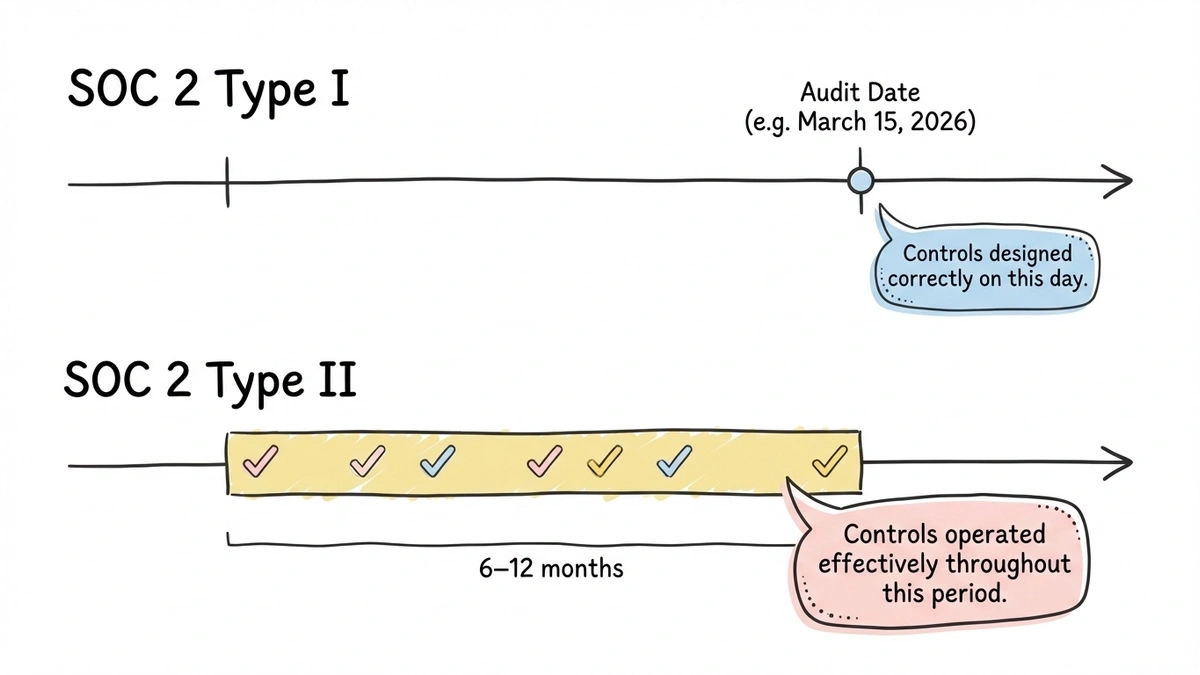
SOC 2 Type I evaluates whether a company’s controls are properly designed at a specific point in time. An auditor shows up, reviews the controls, and says “yes, these are designed correctly as of March 15, 2026.” It’s a snapshot. The controls looked good on that day. Whether they were actually working six months ago, or will still be working six months from now, is a different question.
SOC 2 Type II evaluates whether those controls operated effectively over a period of time, typically 6 to 12 months. The auditor doesn’t just check that the controls exist. They test whether the controls were consistently followed throughout the audit period. Were access reviews actually conducted quarterly? Were security incidents logged and investigated? Did the backup process run every night, or did it fail 40 times and nobody noticed?
Type II is significantly more meaningful. A company can design perfect controls on paper and get a clean Type I report, then fail to follow those controls in practice. Type II catches that gap. When enterprise buyers ask for SOC 2, they almost always mean Type II.
If a form builder advertises “SOC 2 compliant” without specifying the type, ask. If they only have Type I, it’s better than nothing, but it’s not the same assurance level.
The five trust service criteria
SOC 2 audits are organized around five trust service criteria (TSC). Not every audit covers all five. Companies choose which criteria to include based on their service and their customers’ expectations. Security is always included. The others are optional.
| Trust service criterion | A concrete form-builder question |
|---|---|
| Security | Can only authorized people read submitted responses? |
| Availability | Can the service recover and remain available as promised? |
| Processing integrity | Do submissions arrive complete, accurate, and on time? |
| Confidentiality | Are restricted responses, such as salary data, disclosed only to authorized people? |
| Privacy | Is personal information handled according to the stated collection, use, retention, and deletion commitments? |
These are examples of applying the AICPA trust services criteria, not evidence that a particular provider’s report covers every criterion. Check the scope of the actual report.
Security is the foundation. It covers protection against unauthorized access, both physical and logical. Firewalls, access controls, intrusion detection, encryption, vulnerability management. For a form builder, this means: can someone who shouldn’t see your form responses get to them? Are the servers protected against common attack vectors? Is the codebase reviewed for security vulnerabilities?
Availability addresses whether the system is operational and accessible as committed. This covers uptime, disaster recovery, failover mechanisms, and performance monitoring. If your form builder goes down during a product launch and you lose hundreds of submissions, availability is the criterion that would have caught weak infrastructure planning.
Processing integrity ensures that data processing is complete, valid, accurate, and timely. For a form builder, this means: when someone submits a form, does the response arrive intact? Are fields processed correctly? Does the system handle edge cases (special characters, long text, concurrent submissions) without corrupting data?
Confidentiality covers the protection of information designated as confidential. This goes beyond security. It includes data classification, retention policies, and ensuring that confidential data is only disclosed to authorized parties. If your form collects salary information or trade secrets, confidentiality controls determine how that data is handled after collection.
Privacy addresses the collection, use, retention, disclosure, and disposal of personal information in accordance with the organization’s privacy notice and applicable regulations. This criterion overlaps with GDPR and other privacy laws. For form builders, it covers questions like: does the vendor use your respondents’ data for their own purposes? How long do they retain data? Can you delete it?
Most SaaS form builders include Security and Availability in their SOC 2 audit. Some add Confidentiality. Fewer include Processing Integrity or Privacy. When reviewing a vendor’s SOC 2 report, check which criteria were actually audited. A report covering only Security is less comprehensive than one covering Security, Availability, and Confidentiality.
Why SOC 2 matters for form builders specifically
You might wonder why a form builder needs the same security scrutiny as a database platform or a cloud provider. The answer is straightforward: form builders are data collection tools. They sit at the boundary between your organization and the outside world, accepting input from customers, employees, patients, applicants, and partners.
That data often includes personally identifiable information (PII): names, email addresses, phone numbers, physical addresses. Depending on the use case, it might include financial details, health information, employment data, or legal authorizations. The form builder stores this data, processes it, and makes it available to your team.
From a security perspective, your form builder is a data processor. It handles your customers’ data on your behalf. If that processor gets breached, it’s your customers’ data that’s exposed, and it’s your organization that has to explain what happened.
SOC 2 compliance gives you a concrete way to verify that the form builder takes data protection seriously. Not through marketing claims, but through an independent audit with documented findings. When your security team or a client’s procurement department asks “how do you know this vendor is secure?”, a SOC 2 Type II report is the answer that actually satisfies the question.
Our guide to choosing a secure form builder covers the broader security checklist, including encryption, access controls, and vulnerability protections. SOC 2 is the layer that ties those individual controls together into an audited, verifiable framework.
Which form builders have SOC 2 certification
Not all of them. SOC 2 audits are expensive (typically $50,000-$150,000 for the initial audit, plus ongoing costs) and require significant organizational commitment. Smaller form builders often can’t justify the expense, which doesn’t necessarily mean they’re insecure, but it does mean you can’t independently verify their claims.
Here’s where the major form builders stand:
Fomr runs on infrastructure hosted in SOC 2-compliant data centers. Form data is stored in the European Union, encrypted in transit over HTTPS/TLS and at rest, with team-based access controls on every plan including the free one. Our security page sets out the specifics, and we answer vendor security questionnaires directly.
Typeform has SOC 2 Type II certification. They publish a trust page with details about their security practices and make their report available to customers on request. Typeform’s certification covers Security and Availability.
Jotform has SOC 2 Type II certification. They’ve invested heavily in security infrastructure, including a dedicated security team and a published trust center. Jotform’s enterprise plan includes additional security features, but the SOC 2 certification applies to the platform broadly.
Formstack has SOC 2 Type II certification and also holds ISO 27001. They position themselves as an enterprise-grade form platform, and the dual certification backs that up. Formstack also signs BAAs for HIPAA compliance, which is a separate but related consideration.
Google Forms doesn’t have its own SOC 2 report, but Google Workspace does. If you’re using Google Forms within a Google Workspace account, the Workspace SOC 2 report covers the infrastructure. The nuance is that Google Forms inherits Workspace’s controls, but the form-specific features (sharing settings, response access) are your responsibility to configure correctly.
Microsoft Forms is similar. Microsoft 365 has SOC 2 certification, and Forms inherits those protections within a properly configured tenant. Again, the platform-level certification doesn’t excuse sloppy configuration on your end.
Tally, Fillout, and many newer form builders do not currently have SOC 2 certification. Some of these tools have strong security practices, but without an independent audit, you’re relying on their self-reported claims. For internal or low-sensitivity forms, that might be acceptable. For enterprise procurement, it usually isn’t.
How to evaluate a form builder’s SOC 2 compliance
Having a SOC 2 report is the starting point, not the finish line. Here’s how to dig deeper.
Request the actual report
A SOC 2 report is a confidential document. Vendors don’t publish them publicly, but they should make them available under NDA to prospective and current customers. If a vendor claims SOC 2 compliance but won’t share the report, that’s a red flag.
When you get the report, look for:
- The audit period. A report from 2023 covering January-June 2023 is outdated. You want a report that covers a recent period, ideally within the last 12 months.
- Which trust service criteria were included. Security only? Security and Availability? All five?
- Qualified opinions or exceptions. The auditor’s opinion section will note any areas where controls weren’t operating effectively. A few minor exceptions aren’t necessarily disqualifying, but significant gaps should give you pause.
- The auditing firm. Reputable CPA firms with experience in SOC audits produce more reliable reports. A SOC 2 report from a well-known firm carries more weight than one from an unknown auditor.
Check the scope
SOC 2 audits can be scoped narrowly. A company might have SOC 2 certification for one product but not another, or for their cloud infrastructure but not their customer-facing application. Make sure the form builder product you’re actually using falls within the audit scope.
Look beyond the certification
SOC 2 is valuable, but it doesn’t cover everything. A form builder can be SOC 2 compliant and still have gaps that matter for your use case.
Does the form builder encrypt data at rest, or only in transit? SOC 2 doesn’t mandate specific encryption standards. It evaluates whether the company’s stated controls are followed, but those controls might not include at-rest encryption if the company didn’t commit to it.
Does the form builder support granular access controls? SOC 2 checks that access controls exist, but it doesn’t specify how fine-grained they need to be. “Everyone on the team can see everything” might technically pass a SOC 2 audit if that’s the documented policy, but it’s not great for your data governance.
What about data residency? SOC 2 doesn’t address where data is stored geographically. If you need EU data residency for GDPR compliance, SOC 2 alone won’t tell you whether the vendor meets that requirement.
Ask about continuous compliance
SOC 2 Type II covers a specific audit period. What happens between audits? Good vendors maintain their controls continuously and undergo annual re-audits. Some use continuous compliance monitoring tools (Vanta, Drata, Secureframe) that track control effectiveness in real time rather than waiting for the next audit cycle.
Ask the vendor: when was your last audit? When is the next one? Do you use continuous monitoring? A vendor that completed one SOC 2 audit two years ago and hasn’t re-audited is coasting on stale credentials.
SOC 2 vs. other security frameworks
SOC 2 isn’t the only framework that matters. Here’s how it relates to the others you’ll encounter.
SOC 2 vs. ISO 27001: ISO 27001 is an international standard for information security management systems. It’s broader in scope and covers organizational processes, risk management, and continuous improvement. SOC 2 is more focused on specific controls and their effectiveness. Many enterprise buyers accept either one. Having both is ideal but uncommon outside larger companies.
SOC 2 vs. HIPAA: HIPAA is a legal requirement for handling protected health information, not a voluntary certification. SOC 2 and HIPAA address different concerns, though there’s overlap in areas like access controls and encryption. A form builder can be SOC 2 compliant without being HIPAA compliant, and vice versa. If you’re collecting health data, you need HIPAA compliance specifically, and SOC 2 alone won’t satisfy that requirement.
SOC 2 vs. GDPR: GDPR is a regulation, not an audit framework. SOC 2’s Privacy trust service criterion overlaps with some GDPR requirements, but SOC 2 compliance doesn’t equal GDPR compliance. They address different aspects of data protection. You may need both depending on where your respondents are located.
Where Fomr stands
Fomr runs on infrastructure hosted in SOC 2-compliant data centers. Form data is stored in the European Union, encrypted in transit over HTTPS/TLS and encrypted at rest, with access scoped to your organization. We’re GDPR-aligned, which matters if you’re collecting data from EU respondents, and we can sign a DPA on request. Our security page covers all of it.
On the free plan, you get unlimited forms, unlimited responses, unlimited fields, and unlimited team members. Security isn’t gated behind a paywall. You don’t need to upgrade to a premium tier to get HTTPS encryption or team-based access controls. Those are defaults.
There are things we don’t have yet. Conditional logic and third-party integrations like Zapier and webhooks are coming soon. If those are requirements for your use case today, we’d rather you know that upfront than discover it after you’ve committed.
For teams whose real requirement is EU data residency, encryption by default, and no per-response pricing surprises, Fomr is worth trying. You can build and preview a form without creating an account, so there’s no commitment involved in seeing whether it fits.
Give it a try
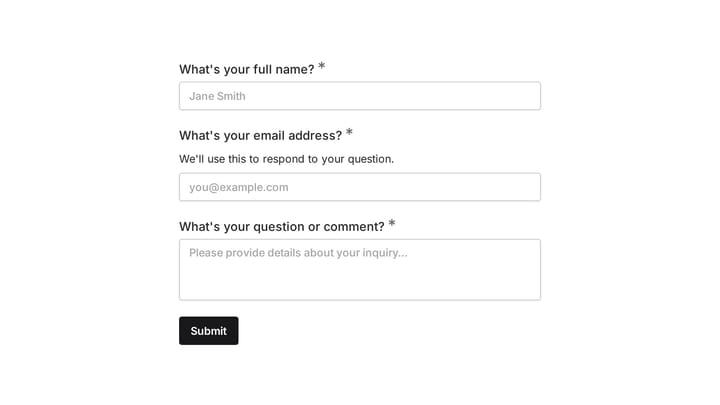
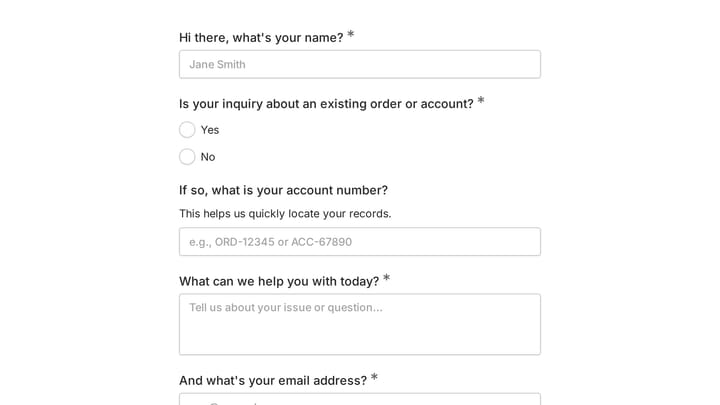
Try this Fomr contact form
Try the respondent view of a simple Fomr contact form. This preview demonstrates the form experience, not a SOC 2 audit or security controls.

Practical next steps
If you’re going through a vendor security review or tightening up your tool stack for compliance, here’s what to do this week:
- List every form builder in your organization. Marketing might use one tool, HR another, and customer support a third. You need a complete inventory.
- Check each tool’s SOC 2 status. Look for a trust center, security page, or compliance documentation. If you can’t find it, ask their support team directly.
- Request SOC 2 reports for your critical tools. Any form builder handling PII, financial data, or sensitive internal information should have a current report you can review.
- Flag the gaps. If a tool doesn’t have SOC 2 and handles sensitive data, you have a decision to make: migrate to a compliant tool, accept the risk formally, or implement compensating controls.
- Document your findings. When the next vendor security questionnaire arrives, you’ll have answers ready instead of scrambling.
SOC 2 compliance isn’t the only thing that matters when choosing a form builder. Design, usability, pricing, and features all factor in. But if you’re working with enterprise clients or handling sensitive data, SOC 2 is the baseline that gets you through the door. Without it, you’re asking buyers to trust your word. With it, you’re handing them an auditor’s.