BuzzFeed built a media empire on quizzes. At their peak, a single quiz like “What City Should You Actually Live In?” pulled in over 20 million views. That’s not a typo. Twenty million people voluntarily answered a series of multiple-choice questions and then shared the results with their friends.
Quizzes work because they tap into something forms and surveys don’t: curiosity about yourself. A survey asks you to help someone else. A quiz promises to tell you something about you. That’s a fundamentally different motivation, and it’s why quizzes consistently outperform other content types for engagement, shares, and lead capture.
If you want to create a quiz for your website, classroom, or marketing funnel, this guide covers the full process. We’ll walk through the different quiz types, how to write questions that keep people clicking, how to handle scoring and results, and which tools actually make this easy.
Why quizzes outperform other content
Before getting into the how, it’s worth understanding why quizzes are so effective. The numbers are hard to argue with.
According to research from Demand Metric, interactive content like quizzes generates 2x more conversions than passive content. LeadQuizzes reports that quiz-based lead generation forms average a 33.6% opt-in rate. Compare that to the 3-5% conversion rate on a typical lead generation form, and the gap is staggering.
The psychology is straightforward. Quizzes create what researchers call an “information gap” — you start answering questions and you need to see the result. That curiosity pulls people through to the end. It’s the same reason people can’t stop scrolling through personality tests at 11pm on a Tuesday.
Quizzes also generate shares naturally. When someone gets a result they like (“You’re a Strategic Thinker!” or “You belong in Barcelona!”), they want to show it off. That organic sharing is free distribution you can’t buy with ads.
Give it a try
Explore this australia quiz right here
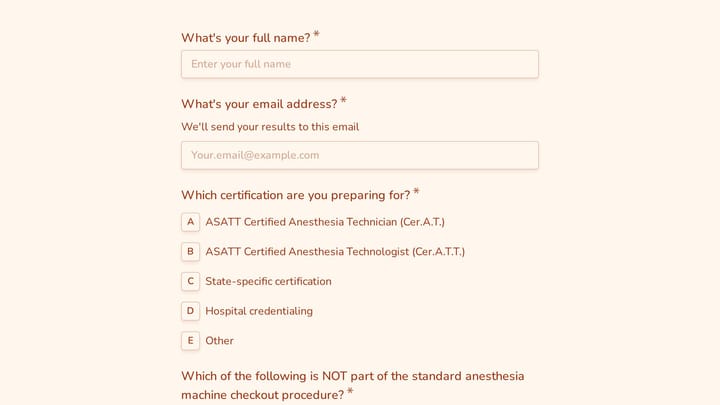
This is a real, working template from our gallery. Fill it out like a respondent would, then make it your own.

The four quiz types you should know about
Not all quizzes work the same way. The type you choose depends on what you’re trying to accomplish.

Personality and outcome quizzes
These are the BuzzFeed-style quizzes. Each answer maps to an outcome category, and the result tells you “what type” you are. No right or wrong answers.
Examples: “What’s your leadership style?”, “Which project management methodology fits your team?”, “What kind of learner are you?”
These are the best type for marketing and lead generation because the results feel personal and shareable. People love being categorized (as long as the categories are flattering or at least interesting).
Knowledge and trivia quizzes
These test what someone knows. Each question has a correct answer, and the quiz produces a score at the end.
Examples: “How well do you know GDPR?”, “Test your JavaScript fundamentals”, “Can you pass a basic first aid quiz?”
Knowledge quizzes work well for education, training, and establishing authority in your niche. They’re also great for content marketing because they make people realize gaps in their knowledge, which creates demand for your product or course.
Scored assessment quizzes
Similar to knowledge quizzes, but instead of right/wrong answers, each option carries a point value. The total score maps to a result range.
Examples: “How mature is your company’s data security?”, “Rate your website’s accessibility”, “How healthy are your team’s communication habits?”
These are popular in B2B marketing because they give prospects a benchmark. Someone who scores “Beginner” on your security assessment is a warm lead for your security product.
Lead generation quizzes
Technically, any quiz type can be a lead gen quiz. The difference is structural: you gate the results behind an email capture form. The user answers all the questions, gets excited to see their result, and then hits a page that says “Enter your email to see your results.”
This works because by the time someone has answered 8-10 questions, they’re invested. The sunk cost of their time makes them much more willing to hand over an email address than they would be on a cold landing page.
How to create a quiz: step by step
Here’s the actual process. I’ll keep it practical.
Step 1: Define your goal and audience
Skip this step and everything downstream falls apart. You need to answer two questions before writing a single quiz question:
- What do you want to happen after someone takes the quiz? (Collect an email? Educate them? Entertain them? Qualify them as a lead?)
- Who is taking this quiz? (Existing customers? Cold traffic? Students? Job applicants?)
Your goal determines the quiz type. Your audience determines the tone, difficulty, and topic. A quiz for marketing professionals should feel different from one aimed at college students, even if the underlying structure is identical.
Step 2: Choose your quiz type and plan the outcomes
For personality quizzes, define your outcome categories first. Work backwards from the results. If you’re creating “What type of remote worker are you?”, decide on 4-5 worker types before writing any questions. Each question should help sort people into those buckets.
For knowledge quizzes, decide on your scoring ranges. What score counts as “expert” vs “beginner”? How many questions do you need to make those distinctions meaningful? Ten questions is a good starting point for most quizzes. Fewer than six feels too short to be credible. More than fifteen and you’ll see drop-off.
Step 3: Write questions that keep people engaged
This is where most quizzes fail. The questions are boring, too obvious, or feel like a chore. Good quiz questions share a few traits:
They’re specific and visual. “What’s your ideal Saturday morning?” beats “What do you value in your free time?” The first question triggers a mental image. The second one triggers a yawn.
They escalate in interest. Start with easy, fun questions to build momentum. Save the harder or more thought-provoking ones for the middle. By then, people are committed. This is the same principle behind multi-step forms — start easy, build investment, then ask the harder stuff.
They have genuinely different answer options. If three out of four options feel interchangeable, the question isn’t doing its job. Each answer should feel distinct enough that the user has to actually think about their choice.
They avoid “none of the above” or “all of the above.” These are lazy options that don’t help you sort people into outcomes or measure knowledge.
Here’s a concrete example. Say you’re building a quiz called “What’s your form-building style?”
Weak question: “How important is design to you?” (Options: Very important / Somewhat important / Not important)
Better question: “You’re building a form for your website. What do you do first?” (Options: Pick a color scheme and font / Map out the fields I need / Google ‘best form builder’ / Ask my developer to handle it)
The second version reveals actual behavior. The first one just asks people to rate themselves, which everyone does generously.
Step 4: Design the quiz experience
A quiz that looks like a government survey will perform like one. Design matters here, probably more than in any other form type, because quizzes are supposed to feel fun (or at least engaging).
Key design decisions:
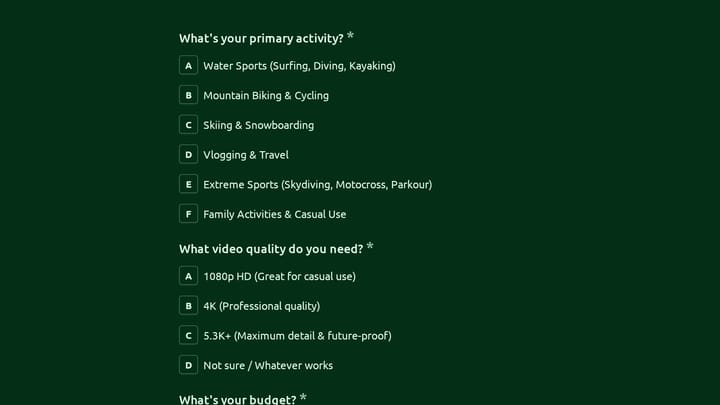
- One question per page. This is the single biggest design choice you can make. Showing one question at a time creates focus and makes the quiz feel more like a conversation than a test. It also lets you add images or context to individual questions without cluttering the screen.
- Progress indicators. People need to know how far along they are. A simple “Question 3 of 10” or a progress bar keeps them moving forward. Without it, they’ll wonder if the quiz is 5 questions or 50, and uncertainty causes drop-off.
- Visual answer options. When possible, use images or icons alongside text answers. Image-based answers get higher engagement because they’re faster to process than reading four paragraphs of text.
- Mobile-first layout. More than half your quiz takers will be on phones. If your answer buttons are tiny or your images don’t scale, you’ll lose them. Test on an actual phone, not just a resized browser window.
Good form design principles apply to quizzes too. Clean typography, enough white space, and a visual hierarchy that guides the eye from question to answers to the “next” button.
Step 5: Build the scoring or outcome logic
This is where things get technical, and where your choice of tool matters most.
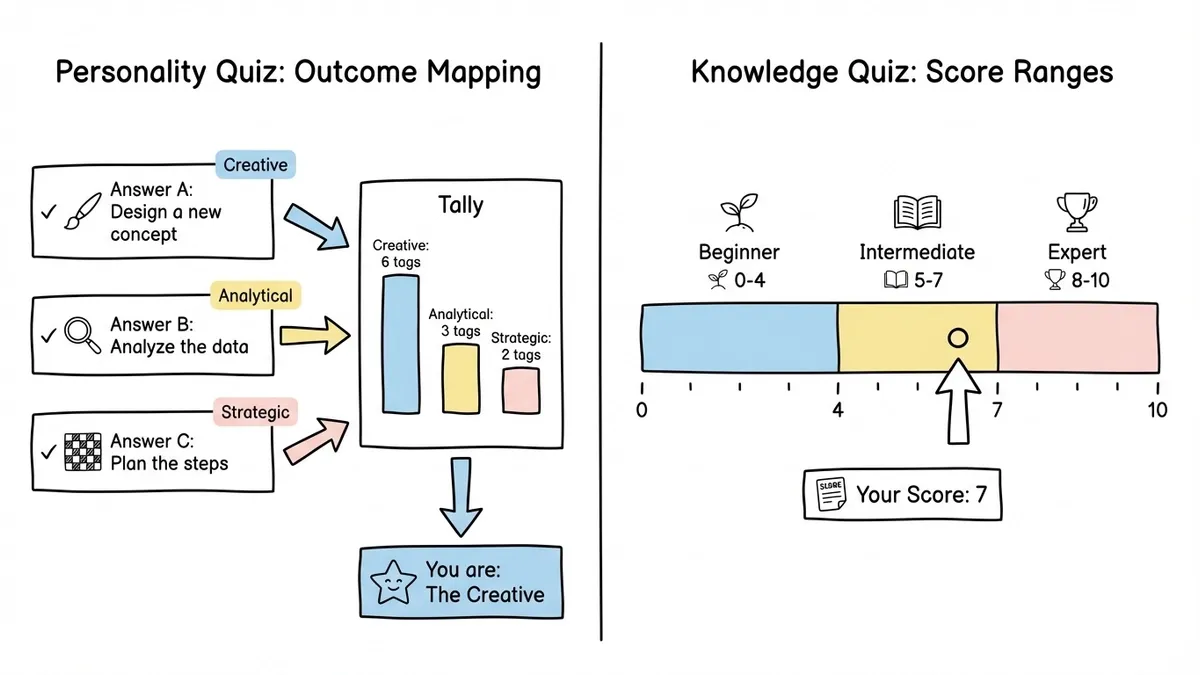
For knowledge quizzes, scoring is simple: each correct answer is worth one point (or weighted points if some questions are harder). Add up the total and map it to result ranges.
For personality quizzes, you need outcome mapping. Each answer option is tagged with one or more outcome categories. At the end, whichever category has the most tags wins. If someone picks answers tagged “Creative” six times and “Analytical” three times, they get the Creative result.
Most dedicated quiz makers (Typeform, Interact, Riddle, Outgrow) handle this mapping through their UI. You assign tags or scores to each answer option, and the tool calculates results automatically.
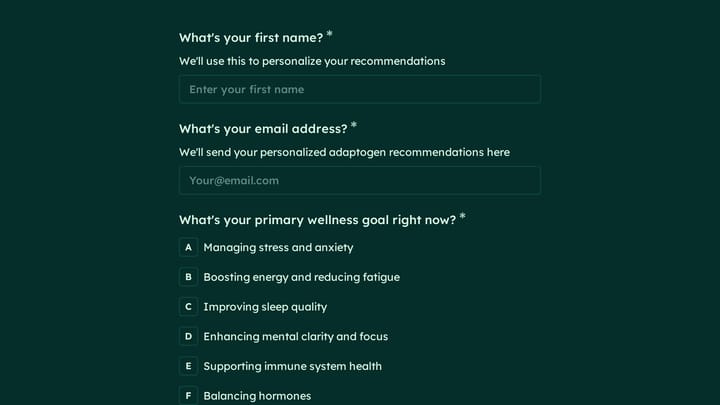
If you’re using a general-purpose form builder, you can still create quiz-like experiences. With Fomr, for instance, you can build a multi-page form with radio button questions — one question per page — that looks and feels like a quiz. The auto-jump mode advances automatically when someone picks an answer, which nails the conversational quiz feel. You get full design control with custom fonts, colors, and backgrounds, so it won’t look like a boring survey.
The honest limitation: Fomr doesn’t have built-in scoring or conditional result pages yet (conditional logic is coming soon). So for quizzes that need calculated scores or branching outcomes, you’d need a dedicated quiz tool or handle the scoring on your backend after collecting responses. For simpler use cases — personality-style quizzes where you manually review responses, educational quizzes where you share answers afterward, or lead gen quizzes where the “result” is a follow-up email — a well-designed multi-page form works fine.
Step 6: Add the lead capture (if that’s your goal)
If you’re using your quiz for lead generation, the email capture placement matters. You have two options:
Gate the results. Show all the questions, then require an email before revealing the outcome. This maximizes email captures but will cost you some completions. People who are mildly curious won’t bother. People who are invested will.
Capture after the results. Show the outcome first, then ask for an email to get a detailed breakdown, bonus content, or personalized recommendations. This approach gets fewer emails but higher-quality leads, because only people who genuinely care will opt in.
I’d lean toward gating the results for most marketing quizzes. By the time someone has answered 8-10 questions, the psychological investment is high enough that most will enter their email. Just make sure the gate page is clear about what they’ll get: “Enter your email to see your results and get a personalized action plan” is much better than just “Enter your email.”
Step 7: Write results that people want to share
The results page is the most important part of your quiz. It’s what people screenshot, share on social media, and send to their friends. A weak results page kills your quiz’s viral potential.
Good results pages have:
- A clear, memorable title for each outcome (“The Strategist”, “The Creative Rebel”, “Data Security Rookie”)
- A 2-3 sentence description that feels accurate and specific, not generic
- Positive framing, even for “bad” results. Nobody shares “You failed” or “You’re the worst type.” Instead of “You scored 3/10 — you need help,” try “You’re at the starting line — here’s your roadmap to leveling up”
- A share button. Make it dead simple to post results on social media or copy a link
- A call to action that connects to your business goal. “Want to improve your score? Check out our free course” or “See how Fomr can help you build forms that match your style”
For scored quizzes, show the score alongside context. “You got 7/10” means nothing without “That puts you in the top 20% of people who’ve taken this quiz.”
Common mistakes that kill quiz performance
After seeing hundreds of quizzes, these are the patterns that consistently underperform:
Too many questions. The sweet spot is 7-12 questions. Fewer than that and the result feels arbitrary. More than that and people bail. If you find yourself writing question 15, you’re probably asking things that don’t actually influence the outcome.
Boring first question. Your opening question sets the tone. If it’s generic or feels like homework, people won’t make it to question two. Lead with something unexpected or fun.
All text, no visuals. A wall of text options is exhausting. Mix in images, use color, and break up the monotony. Even simple icons next to answer options make a difference.
Results that feel random. If someone carefully answers ten questions and gets a result that doesn’t match their self-image at all, they won’t share it. They’ll close the tab and feel slightly annoyed. Test your outcome logic with real people before launching.
No mobile testing. I keep repeating this because people keep skipping it. Pull out your phone. Take your own quiz. Is it easy? Is it fast? Do the buttons work? Fix what doesn’t.
Choosing the right quiz maker
Your tool choice depends on what kind of quiz you’re building and how much scoring complexity you need.
For simple quizzes (personality-style with manual follow-up, educational quizzes where you email results, lead capture quizzes), any good form builder with multi-page support works. Fomr’s free plan gives you unlimited forms and responses with full design customization, which is more than enough for straightforward quiz experiences. The guest editor lets you prototype a quiz in minutes without even creating an account.
For complex scored quizzes with automatic result calculation, branching logic, and dynamic result pages, look at dedicated quiz tools like Interact, Riddle, or Outgrow. Typeform also handles quiz scoring well. These tools cost more but save you from building scoring logic yourself.
For educational quizzes with grading, time limits, and question banks, you’re better off with an LMS (learning management system) like Google Forms with the quiz mode, or specialized tools like Kahoot or Quizizz.
The worst choice is overcomplicating things. If you just need a fun personality quiz for your blog, you don’t need a $100/month quiz platform. A well-designed multi-step form with one question per page does the job.
Promoting your quiz after launch
Building the quiz is half the work. Getting people to take it is the other half.
Embed it on high-traffic pages. Your homepage, relevant blog posts, and landing pages are all good candidates. An embedded quiz outperforms a link to a quiz almost every time because it reduces the friction of clicking through to another page.
Share results, not the quiz. When promoting on social media, share example results rather than just saying “Take our quiz!” Results create curiosity. “I got The Strategist — what are you?” is more compelling than “Take our new quiz about leadership styles.”
Use it in email campaigns. Quizzes have some of the highest click-through rates of any email content. A subject line like “What type of [X] are you? Take the 2-minute quiz” consistently outperforms standard newsletter content.
Retarget based on results. If you’re collecting emails, segment your list by quiz outcome. Someone who scored “Beginner” on your security assessment needs different follow-up content than someone who scored “Advanced.” This segmentation alone can double your email conversion rates.
Start building
You don’t need to overthink this. Pick a quiz type that matches your goal, write 8-10 solid questions, design it so it looks good on a phone, and launch it. You can always refine the questions and outcomes based on how people respond.
If you want to prototype something quickly, Fomr’s guest editor lets you build a multi-page quiz-style form in a few minutes with no account required. For quizzes that need automatic scoring, grab a dedicated quiz tool. Either way, the principles in this guide apply.
The best quiz is the one that actually ships. Start simple, watch the data, and iterate from there.