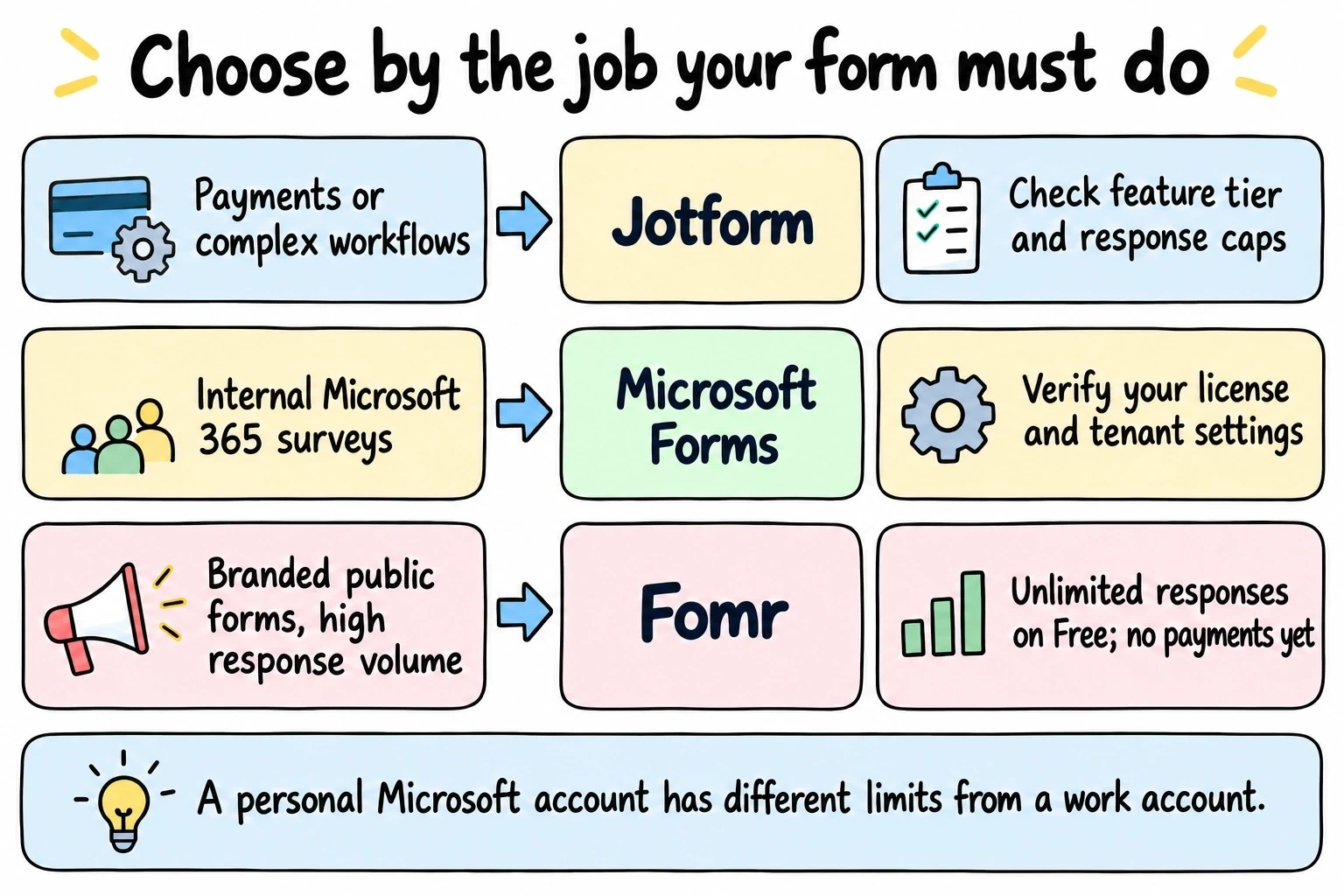
The Jotform vs Microsoft Forms decision usually gets settled by something boring: whether your company already pays for Microsoft 365. Everything else is downstream of that one fact.
Jotform is a full form platform with payments, file uploads, an integration catalog, and hard monthly caps on how much you can actually use it. Microsoft Forms is the survey tool bundled into Microsoft 365, effectively uncapped for response volume inside a work tenant, and noticeably weaker the moment your audience sits outside that tenant.
So the honest framing is capped power against uncapped simplicity. Here’s how each one actually behaves, with the current numbers from both vendors.
Start with your license, not the feature list
If your organization is on Microsoft 365 Business Basic or higher, Forms is already paid for. Business Basic starts at $7.00 per user per month paid yearly and includes Forms. One trap worth knowing: Microsoft 365 Apps for business, at $10 per user per month, does not include Forms. Higher price, fewer apps.
Without a work or school license, Microsoft Forms stops being the uncapped option fast. A free personal Microsoft account gets up to 200 responses per form. A paid personal account gets 1,000. A Microsoft 365 work, school, or education account gets up to 5,000,000 per form.
That’s a 25,000x difference between two accounts running the same software. Check which one you have before you compare anything else.
Jotform vs Microsoft Forms at a glance
Same criteria applied to both, plus Fomr where it’s relevant. Prices and limits are from each vendor’s own pricing and documentation pages as of August 2026.
| Jotform | Microsoft Forms | Fomr | |
|---|---|---|---|
| Free tier cost | $0 (Starter) | $0 with a personal Microsoft account | $0 |
| Forms on the free tier | 5 active forms | Up to 400 forms | Unlimited |
| Responses on the free tier | 100/month, 500 stored total | 200 per form (personal account); up to 5,000,000 per form with a work or school license | Unlimited |
| Entry paid price | Bronze at $39/month, or $408/year (about $34/month) | Bundled with Microsoft 365, from $7/user/month paid yearly | Pro at $24/mo |
| Questions per form | 100 fields on free, 250 on Bronze | Up to 200 questions, any plan | Unlimited |
| Conditional logic | Yes, including the free plan | Yes, via branching | Yes, including the free plan |
| File uploads | Yes, 100 MB of space on free | Only when responses are restricted to your organization | Yes, 10 MB per file and 100 MB of space on free, 5 GB per file on Pro |
| Payment collection | Yes, 10 payment submissions/month on free | No native payment field | Coming soon |
| Integrations and API | Extensive catalog plus an API | Power Automate and Excel inside Microsoft 365 | Google Sheets workflows; public API on roadmap |
| Design control | Deep, including custom CSS | Themes and a background image | 1,700+ fonts, colors, backgrounds, logos |
| Vendor branding | Removed on paid plans | “Powered by Microsoft Forms” stays | Removed on Pro |
| External respondents | Anyone, no sign-in | Anyone can respond, but no file uploads and no name capture | Anyone, no sign-in |
| Embed on your own site | Yes | Yes | Yes |
Read the rows, not the totals. Jotform takes almost every row about what a form can actually do. Microsoft Forms takes the rows about price and volume, as long as you’re licensed. Fomr wins on limits and loses on advanced fields.
Jotform vs Microsoft Forms free: which caps hurt first
Jotform’s Starter plan gives you 5 active forms, 100 submissions a month, 10,000 monthly form views, 100 MB of upload space, and 500 total stored submissions. Forms carry Jotform branding until you upgrade.
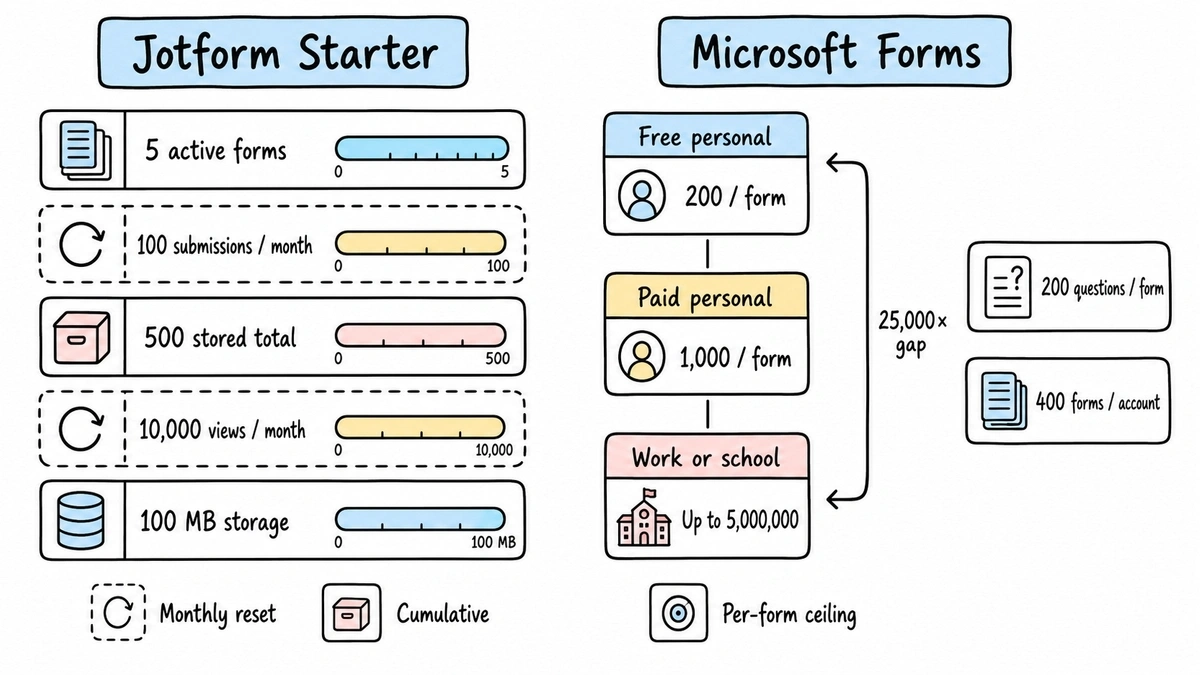
The 100 submissions is the number everyone notices. The 500 total stored submissions is the one that actually catches people out, because it isn’t a monthly allowance that resets. It’s the ceiling on everything sitting in your account. Run a modest event registration in month one and a feedback form in month two and you’re archiving data to stay under it.
The 10,000 monthly form views cap deserves a mention too. Views, not submissions. Embed a Jotform on a page that gets real traffic and you can burn through the view allowance while your submission count is still in double digits.
Microsoft Forms has no monthly cycle at all. There’s no “resets on the 1st” number to watch. What you get instead is a per-form response ceiling that depends entirely on your account type, plus a flat 200 questions per form and up to 400 forms across the account, including anything sitting in the recycle bin.
For a licensed team running internal surveys, Microsoft Forms is simply free in a way Jotform’s free tier never is. For a solo user on a personal Microsoft account, 200 responses per form is tighter than it sounds.
Where Microsoft Forms genuinely wins
Cost, at scale, for internal use. A team of 40 on Business Basic pays $280 a month for the whole Microsoft 365 stack and gets Forms with a five-million-response ceiling per form. Jotform’s Bronze plan, at $39 a month, caps you at 1,000 submissions and 25 forms. Different products, but if your job is “collect 4,000 responses from staff by Friday,” one of them does it and one of them asks you to upgrade to Silver.
Speed is the other win, and it’s underrated. Microsoft Forms takes about two minutes to learn. There’s no template gallery to wade through, no widget marketplace, no settings panel with forty toggles. You type questions and send a link.
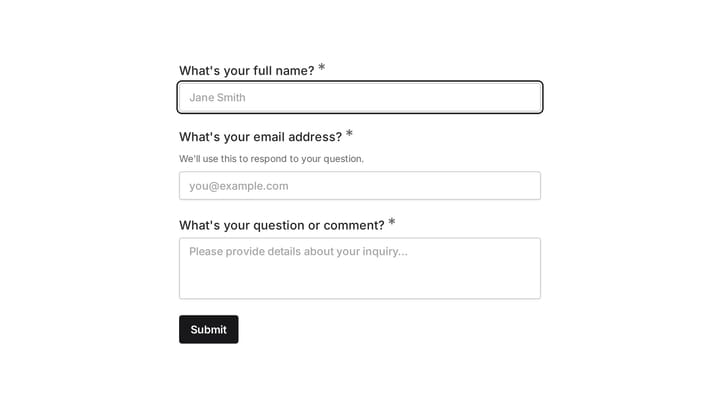
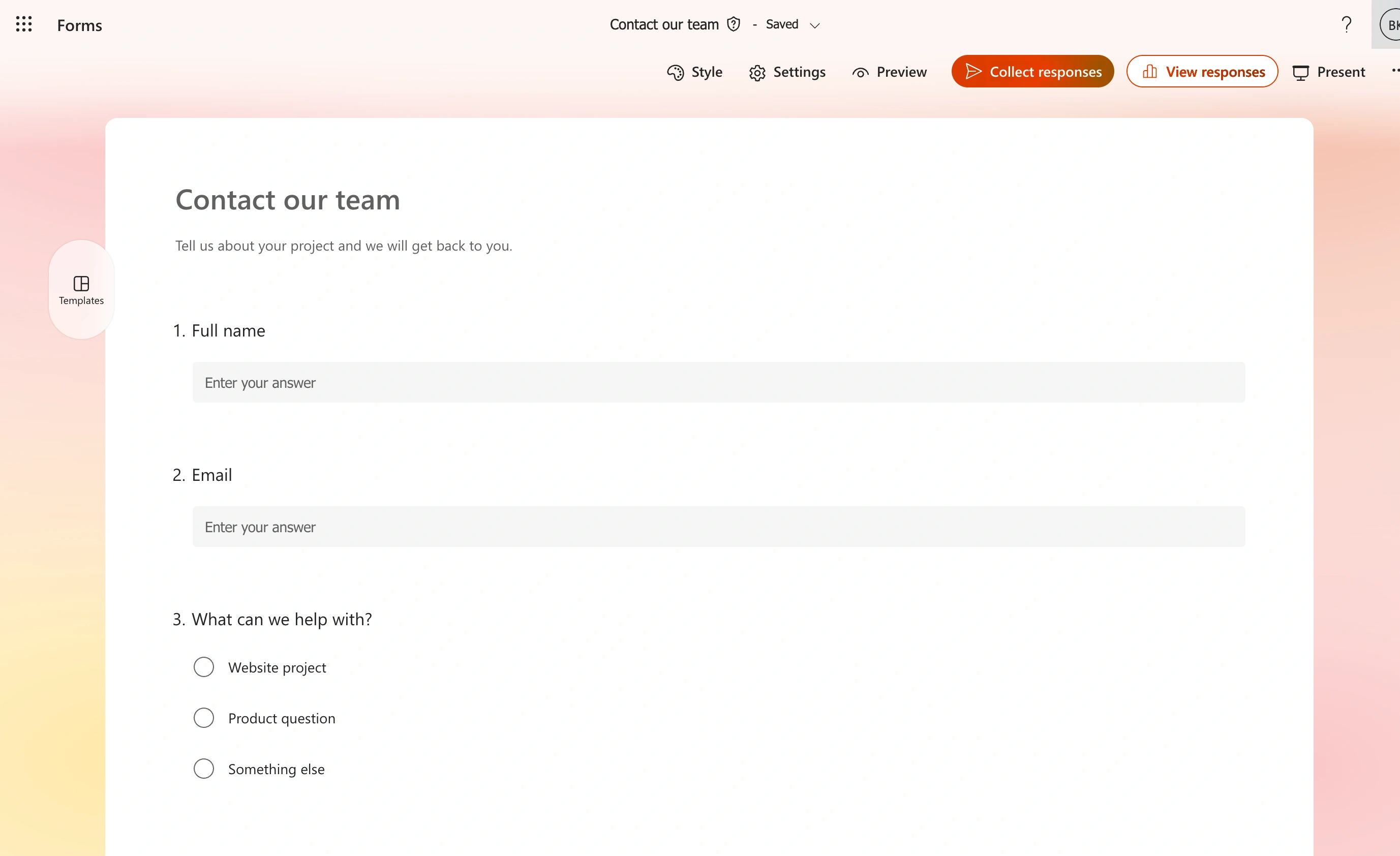
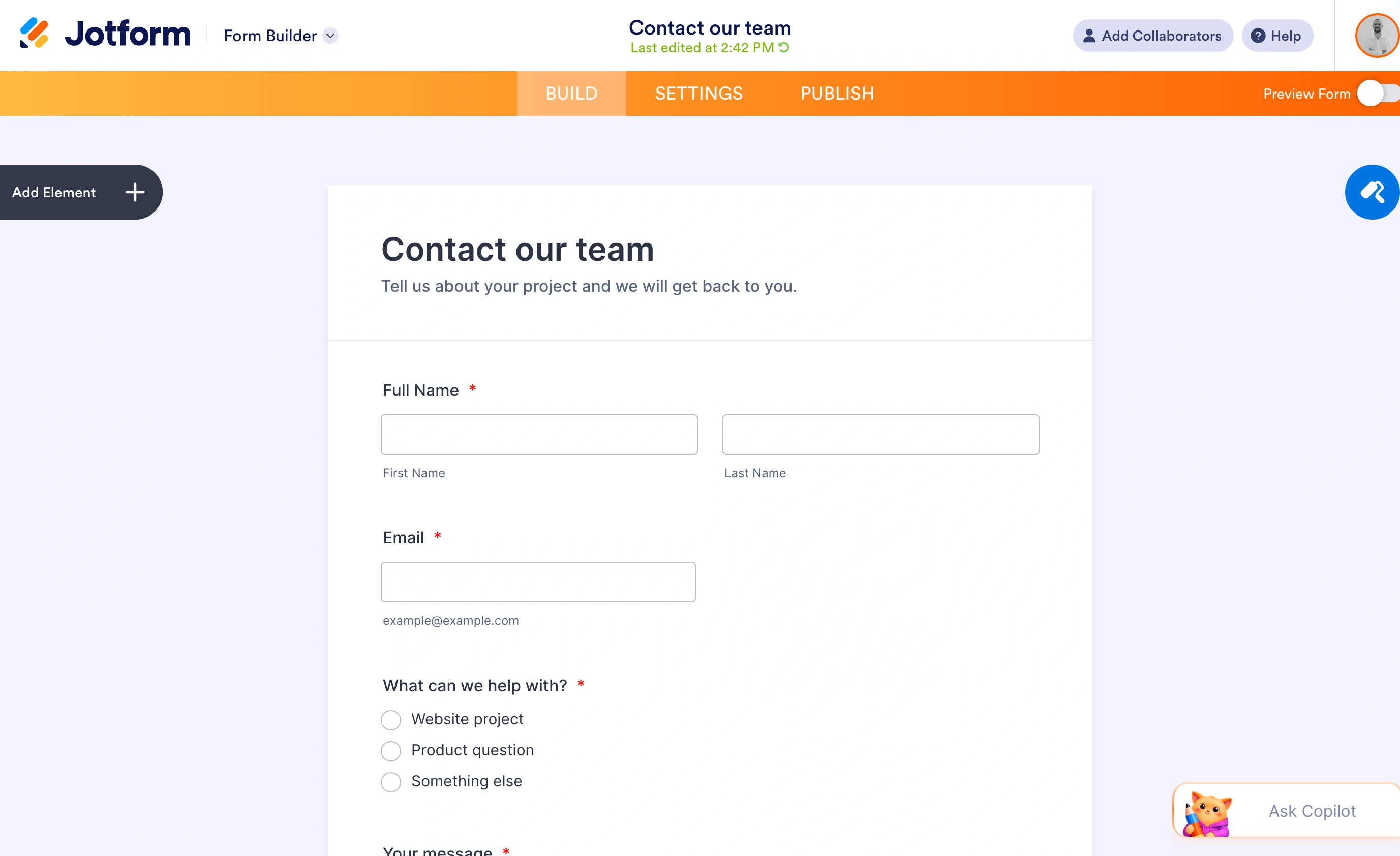
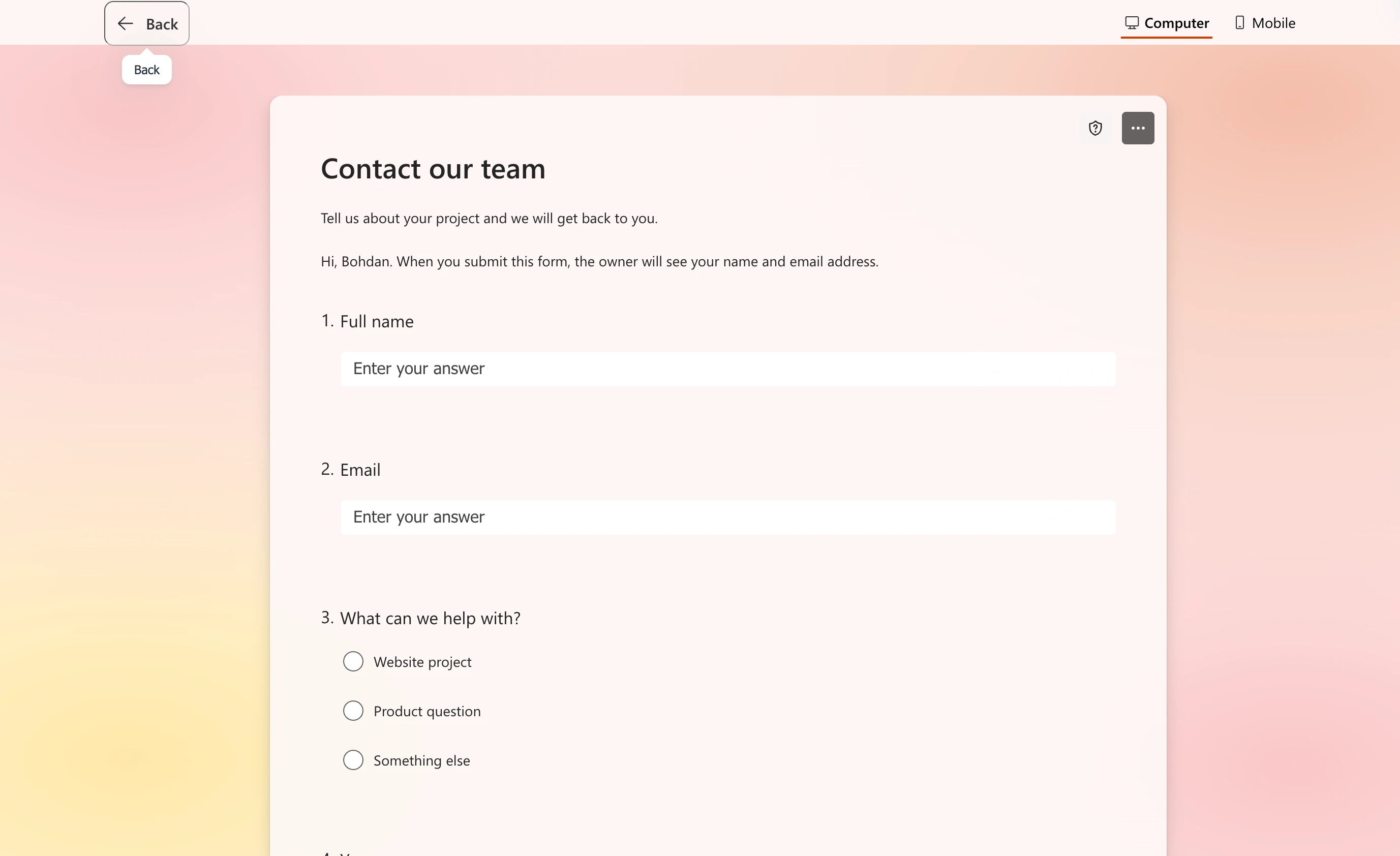
For the sample contact form, we added name, email, topic, and message questions. The editor keeps these in a vertical sequence, making the order easy to review before opening the respondent preview.
Data governance too. When you restrict responses to your organization, Forms records respondent names, keeps files inside your tenant’s OneDrive for Business, and stays under the retention and compliance rules IT already configured. That’s a real advantage that no standalone form builder can match by bolting on an integration.
Where Jotform genuinely wins
Payments. Microsoft Forms has no payment field, so every workaround is a link out to a Stripe or PayPal page and a manual reconciliation later. Jotform handles payments natively, and even the free Starter plan includes 10 payment submissions a month.
File uploads from the public. This is the one that ends the argument for a lot of teams, and it’s covered in the next section.
The rest is breadth: a very large template library, form calculations, e-signatures with 10 signed documents a month on the free tier, HIPAA compliance on the Gold plan at $129 a month, and an integration catalog that covers most tools your team already runs. If you need a form to do something unusual, Jotform probably supports it. It’s also why the editor feels heavy the first time you open it.
Microsoft Forms vs Jotform for external audiences
Microsoft Forms handles external respondents in a limited way, and the limits aren’t obvious until you hit them.
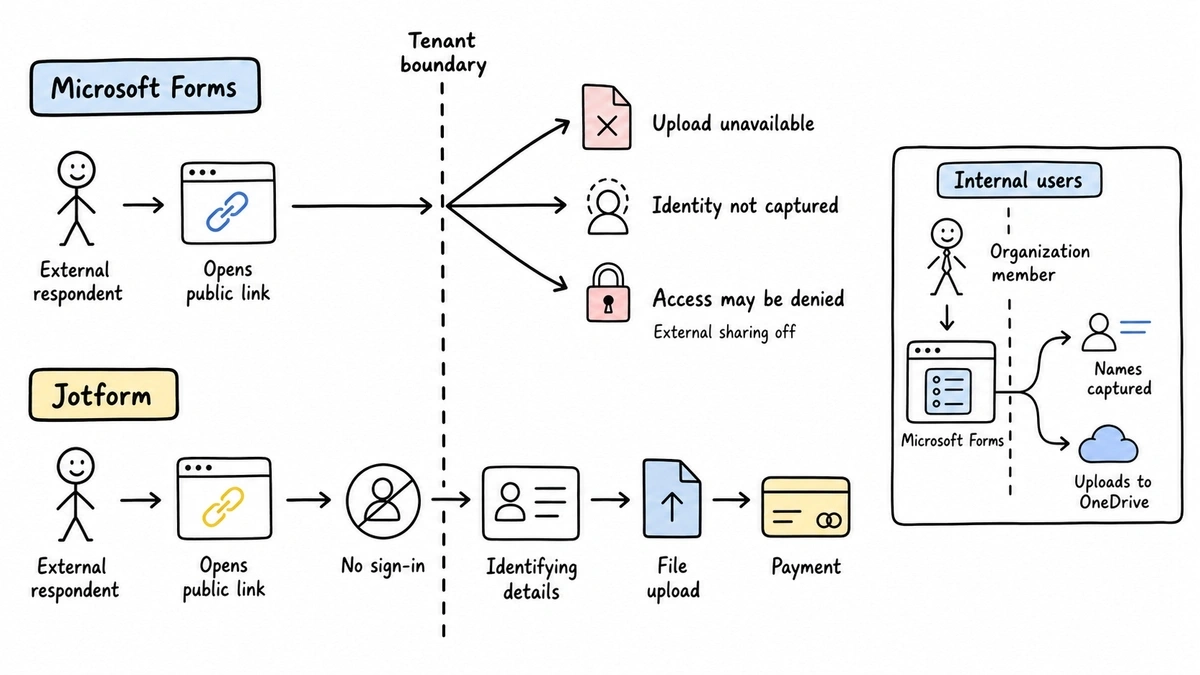
File upload questions are only available when the form is set to “Only people in my organization can respond” or “Specific people in my organization can respond.” Switch the form to “Anyone can respond” so customers or applicants can fill it in, and the upload question is off the table. A job application form that can’t accept a CV is not a job application form.
Name capture works the same way. Respondents have to be inside your tenant for Forms to record who answered. Externally, every response is anonymous unless you add a name field and trust people to type it correctly.
There’s a third thing that catches teams out: a Microsoft 365 admin can switch off external sharing at the tenant level. Your form works perfectly in testing, then returns an access error for everyone outside the company.
Jotform has none of these constraints. Anyone with the link can respond, upload files, and pay, with no sign-in and no tenant boundary. If your forms face customers, this is not a close call.
Design and branding
Microsoft Forms gives you themes and a background image. That’s roughly it. Every Microsoft Form looks like a Microsoft Form, and the “Powered by Microsoft Forms” footer stays put regardless of what you pay Microsoft. For an internal poll, nobody cares. On a customer-facing page it reads as a corporate intranet artifact.
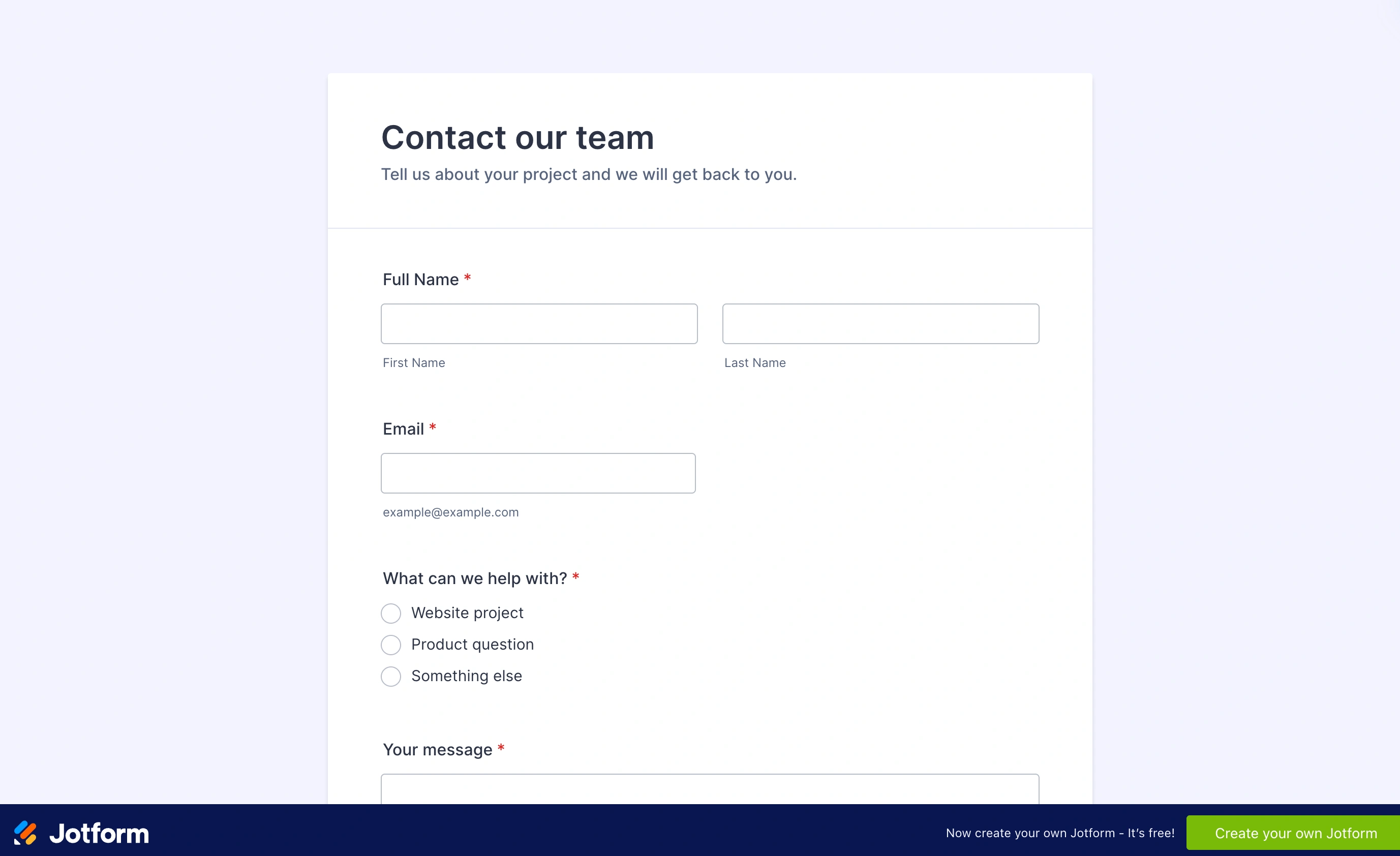
Jotform goes much further, down to custom CSS if you want it. The catch is that Jotform branding sits on your forms until you’re on a paid plan, and the cheapest paid plan is $39 a month billed monthly.
The verdict, by who you are
You have Microsoft 365 and your audience is internal
Use Microsoft Forms. You’re already paying for it, the response ceiling is effectively irrelevant, name capture works, and files stay in your tenant. Adding a $39/month Jotform subscription to run staff surveys is money spent on features you won’t touch.
You need payments, public file uploads, or HIPAA
Use Jotform, and budget for a paid plan from the start. The free tier’s 100 submissions a month is a trial, not a plan. Price out Bronze at $39/month or Silver at $49/month against your actual submission volume before you commit, because moving up a tier is the default outcome. Our Jotform alternatives page covers the cheaper routes if the caps look wrong for your volume.
Your forms are public, high volume, and need to look like your brand
Neither one fits well. Microsoft Forms can’t carry your brand and drops file uploads for external respondents. Jotform can do both, but caps what you’re allowed to collect unless you keep upgrading.
That gap is where we built Fomr. Unlimited forms, responses, fields, and team members on the free plan, a visual editor with 1,700+ fonts and full color and background control, multi-page layouts, and sharing by link, embed, popup, or QR code. Pro is $24/month for a custom domain, removed branding, and SEO controls.
Give it a try
Try this Fomr responsive contact form
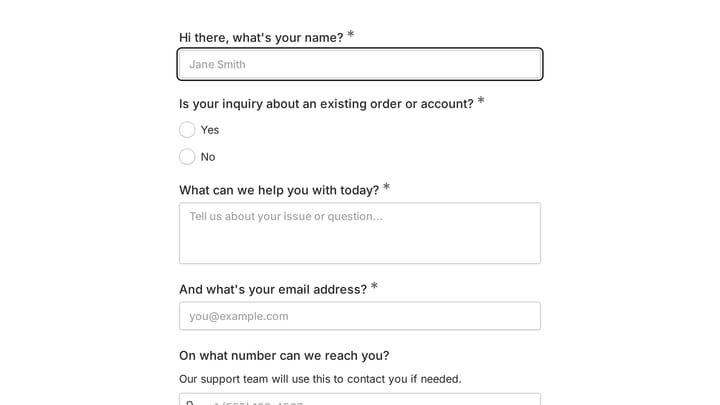
Try entering a name, email, and message in this Fomr contact form. Auto-jump is enabled so you can compare a focused question flow with a conventional contact page.

Here’s the part we won’t dress up: Jotform offers conditional logic, payments, a broader integration catalog, and a public API. Fomr has conditional logic and Google Sheets workflows today; the other capabilities are on our roadmap. If you need to take a $200 deposit this quarter, Jotform is the right tool and we’d rather tell you that than waste your evaluation time.
You can build a form without signing up and see whether the design control is worth the missing fields. If you’re specifically trying to get off Microsoft Forms, our Microsoft Forms alternatives roundup and the Microsoft Forms comparison page go deeper on the migration.
What to do next
Check your Microsoft license type first. It decides more than any feature comparison will.
If you’re licensed and internal, stop reading and use Forms. If you need money or files from strangers, Jotform. If you keep getting stuck between a form that looks generic and a form that meters your responses, try building the same form in Fomr and compare it against the one you have.