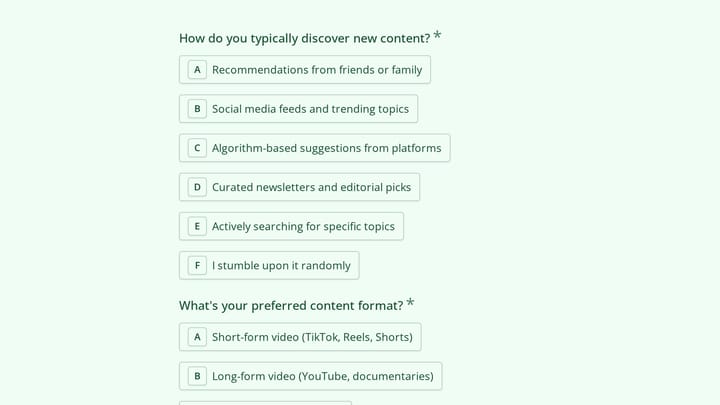
Most agencies don’t go looking for a Typeform alternative because they dislike Typeform. They go looking the week a client campaign takes off and the account runs out of responses. Typeform counts responses across every form in the account, so one busy lead-gen campaign for client A can block the feedback survey for client B.
Let’s be fair before the list. Typeform still has the most polished one-question-at-a-time experience, the best video and media question types, and a much bigger integration catalog than anything below. If your clients live on those, budget for Typeform’s higher tiers and stay.
If the cap is the problem, this list is for you. We ranked six tools on the things that break first when you run forms for many clients at high volume: response limits, a workspace per client, removing the vendor’s branding, custom domains, and whether the tool keeps the one-question-at-a-time layout your clients liked in the first place. All prices and limits were checked on vendor pricing pages on November 3, 2026.
If you only want the head-to-head between us and Typeform, the Typeform alternative page covers that. This post is the wider shortlist.
Why agencies outgrow Typeform
Here is the math that usually starts the search. On Typeform’s pricing page, Basic is $39/month ($28 billed yearly) for 100 responses a month and one user. Plus is $79/month ($56 yearly) for 1,000 responses and three users, and it’s the first plan that lists branding removal. Business is $129/month ($91 yearly) for 10,000 responses and five users. The Free plan isn’t spelled out on the pricing page; Typeform’s help center lists it at 10 responses a month.
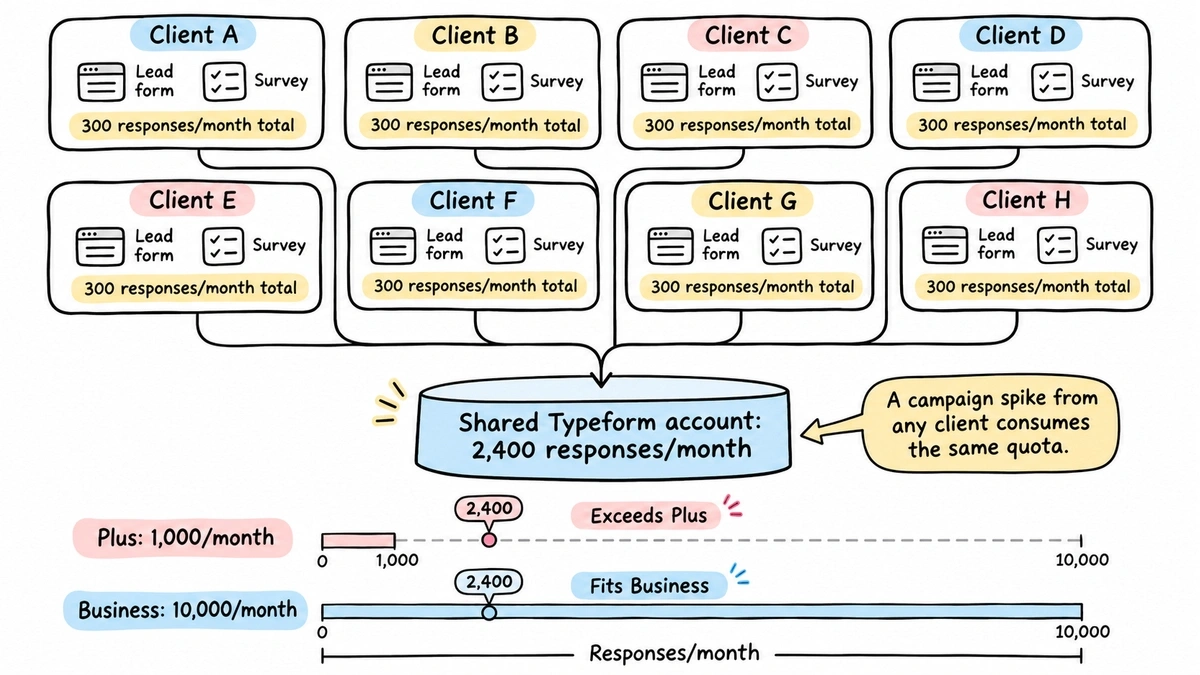
Now picture eight clients, each running one lead form and one survey, averaging 300 responses a month per client. That’s 2,400 responses, which is past Plus and lands you on Business. One client’s paid social push in a good month and you’re near the 10,000 ceiling too, shared across everyone. We wrote up exactly what happens when you hit it in Typeform response limits explained.
The second issue is seats. Five users on Business is tight for an agency with account managers, a designer and a strategist who all need to touch forms.
The 6 best Typeform alternatives at a glance
Same criteria for every tool. “Unlimited” means the vendor says unlimited, sometimes with a fair-use clause.
| Tool | Free plan responses | Paid plan that lifts the cap | Branding removal | Custom domain | Client workspaces | One question at a time |
|---|---|---|---|---|---|---|
| Typeform (baseline) | 10/month | Business, $129/mo, 10,000/mo | Plus, $79/mo | Custom subdomain on Plus | Yes | Native, the default |
| Fomr | Unlimited | Not needed | Pro, $24/mo | One on Pro | Unlimited on Pro, no per-client roles | One question per page plus auto-jump, free |
| Fillout | 1,000/month | Business, $75/mo, unlimited | Pro, $40/mo | Business | On every plan, unlimited seats | One question per page |
| Paperform | 30/month | Pro, $59/mo, unlimited (fair use) | Pro | +$20/mo add-on on Pro, one included on Business | 1 on Pro, 10 on Business | Guided mode on every plan |
| Tally | Unlimited (fair use) | Not needed | Pro, from $24/mo | Pro | Pro | No; use one question per page |
| Jotform | 100/month, 5 forms | Gold, $129/mo, 10,000/mo | Bronze, $39/mo | Enterprise | Single user until Enterprise | Card Form layout |
| Google Forms | No published cap | Not needed | Never | Never | Google Drive folders only | No |
1. Fomr: best overall for multi-client, high-volume work
We built Fomr, so read this entry with that in mind. It’s first because it’s the only tool here where response volume never touches the price. Every plan, including Free, has unlimited forms, unlimited responses and unlimited team members. Your busiest client can’t eat anyone else’s quota, because there isn’t one.
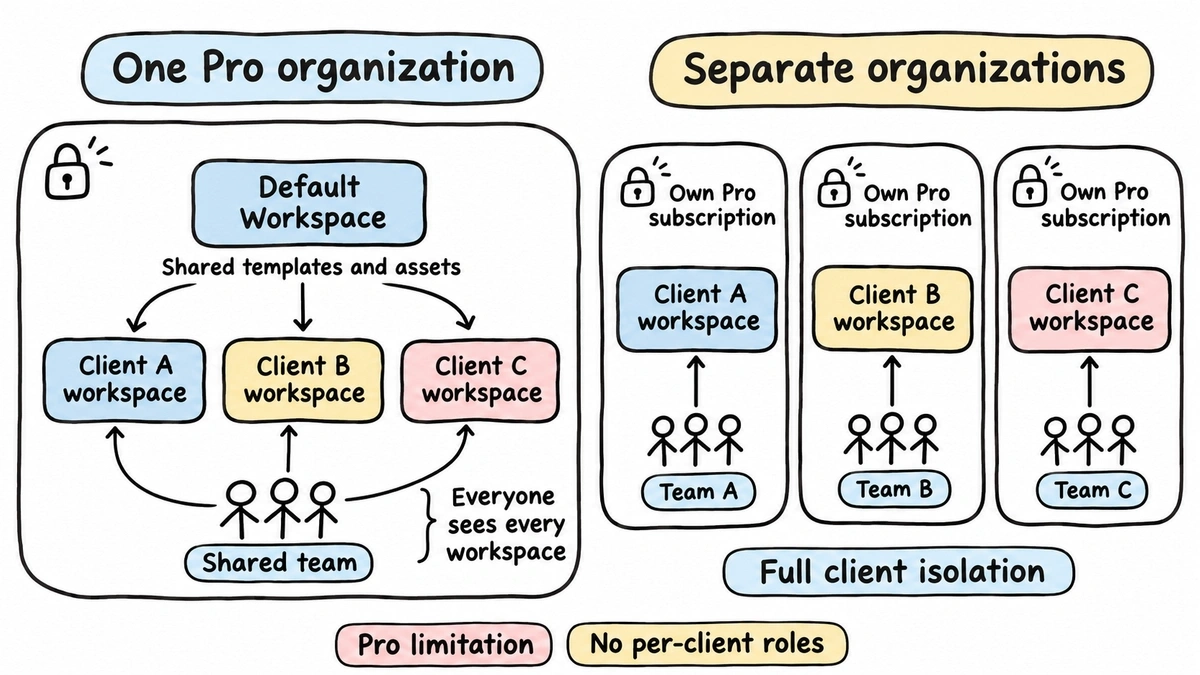
For agency setups you’ll want Pro at $24/month. That’s the plan that adds unlimited workspaces (one per client), removes Fomr branding, connects one custom domain, captures partial responses, and turns on respondent confirmation emails, redirects and multiple endings. Templates and assets in your Default Workspace are shared with every workspace, so a house survey style travels to each client.
The one-question-at-a-time feel is there too. Put one question on each page and auto-jump moves people forward as soon as they pick an answer, on every plan. You also get full design control (1,700+ fonts, custom colors and backgrounds), Logic rules, calculated values for quiz scores, and hidden values that capture UTM tags from the embed for attribution.
Where we lose, plainly:
- No per-client access control. Roles and permissions are on our Business plan, which isn’t on sale yet. On Pro, everyone in the organization sees every workspace. Full isolation today means a separate organization per client, each with its own Pro subscription.
- One custom domain on Pro. Multiple domains and custom email domains are Business-only and not purchasable yet.
- Fewer integrations. Google Sheets and email notifications work today, and there’s a REST API. Webhooks, Zapier and HubSpot are planned. Native GA4 and Meta Pixel are marked coming soon; for now, conversion tracking listens for the embed’s
fomr:submitevent. - Notifications stay inside your team. Owner notifications go to organization members (up to 10 per form), so they can’t go straight to a client’s inbox.
- No video questions. Typeform is better here.
Best for: agencies whose client campaigns spike unpredictably and who’d rather pay a flat fee than watch a response counter.
Give it a try
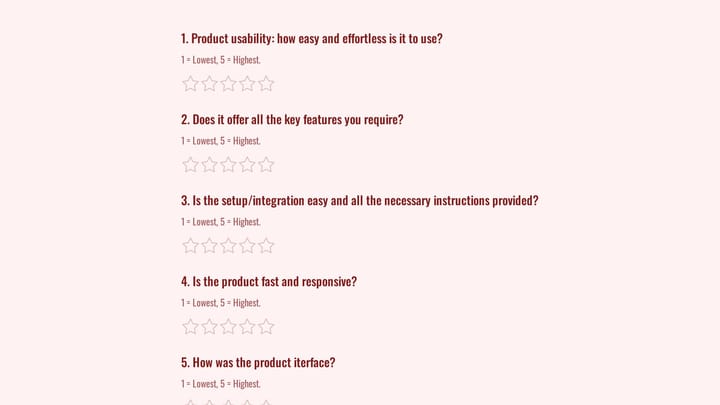
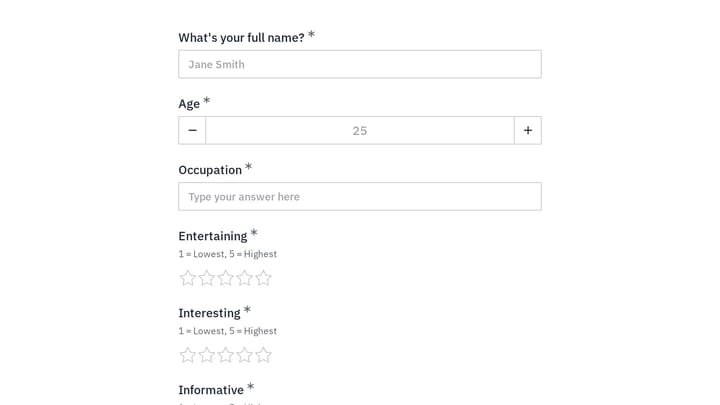
Hand a client this brand personality quiz and stop counting quiz takers
This is a real, working template from our gallery. Fill it out like a respondent would, then make it your own.

2. Fillout: best budget pick with a real free tier
Fillout’s pricing page gives the free plan 1,000 responses a month with unlimited forms and seats, which is a hundred times Typeform’s free allowance. Workspaces and unlimited seats come on every plan, a genuine plus for agencies that don’t want to pay per account manager.
The catch is how the tiers stack up. Starter is $15/month for 2,000 responses and still carries light branding. Pro at $40/month removes branding but caps you at 5,000 responses. Unlimited responses and custom domains both wait until Business at $75/month. For an agency with client-facing links, Business is the realistic plan.
Fillout builds forms page by page, so a Typeform-style flow means one question per page. Its integration list is also broader than ours today, which matters if clients want data pushed into a CRM.
Honest limitation: a busy month on Pro still hits a cap, so you’re managing volume again, just at a higher ceiling.
3. Paperform: best specialist pick for guided, one-question forms
If your clients specifically want the one-question-at-a-time feel, Paperform’s guided mode is the closest match to Typeform here, and per its pricing page it’s on every plan.
Pro is $59/month ($49 billed yearly) with unlimited submissions under fair use and branding removal. The agency friction is structure. Pro has one shared workspace, and a custom domain is a $20/month add-on. Business at $149/month ($124 yearly) gets you 10 workspaces and one included domain, with more domains at $20/month each.
The free plan is 30 submissions a month, which is fine for testing and not much else.
Honest limitation: ten workspaces is a hard ceiling. An agency with 15 clients either doubles up or talks to sales about Enterprise.
4. Tally: best if your clients don’t need the conversational layout
Tally’s free plan is unlimited forms and submissions under its fair-use guidelines, and the pricing page lists Pro from $24/month. Pro removes branding, adds custom domains and gives you shared workspaces with unlimited team members. On paper that’s an excellent agency deal.
The trade is the format. Tally builds forms like a document, and there’s no one-question-at-a-time mode. You can put each question on its own page, but it won’t feel like the Typeform flow clients saw before. Visual control is also lighter than in a canvas editor, so matching a client’s brand pixel for pixel takes more work. We compared both in Typeform vs Tally.
Honest limitation: “fair use” isn’t a number, so it’s hard to promise a client a specific volume.
5. Jotform: best for complex, document-heavy client forms
Jotform has the deepest feature set on this list: PDFs, approvals, payments and hundreds of widgets. Its Card Form layout shows one question per screen, so the conversational feel is possible.
For volume, though, Jotform has the same shape of problem as Typeform. On its pricing page, Starter is free for 5 forms and 100 submissions a month. Bronze is $39/month ($34 yearly) for 25 forms and 1,000 submissions, and that’s where branding becomes removable. Silver is $49/month ($39 yearly) for 2,500. Gold is $129/month ($99 yearly) for 100 forms and 10,000 submissions. Custom domains, like multiple users, are an Enterprise feature.
Two things hurt agencies here. There’s a form count cap on top of the submission cap, and every plan below Enterprise is described as single-user. For the full breakdown, see Jotform pricing.
Honest limitation: you’d be swapping one capped tool for another, with the added form limit.
6. Google Forms: the free fallback, not a client tool
Google Forms is free and doesn’t publish a response cap, so it’s the obvious free Typeform alternative for internal surveys. For client work, it falls short on everything else in our criteria. You can’t remove Google’s branding, can’t use a custom domain, and design control stops at a header image, a color and a font choice. There’s no one-question layout; sections are the closest you get.
Honest limitation: fine for a quick internal poll, but it will look like Google Forms on your client’s site.
Does one question at a time actually matter?
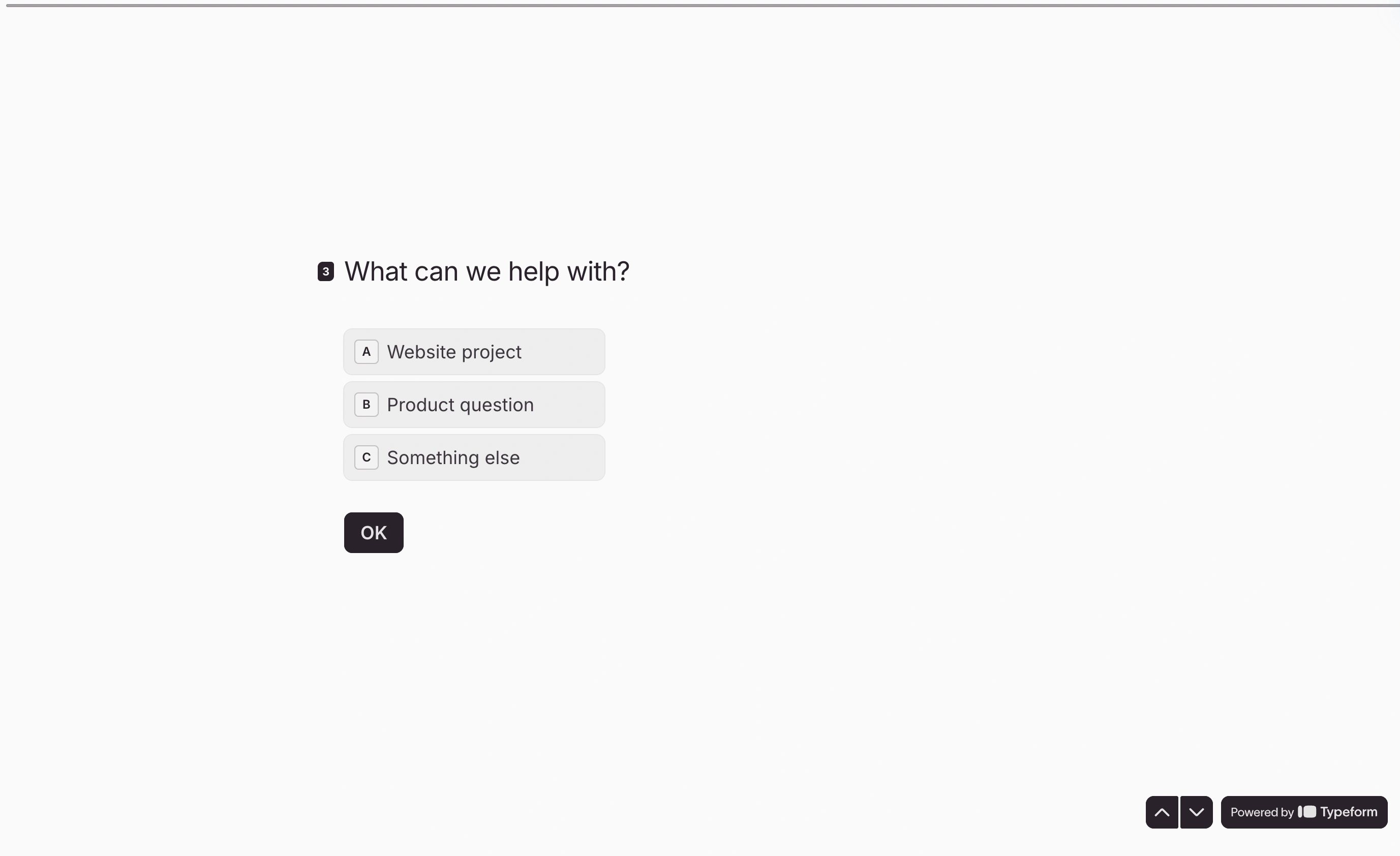
Clients often ask for “the Typeform look”, so it’s worth knowing when it earns its keep. In Fomr data from published forms with 10+ completed responses (March 2025 to November 2026), forms with up to 15 questions finished at roughly 90%, while forms with 16 or more dropped to around 75%. Length hurts more than layout. A one-question flow makes a long form feel lighter, but it doesn’t make 25 questions short.
Our rule of thumb: use one question per page for quizzes, lead qualification and surveys longer than about eight questions. Keep short contact and order forms on one page. There’s more on this trade-off in our one-question-at-a-time form guide.
What breaks when you switch from Typeform
No tool on this list imports a live Typeform with its logic intact, so plan for a rebuild. For an agency that means:
- Rebuilding forms. Questions are fast to recreate. Logic jumps take longer. In Fomr, they become Logic rules that jump to a later page or send people to a different ending.
- Re-mapping hidden fields. If you pass UTMs or client IDs into Typeform hidden fields, recreate them (hidden values in Fomr) and check that the embed still receives the URL parameters.
- Swapping embeds and links. Every client site, email footer and QR code pointing at a Typeform URL needs the new link or embed code. This is usually the slowest part, because it’s spread across client CMSs.
- Exporting old responses. Download Typeform responses as CSV before you cancel. They won’t move automatically.
- Re-connecting integrations. Check each client’s flow. If it relies on a Typeform integration we don’t have yet, keep that form on Typeform for now.
What we’d actually do: move the high-volume lead forms first, since that’s where the cap bites, and leave low-volume or video-heavy forms where they are until the next campaign.
Which Typeform alternative should you pick?
- Running many clients with spiky volume: Fomr. Unlimited responses on every plan and unlimited workspaces on Pro, as long as you can live without per-client roles for now.
- Tight budget, under 1,000 responses a month: Fillout’s free plan, then Business when you need custom domains.
- Clients insist on the guided, one-question style: Paperform, if ten workspaces covers your roster.
- Simple forms, little brand work: Tally Pro.
- Heavy document workflows: Jotform, with eyes open on the form and submission caps.
- Video questions or a specific Typeform integration: stay on Typeform.
Try it on your next client campaign
The quickest test is to rebuild one capped Typeform in Fomr and run it alongside the original for a week. Open the guest editor to build without an account, or start from the template gallery. When you’re ready for client workspaces, branding removal and a custom domain, Pro starts at $24/month.