JotForm and Wufoo both launched in 2006. Twenty years later, one of them is a sprawling platform with 10,000+ templates, payment processing, and a mobile app. The other still looks and feels roughly the way it did when SurveyMonkey acquired it in 2011.
That’s the short version of the JotForm vs Wufoo comparison. But the long version is more interesting, because Wufoo isn’t worthless — it’s just frozen. And depending on what you need, a frozen product can still be the right pick. Let’s go through the details.
What JotForm and Wufoo actually are
JotForm started as a simple drag-and-drop form builder and grew into something closer to a low-code platform. You can build forms, collect payments, create approval workflows, generate PDFs, and manage submissions in a table view that works like a lightweight database. The product has expanded aggressively, adding features every quarter.
Wufoo was one of the first web-based form builders that non-developers could use. It had a clean interface, sensible defaults, and a pricing model that made sense for small businesses. SurveyMonkey bought it in 2011, and meaningful development mostly stopped after that. The core product still works, but it hasn’t kept pace with what users expect from a form builder in 2026.
Both tools solve the same basic problem: collecting information through online forms without writing code. How they solve it, and how much they charge for it, is where the comparison gets interesting.
Editor experience and ease of use
Wufoo: simple and predictable
Wufoo’s editor is straightforward. You pick a field type from a sidebar, drag it onto your form, and configure it in a properties panel. The workflow hasn’t changed much in fifteen years, which means it’s familiar if you’ve used it before and easy to learn if you haven’t.
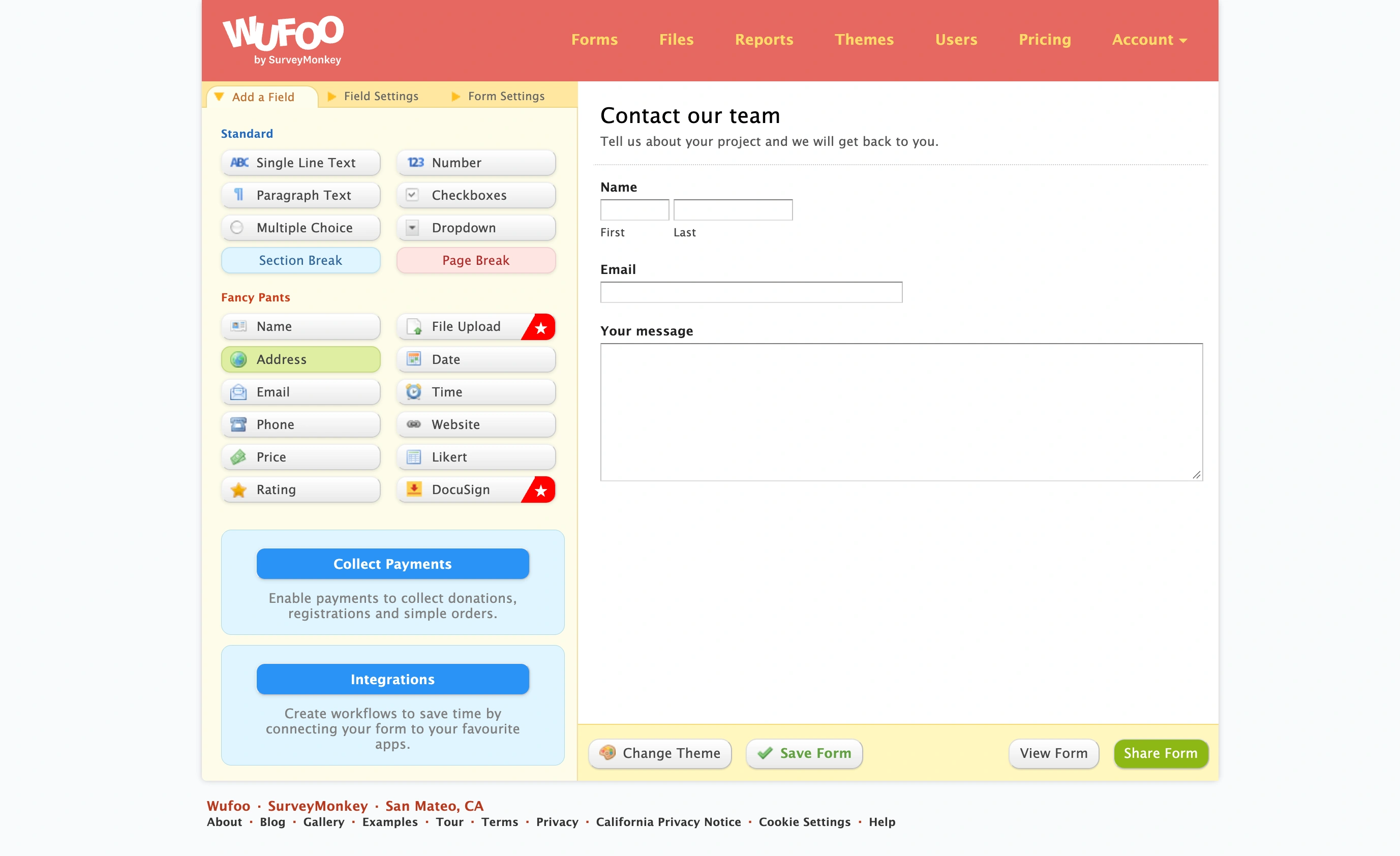
The simplicity is genuine. You won’t get lost in nested menus or wonder where a setting lives. But that simplicity comes from a lack of options, not from thoughtful design. There’s no real-time preview of how your form will look to respondents. You build in the editor, then switch to a preview tab to check the result. It’s a workflow that felt normal in 2012 and feels clunky now.
JotForm: powerful but busy
JotForm offers two editors. The classic form builder works like Wufoo’s — drag fields onto a canvas, configure properties on the side. The newer card-based editor presents one question per screen, similar to Typeform’s approach. Having both options is nice, though the classic builder is what most people use.
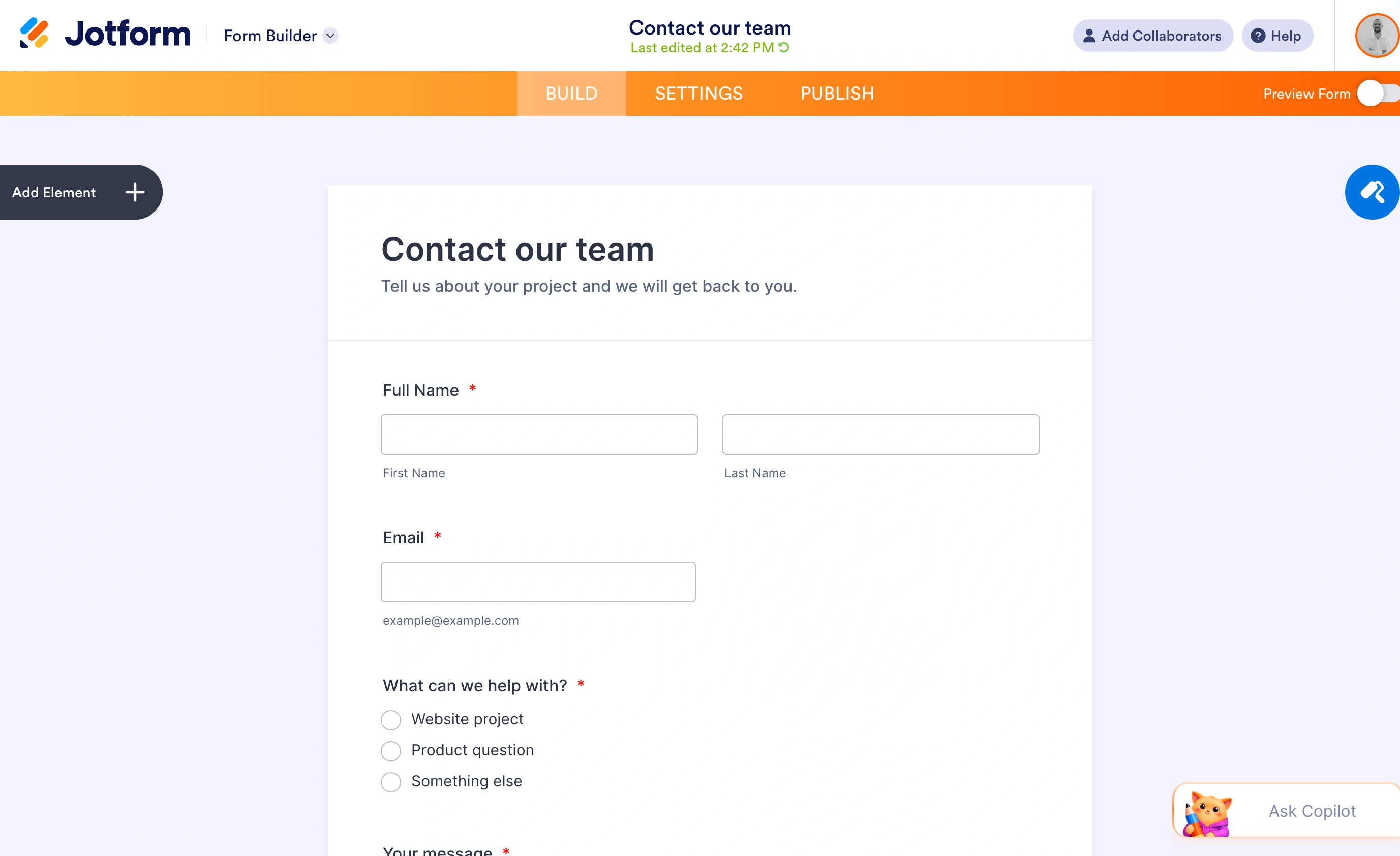
The editor itself is packed with controls. You can adjust field widths, add columns, insert widgets, configure conditional logic, and tweak CSS — all from the same interface. For experienced users, this is great. For someone building their first form, it’s a lot. JotForm has gotten better at progressive disclosure over the years, but the sheer number of options still overwhelms new users.
If you’re comparing ease of use between JotForm or Wufoo, Wufoo wins on initial simplicity. JotForm wins on everything you’d want to do after the first five minutes.
Design and customization
This is where the gap between these two tools is hardest to ignore.
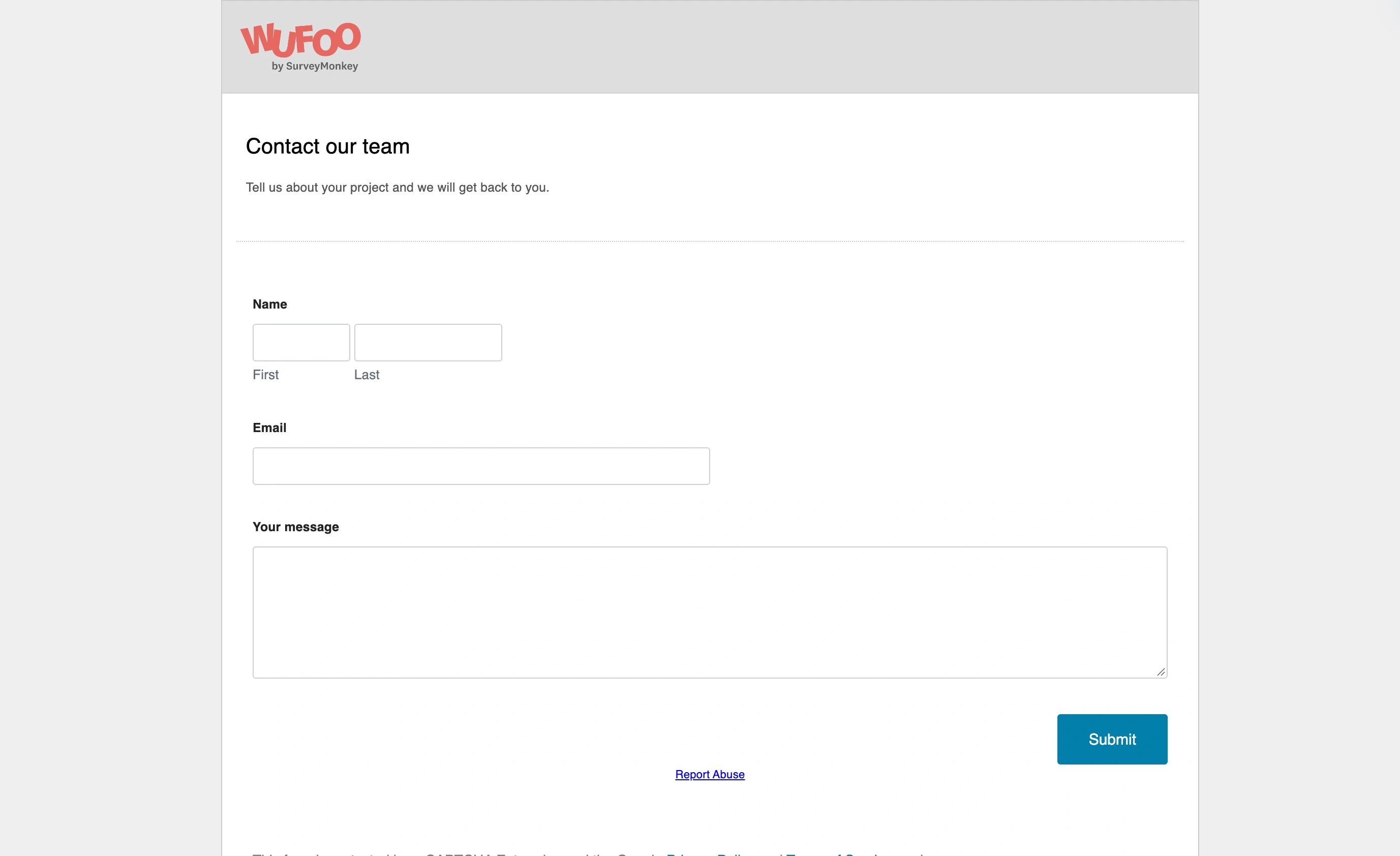
Wufoo gives you a set of pre-built themes. You can adjust primary colors and pick from a small selection of fonts. That’s about it. Every Wufoo form has the same basic structure, the same field styling, and the same layout constraints. You can’t add background images, control spacing between fields, or build multi-column layouts. If you’ve seen one Wufoo form, you’ve seen most of them.
JotForm treats design as a competitive advantage. You get full control over fonts, colors, backgrounds, and layouts. The template library has over 10,000 options organized by industry and use case, and most of them look reasonably modern. You can add custom CSS if the built-in controls aren’t enough. Multi-column layouts, progress bars, and custom thank-you pages are all standard.
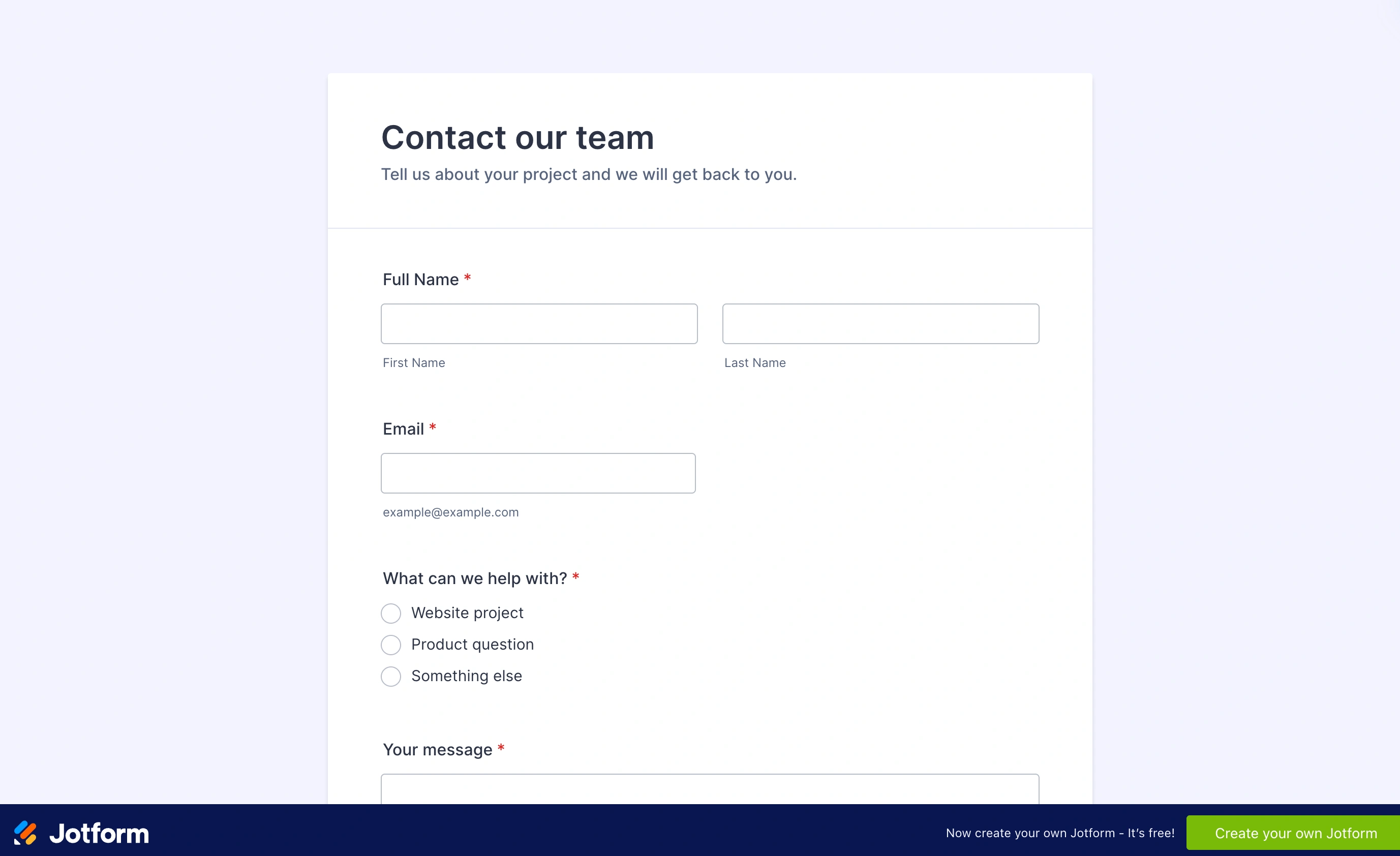
That said, JotForm’s default styling isn’t beautiful. The templates are functional, and the design tools are capable, but you’ll need to put in some effort to make a JotForm form look polished. The platform gives you the tools; it doesn’t do the design work for you.
For anyone who cares about how their forms look — and you should, because form design affects completion rates — JotForm is the only real option here.
Features and functionality
Here’s a side-by-side look at what each platform offers:
| Feature | JotForm | Wufoo |
|---|---|---|
| Form fields | 100+ types | ~15 basic types |
| Conditional logic | Yes | Basic (show/hide fields) |
| Payment collection | 40+ gateways | PayPal, Stripe, Authorize.net |
| File uploads | Yes (up to 10GB on paid plans) | Yes (limited storage) |
| E-signatures | Yes | No |
| Approval workflows | Yes | No |
| PDF generation | Yes | No |
| Form analytics | Yes | Basic reports |
| HIPAA compliance | Yes (paid add-on) | No |
| Templates | 10,000+ | ~400 |
| Mobile app | Yes (iOS and Android) | No |
The feature gap is significant. JotForm has spent two decades adding capabilities, and it shows. Wufoo covers the basics — you can build a contact form, a survey, or a registration form without issues. But anything beyond that, and you’ll hit walls quickly.
Wufoo’s conditional logic, for example, only handles simple show/hide rules. JotForm lets you build multi-step branching paths, calculate values based on responses, and trigger different actions depending on what someone submits. If your forms need to be smart, JotForm is the only choice between these two.
Where Wufoo still holds up
I’d be unfair if I didn’t mention what Wufoo does well. Its reporting is clean and readable. The form builder, while dated, is genuinely easy to use. And the product is stable — it doesn’t break, it doesn’t have confusing updates, and it doesn’t try to upsell you inside the editor. For someone who just needs a basic contact form or feedback survey and doesn’t want to think about it, Wufoo’s simplicity is a feature, not a bug.
Pricing comparison
Pricing is where the JotForm vs Wufoo comparison gets complicated, because neither platform makes it easy to figure out what you’ll actually pay.
Compare the same billing term and the features you actually need. Plan names are not equivalent tiers, and Jotform Enterprise is custom-priced rather than a fixed-price unlimited plan.
| Pricing question | Jotform | Wufoo |
|---|---|---|
| Free starting point | Starter includes standard features, with usage limits and Jotform branding | Free: 5 forms, 100 monthly entries, 10 fields per form |
| Paid plan structure | Bronze, Silver and Gold increase capacity; Enterprise is custom-priced | Starter, Professional, Advanced and Ultimate increase entry, user and storage allowances |
| Taking payments | Payment integrations are among the standard features; verify payment-submission limits | Payment collection starts with Professional |
| Team access | Confirm the appropriate multiuser offering and quote | Included users vary by plan, from 1 on Starter to 60 on Ultimate |
| Cost beyond the headline | Check monthly versus annual billing, usage limits and required features | Annual and monthly rates differ; paid-plan entry overages also affect cost |
Check Jotform’s current plans and Wufoo’s current plans before purchasing. This editable comparison avoids embedding prices that can drift independently of the article.
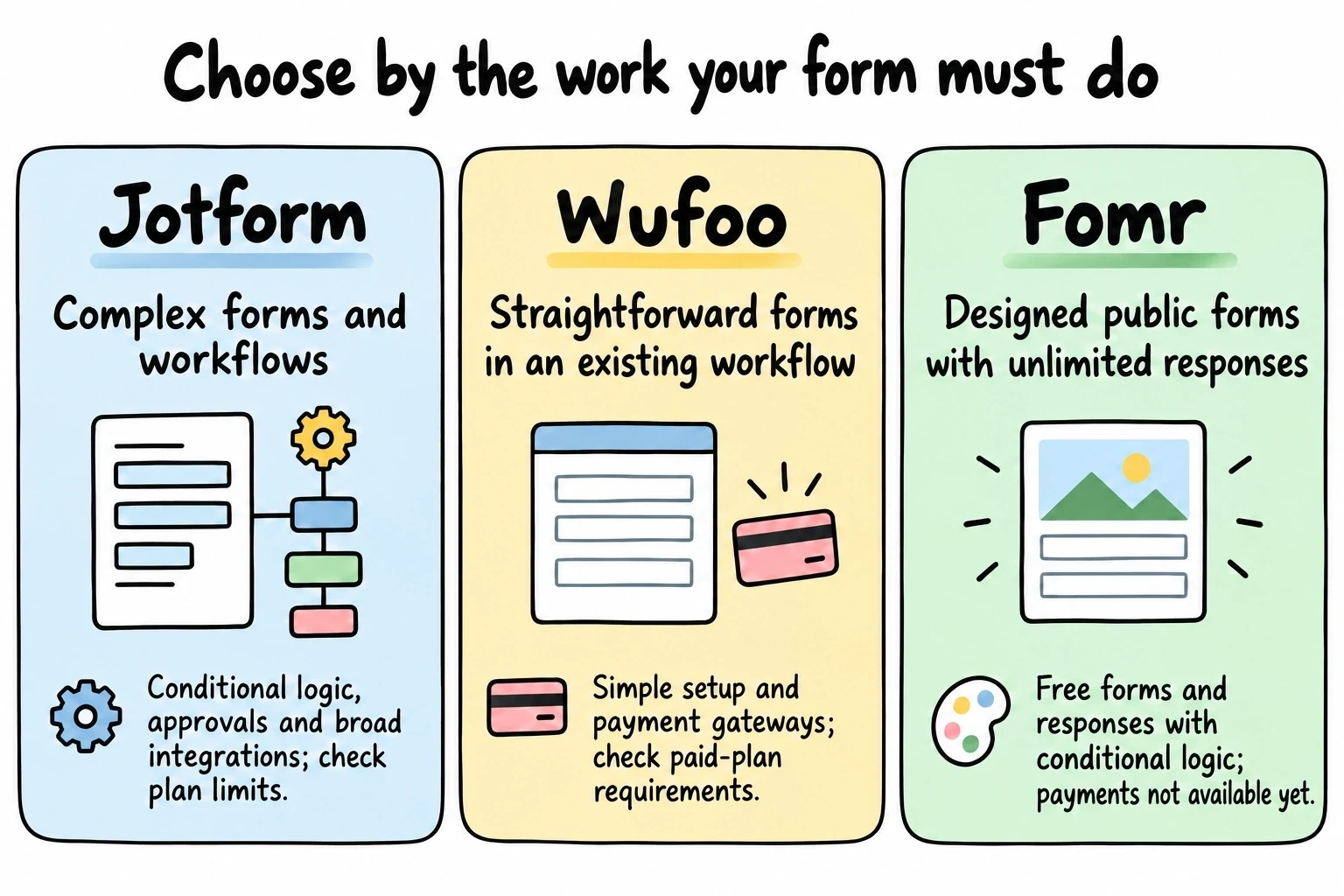
For a simple existing Wufoo workflow, compare its renewal cost with the effort of switching. For more complex forms, assess Jotform’s rules and workflow features against the exact plan limits. Both support payments, so that requirement alone does not settle the choice. If your priority is free designed public forms and you do not need payments, Fomr is also worth considering.
Integrations
JotForm connects with over 150 third-party tools, including Salesforce, HubSpot, Mailchimp, Slack, Google Sheets, Airtable, and most major CRMs. It also has webhook support and a REST API for custom integrations. The integration library is actively maintained and regularly updated.
Wufoo has integrations too, but the list is shorter and hasn’t grown much in recent years. You’ll find connections to Mailchimp, Salesforce, and a handful of other tools, plus Zapier support for everything else. The Zapier route works, but it adds cost and complexity compared to native integrations.
If integrations matter to your workflow, JotForm is the safer bet. Wufoo’s integration story is “good enough” for simple use cases, but it won’t keep up if your tech stack is modern.
Templates and getting started
JotForm’s template library is massive — over 10,000 templates covering everything from job applications to restaurant orders to medical intake forms. The quality varies (some templates look great, others look like they were built in 2015), but the sheer volume means you’ll almost always find something close to what you need.
Wufoo has around 400 templates. They’re organized by category and they work, but many of them feel dated. The designs reflect the era when they were created, and they haven’t been refreshed to match current web design standards.
For someone who wants to start from a template and customize from there, JotForm gives you dramatically more options. If you prefer starting from scratch, the template count matters less.
Who should pick JotForm
JotForm makes sense if you need forms that go beyond basic data collection. Payment processing, conditional logic, approval workflows, PDF generation, HIPAA compliance — if any of these are on your requirements list, JotForm is the clear choice between these two.
It’s also the better pick if you care about design. The customization tools aren’t perfect, but they’re miles ahead of what Wufoo offers. And the template library means you can get a decent-looking form up quickly without starting from zero.
The trade-off is cost and complexity. JotForm is more expensive, and the editor takes longer to learn. If you just need a simple form and don’t want to think about it, JotForm might be overkill.
Who should pick Wufoo
Wufoo still works for a specific type of user: someone who needs a handful of basic forms, doesn’t care about visual polish, and wants the cheapest option that isn’t Google Forms. Compare the current Starter price with the limits you need; the editor is straightforward for basic forms.
Wufoo is also fine if you’re maintaining existing forms and don’t want to migrate. If your Wufoo forms are working and you’re not hitting limitations, there’s no urgent reason to switch. The product is stable, even if it’s not evolving.
But if you’re starting fresh in 2026 and choosing between JotForm or Wufoo for the first time, it’s hard to recommend Wufoo unless budget is your only concern. The alternatives to Wufoo have simply moved too far ahead.
A third option if neither fits
Both JotForm and Wufoo make you choose between features and simplicity, or between design quality and price. If you’ve read this far and feel like neither is quite right, it might be worth looking beyond this particular matchup.
We built Fomr as a form builder that prioritizes design without charging for basic usage. The free plan includes unlimited forms, responses, fields, and team members — no caps, no gotchas. You get 1,700+ fonts, full color control, custom backgrounds, and a drag-and-drop editor with instant preview. It’s the design flexibility that JotForm aims for, without the complexity or the price tag.
We don’t have payment collection yet (it’s coming soon), so Fomr isn’t a replacement for JotForm’s payment and workflow features. Branching and calculated totals are covered, though: conditional logic and Calculated values are on every plan, including free. If your main need is good-looking forms that work reliably, it’s worth a look. For a broader view of what’s out there, we put together a comparison of the top form builders that covers more options.
Give it a try
Try this Fomr concert ticket registration form
Try selecting seating and ticket quantity in this Fomr registration example. It collects a ticket request without taking payment or reserving inventory.

The bottom line
The JotForm vs Wufoo comparison isn’t really a close contest in 2026. JotForm has more features, better design tools, more templates, and a stronger integration ecosystem. Wufoo is cheaper and simpler, but “cheaper and simpler” only goes so far when the product hasn’t meaningfully improved in over a decade.
Pick JotForm if you need a capable, feature-rich form builder and can stomach the pricing. Pick Wufoo if you need something basic and affordable. And if you want to skip the compromises entirely, try building a form in Fomr’s guest editor — no account required, no limits, no cost.