Your brain can hold about four things in working memory at once. Not seven, like the old myth says. Newer research from Nelson Cowan’s lab at the University of Missouri revised Miller’s original “7 plus or minus 2” estimate down to roughly four chunks. That’s it. Four.
Now picture a form with 15 fields visible on a single page. Your brain is trying to process the current field, remember what it already filled in, scan ahead to estimate how much work remains, and figure out which fields are required. That’s already four cognitive tasks before you’ve typed a single character. Every visible field adds noise. Every piece of noise competes for those four precious slots.
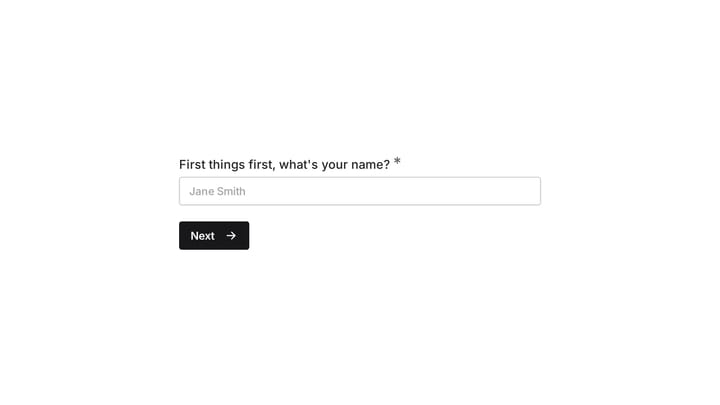
A one question at a time form strips all of that away. One field. One decision. Nothing else on screen. The cognitive math changes completely, and that’s why this pattern can dramatically improve completion rates for certain types of forms. But “can” is doing real work in that sentence. The pattern has failure modes that most articles about it conveniently ignore.
The cognitive science behind single question forms
Three well-studied principles from cognitive psychology explain why showing one question at a time works. Understanding them also reveals where the pattern breaks down.
Hick’s Law and decision time
Hick’s Law states that the time it takes to make a decision increases logarithmically with the number of choices available. William Edmund Hick and Ray Hyman established this in the early 1950s through reaction-time experiments, and it’s been replicated hundreds of times since.
Applied to forms: when a respondent sees a full page of fields, they’re making micro-decisions constantly. Which field should I fill next? Can I skip this one? Is this section relevant to me? Each visible element is a choice point, even if the respondent doesn’t consciously register it.
A one-question-per-page form reduces the number of visible fields competing for attention. The respondent still needs to understand the question, recall information, and navigate between steps. That trade can help focused tasks, but it does not eliminate mental effort.
Cognitive load theory and extraneous processing
John Sweller’s cognitive load theory distinguishes between three types of mental effort: intrinsic load (the difficulty of the task itself), germane load (the effort of learning or processing), and extraneous load (effort caused by poor design). A well-designed form minimizes extraneous load so respondents can focus on the intrinsic task of providing their answers.
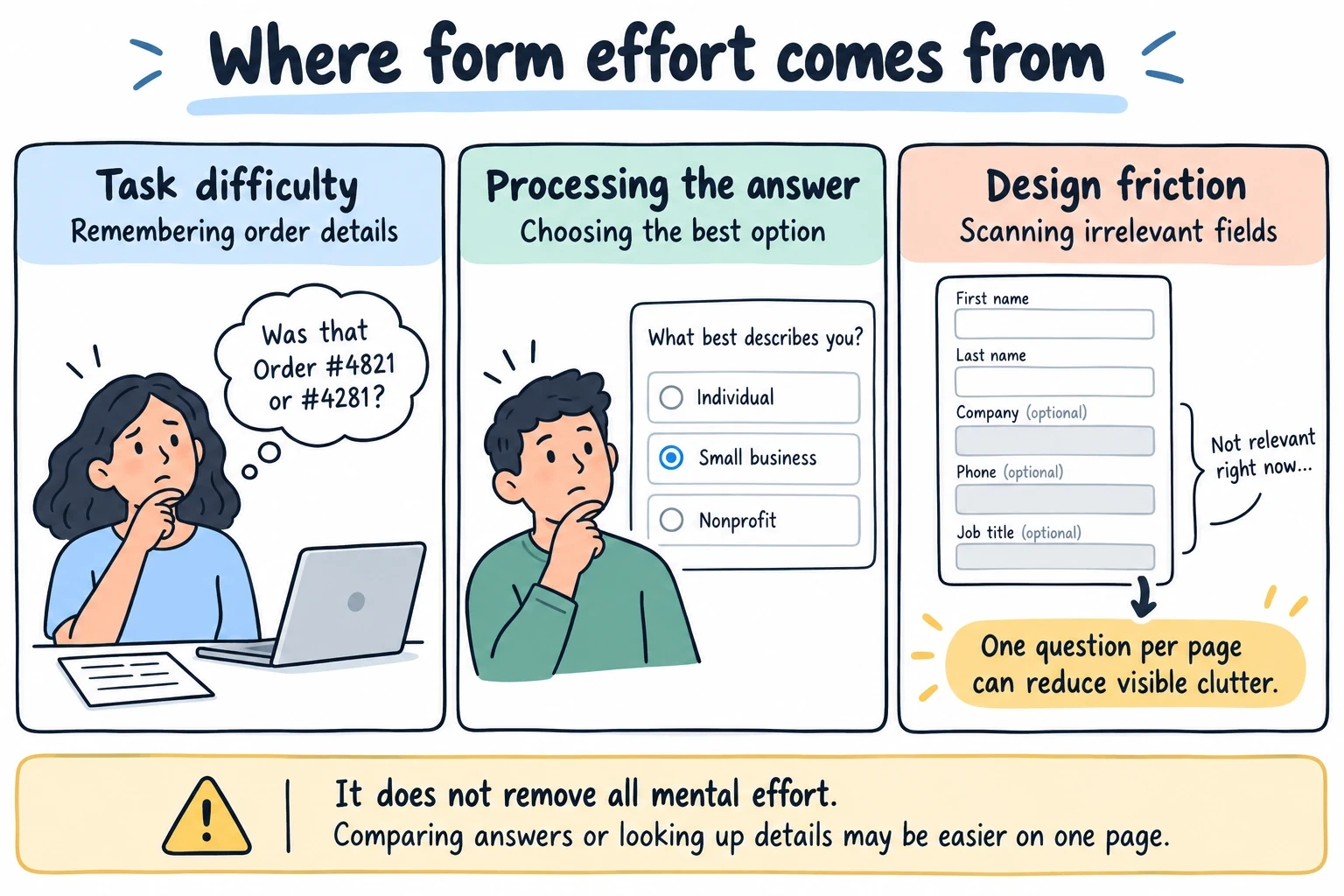
Fields unrelated to the current answer can create visual clutter. Sequential layouts reduce that clutter, but related questions can also provide useful context. If respondents need to compare answers or consult a document, keeping those questions together may make the task easier.
This is the strongest argument for the pattern, and it holds up well in practice. The Baymard Institute’s checkout usability research consistently finds that perceived complexity (how hard a form looks) drives abandonment more than actual complexity (how hard it is to fill out). A 12-field form presented one question at a time looks trivially easy. The same 12 fields on a single page look like work.
The commitment and consistency effect
Robert Cialdini documented this in his influence research: once people take a small action, they’re significantly more likely to continue with larger related actions. In psychology, this is sometimes called the foot-in-the-door technique.
Sequential forms exploit this naturally. The first question is easy. Name, maybe. The respondent types it and advances. Now they’ve invested something. The second question is also easy. By question five or six, when you ask for their budget or phone number, they’ve built momentum. Abandoning at that point means wasting the effort they’ve already put in.
This isn’t manipulation, exactly. It’s the same reason a good conversation starts with small talk before getting into heavy topics. You build rapport and investment gradually. But it does mean the question order in a one-question-at-a-time form matters far more than in a traditional layout. Put a hard question first and you lose the commitment ramp entirely.
When one question at a time increases completions
The pattern works best in specific situations. Here’s where the research and practical experience align.
Lead qualification with sensitive questions. Asking someone their annual revenue or marketing budget feels invasive when it’s sitting next to their name and email on a visible form. In a sequential flow, the question arrives after they’ve already answered four or five easier ones. Context and commitment make the ask feel smaller. We’ve seen this consistently in forms built with Fomr’s auto-jump mode, where selection-based questions auto-advance and the whole experience feels conversational rather than interrogative.
Surveys longer than eight questions. Completion rates for surveys tend to improve 15-25% when presented sequentially versus as a single scrolling page. The effect is strongest in the 10-20 question range. Each question feels quick on its own, even though the total time investment is similar. The respondent’s perception of effort changes, and perception is what drives abandonment.
Quizzes and assessments. The one-at-a-time rhythm naturally creates a quiz-like cadence. Answer, see the next question, answer again. It’s engaging in a way that a wall of radio buttons isn’t. The sequential reveal also prevents respondents from scanning ahead and anchoring their answers to later questions.
Mobile forms of any length. On a phone screen, even a five-field form requires scrolling. Scrolling on mobile is fine for reading content, but it’s disorienting in a form because the submit button disappears and reappears as you move through fields. A step by step form that fits each question on a single screen without scrolling removes that friction entirely.
When the pattern backfires
Here’s where most “one question at a time is amazing” articles stop. They shouldn’t, because this pattern has real failure modes.
Short forms become tedious
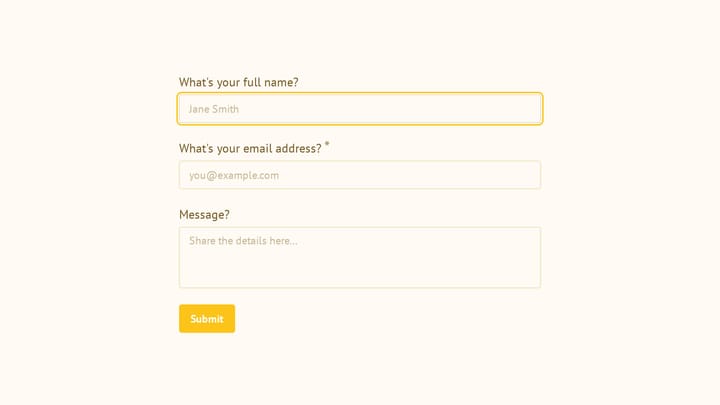
A three-field contact form (name, email, message) doesn’t benefit from sequential presentation. Three fields on a page is already fast. Adding transitions between them creates three page loads, three animations, and three moments where the respondent waits for the next question to appear. You’ve turned a five-second task into a fifteen-second experience. That’s not reducing cognitive load. That’s adding friction where none existed.
The threshold varies, but as a rough guide: forms under five fields rarely benefit from one-at-a-time presentation. The overhead of transitions outweighs the cognitive benefit of focus.
Users lose context on reference-heavy forms
Some forms require respondents to cross-reference their own answers. An expense report where line items need to add up. A project brief where the timeline depends on the scope described three questions earlier. A job application where the cover letter should reference specific experiences listed in the work history section.
In these cases, hiding previous answers creates real problems. The respondent can’t glance up to check what they wrote. They have to navigate backward, remember the information, navigate forward again, and continue. That’s more cognitive load, not less. Traditional layouts where everything is visible actually serve these use cases better.
Power users hate it
If someone fills out the same form type regularly (internal teams, data entry operators, repeat customers), they don’t want animations and transitions. They want to tab through fields as fast as possible. The sequential format that feels engaging to a first-time respondent feels painfully slow to someone who’s done this fifty times.
This is a real tension. The same form might serve both first-time and repeat users. If your audience skews toward repeat usage, a traditional layout with keyboard navigation will outperform a sequential one.
Progress becomes invisible
On a traditional form, you can see how much is left. You scroll down, you see the submit button, you know you’re close. In a sequential form, the remaining questions are hidden. If you don’t provide a clear progress indicator, respondents have no idea whether they’re 20% done or 90% done.
This uncertainty creates its own kind of anxiety. “How many more of these are there?” is a question that can trigger abandonment just as effectively as “This form is too long.” The fix is straightforward (add a progress bar or step counter), but it’s surprising how many sequential forms skip it. Our guide on multi-step forms covers progress indicator design in detail.
Designing good transitions between questions
The space between questions is where sequential forms succeed or fail. A bad transition breaks the respondent’s flow. A good one maintains momentum without being distracting.
Speed matters more than style
The ideal transition duration is 250-400 milliseconds. Below 200ms, the change feels instantaneous and jarring, like a broken page load. Above 500ms, the respondent is waiting, and waiting feels like friction. The 300ms range hits a sweet spot where the motion registers as intentional but doesn’t slow anyone down.
This isn’t arbitrary. Jakob Nielsen’s research on response times established that delays under 100ms feel instantaneous, delays between 100ms and 1000ms are noticeable but don’t break flow, and anything over 1000ms causes the user to lose focus. Form transitions should land firmly in the “noticeable but not disruptive” range.
Direction should match mental models
Slide transitions work well because they map to a spatial metaphor: you’re moving forward through the form. Sliding left-to-right (or bottom-to-top on mobile) feels like progress. Fade transitions are neutral and work fine, but they don’t reinforce the sense of forward movement.
Avoid transitions that bounce, zoom, or rotate. They draw attention to the animation itself rather than the next question. The transition should be invisible in the sense that respondents notice the new question, not the motion that brought it there.
Auto-advance versus manual advance
For selection-based questions (multiple choice, ratings, yes/no), auto-advancing after the respondent picks an option feels natural. They made their choice; the form responds. There’s a satisfying cause-and-effect rhythm to it.
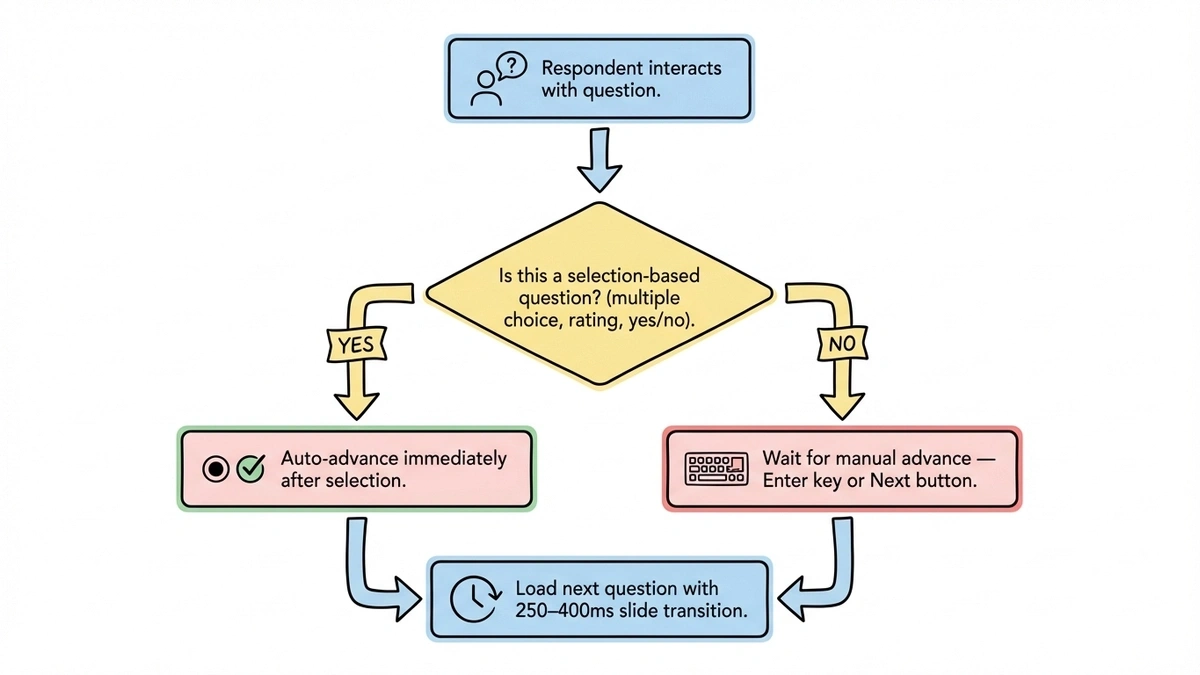
For text inputs, auto-advance is a bad idea. The form can’t know when someone is done typing. Auto-advancing after a pause would be unpredictable and stressful. Let respondents press Enter or tap a Next button for text fields. This hybrid approach (auto-advance for selections, manual advance for text) is what most well-implemented sequential forms use. It’s how Fomr’s auto-jump works, and it’s the pattern that feels most natural in testing.
Give it a try
Try this Fomr responsive contact form
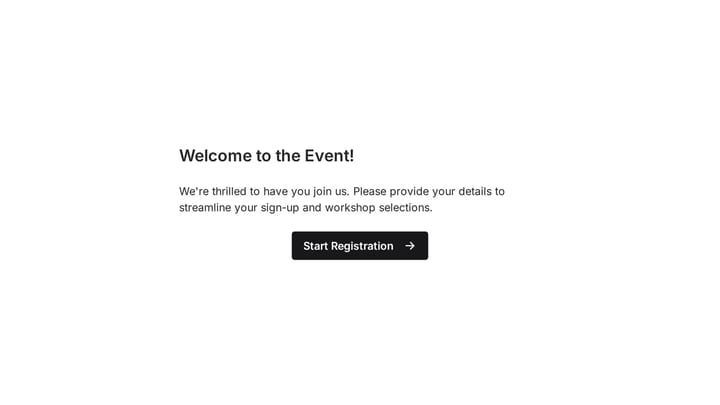
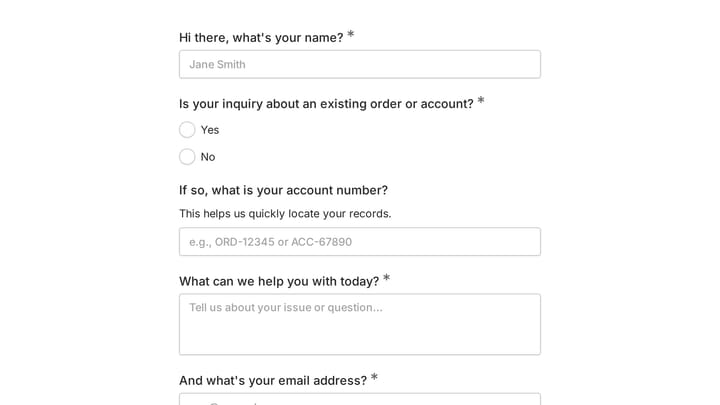
Try the name, email, and message questions in this Fomr contact form. Auto-jump is enabled, so you can inspect the focused question flow without a recommendation quiz or calculated outcome.

Let people go back easily
A sequential form without a working back button is a trap. Respondents will misclick, change their mind, or realize they misunderstood a question. If they can’t go back, they’ll abandon the form or submit inaccurate answers out of frustration.
The back button should be visible on every question (except the first). Going back should preserve the respondent’s previous answer. And the transition backward should feel different from the forward transition, ideally reversing the direction, so the respondent has a spatial sense of where they are.
Getting the question order right
In a traditional form, question order matters somewhat. In a sequential form, it matters a lot. Each question sets the emotional context for the next one, and there’s no way to skip ahead or preview what’s coming.
Start with the easiest question possible. First name or a simple multiple-choice question. The goal is to get the respondent moving before they have time to second-guess whether the form is worth their time.
Put sensitive or high-effort questions in the middle, around questions four through six. By that point, the commitment effect is working in your favor. Budget, phone number, detailed requirements: these all land better after someone has already invested a few answers.
End with something easy. An optional comments field or a simple confirmation. The last question before submission should feel like a finish line, not a hurdle.
This ordering strategy works hand-in-hand with the form UX best practices that apply to any layout. Clear labels, appropriate field types, and helpful validation matter just as much in a sequential form as in a traditional one.
Measuring whether it’s actually working
Switching to a one question at a time form and hoping for the best isn’t a strategy. You need to measure the impact.
Completion rate is the headline number, but look at it alongside drop-off by question. Sequential forms make it easy to see exactly where people abandon. If 40% of respondents drop off at question 7, that question is the problem, not the format. Fix the question before blaming the layout.
Time to complete is worth tracking but easy to misinterpret. Sequential forms often take slightly longer because of transitions. That’s fine. A form that takes 90 seconds and gets completed beats one that takes 60 seconds and gets abandoned.
Response quality is the metric people forget. If your sequential form gets higher completion rates but the answers are shorter or more likely to be junk, the format might be encouraging people to rush through rather than engage. Compare quality, not just quantity.
Should you switch to one question at a time?
There’s no universal answer. The pattern is genuinely effective for surveys, lead qualification, quizzes, and mobile-first forms. It’s counterproductive for short forms, reference-heavy workflows, and power-user scenarios.
If you’re unsure, run a test. Take a form that’s underperforming and rebuild it as a sequential flow. Keep the same questions, same order, same everything except the presentation. Run both versions for two weeks and compare completion rates and response quality. The data will tell you more than any article can.
If you want to test this quickly, Fomr’s guest editor lets you build a form with auto-jump enabled without creating an account. Toggle it on, share the link, and see how your audience responds. The feature is free on all plans, so there’s no cost to experimenting.
The psychology behind one question at a time forms is solid. The implementation details are what separate forms that convert from forms that frustrate. Get the transitions right, the question order right, and the progress indicators right, and you’ll have a form that feels effortless even when it’s asking for a lot. For more strategies on keeping respondents engaged regardless of format, our guide on reducing form abandonment covers the broader toolkit.