Lost Child Report Template

A lost child report form for Black Friday helps mall security and customer service teams record key details quickly and coordinate a safe reunion with a guardian. It covers staff identification, child description, current location, timing,…

Use Template
Used 0 times
5.0
Created by Fomr Team
Last updated

About

This lost child report form is designed for busy Black Friday environments where staff need to document a situation quickly and clearly. It gives mall security, customer service desks, and floor managers a structured way to capture when a child was found or reported, where the child is currently being kept safe, and which staff member is handling the case.

The template includes practical fields for a child's first name if known, approximate age, gender, physical description, clothing description, and a photo for identification. It also makes room for special needs or medical details so staff can respond appropriately while coordinating next steps with guardians and on-site teams.

Because holiday shopping events can create noise, crowding, and multiple handoffs, a consistent incident workflow matters. This form helps teams reduce missed details, improve internal communication, and keep each report organized from the first alert through reunification.

If you have used a general bug report form or incident report form for operational issues, this template is more specific to child safety in retail spaces. It is built for time-sensitive reporting, guardian contact, and location tracking rather than general customer feedback form or expense report form workflows.
Related Templates

View all →
Event Volunteer Form preview

Event Volunteer Form

Streamline your event planning by effortlessly collecting all the crucial details from your potential volunteers. This customizable form simplifies sign-ups, helping you build a supportive and well-organized team.

Find Your Perfect Accounting Software preview

Find Your Perfect Accounting Software

Use this accounting software quiz template to match freelancers and small business owners with options that fit their income, invoicing needs, tax situation, and budget. It's a practical form builder for small business teams that want to c…

AP Automation Readiness Assessment preview

AP Automation Readiness Assessment

This lead generation form helps finance and revenue teams assess whether a company is a strong fit for AP automation. It captures invoice volume, approval complexity, current systems, and processing pain points in a clear readiness assessm…

Emergency Contact & Health Information Form preview

Emergency Contact & Health Information Form

This emergency contact and health information form helps acupuncture clinics collect emergency contacts, key medical alerts, and treatment consent before care begins. It is designed for patient intake workflows where clear, complete health…

Action Camera Selector Quiz preview

Action Camera Selector Quiz

Help shoppers find the right action camera with a guided quiz that matches activity, budget, video quality, mounting needs, and stabilization preferences. This template is ideal for retailers and creators who want more qualified leads and…

Address form preview

Address form

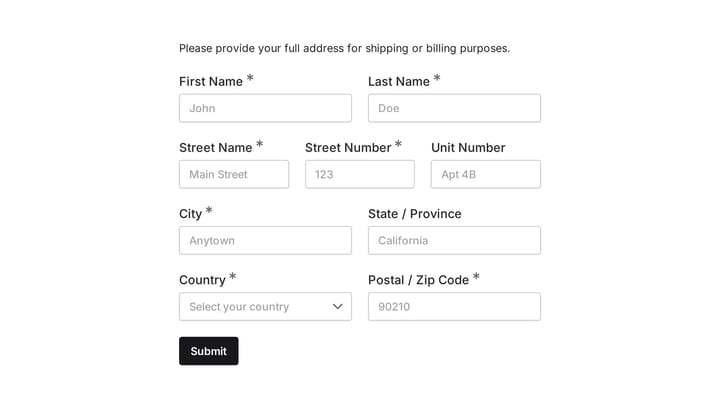
Quickly and accurately collect full shipping and billing addresses with this versatile template. It's designed for businesses that need reliable customer location details for deliveries, invoicing, or organized record-keeping.

Advanced Care Planning Survey Form preview

Advanced Care Planning Survey Form

Use this advanced care planning survey form to collect clear feedback, satisfaction scores, and open-ended comments in one place. It helps teams understand what is working well and where the experience can improve.

Dog Grooming Certification Practice Quiz preview

Dog Grooming Certification Practice Quiz

A dog grooming certification practice quiz form helps you assess grooming knowledge across breed-specific cuts, handling techniques, skin conditions, and salon safety. Use it to deliver a structured practice test for students, junior groom…

Frequently asked questions

What is this lost child report - black friday used for?

This template is used to collect structured responses for a lost child report - black friday workflow. It gives teams a consistent format for gathering the information they need and reviewing submissions more efficiently.

What information should I collect first?

Start with the most important details people can answer quickly, then move into the more specific questions. In this template, that can include items such as Your Name (Staff Member), Department, Time Child Was Found/Reported depending on how you customize it.

Can I customize this template for my own workflow?

Yes. You can adapt the questions, required fields, and structure to fit your process while keeping the overall flow clear and easy to complete. That makes it useful as both a starting point and a publish-ready template.

How many questions should a form like this include?

Keep only the questions that directly support the purpose of the form. Shorter forms usually get better completion rates, so it is often better to collect the essentials first and ask for extra details later if needed.

Why use a structured template instead of building from scratch?

A structured template helps you move faster and keeps your submissions more consistent. It also reduces the chance of missing important details because the form already follows a logical order.

Your next form could be the best-looking thing on your site.

Free forever. Unlimited responses. No signup to start.