Discord Woodworking Community Application Form Template

A membership application for woodworking servers and maker groups that covers skill level, project interests, workshop space, tools, safety training and habits, and a community guidelines agreement.

Use Template
Used 0 times
4.9
Created by Fomr Team
Last updated

About

A woodworking community mixes people who have never held a chisel with professionals who build furniture for a living. Knowing who is joining helps moderators assign roles, pair beginners with mentors, and keep conversations about table saws and routers grounded in safe practice. This application gathers that context before an invite goes out.

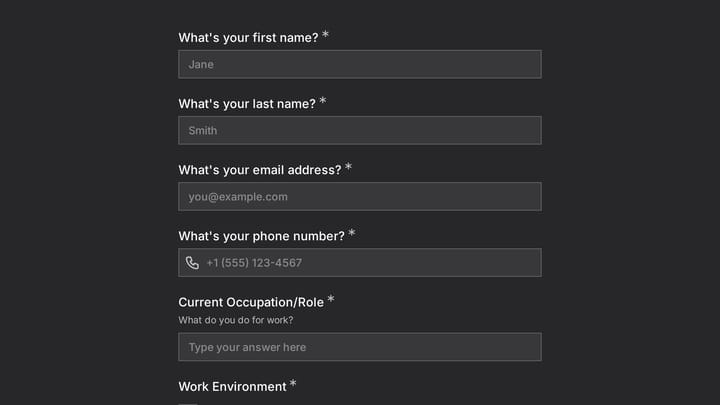
Applicants give their name, email, Discord username, and location, then describe their skill level, years of experience, the kinds of woodworking that interest them, and a favorite project. The workshop section covers the space they work in, their hand or power tool preference, and the major equipment they can use. A safety section asks about training, regular safety gear, and a commitment to safe practices, followed by community goals, a referral question, and agreement to the guidelines.

Applicants who say they have completed formal woodworking or shop safety training are asked to describe it, including courses, certifications, or apprenticeships. Everyone else moves straight to the safety equipment question, so beginners are not put off by a section they cannot fill in.
Related Templates

View all →
Body Measurement Form preview

Body Measurement Form

This body measurement form provides a straightforward way to record essential physical dimensions. It's an ideal tool for custom clothing design, fitness tracking, or monitoring personal progress with precision.

Admission Checklist Form preview

Admission Checklist Form

Streamline your intake process with this comprehensive digital admission checklist template. It helps organizations efficiently collect all necessary information and documents from applicants, ensuring a smooth and organized start.

Time Management Coaching Intake preview

Time Management Coaching Intake

Use this time management coaching intake form to collect the details you need before starting a conversation, project, or request. It helps teams qualify submissions and respond with better context.

1st Birthday RSVP Form preview

1st Birthday RSVP Form

Use this event registration form to track responses, attendee details, and follow-up information in a single workflow. It gives organizers a simple way to manage registrations without extra admin work.

Accounting Client Discovery Form preview

Accounting Client Discovery Form

Use this accounting client discovery form template to gather the business, bookkeeping, and financial context you need before taking on a new client. It helps accountants and advisors qualify leads, spot pain points early, and prepare for…

Ask a Question preview

Ask a Question

Easily add a customizable 'Ask a Question' form to your website with this template. It empowers visitors to submit inquiries and comments effortlessly, streamlining communication and improving engagement.

Vampire Personality Quiz preview

Vampire Personality Quiz

A playful six-question Halloween quiz that scores each answer and reveals whether the player is human, possibly a vampire, or in need of a doctor. Good for social posts, newsletters, and seasonal campaigns.

Volleyball Registration Form preview

Volleyball Registration Form

Use this volleyball registration form to track responses, attendee details, and follow-up information in a single workflow. It gives organizers a simple way to manage registrations without extra admin work.

Frequently asked questions

Who is this woodworking community application for?

It suits moderators of Discord woodworking servers, makerspace member groups, woodworking clubs, and classes with a community channel. It works for groups that welcome beginners as well as those aimed at experienced makers.

Why does the form ask about safety?

Power tools can cause serious injuries, and communities that share techniques carry some responsibility for promoting safe habits. The safety questions show which members already have training and gear, and the commitment question sets expectations from day one.

When does the safety training follow-up appear?

It appears only when an applicant says they have completed formal woodworking or shop safety training. They are then asked to describe the courses, certifications, or apprenticeships involved.

How can I use the skill level and equipment answers?

Use them to assign server roles, such as beginner, hand tool, or turner, and to point new members toward the right channels. Equipment answers also help you plan group builds around tools most members own.

Can I edit the project and equipment lists?

Yes. Add specialties your members care about, such as spoon carving or CNC work, and adjust the equipment list to match. Keep the none yet option so new woodworkers can still answer.

How do new members get their invite?

The email question explains that approved applicants receive their Discord invite and community updates by email. After review, moderators send the invite link to each approved address.

Your next form could be the best-looking thing on your site.

Free forever. Unlimited responses. No signup to start.