The Jotform vs Tally decision comes down to one question: would you rather pay with money or with someone else’s logo on your form?
Jotform is the 20-year veteran with the deepest feature set in the industry, and it charges by volume. Free gets you 5 forms and 100 submissions a month; past that, the meter runs. Tally is the minimalist that flipped the model: unlimited forms and submissions for free, with the paywall sitting on polish instead, meaning branding removal, custom domains, and team features.
Both are good tools. They’re just good for different people, and by the end of this post you’ll know which one you are. We checked every price and limit below against both vendors’ pricing pages on August 23, 2026.
Jotform vs Tally at a glance
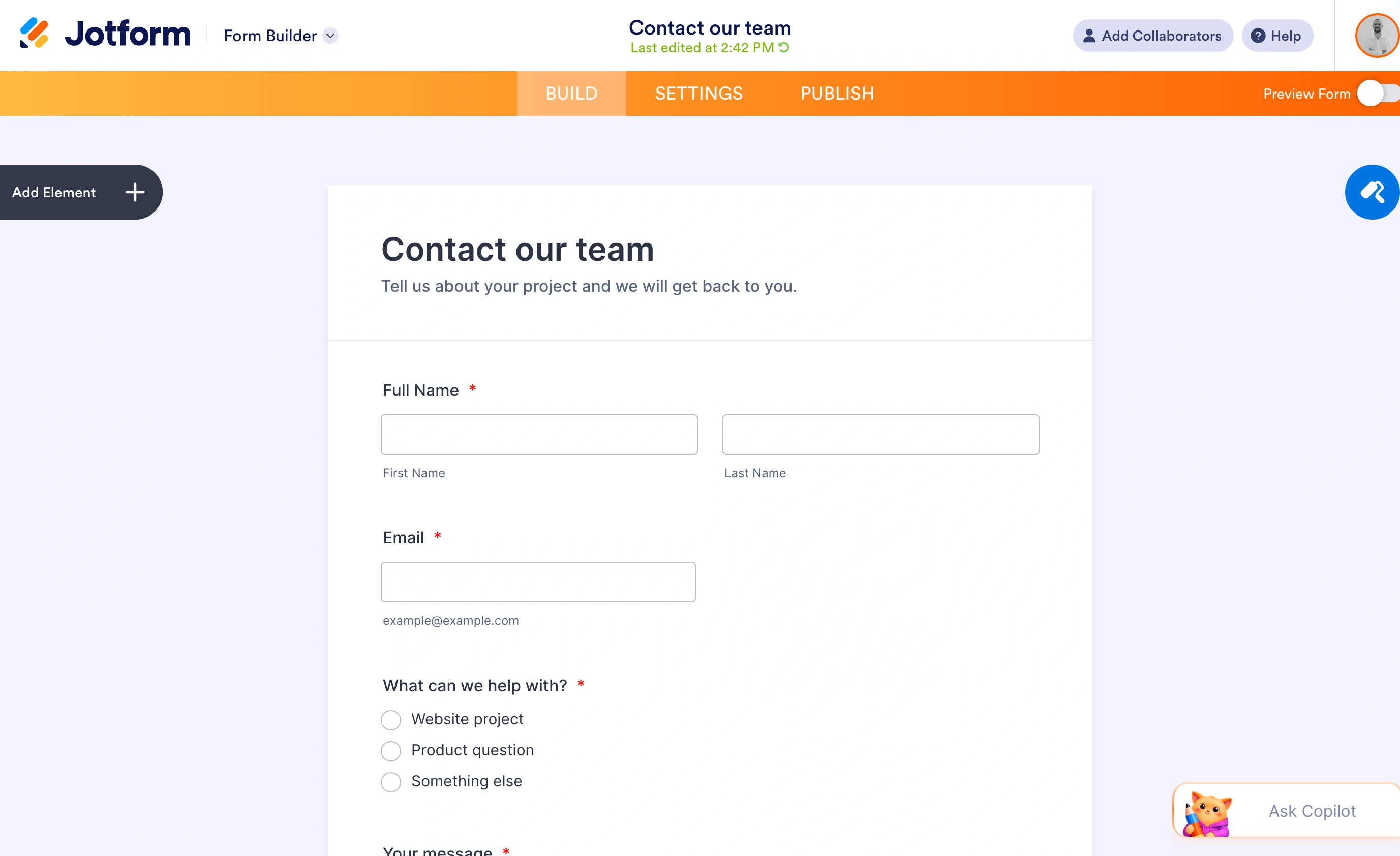
Jotform is a full form platform: 10,000+ templates, payment processing, e-signatures, approval workflows, HIPAA compliance on its Gold plan, and integrations with just about everything. It’s built for organizations that treat forms as infrastructure.
Tally is a form builder that works like a text document. You type, it builds. The free plan includes things competitors charge for, including conditional logic, calculations, payments, and file uploads. It’s built for individuals and small teams who want capable forms without a procurement process.

Pricing: paying with money or with branding
This is where the two philosophies show up in numbers.
What Jotform charges
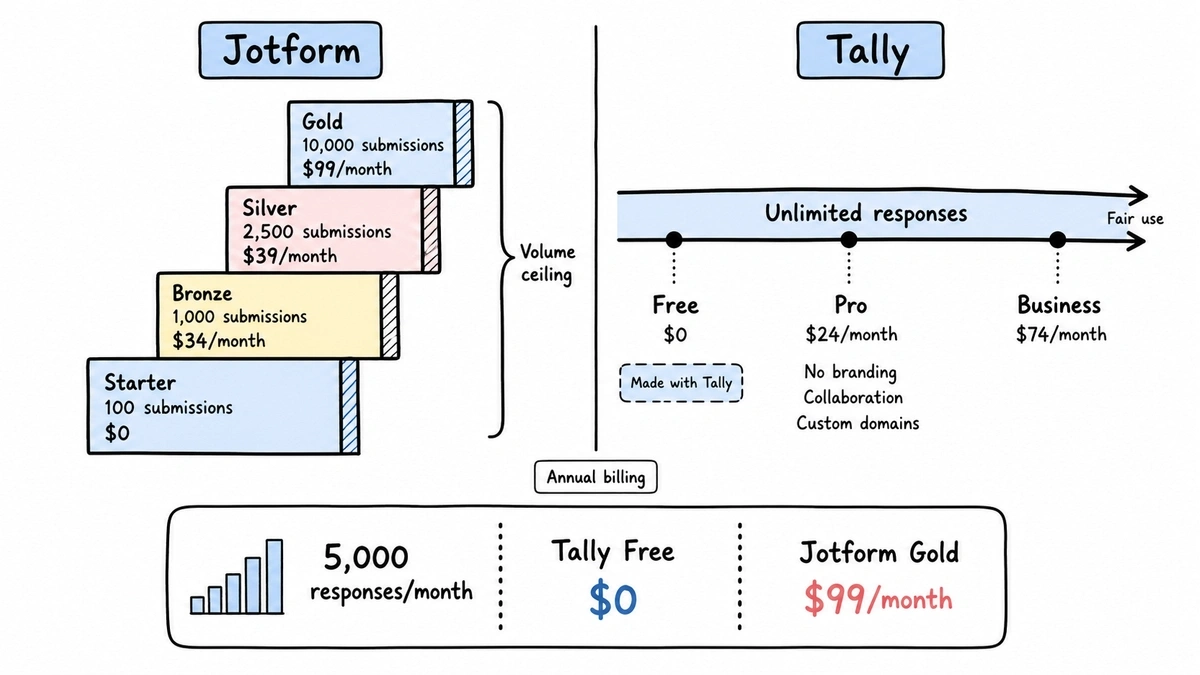
Jotform’s plans gate on volume at every tier:
- Starter (free): 5 forms, 100 submissions/month, 100 MB storage, Jotform branding on every form
- Bronze: $39/month (or $34/month billed annually) for 25 forms and 1,000 submissions/month
- Silver: $49/month ($39/month annually) for 50 forms and 2,500 submissions/month
- Gold: $129/month ($99/month annually) for 100 forms, 10,000 submissions/month, and HIPAA availability
- Enterprise: custom pricing, unlimited everything
Notice the shape: even at $129/month you have a submission cap. A single viral form or a busy event season can push you into the next tier, and that unpredictability is the most frustrating part of Jotform’s model. You don’t budget for a price, you budget for a guess about your response volume.
The free tier’s 100 submissions a month deserves emphasis too. That’s a hard ceiling of about 3 responses a day. Fine for a low-traffic contact form, gone in an afternoon for anything else. When a form hits its limit, it stops accepting responses until the month rolls over or you upgrade.
What Tally charges
Tally’s free plan has no submission cap at all, within fair-use guidelines. Unlimited forms, unlimited responses, and the features most builders gate: conditional logic, calculations, signatures, payment collection, file uploads (capped at 10 MB per file), and native integrations with Google Sheets, Notion, Airtable, and Zapier.
What free doesn’t get you is polish. Every form carries “Made with Tally” branding, there’s no custom domain, and collaboration isn’t included.
- Pro: $29/month, or $290/year (about $24.17/month). Removes Tally branding, adds custom domains, team collaboration, partial submissions, custom CSS, a custom email domain, unlimited file uploads, and drop-off analytics.
- Business: $89/month ($74/month annually). Adds data retention controls, email verification, and longer version history.
So a solo founder collecting 5,000 responses a month pays Tally nothing, while the same volume on Jotform requires Gold at $99 to $129 a month. Flip it around, though: a consultant who needs a white-labeled client form with 30 responses a month pays Tally $290/year for what is mostly a logo removal, while Jotform Bronze at $408/year at least bundles that branding removal with far more machinery.
Jotform vs Tally comparison table
| Jotform | Tally | |
|---|---|---|
| Free forms | 5 | Unlimited |
| Free submissions | 100/month | Unlimited (fair use) |
| Free plan branding | Jotform branding | Tally branding |
| Cheapest paid plan | $34/month (Bronze, annual) | $24/month (Pro, annual) |
| Branding removal | Any paid plan | Pro ($24/month annual) |
| Conditional logic | Yes, including free | Yes, including free |
| Payments | Yes, including free (limited) | Yes, including free |
| File uploads | Yes (100 MB storage on free) | Yes (10 MB/file on free) |
| Templates | 10,000+ | Small library |
| Integrations | 100+ apps | Sheets, Notion, Airtable, Zapier, webhooks |
| HIPAA | Gold plan and up | No |
| Approval workflows, e-signatures, PDF tools | Yes | No |
| Editor style | Drag-and-drop, dense | Document-style, minimal |
Where Jotform wins
Let’s give Jotform its rows, because it earns several outright.
Template depth. Over 10,000 templates means your exact use case probably exists as a starting point, whether that’s a summer camp medical release or a car rental agreement. Tally’s template library is a fraction of that, and honestly, so is ours.
Integrations. Jotform connects to more than 100 apps directly: CRMs, payment gateways, cloud storage, email marketing. Tally covers the popular bases well, but if your stack includes Salesforce or a niche processor, Jotform likely has the native connection and Tally will need Zapier as glue.
Compliance and workflow. HIPAA availability on Gold, approval workflows, PDF generation from submissions, e-signatures. If a lawyer, hospital administrator, or procurement team is involved in your form decision, this column usually settles it. Tally doesn’t compete here and doesn’t pretend to.
Enterprise controls. Multi-user management, audit-friendly features, and an actual sales team to call. Boring, but decisive for large organizations.
Where Tally wins
Price at volume. There’s no contest. Unlimited free submissions against a 100/month cap isn’t a comparison, it’s a different sport. Anyone whose main constraint is response volume should start with Tally.
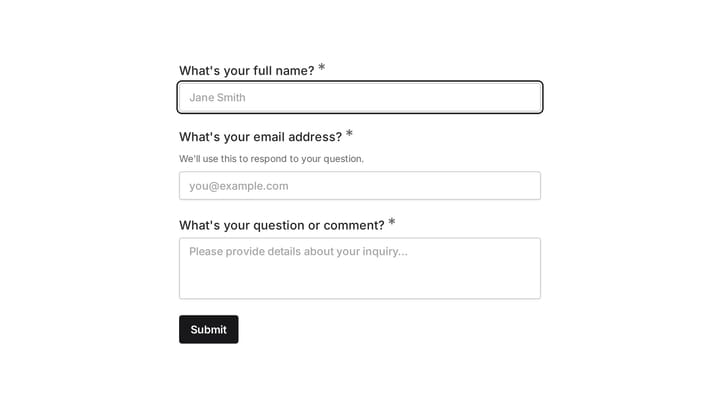
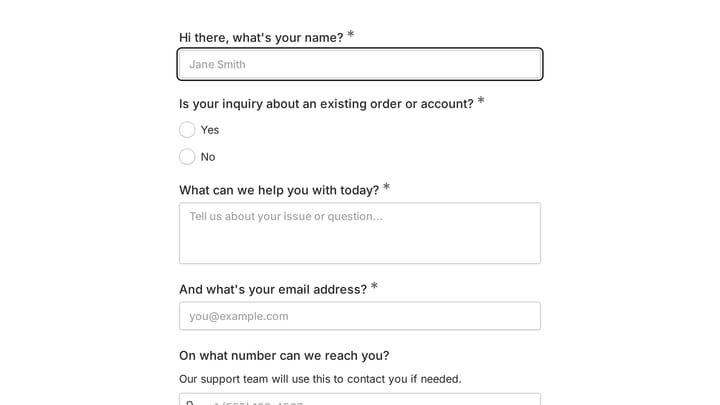
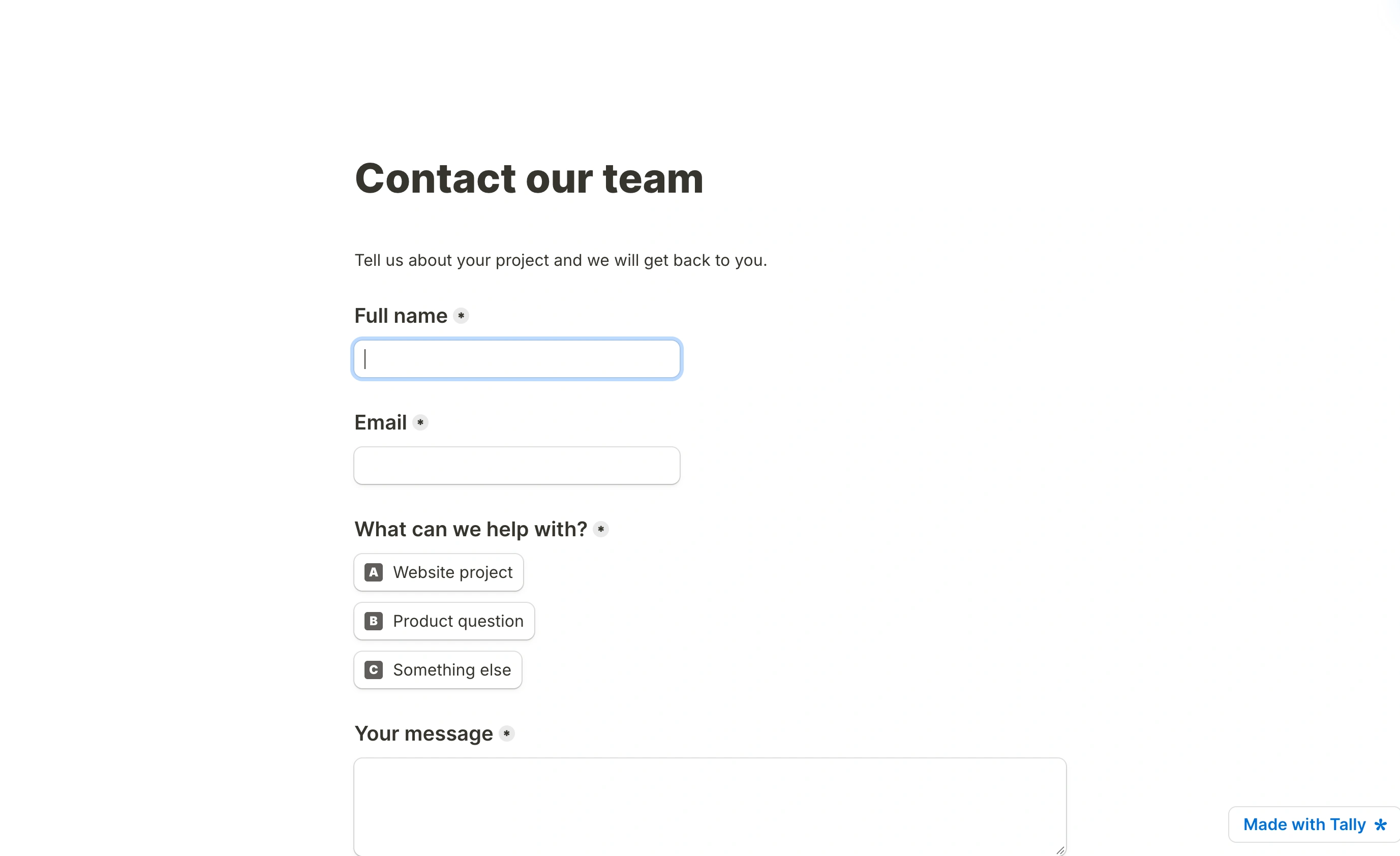
The published sample reads like a short document, with the contact fields laid out in sequence. Its restrained styling keeps attention on the questions, but also shows the visual limits of the document-based approach.
The building experience. Tally’s document-style editor is calm. You press ”/”, pick a block, keep typing. Jotform’s editor is capable but dense, with panels and toolbars competing for attention. Building a 20-question survey feels like writing in Tally and like operating machinery in Jotform.
Generosity on free features. Conditional logic, payments, and file uploads without paying is remarkable, and it means you can validate a real workflow before spending anything.
Modern output. Tally forms look current out of the box. Jotform forms can be styled into shape, but the defaults show their age.
What switching between them costs
Neither tool imports the other’s forms, so a switch means rebuilding each form by hand. For most teams that’s an afternoon, not a crisis, but three things deserve a plan before you cancel anything.
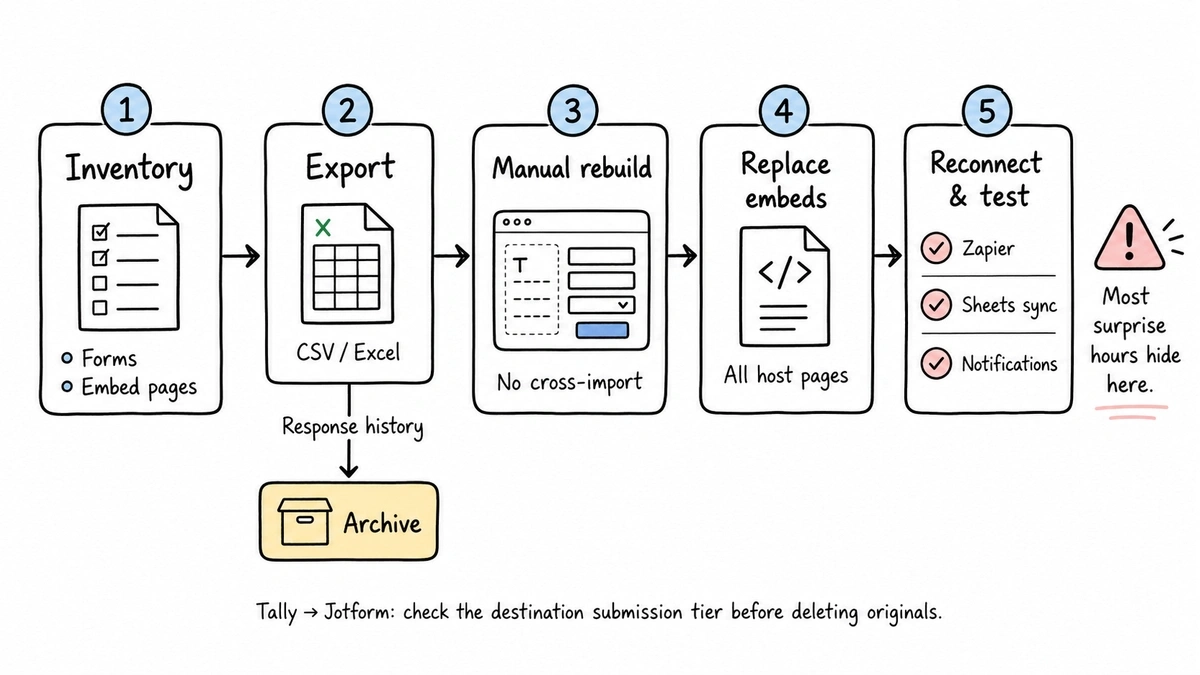
Export your data first. Both let you download submissions as CSV or Excel, and you’ll want that archive because your response history doesn’t come with you. Second, embedded forms need new embed codes on every page that hosts one, so make a list before you start. Third, anything wired to submissions (Zapier automations, Sheets syncs, notification rules) has to be rebuilt on the new tool, and this is usually where the surprise hours hide.
Moving from Jotform to Tally is the smoother direction, since you’re usually simplifying. Going the other way, check which Jotform tier your response volume lands you in before you commit, not after your Tally forms are deleted.
The gap both of them leave
Here’s our honest read after watching people switch between these two: Jotform buyers are paying for features they’ll never touch, and Tally users hit a wall the moment design matters, since custom styling beyond themes means Pro-tier CSS.
That design gap is the specific thing we built Fomr around, so this is the one section where it belongs in this comparison. Fomr’s free plan is unlimited like Tally’s (forms, responses, and also team members, which Tally reserves for Pro), and the editor gives you full visual control without CSS: 1,700+ fonts, custom colors and backgrounds, your logo, multi-page layouts. Removing our branding costs $24/month. Compare the monthly and yearly plans against the features you need.
Scope matters, though. Fomr has conditional logic on every plan, like both of these tools, but it doesn’t yet have payments or the Zapier integrations both offer today; they’re on our roadmap, not in the product. If you need those now, pick between Jotform and Tally and come back later. If your forms mostly need to look genuinely yours and collect unlimited responses free, try the editor without an account and judge the design difference yourself. Our Jotform and Tally comparison pages break down the feature-by-feature detail.
Give it a try
Try this Fomr audience feedback form
Try the community-role and topic-preference steps in this Fomr audience survey. It demonstrates a short feedback flow with a fixed question sequence.

Jotform vs Tally: the verdict
Pick Jotform if you need HIPAA compliance, approval workflows, e-signatures, or a native integration Tally lacks. You’re paying for two decades of accumulated capability, and for regulated or process-heavy organizations that’s exactly the right trade. Budget on annual billing ($34/month Bronze and up) and watch your submission volume, because tier jumps are how the bill grows.
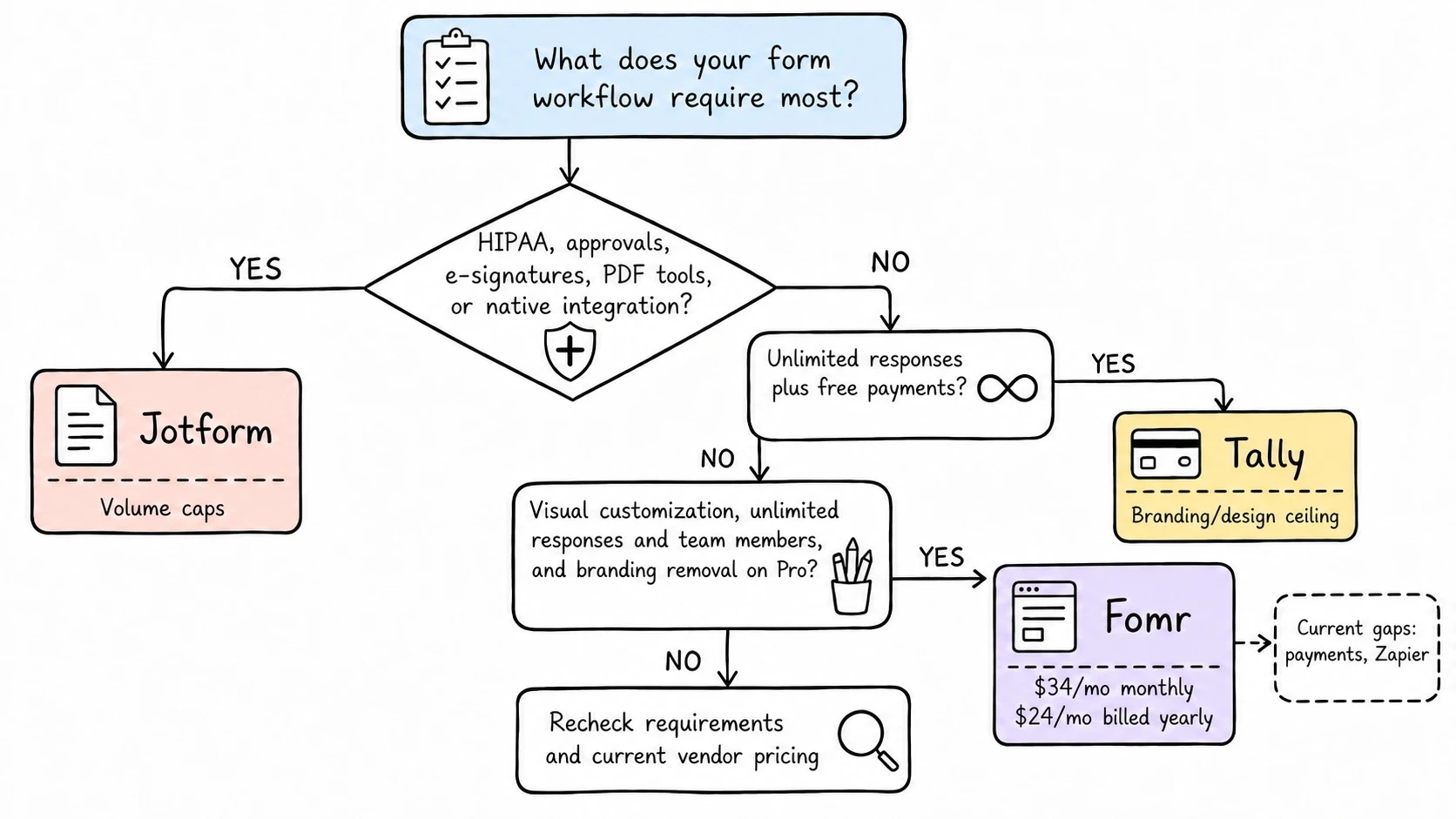
Pick Tally if you’re an individual, startup, or small team where volume is the constraint and the feature list on Tally’s free plan covers you. Start free, and pay the $24/month only when branding or collaboration starts to matter. The main risks are the small template library and the CSS-shaped ceiling on customization.
Consider a third option if neither trade feels right, meaning you don’t want Jotform’s caps or Tally’s badge, and design is what you actually care about. That’s the niche Fomr occupies, with the feature gaps we named above.
If you’re leaning Tally but still shopping, our rundown of the best Tally alternatives covers the wider field. And whichever way you go, check the vendor’s pricing page before you commit. Both companies have adjusted prices in the past year, and this post reflects August 2026.