Business Travel Policy Satisfaction Survey Template

Ask employees how well your travel policy works, from booking tools and budgets to hotels, transportation, expense reporting, and reimbursement speed.

Use Template
Used 0 times
4.9
Created by Fomr Team
Last updated

About

Travel policies are written once and then lived with for years, often without anyone checking how they feel to the people on the road. This business travel policy satisfaction survey helps finance, HR, and operations teams find out where the policy works and where it causes friction.

The survey starts with department, travel frequency, and typical trip length, which lets you compare frequent travelers with occasional ones. It then follows the trip in order: booking flights and hotels, budget limits and per diems, hotel quality and location, ground transportation, expense reporting, and reimbursement speed. Ratings keep it quick, and short open questions after key sections capture specific suggestions.

The final section looks at policy flexibility, how much travel each role requires, how well the policy balances business needs with employee wellbeing, and overall satisfaction. Respondents can stay anonymous. An email field appears only for people who say they would join a follow-up discussion, so you can recruit volunteers without asking everyone for contact details.
Related Templates

View all →
Customer Profile Form preview

Customer Profile Form

Craft detailed customer profiles with this essential form template, designed to gather the insights you need. Understand your audience's unique needs and preferences to personalize your services and connect on a deeper level.

Cruise Vacation Preference Survey preview

Cruise Vacation Preference Survey

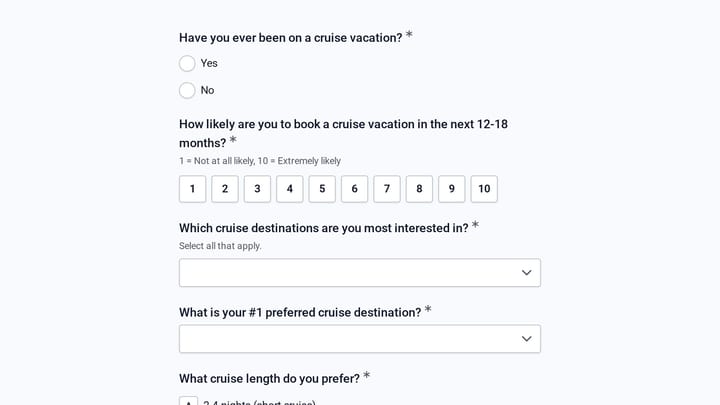
Use this cruise vacation preference survey form to learn which destinations, cabin types, trip lengths, and onboard experiences matter most to potential cruise travelers. It helps travel teams qualify interest, understand booking intent, a…

Damage Report Form preview

Damage Report Form

This template provides an easy way for staff to document incidents and damaged equipment online. It's fully customizable to efficiently capture essential details for internal record-keeping and prompt follow-up.

Dog Grooming Certification Practice Quiz preview

Dog Grooming Certification Practice Quiz

A dog grooming certification practice quiz form helps you assess grooming knowledge across breed-specific cuts, handling techniques, skin conditions, and salon safety. Use it to deliver a structured practice test for students, junior groom…

Crisis Intervention Team Advocacy Registration preview

Crisis Intervention Team Advocacy Registration

Register supporters for a mental health crisis response advocacy campaign. Collect their role, the initiatives they support, priorities, ways to help, time commitment, and update preferences.

Customer Retention Survey preview

Customer Retention Survey

Discover the secrets to lasting customer loyalty with this essential survey template. It helps businesses gather valuable feedback to enhance products, services, and overall customer satisfaction.

Event Volunteer Form preview

Event Volunteer Form

Streamline your event planning by effortlessly collecting all the crucial details from your potential volunteers. This customizable form simplifies sign-ups, helping you build a supportive and well-organized team.

Cryotherapy Treatment Menu and First Session Request preview

Cryotherapy Treatment Menu and First Session Request

A request form for cryotherapy and recovery studios that captures wellness goals, treatment interests, health screening answers, and an optional first session booking request.

Frequently asked questions

Is the survey anonymous?

Yes, unless the respondent chooses otherwise. The only identifying question is an email address, and it appears only for people who agree to take part in a follow-up discussion. Department is collected so you can compare groups, so consider merging very small departments if that could identify someone.

How often should we run it?

Once a year works for most companies, plus a round after any major policy change such as a new booking tool or updated per diems. Running it at the same time each year makes results easy to compare.

Can I change the rating scales?

Yes. Most questions use a 1 to 5 scale, and the recommendation question uses 0 to 10. Keep scales consistent within a section so the results are simple to read side by side.

Which questions point to the biggest problems?

Start with the budget areas and expense issues questions, since they list specific pain points such as delayed reimbursements or tight hotel budgets. Pair those answers with the single most important improvement question to set priorities.

Who should see the results?

Share summaries with the travel manager, finance team, and HR. Group individual comments by theme before sharing more widely to protect respondents' privacy.

Can I mention our booking tool by name?

Yes. Edit the booking tools question to name the platform your company uses, and add options to the budget and issue lists that match your policy. Specific wording tends to produce more useful answers.

Your next form could be the best-looking thing on your site.

Free forever. Unlimited responses. No signup to start.