Damage Report Form

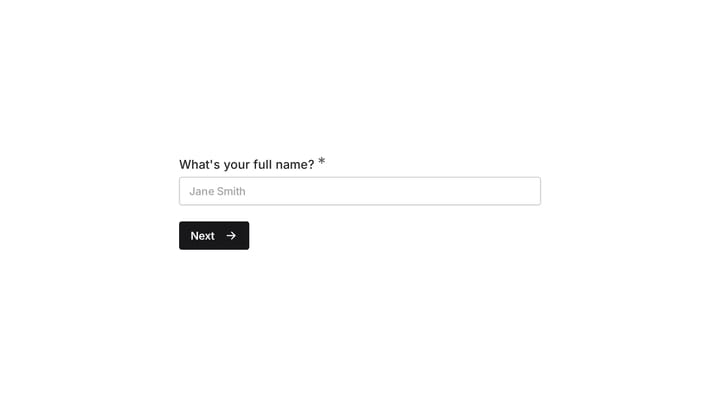
This template provides an easy way for staff to document incidents and damaged equipment online. It's fully customizable to efficiently capture essential details for internal record-keeping and prompt follow-up.

Use Template
Used 0 times
Created by Fomr Team
Last updated

About

Every business needs a reliable way to track incidents involving property or equipment. This customizable template offers a straightforward solution for employees to document these incidents, ensuring vital information is captured quickly and accurately. Effective incident tracking is key to maintaining operational safety and accountability.

This online form is designed to gather all essential details, such as the reporter's name and department, the specific equipment damaged, the cause, and the incident date. Organizing these facts in a structured format allows for faster investigations, smoother insurance claims, and efficient repair arrangements. Say goodbye to scattered emails or unreliable verbal reports, and welcome a centralized, consistent reporting system.

User-friendly and highly customizable, this template adapts to your organization's unique reporting requirements. You can easily add, remove, or modify fields to perfectly align with your specific damage report protocols. Deploying this online form streamlines the entire process, making it incredibly simple for staff to submit detailed reports from any device, anywhere.
Related Templates

View all →

Event Volunteer Form

Streamline your event planning by effortlessly collecting all the crucial details from your potential volunteers. This customizable form simplifies sign-ups, helping you build a supportive and well-organized team.

Birthday Party Invitation

Effortlessly plan your next birthday bash with this digital invitation form. It simplifies sending invites, tracking RSVPs, and managing guest details, ensuring a smooth and memorable celebration.

Academic Skills Tutoring Request

This form helps college freshmen request academic skills tutoring as they transition to higher education. It efficiently gathers their needs for support in areas like time management, study habits, note-taking, and test preparation.

Academic Tutor Discovery Form

Efficiently gather essential student information with this professional discovery form. It helps you assess needs, learning challenges, and preferences to craft truly personalized learning plans.

Frequently asked questions

Why use an online damage report form?

When something goes wrong, having an official report of the incident and any damaged items is vital. Online forms are more time-effective than verbal communication or email, ensuring all necessary questions are asked and answered consistently. They streamline data collection, making it easier to track and manage incidents.

What types of damage can be reported with this template?

This template is versatile and can be used to report damage to various types of equipment, property, or assets within an organization. Whether it's office equipment, machinery, company vehicles, or facility infrastructure, the form helps capture details for any unexpected harm or malfunction. You can customize fields to be more specific to your operational needs.

Who typically uses a damage report form?

This form is primarily used by employees, staff, or team members who observe or are involved in an incident resulting in damage. It's an internal tool for departments like operations, facilities management, HR, or safety officers to document events. Management or specific department leads then review these reports for investigation and resolution.

Can I customize this damage report template for my specific needs?

Absolutely. The template is designed to be fully customizable, allowing you to tailor it to your organization's unique requirements. You can easily add new fields, modify existing ones, or remove irrelevant sections to perfectly match your reporting protocols. This flexibility ensures it gathers exactly the information you need.

How does this form aid in incident follow-up and resolution?

By standardizing the information collected, the form ensures that no critical details are missed when an incident occurs. This structured data makes follow-up more efficient, enabling quicker communication with relevant parties, faster repairs, or informed decision-making regarding preventative measures. Centralized reports provide a clear audit trail for accountability.

What information does the form collect?

The standard template collects essential details like the name and department of the person reporting, a description of the damaged equipment, what caused the damage, and the precise date of the incident. This foundational data provides a comprehensive overview of the event. Additional fields can be added to include photos, witness details, or severity ratings.

Is this form suitable for reporting general workplace incidents, not just damage?

While specifically branded for damage reports, the underlying structure makes it highly adaptable for broader incident reporting. With minor adjustments, you could use it for near-miss reports, safety hazards, or even as a simple bug report form for physical assets. Its flexible design supports a variety of internal reporting needs.

Ready to create your first Fomr?

Your next form deserves better than a white page with dropdowns. Build something people actually want to fill out.