Data Recovery Emergency Callback Request Form Template

A callback request form for data recovery labs and IT repair shops that captures the failed device, cause, symptoms, lost data types, backup status, urgency, and when to call back.

Use Template
Used 0 times
4.9
Created by Fomr Team
Last updated

About

When a drive starts clicking or a server stops booting, the customer wants a call from someone who understands the problem, not a ticket number. This callback request form helps data recovery labs, IT repair shops, and managed service providers learn the essentials up front, so the technician who calls back can already talk about likely causes and next steps.

After name, email, phone, and an optional company name, the form asks what type of device failed, which operating system it runs, what caused the data loss, and what symptoms or error messages the customer sees. It then covers when the problem started, which kinds of data were lost, whether a backup exists, how critical recovery is, and what impact the loss is having.

The form adapts as people answer. Customers who have already tried to recover the data are asked what they did, which matters because some attempts make recovery harder. Those with a backup describe its condition. Anyone who wants a specific callback slot sees date and time fields, while others pick a window such as within one hour or today.
Related Templates

View all →
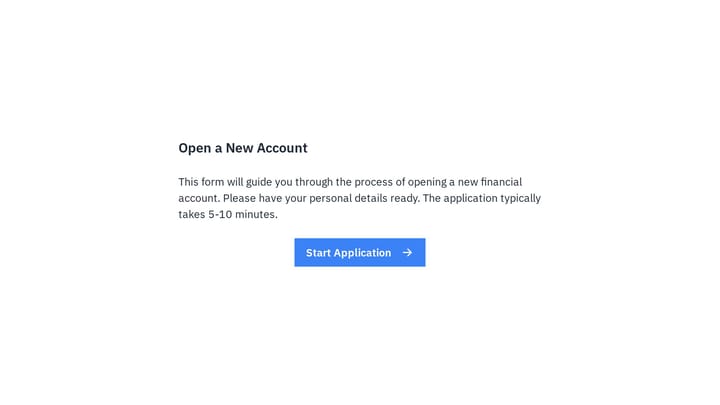
Account Opening Form preview

Account Opening Form

Easily open new financial accounts and gather all necessary customer information with this intuitive form template. It's perfect for banks, credit unions, and any financial institution looking to simplify their onboarding process.

Doctor appointment form preview

Doctor appointment form

Effortlessly manage patient bookings with this doctor appointment form. It helps you gather crucial details and keeps your schedule perfectly organized.

Ask a Question preview

Ask a Question

Easily add a customizable 'Ask a Question' form to your website with this template. It empowers visitors to submit inquiries and comments effortlessly, streamlining communication and improving engagement.

Dealer Registration Form preview

Dealer Registration Form

This template makes it easy for businesses to bring on new dealers. Quickly gather essential company details and efficiently qualify potential partners.

Emergency Evacuation Check-In preview

Emergency Evacuation Check-In

This emergency evacuation check-in form helps building teams confirm who has reached a safe assembly point, record headcounts, and identify urgent medical or accountability issues during an evacuation. It is designed for fast mobile check-…

Email Signup Form preview

Email Signup Form

Effortlessly capture email addresses with an engaging, conversational signup form. Instantly connect new leads to your sales and marketing tools for seamless follow-up.

Customer Feedback Survey Form preview

Customer Feedback Survey Form

Use this customer feedback form to collect clear feedback, satisfaction scores, and open-ended comments in one place. It helps teams understand what is working well and where the experience can improve.

Employee Medical Form preview

Employee Medical Form

Simplify how you gather crucial health details from your team with this online employee medical form template. It's fully customizable and requires no coding, allowing you to efficiently collect medical history, emergency contacts, and allergy information.

Frequently asked questions

Who should use this data recovery callback form?

It fits data recovery labs, computer repair shops, IT support providers, and managed service providers that handle failed drives, RAID arrays, servers, and phones. Put it on your emergency service page or link to it from your support line's after-hours message.

Why ask about previous recovery attempts?

Running recovery software or opening a damaged drive can change the odds of getting data back. When a customer says they have tried something, a required follow-up asks them to describe it. Your technician can then judge the risk before giving advice on the call.

How does callback scheduling work?

Customers choose a callback window ranging from as soon as possible to tomorrow. If they choose to pick a specific time, date and time fields appear. Every respondent also selects a timezone so your team calls at the right hour.

How can I use the criticality answer?

Criticality ranges from an emergency where operations have stopped to a standard request handled whenever possible. Combined with the callback window, it helps your team order the queue and decide which cases need an engineer right away.

Can I change the device and cause lists?

Yes. Add device types you specialize in, such as tape drives or virtual machines, and remove the ones you do not service. You can also adjust the cause options to match the failure categories your lab tracks.

Does every customer see the backup status question?

No. The backup status question appears only when the customer says a backup exists. It asks whether the backup is full, partial, outdated, or also corrupted, which helps estimate how much must come from the failed device.

Your next form could be the best-looking thing on your site.

Free forever. Unlimited responses. No signup to start.