Employee Equipment Issue Form

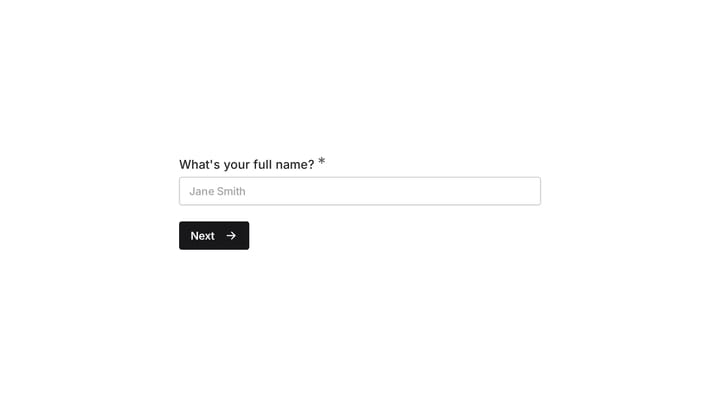
Help employees easily report broken or malfunctioning equipment using this online form. It simplifies tracking equipment issues and ensures all requests are handled efficiently.

Use Template
Used 0 times
Created by Fomr Team
Last updated

About

When equipment fails, it can bring operations to a halt and frustrate your team. This online form template provides a clear, simple way for employees to report issues with company assets, from their laptop to the office printer. It transforms a potentially chaotic and time-consuming process into an organized, efficient workflow for your IT or operations staff.

Say goodbye to lost emails and vague verbal reports. This template ensures that every necessary detail is captured upfront, including the type of equipment, the specific problem, and the employee’s contact information. This standardized approach means faster issue identification, better resource planning, and quicker resolutions, ultimately minimizing downtime and keeping your workforce productive.

Empowering your employees to easily submit detailed reports for any equipment malfunction is key to a smooth operation. This template not only gives them a straightforward reporting method but also provides administrators with a centralized, organized database of all reported issues. This visibility allows for proactive maintenance and better overall asset management, boosting both efficiency and employee satisfaction.
Related Templates

View all →

Event Volunteer Form

Streamline your event planning by effortlessly collecting all the crucial details from your potential volunteers. This customizable form simplifies sign-ups, helping you build a supportive and well-organized team.

Birthday Party Invitation

Effortlessly plan your next birthday bash with this digital invitation form. It simplifies sending invites, tracking RSVPs, and managing guest details, ensuring a smooth and memorable celebration.

Academic Skills Tutoring Request

This form helps college freshmen request academic skills tutoring as they transition to higher education. It efficiently gathers their needs for support in areas like time management, study habits, note-taking, and test preparation.

Academic Tutor Discovery Form

Efficiently gather essential student information with this professional discovery form. It helps you assess needs, learning challenges, and preferences to craft truly personalized learning plans.

Frequently asked questions

How do I manage my business’s equipment more easily?

When company tech and gear go on the fritz, provide a simple way for employees to report the problem to resolve it in less time and with way less admin. Use this form to collect the answers you need in just one touchpoint. You can then manage your workflow from the results panel, export responses, or integrate your form with other apps.

What’s the best process for collecting employee equipment issues?

Forget spontaneous emails or messages. To organize issues effectively, you need an employee equipment issue form. It allows you to collect a standard set of responses each time, by using the same form for all employees. This helps you get the information needed to process the issue and find a solution with way less admin and back-and-forth communication.

What information does the equipment issue form collect?

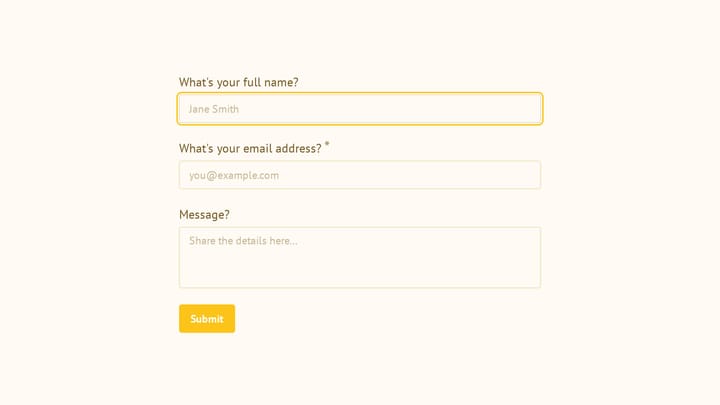
This form collects essential details to quickly address equipment problems. It asks for the employee's name, the specific piece of equipment (e.g., cell phone, laptop, monitor), a description of the issue, and who the listed owner of the equipment is. Finally, it captures an email address for follow-up communication regarding the resolution process.

Can this form be customized for different types of equipment or issues?

Absolutely. The template is fully customizable, allowing you to modify existing fields or add new ones to suit your organization's specific equipment and reporting needs. You can easily adjust the options for equipment types or add specific questions about warranty information or urgency levels. This flexibility ensures the form perfectly aligns with your internal processes.

How does this form benefit both employees and IT/HR teams?

Employees benefit from a clear, straightforward method to report problems, reducing frustration and ensuring their issues are formally recorded. For IT or HR teams, the form centralizes all equipment issue reports, providing a consistent data set for tracking, prioritizing, and resolving problems efficiently. It streamlines communication and reduces the administrative burden on support staff.

How can I ensure quick resolution of reported equipment issues?

By standardizing the reporting process with this form, you ensure all critical details are gathered from the start, accelerating the diagnostic and resolution phases. Integrating the form with your project management or ticketing system can automatically create tasks for your IT team. Prompt and clear communication back to the employee, facilitated by the collected contact information, also aids in swift issue closure.

What happens after an employee submits an equipment issue form?

Once an employee submits the form, the response is typically recorded in a centralized dashboard where your support team can review it. Automated notifications can be set up to alert the relevant personnel, such as IT or an office administrator, immediately. The form also collects the employee's email, enabling direct follow-up regarding troubleshooting steps or repair timelines.

Ready to create your first Fomr?

Your next form deserves better than a white page with dropdowns. Build something people actually want to fill out.