Employee Retention Risk Assessment Survey Template

A stay survey for HR teams that asks employees about job search activity, satisfaction with pay, growth, management, and culture, and what would keep them, so you can spot retention risks early.

Use Template
Used 0 times
4.9
Created by Fomr Team
Last updated

About

Exit interviews explain why people left, but by then it is too late to act. This retention survey asks current employees similar questions while there is still time to respond, giving HR teams and people managers an early signal about who may be thinking about leaving and why.

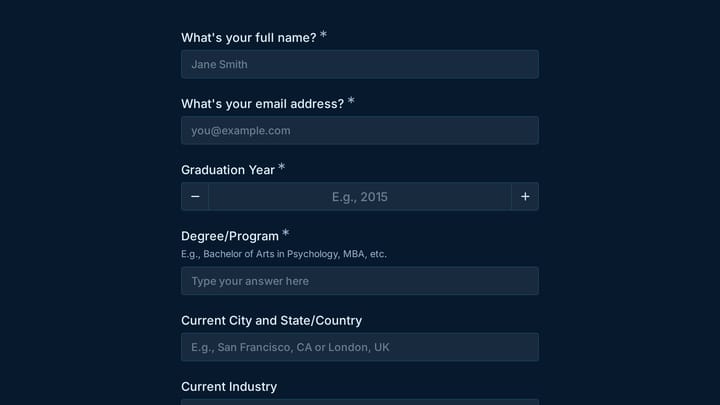
The survey opens with department, tenure, and employment type, then asks how the employee would describe their current job search situation. Ratings follow for overall satisfaction, the chance they will still be there in a year, and how likely they are to recommend the company as a workplace, plus eight quick ratings covering pay, growth, work-life balance, management, recognition, culture, workload, and teamwork. Employees then rank the factors that would influence them to stay and name the change that would matter most.

The questions adapt to each person's situation. Anyone who is not fully settled sees questions about their likely timeframe, reasons for considering leaving, and what could change their mind, while employees who are not looking skip them. Only those who have received an outside offer are asked whether they are seriously considering it, and the email field appears only when someone agrees to a confidential follow-up conversation with HR, so everyone else can respond without giving contact details.
Related Templates

View all →
Dog Grooming Certification Practice Quiz preview

Dog Grooming Certification Practice Quiz

A dog grooming certification practice quiz form helps you assess grooming knowledge across breed-specific cuts, handling techniques, skin conditions, and salon safety. Use it to deliver a structured practice test for students, junior groom…

Alternative Medicine Practitioner Booking Research preview

Alternative Medicine Practitioner Booking Research

This alternative medicine practitioner booking research form helps teams learn how patients evaluate, compare, and choose practitioners before booking. Use it to capture preferences around treatment types, credentials, educational content,…

Damage Report Form preview

Damage Report Form

This template provides an easy way for staff to document incidents and damaged equipment online. It's fully customizable to efficiently capture essential details for internal record-keeping and prompt follow-up.

Alumni Crisis Counseling Hotline Volunteer Application preview

Alumni Crisis Counseling Hotline Volunteer Application

This membership application form helps alumni programs screen crisis counseling hotline volunteers with the right contact details, graduation history, clinical credentials, and licensing information. It is designed for nonprofit and educat…

Alumni Association Newsletter preview

Alumni Association Newsletter

An alumni association newsletter form helps schools and alumni groups collect subscription details, content preferences, and reunion interest in one place. Use it to segment updates by graduation year, degree program, region, and engagemen…

Altitude Training Intake Form preview

Altitude Training Intake Form

Screen athletes and clients for altitude training readiness with a detailed intake form that captures health history, clearance status, altitude exposure, and performance goals. It is a strong fit for coaches or facilities comparing the be…

Alumni Association Engagement Study preview

Alumni Association Engagement Study

This alumni association engagement study form helps schools and alumni teams measure how graduates stay connected, which events they value, and what keeps them from participating more often. Use it to gather actionable feedback on engageme…

Event Volunteer Form preview

Event Volunteer Form

Streamline your event planning by effortlessly collecting all the crucial details from your potential volunteers. This customizable form simplifies sign-ups, helping you build a supportive and well-organized team.

Frequently asked questions

Is this survey anonymous?

It does not ask for a name, and the email field only appears if the employee opts into a follow-up conversation with HR. In small teams, department and tenure can still identify someone, so broaden or remove those questions if you promise full anonymity.

How do I identify retention risks from the answers?

Read job search status, likely timeframe, and the one-year likelihood rating together. An employee who is interviewing elsewhere and rates their chance of staying low is a higher priority than someone passively open to offers, and their satisfaction ratings show which issues to address first.

Which questions are conditional?

Timeframe, reasons for leaving, and what could change their mind appear for everyone except employees who say they are not looking. The question about seriously considering an outside offer appears only for those who have received one, and the email field appears only for people who want a follow-up.

How often should we run a retention survey?

Many HR teams run it once or twice a year, or after major changes such as a reorganization or new leadership. Running it on a regular schedule lets you compare departments and see whether changes improve the scores.

Should managers see individual responses?

That is a policy decision for your HR team. Most organizations share only grouped results with managers and keep individual answers within HR, which encourages honest responses. Tell employees who will see their answers when you send the survey.

Can I customize the satisfaction factors?

Yes. Rename or replace the eight satisfaction ratings and the ranking options to reflect what matters in your organization, such as shift scheduling or remote work policy. Keep the ranking list short enough that employees can order it without fatigue.

Your next form could be the best-looking thing on your site.

Free forever. Unlimited responses. No signup to start.