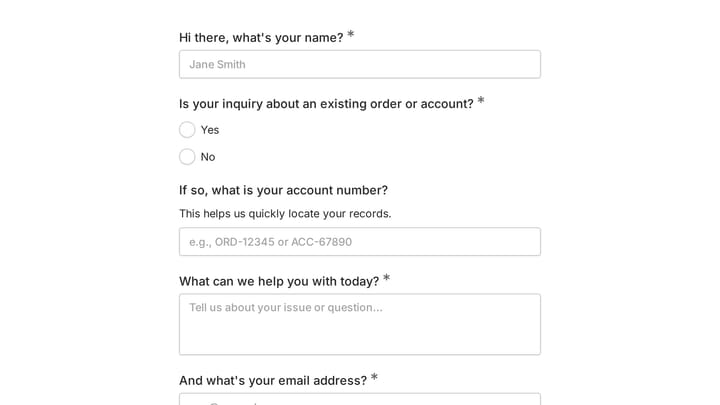
Most forms talk to everyone the same way. Question three has no idea what you typed in question one, and the response that lands in your inbox has no idea which campaign, customer, or page it came from.
This week we shipped two features that fix both halves of that problem: answer piping and hidden values. One personalizes the form while someone fills it in. The other quietly attaches context to every response without asking a single extra question.
Answer piping: reuse earlier answers later in the form
Type @ in supported editor text and Fomr offers the answers collected earlier in the form. Pick one, and it’s piped into place when a respondent gets there.
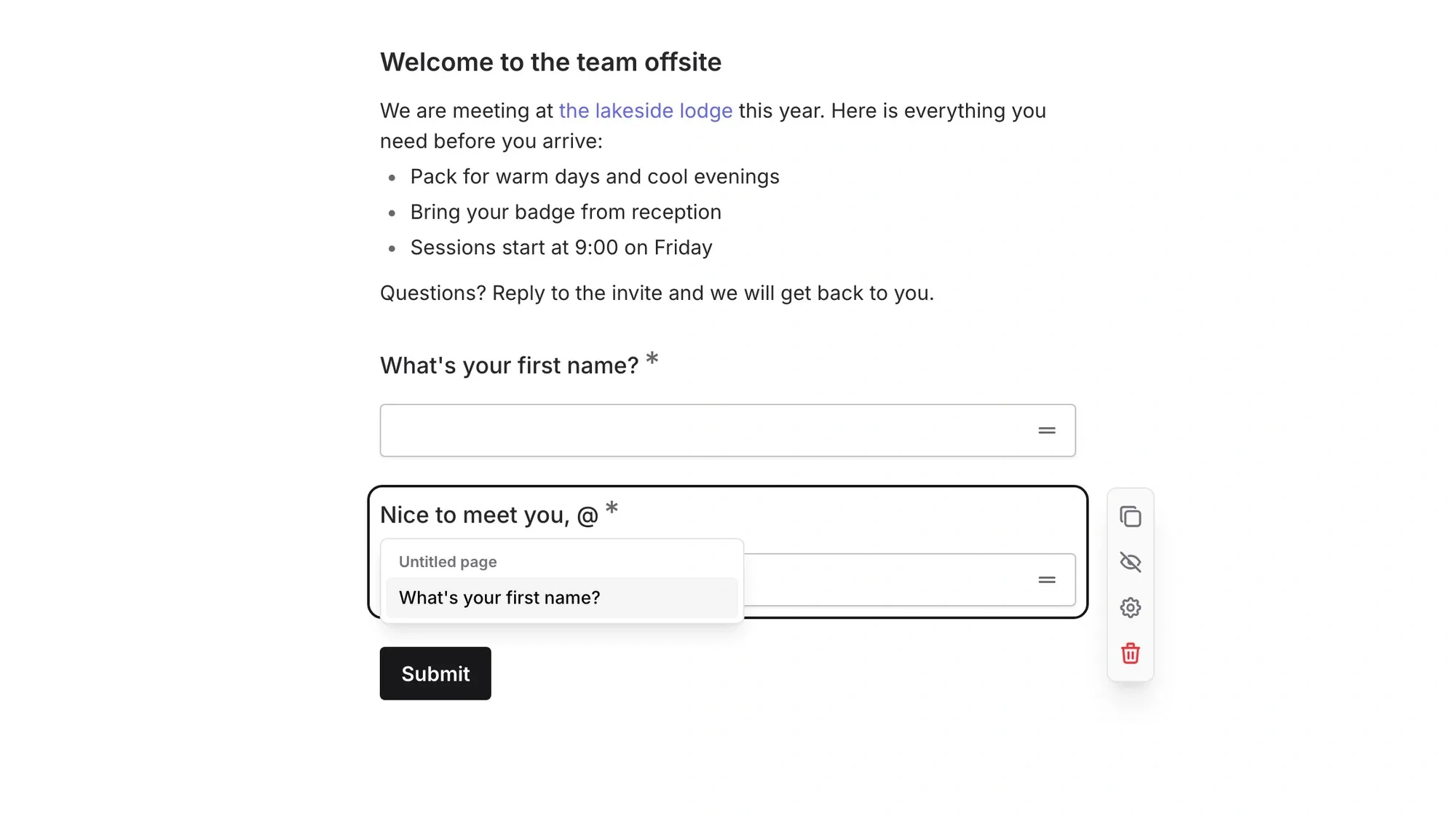
So if question one asks for a first name, question two can say “Nice to meet you, Alex” instead of “Nice to meet you, respondent.” Small change, very different feel.
Pipes work in more places than just question titles:
- Later questions (“How long have you worked at @company?”)
- Descriptions and help text
- Choice labels, so options can reference what someone already told you
- Placeholders
- Thank you messages (“Thanks, @name — we’ll be in touch”)
A survey that remembers your name reads like a conversation. A survey that keeps calling you “the user” reads like a database query. Respondents notice, even if they couldn’t tell you why.
One thing we were careful about: broken pipes. If you delete a question that a later pipe depends on, that’s a silent embarrassment waiting to happen. Fomr validates every pipe before publishing, so you fix broken references in the editor, not after a confused respondent screenshots them.
Hidden values: context your respondents never have to type
Answer piping personalizes what the respondent sees. Hidden values handle what they shouldn’t have to see at all.
Here’s the shape of it: declare the keys your form accepts, then pass values in through the share link or the embed. Each submission arrives with those values attached.
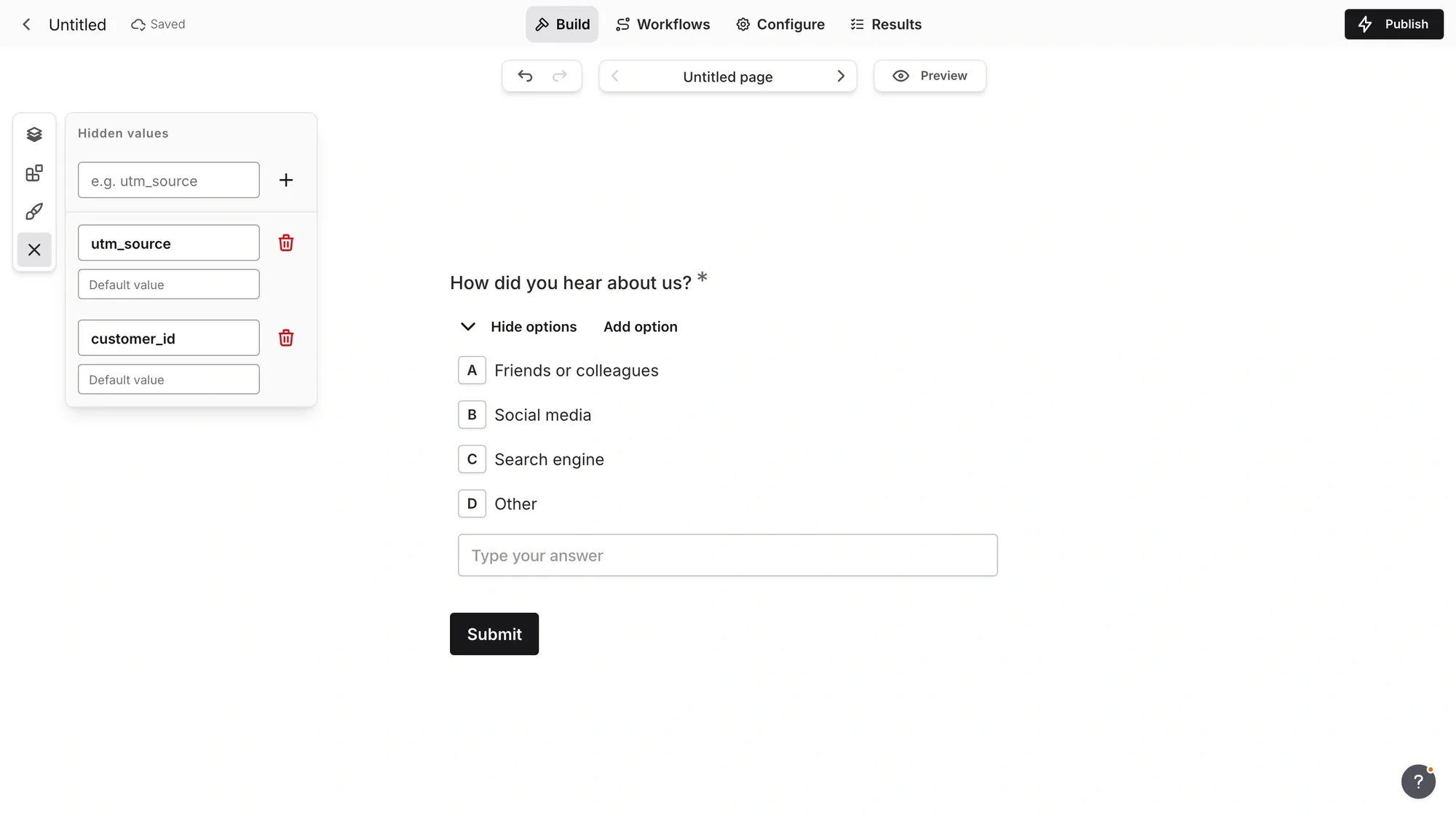
On a share link, values ride along as URL parameters:
https://fomr.io/s/YOUR_FORM_ID?utm_source=newsletter&customer_id=cus_8241In an embed, use data-fomr-param-* attributes:
<div data-fomr-id="YOUR_FORM_ID" data-fomr-param-utm_source="pricing-page"></div>Either way, the respondent sees a normal form. You see a response that knows where it came from.
What people actually use this for
Campaign tracking. Put a different utm_source on the link in your newsletter, your Twitter bio, and your partner’s blog post. When responses come in, you know which channel filled your form instead of guessing from timestamps.
Tying feedback to a customer or order. Send a post-purchase survey with the order id baked into the link. The feedback arrives already matched to the order — no “please enter your order number” question that half of people skip or mistype.
Routing leads by source. A demo request from the pricing page and one from a cold outreach email deserve different follow-ups. A hidden source value tells your sales team which is which without the lead filling in one more dropdown.
The common thread: every one of these used to mean an extra visible question, and extra questions cost completions. Hidden values collect the same context for free.
And the same pre-publish validation applies here. Fomr checks your Hidden value setup before publishing, so undeclared values get caught in the editor instead of silently dropping your campaign data later.
Default values round out the trio
Earlier this month we also shipped default values: prefilled answers respondents can keep, edit, or clear. They support fixed values and relative Today/Now date defaults, which is handy for booking and scheduling forms where “today” is the right starting point most of the time.
Between the three, a form can now start prefilled, carry invisible context, and talk to people by name. That’s a lot more adaptive than the static forms most of us are used to sending.
Try it on your next form
Answer piping and hidden values are available on all plans, including free. Open a form in the editor, type @ in a question title to pipe an answer, or declare keys in the Hidden values panel and add them to your share link.
Build a form that adapts — no account required.