
A Default Value is a prefilled answer stored on a question. When a respondent reaches that form page, the answer starts filled in. They can keep it, edit it, or clear it before submitting.
Supported question types
Section titled “Supported question types”You can add a Default Value to:
- Short Answer, Long Answer, Email, Link, Phone, and Number questions
- Dropdown, Multiselect, Multi Choice, and Checkboxes questions
- Yes/No, Checkbox, and Switch questions
- Slider, Rating, Linear Scale, and NPS questions
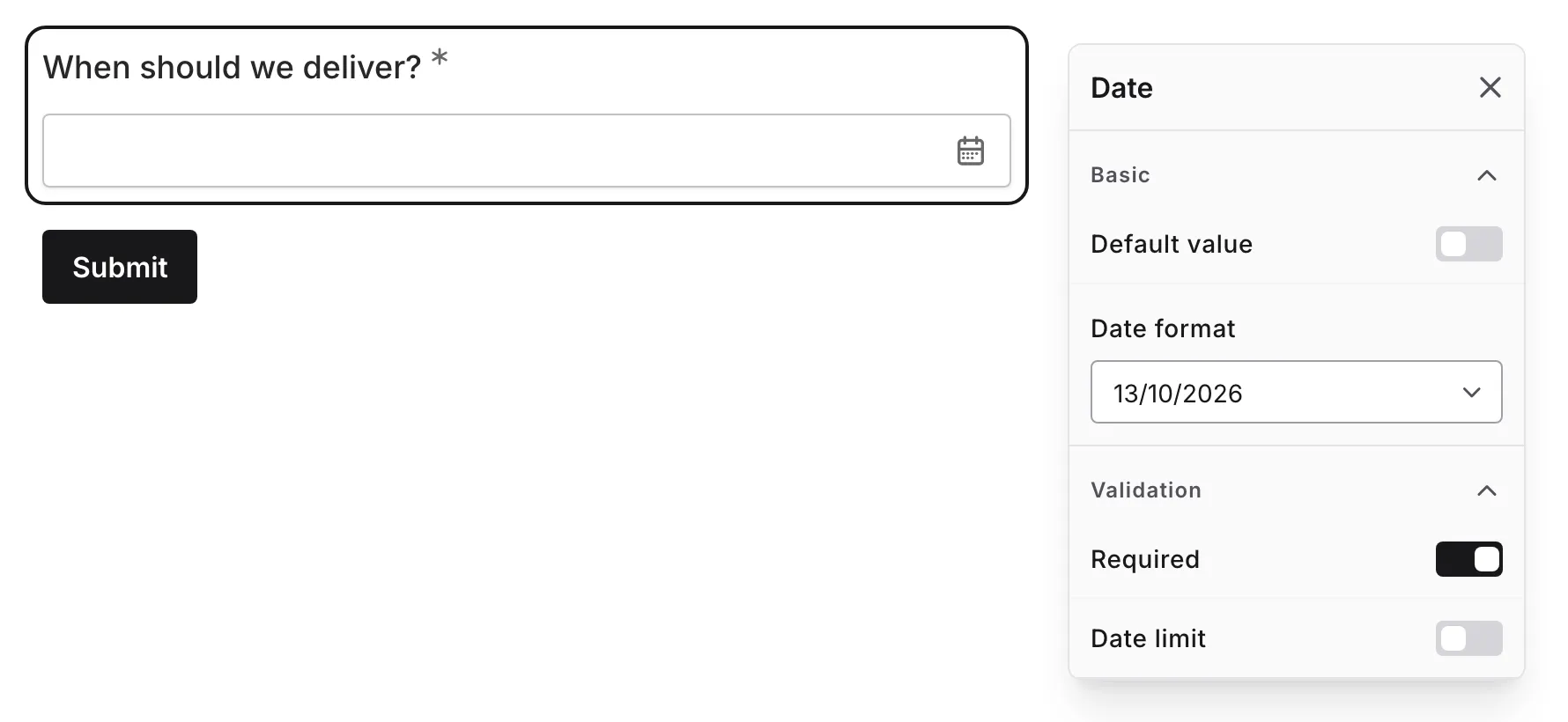
- Date, Time, and Date & Time questions
Matrix, Ranking, and Date Range questions do not support default values yet.
Add a default value
Section titled “Add a default value”-
Open a form in the editor
-
Select a supported question on the canvas
-
In Basic, expand Default value
-
Enter or choose the answer respondents should see first
-
Preview the form to confirm the prefilled answer appears
The Default Value appears in Preview and in the published form. The editor canvas continues to show the question text and placeholder so you can edit those directly.
Date and time defaults
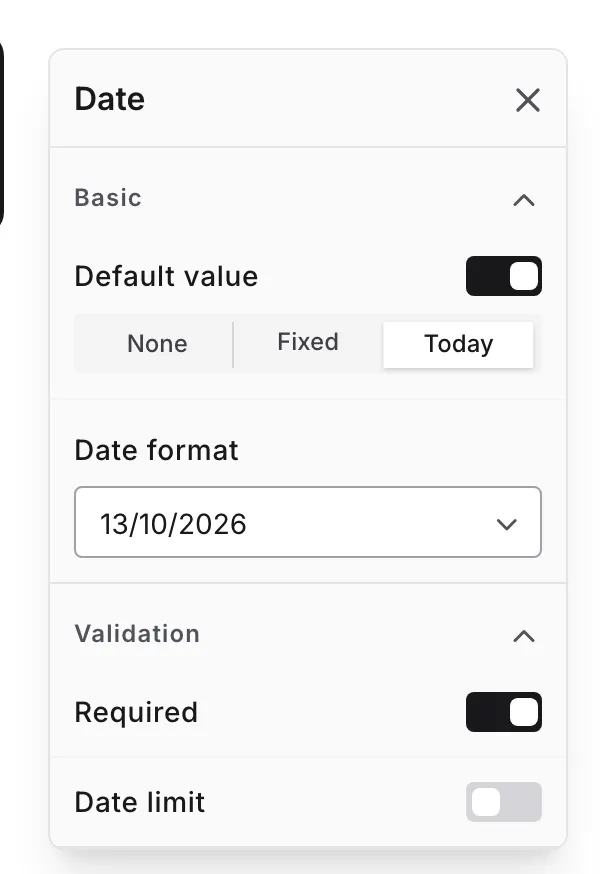
Section titled “Date and time defaults”Date, time, and date-time questions can use either:
- Fixed: a specific date, time, or date-time
- Today or Now: a Relative Date Default that resolves when the respondent opens the page
Use a Relative Date Default when the answer should stay current, such as today’s date or the current time.
“Other” option defaults
Section titled ““Other” option defaults”Dropdown, Multiselect, Multi Choice, and Checkboxes questions with the “Other” option enabled can use it as a Default Value. The “Other” choice starts selected, but the default prefills the selection only — respondents still type their own answer (or pick a different option) before they can submit.
Switching component types
Section titled “Switching component types”When you switch a question to another compatible type, Fomr keeps the Default Value only if it still matches the new type.
For example, a text default can carry from Short Answer to Email, and a matching choice can carry from Dropdown to Multi Choice. If the new component uses a different answer shape, or if a saved option no longer exists, Fomr clears the Default Value so respondents do not see an invalid prefill.
Yes/No questions take part in type switching too. When you switch a Checkbox or Switch question to Yes/No, an on or checked default converts to Yes and an off or unchecked default converts to No. When you switch between Dropdown, Multi Choice, and Yes/No, the default carries only if it still matches an available answer.
How submission works
Section titled “How submission works”Default values are prefill-only. If a respondent submits the page untouched, the Default Value is submitted like a typed answer. If they edit or clear it, their change is used instead.
Only pages the respondent reaches can submit default values. Fomr does not backfill answers for pages the respondent never visited.
Best practices
Section titled “Best practices”Use defaults for likely answers. A default value should save respondents time, not steer them toward an answer you prefer.
Keep placeholders and defaults separate. Use placeholders for examples and default values for real answers you are comfortable submitting.
Preview after changing options. If you edit choice options or switch a component type, confirm the default still appears as expected.
Label relative dates clearly. If a date defaults to Today or Now, write the question so respondents understand the answer updates when they open the page.
Troubleshooting
Section titled “Troubleshooting”The default value does not appear on the editor canvas
Section titled “The default value does not appear on the editor canvas”The editor canvas shows the question text and placeholder so you can edit them directly. Use Preview or open the published form to check the respondent experience.
A default value disappeared after switching components
Section titled “A default value disappeared after switching components”The saved default did not match the new component type. Reopen Default value and add a new default that fits the selected question.
A choice default disappeared after editing options
Section titled “A choice default disappeared after editing options”The option used by the default value was removed. Choose a new option in Default value.
A skipped page did not submit its default value
Section titled “A skipped page did not submit its default value”Default values are submitted only from pages the respondent reaches. Fomr does not submit answers for skipped pages.
