Wedding Day Makeup Emergency Kit & Touch-Up Schedule Template

Use this form builder for small business to collect structured responses in a format that is easy for both respondents and your team. It helps turn incoming information into a more organized workflow.

Use Template
Used 0 times
5.0
Created by Fomr Team
Last updated

About

A good form builder for small business should make it easy for people to respond while still giving your team useful information to work with. This template keeps the flow clear and structured so submissions are easier to review, route, and act on.

It includes practical prompts such as Bride's Name, Wedding Date, Wedding Venue/Location, Total Number of People Requiring Makeup Services, which helps capture the context people usually expect to provide in this kind of workflow. That balance between clarity and completeness makes the template useful right away, while still leaving room for customization.

Because the structure is already organized, teams can spend less time chasing missing details and more time responding to submissions. It also helps create a more consistent experience across every response you collect.

It also fits naturally alongside related use cases such as client intake form and free form builder no sign up, which makes it a flexible starting point for teams that want a template they can adapt to different workflows.
Related Templates

View all →
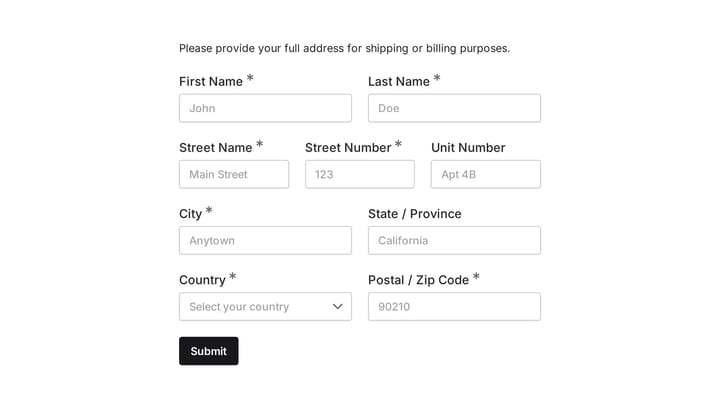
Address form preview

Address form

Quickly and accurately collect full shipping and billing addresses with this versatile template. It's designed for businesses that need reliable customer location details for deliveries, invoicing, or organized record-keeping.

Dog Collectibles Recommendation Quiz preview

Dog Collectibles Recommendation Quiz

Help shoppers choose dog-themed collectibles based on their preferences, feature priorities, and budget. This recommendation quiz also captures contact details for relevant follow-up.

Branding Project Intake Form preview

Branding Project Intake Form

Empower your branding projects from the start with this essential intake form template. It guides creative professionals in capturing crucial client details like project goals, target audience, style preferences, and necessary assets for a perfectly aligned kickoff.

Daily Instructor Report preview

Daily Instructor Report

A daily instructor report form helps driving instructors record each shift's lessons, student progress, skills practiced, vehicle notes, and scheduling updates in one organized report. Use it to keep daily training records consistent and e…

Dog Temperament Questionnaire Form preview

Dog Temperament Questionnaire Form

Use this event registration form to collect structured responses in a format that is easy for both respondents and your team. It helps turn incoming information into a more organized workflow.

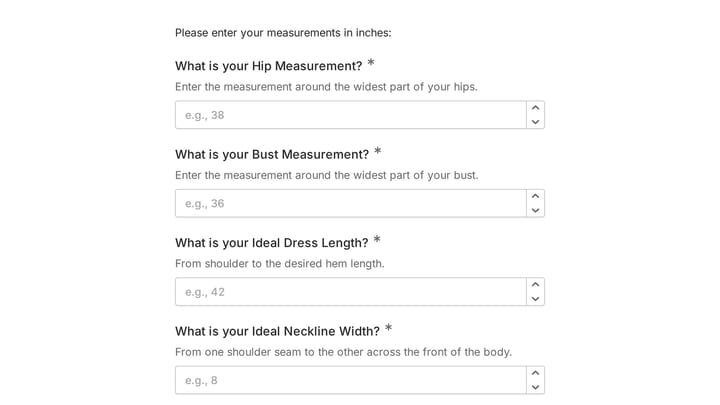
Body Measurement Form preview

Body Measurement Form

This body measurement form provides a straightforward way to record essential physical dimensions. It's an ideal tool for custom clothing design, fitness tracking, or monitoring personal progress with precision.

Driving Range Near Miss Report preview

Driving Range Near Miss Report

This incident report form helps golf facilities document driving range near miss events with the details needed for follow-up and safety review. Capture where the incident happened, what type of risk occurred, and how serious it was in one…

Discover Your Donor Communication Style preview

Discover Your Donor Communication Style

Use this discover your donor communication style form to learn how supporters prefer to hear from your organization, what content moves them, and when they are most likely to respond. It gives nonprofits a practical way to tailor donor out…

Frequently asked questions

What is this wedding day makeup emergency kit & touch-up schedule used for?

This template is used to collect structured responses for a wedding day makeup emergency kit & touch-up schedule workflow. It gives teams a consistent format for gathering the information they need and reviewing submissions more efficiently.

What information should I collect first?

Start with the most important details people can answer quickly, then move into the more specific questions. In this template, that can include items such as Bride's Name, Wedding Date, Wedding Venue/Location depending on how you customize it.

Can I customize this template for my own workflow?

Yes. You can adapt the questions, required fields, and structure to fit your process while keeping the overall flow clear and easy to complete. That makes it useful as both a starting point and a publish-ready template.

How many questions should a form like this include?

Keep only the questions that directly support the purpose of the form. Shorter forms usually get better completion rates, so it is often better to collect the essentials first and ask for extra details later if needed.

Why use a structured template instead of building from scratch?

A structured template helps you move faster and keeps your submissions more consistent. It also reduces the chance of missing important details because the form already follows a logical order.

Your next form could be the best-looking thing on your site.

Free forever. Unlimited responses. No signup to start.