Community-Led Growth Knowledge Quiz Template

A knowledge quiz for community managers and growth marketers covering engagement metrics, onboarding, ambassador programs, user-generated content, moderation, platform choice, and churn.

Use Template
Used 2 times
4.9
Created by Fomr Team
Last updated

About

Community-led growth has become a core strategy for software companies and creator brands, but the term covers a lot of ground. This quiz gives training providers, agencies, and community teams a structured way to check how well someone understands the fundamentals, from measuring community health to keeping members engaged over time.

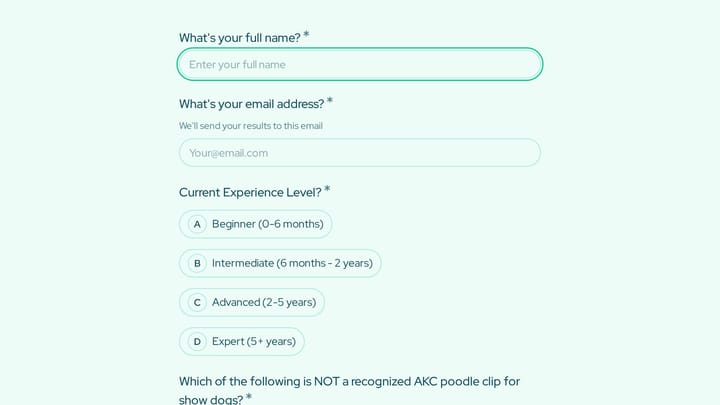
Respondents start with their name, email, role, and experience level, which lets you compare results between newcomers and seasoned practitioners. The core section has fifteen multiple choice questions with one best answer each, covering engagement and activation, ambassador programs, user-generated content and moderation, platform decisions, and long-term retention.

Two optional questions at the end ask which topic the person wants to learn more about and invite questions or comments. That makes the quiz useful as a lead magnet for a course or consultancy, a light screen for community roles, or a pre-workshop check that shows where a group needs the most help.
Related Templates

View all →
Medication Administration Error Report preview

Medication Administration Error Report

A medication administration error report form helps assisted living and senior care teams document medication incidents clearly, consistently, and with the details needed for follow-up. Use it to record resident information, the type of er…

Dog Grooming Certification Practice Quiz preview

Dog Grooming Certification Practice Quiz

A dog grooming certification practice quiz form helps you assess grooming knowledge across breed-specific cuts, handling techniques, skin conditions, and salon safety. Use it to deliver a structured practice test for students, junior groom…

Lead capture information form preview

Lead capture information form

Capture essential lead details with a polished multi-step intake flow.

Non-Profit Dinner RSVP Form preview

Non-Profit Dinner RSVP Form

Use this event registration form to track responses, attendee details, and follow-up information in a single workflow. It gives organizers a simple way to manage registrations without extra admin work.

Ice Cream Flavor Personality Quiz preview

Ice Cream Flavor Personality Quiz

A fun, shareable quiz for ice cream shops and dessert brands that matches customers to a flavor based on mood, personality, and taste, and collects an email to send each result.

Patient Health History Questionnaire preview

Patient Health History Questionnaire

Use this patient health history questionnaire to collect medical background details before an appointment, including the reason for the visit, current care, recent hospitalization, and medications.

Life Purpose Coaching Intake preview

Life Purpose Coaching Intake

Use this life purpose coaching intake form to collect the details you need before starting a conversation, project, or request. It helps teams qualify submissions and respond with better context.

Continuing Education Seminar Evaluation preview

Continuing Education Seminar Evaluation

This course evaluation form helps continuing education providers gather structured feedback on seminar quality, instructor performance, course organization, and professional relevance. Use it to review participant experience, document impr…

Frequently asked questions

Who is this community-led growth quiz for?

Community managers, growth marketers, product teams, and founders who want to check their grasp of community strategy. Course creators and agencies can use it as a lead magnet or a pre-course assessment. Hiring managers can use it as a light screen for community roles.

Does the quiz calculate a score?

Not as set up. The template records each answer, and every question has one clearly best option, so you can grade submissions against your own answer key. If you want a score on the confirmation screen, add a calculated value in the editor that adds a point for each correct option.

Can I change or add questions?

Yes. Edit the wording, swap in questions about your own platform, or add sections on monetization or analytics. Keep one clearly correct option per question so grading stays fair.

Why ask for role and experience first?

They give context to the results. A low score from someone in their first months means something different from the same score from a five-year veteran, and the role tells you which follow-up content will be most relevant.

How should I follow up with respondents?

Send each person their results with a short explanation of the questions they missed. Use the topic they want to learn more about to recommend a guide, workshop, or course module.

Can I use it for team training?

Yes. Share it before a workshop to see which areas the group already knows and which need more time. Running it again afterwards shows how much people picked up.

Your next form could be the best-looking thing on your site.

Free forever. Unlimited responses. No signup to start.