Customer Feedback Software Selector Quiz Template

A buyer quiz for software vendors, consultants, and review sites that asks teams about feedback volume, survey types, channels, analysis needs, integrations, budget, and timeline.

Use Template
Used 0 times
4.9
Created by Fomr Team
Last updated

About

Choosing customer feedback software means weighing dozens of features against budget and team skills. This selector quiz is built for software vendors, consultants, agencies, and comparison sites that help buyers narrow the field. It gathers the details you need to recommend a short list instead of sending everyone the same generic comparison.

After company name, role, and email, the quiz asks how many responses the team expects each month, which kinds of feedback they want to collect, and where surveys will be distributed. It then covers analysis needs, follow-up tracking, integrations, number of users, monthly budget, technical resources, and launch timeline. Most questions are multiple choice or select-all lists, so respondents can move quickly even though the topic is detailed.

Teams that say they need to track action items from feedback get one extra question about the kind of tracking they want, such as assigning items to teammates or closing the loop with customers. Everyone else skips it. A final open question collects compliance, language, or industry requirements that the fixed options do not cover.
Related Templates

View all →
Leadership Presence Coaching Intake preview

Leadership Presence Coaching Intake

Use this leadership presence coaching intake form to collect the details you need before starting a conversation, project, or request. It helps teams qualify submissions and respond with better context.

Senior Living Readiness Questionnaire preview

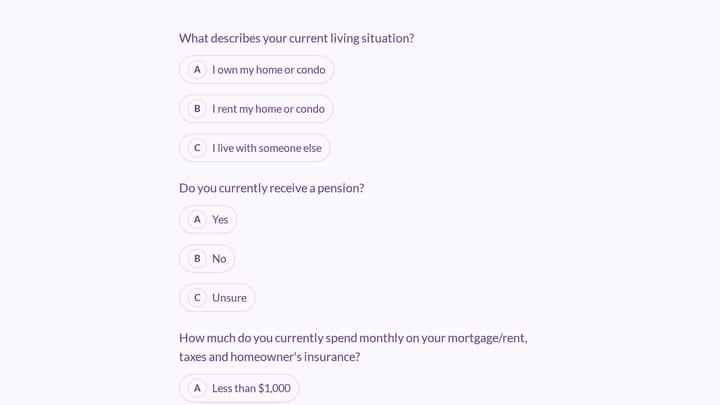
Senior Living Readiness Questionnaire

A short questionnaire for senior living communities that asks prospects about their housing, monthly costs, home upkeep, and financial planning, then captures their name and email for follow-up.

Brand discovery questionnaire form preview

Brand discovery questionnaire form

Collect brand goals, audience insights, and creative direction before a strategy or design project.

Life Coaching Client Intake preview

Life Coaching Client Intake

Use this client intake form to collect the details you need before starting a conversation, project, or request. It helps teams qualify submissions and respond with better context.

Address form preview

Address form

Quickly and accurately collect full shipping and billing addresses with this versatile template. It's designed for businesses that need reliable customer location details for deliveries, invoicing, or organized record-keeping.

Life Optimization Coaching Intake preview

Life Optimization Coaching Intake

Use this life optimization coaching intake form to collect the details you need before starting a conversation, project, or request. It helps teams qualify submissions and respond with better context.

Leave Request Form preview

Leave Request Form

Use this application form builder to collect the details you need before starting a conversation, project, or request. It helps teams qualify submissions and respond with better context.

Medication Administration Error Report preview

Medication Administration Error Report

A medication administration error report form helps assisted living and senior care teams document medication incidents clearly, consistently, and with the details needed for follow-up. Use it to record resident information, the type of er…

Frequently asked questions

Who is this selector quiz for?

It fits software vendors with several plans, consultants who advise on customer experience tools, and review or comparison sites. Internal procurement teams can also use it to gather requirements from stakeholders before evaluating vendors.

How do I turn answers into a recommendation?

Start with response volume, budget, and technical resources, since those rule out the most options. Then use feedback types, channels, and integrations to rank what is left. Your reply can explain which answers led to each suggestion.

When does the action tracking question appear?

It appears only when the respondent says they need to track action items and follow-ups from feedback. Teams that only want to collect and read responses skip it.

Can I add or remove tools from the integrations list?

Yes. Edit the integration options to reflect the platforms your audience uses most, and keep the no integrations option so smaller teams have an honest answer.

Why ask about technical resources?

A team with no developers needs a no-code tool, while a team with engineers can handle APIs and custom builds. This one answer often changes the recommendation more than any feature preference.

Can I use this as a requirements survey for my own team?

Yes. Remove the company name and role questions if everyone is internal, and use the answers to build a shared list of must-have features before you book vendor demos.

Your next form could be the best-looking thing on your site.

Free forever. Unlimited responses. No signup to start.