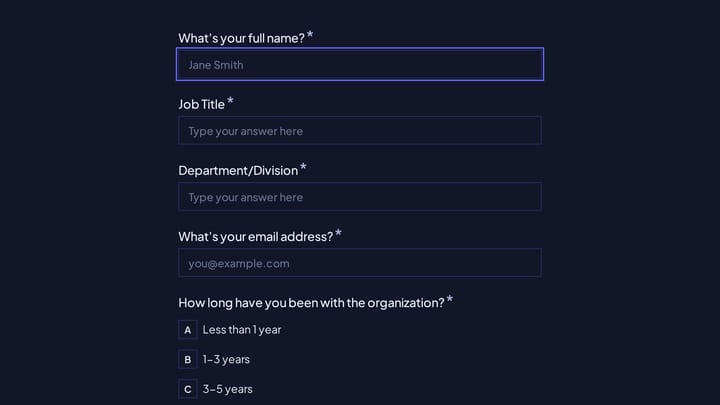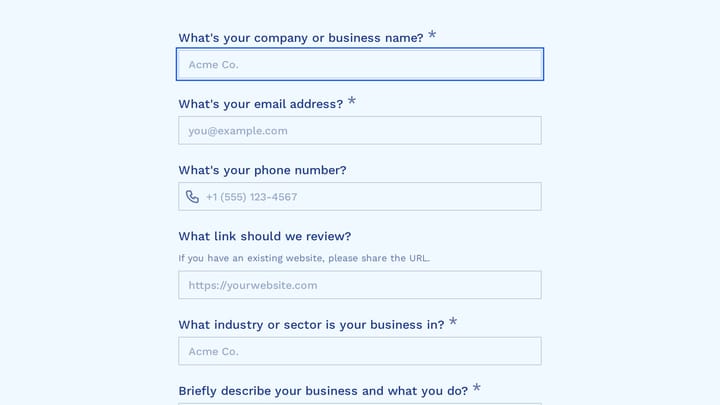
You send a client the creative brief template as a shared doc. It comes back a week later with the objective field blank, “modern but timeless” under tone of voice, and the logo pasted in as a 200-pixel screenshot. Then you spend the kickoff call filling in the brief yourself.
The doc isn’t the problem. The problem is that a doc lets people skip things, wander off-format, and attach whatever they find on their desktop. A form doesn’t. This post gives you a full creative brief template designed to be filled in by the client as a form: every field by section, the conditional pages that only show for the services they picked, a file upload for brand assets, and a plain-text version you can copy if you’d rather start from a doc anyway.
Why the brief should be a form, not a doc
An agency brief has two jobs. It has to make the client think before the work starts, and it has to give your team answers in a shape they can act on. Docs are fine at the first job and bad at the second.
A form fixes the second job in a few specific ways:
- Required fields can’t be skipped. The objective and the approver get answered or the brief doesn’t submit.
- Choice fields give you comparable answers. “Budget: $10k-$25k” sorts in a spreadsheet; “depends on scope” doesn’t.
- The client only sees the questions for the services they bought. A website client never scrolls past twelve video questions.
- Files arrive attached to the response, not scattered across email threads.
There’s also a length argument. In Fomr data (published forms with 10+ completed responses, March 2025 to November 2026), forms with 11-15 questions finished at roughly 90%, while forms with 16 or more dropped to about 75%. A full brief easily runs past 30 questions. Conditional pages are how you keep each client’s actual path short while the template still covers everything.
Creative brief, marketing brief, project brief
People search for all three, and agencies use them loosely. Here’s how I’d separate them. A creative brief covers the idea: audience, message, tone, references. A marketing brief sits above it and covers the campaign: channels, budget, targets. A project brief covers delivery: scope, dates, approvals, files.
For a client-facing form, merge them. Clients don’t care which document a question belongs to, and one form beats three. The template below covers all three, grouped into pages.
The creative brief template, section by section
Each section below is one page of the form. Field types use Fomr’s component names, but any decent form builder has equivalents. Mark the starred fields required.
Page 1: About you
- Company or brand name* (Short Answer)
- Your name and role* (Short Answer)
- Email* (Email)
- Who signs off on this work?* (Short Answer, with a note: “name and role of the final approver”)
- Anyone else who should review drafts? (Long Answer)
The approver question is the most valuable field in the brief. Most “can we do one more round?” problems start with an approver nobody met.
Page 2: The project
- What do you need from us?* (Checkboxes, multiple allowed: Brand identity, Website, Campaign or ads, Social content, Video, Print or packaging, Something else)
- Describe the project in two or three sentences* (Long Answer)
- Hard deadline* (Date), plus “What happens on that date?” (Short Answer)
- Budget range* (Dropdown: Under $5k, $5k-$10k, $10k-$25k, $25k-$50k, $50k+, Not sure yet)
The services question drives every conditional page later, so keep its options matching your actual service menu.
Page 3: Goal and success
- What should this work change for the business?* (Long Answer)
- How will you know it worked? (Long Answer, hint: “a number, a date, or a reaction you’re hoping for”)
- What’s the single most important thing to get right? (Short Answer)
Page 4: Audience
- Who is this for?* (Long Answer: who they are, what they already think of you)
- What do they need to believe after seeing it?* (Long Answer)
- Who are your main competitors? (Long Answer)
Page 5: Message and tone
- The one thing you want people to remember* (Short Answer). This is the single-minded proposition, but don’t call it that on the form.
- Supporting points, in order of importance (Ranking or Long Answer)
- Tone (Checkboxes: Plain-spoken, Playful, Premium, Technical, Warm, Bold, plus Other)
- Words, claims, or topics to avoid (Long Answer)
- Mandatories: legal lines, disclaimers, required logos (Long Answer)
Page 6: Brand assets and references
- Upload logos, fonts, and brand guidelines (File Upload, multiple files, documents and images)
- Link to a shared folder if your files are large (Link)
- Three examples of work you like, and why (Long Answer or Link)
- Anything you’ve tried before that didn’t work? (Long Answer)
Page 7: Approvals and logistics
- How many review rounds do you expect? (Dropdown: 1, 2, 3, More)
- Does anything need legal or compliance review? (Yes/No)
- Preferred way to share feedback (Multi Choice: Comments on files, Call, Written list)
- Anything else we should know? (Long Answer)
Conditional sections for each service
Between pages 5 and 6, add one page per service. Each starts hidden and only shows when the client ticked that service on page 2. In Fomr, that’s a Logic rule with a condition like “What do you need from us? contains Website” and a Show page action targeting the website page. The conditional logic docs cover the full setup.
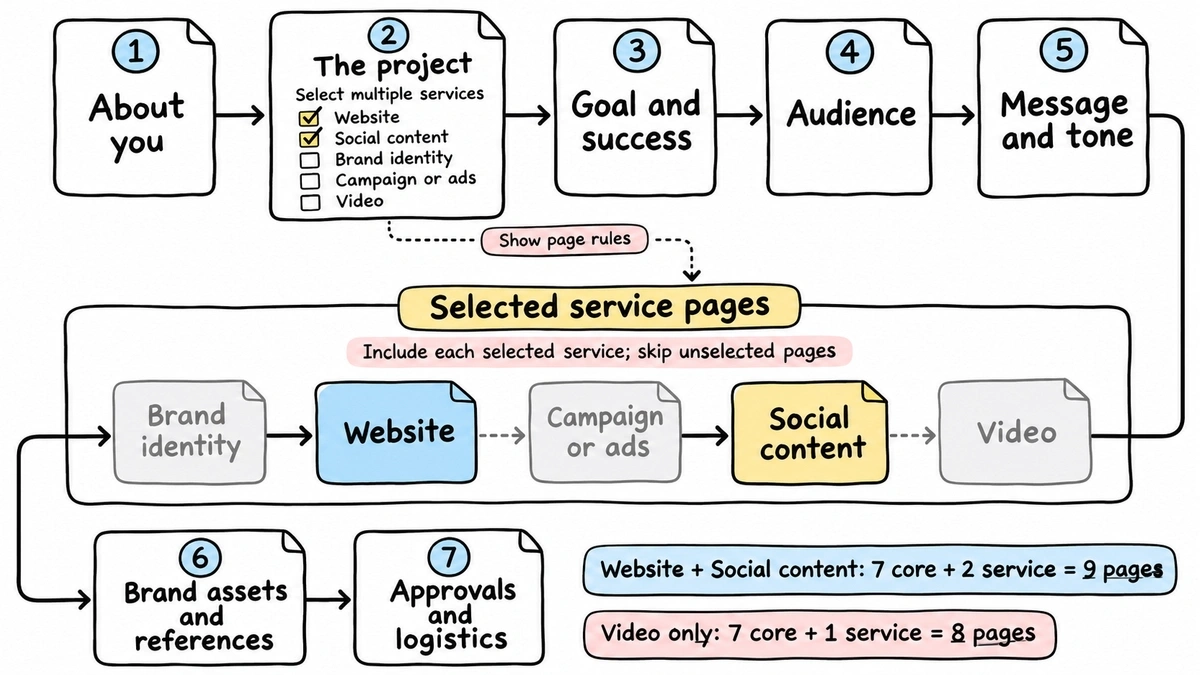
Here’s what each service page asks.
Brand identity: existing brand elements to keep (Checkboxes: Name, Logo, Colors, Typography, None), three words the brand should feel like, brands they admire outside their category, and where the logo needs to work (Checkboxes: Web, App icon, Signage, Merch, Packaging).
Website: current site URL (Link), the pages they expect, who writes the copy (Multi Choice: You, Us, Mixed), integrations they rely on, and whether there’s a CMS already in place.
Campaign or ads: channels (Checkboxes: Meta, Google, LinkedIn, TikTok, Out-of-home, Email), launch date, the call to action, the offer if there is one, and required ad sizes.
Social content: platforms, posting frequency, who approves posts, and any existing content pillars.
Video: length (Dropdown: Under 15s, 15-30s, 30-60s, 1-3 min, Longer), where it’ll run, whether there’s footage to reuse, voiceover or on-screen talent, and subtitle languages.
A client who picks Website and Social sees nine pages; one who picks only Video sees eight. The template holds twelve, and nobody has to read all of them.
Collecting brand assets with file upload
The brief is where you want the vector logo, the font files, and the 40-page brand book. Put a File Upload component on page 6, turn on multiple files (up to 20 per question), and limit the types to images, documents, and archives so nobody sends you a 2 GB screen recording by accident.
Plan limits matter here, so be specific about them:
| Free | Pro | |
|---|---|---|
| Max size per file | 10 MB | 5 GB |
| Organization storage | 100 MB | 10 GB |
On Free, 10 MB per file covers logos, font files, and most PDF guidelines. It won’t cover a packaged InDesign file with linked images or any raw video. Storage is the tighter limit: 100 MB is shared across the whole organization, so an agency running briefs for several clients will fill it within a handful of submissions. If clients will send video or large archives, you need Pro, or add the “Link to a shared folder” field and let them use their own Drive or Dropbox.
Uploaded files stay private to your organization. Only members who can view the form’s responses can open them, and the file upload docs explain how links in exports work. Our post on form builders with file upload goes deeper on upload UX in general.
Build it in Fomr
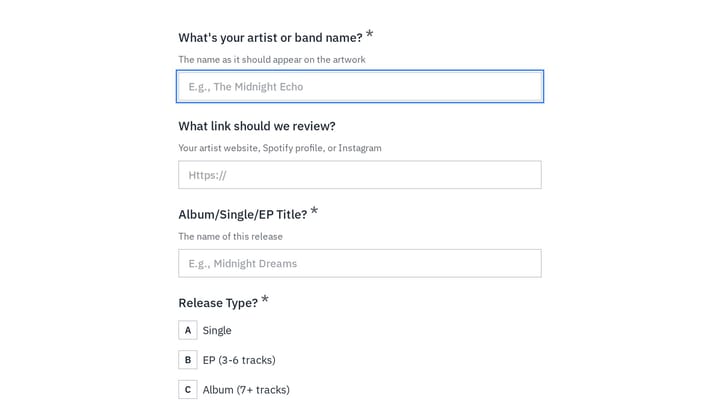
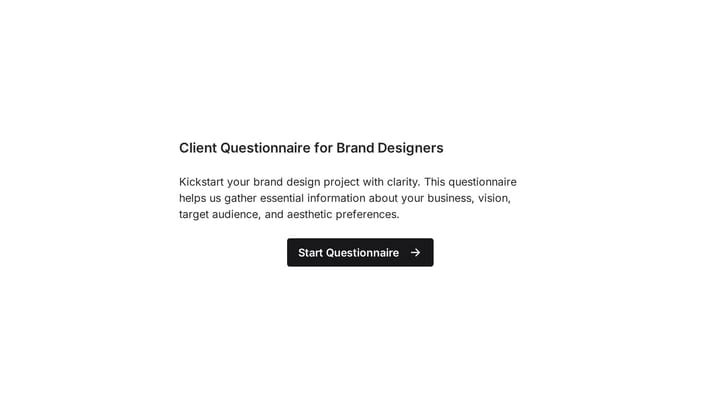
The quickest way to start is from a template that already asks brief-style questions, then add the pages above. This one is built around email campaigns, so you’d swap its project questions for the service checkboxes from page 2:
Give it a try
Turn this email design questionnaire into a full creative brief for clients
This is a real, working template from our gallery. Fill it out like a respondent would, then make it your own.

A rough build order that works:
- Lay out pages 1-7, then add the five service pages between Message and Assets.
- Add one Show page rule per service page.
- Add a hidden value called
client, so each client gets their own link (https://fomr.io/s/YOUR_FORM_ID?client=acme) and every response is tagged. - Pipe the client’s name into later question titles (so page 3 asks what this work should change for Acme, not “the business”) with answer piping. It reads less like paperwork.
- Connect a Google Sheets workflow so every brief lands as a row your team can sort by deadline and budget.
Then preview it twice: once as a client who ticks everything, once as one who ticks a single service. If the short path feels long, cut fields from the shared pages.
Running briefs for many clients
If you send this brief to a new client every week, Pro is where it starts to make sense. Pro ($24/month) gives you unlimited workspaces, so each client gets one. Save the brief as a template in the Default Workspace and it shows up in every client workspace with a Shared badge, along with your logo and other shared assets. Pro also removes Fomr branding and lets you send the form from your own domain.
Two gaps worth knowing before you set this up. First, roles and permissions are on the Business plan, which isn’t available yet, so everyone on your team sees every client workspace. Second, owner notifications only go to members of your organization (up to 10 per form), so you can’t route a new-brief email straight to a client contact. Webhooks and Zapier are planned, not live, so the Sheets workflow and email notifications are your two outputs today.
Copy this creative brief template as plain text
Prefer a doc for internal kickoffs, or want to paste the questions into a form builder? Here’s the whole template. Lines in brackets are the field type and options.
CREATIVE BRIEF
1. ABOUT YOU- Company or brand name* [short answer]- Your name and role* [short answer]- Email* [email]- Who signs off on this work? Name and role* [short answer]- Anyone else who should review drafts? [long answer]
2. THE PROJECT- What do you need from us?* [checkboxes: Brand identity / Website /  Campaign or ads / Social content / Video / Print or packaging / Other]- Describe the project in two or three sentences* [long answer]- Hard deadline* [date] - What happens on that date? [short answer]- Budget range* [dropdown: Under $5k / $5k-$10k / $10k-$25k /  $25k-$50k / $50k+ / Not sure yet]
3. GOAL AND SUCCESS- What should this work change for the business?* [long answer]- How will you know it worked? [long answer]- The single most important thing to get right [short answer]
4. AUDIENCE- Who is this for?* [long answer]- What do they need to believe after seeing it?* [long answer]- Main competitors [long answer]
5. MESSAGE AND TONE- The one thing you want people to remember* [short answer]- Supporting points, most important first [ranking or long answer]- Tone [checkboxes: Plain-spoken / Playful / Premium / Technical /  Warm / Bold / Other]- Words, claims or topics to avoid [long answer]- Mandatories: legal lines, disclaimers, required logos [long answer]
SERVICE PAGES (show only if selected in section 2)- Brand identity: elements to keep; three words the brand should feel  like; admired brands outside your category; where the logo must work- Website: current URL; expected pages; who writes copy; integrations; CMS- Campaign or ads: channels; launch date; call to action; offer; ad sizes- Social content: platforms; posting frequency; approver; content pillars- Video: length; where it runs; footage to reuse; talent or voiceover;  subtitle languages
6. BRAND ASSETS AND REFERENCES- Upload logos, fonts, brand guidelines [file upload, multiple]- Link to a shared folder for large files [link]- Three examples of work you like, and why [long answer]- Anything you've tried before that didn't work? [long answer]
7. APPROVALS AND LOGISTICS- Expected review rounds [dropdown: 1 / 2 / 3 / More]- Needs legal or compliance review? [yes/no]- Preferred feedback format [comments on files / call / written list]- Anything else we should know? [long answer]
* required
Mistakes that make clients abandon a brief
A few patterns I’d avoid, mostly learned from briefs that came back empty:
- Asking for the single-minded proposition by name. Clients freeze. “The one thing you want people to remember” gets an answer.
- Making references required. Some clients genuinely don’t have any yet, and a forced answer is worse than a blank one.
- Putting the file upload first. Clients go hunting for files and never come back. Ask it near the end, once they’re invested.
- Using jargon in options. “OOH” means nothing to a founder. Write “Billboards and posters”.
- Forgetting the person on the other end is busy. A brief that takes 15 minutes beats a perfect one that takes 45 and never gets finished.
Nielsen Norman Group’s form design guidelines and the W3C’s forms tutorial are worth a skim before you finalize labels and hints, particularly how to mark required fields so clients aren’t surprised at the submit button.
Send your first brief this week
Here’s what I’d actually do: build the seven core pages first, send it to your next new client, and add service pages only for the services you sell most. You’ll learn more from one real response than from another hour of editing.
You can build the whole thing on Fomr’s free plan with unlimited forms and responses, including conditional pages, hidden values, and file uploads up to 10 MB. Start in the guest editor without creating an account, or browse the template gallery for other client questionnaires to adapt. When you’re ready to give each client their own workspace and drop the Fomr branding, Pro is $24/month.