Most agencies don’t go shopping for a new form builder because they’re bored. They go looking the month a client’s launch campaign pulls in 4,000 leads and the account they’ve used for years stops accepting responses, or quietly bumps them onto a plan that costs more than the retainer covers.
That’s the real problem with running forms for ten clients from one account. The tools price by response volume, and an agency’s volume is every client’s volume added together. This guide to choosing a form builder for agencies covers the six things a multi-client agency actually needs, and how Typeform, Jotform, Tally, Fillout and Fomr do on each one. Where we fall short, we say so.
All competitor prices and limits below were checked on each vendor’s own pricing and help pages on November 3, 2026.
What response caps cost at agency volume
Let’s put a number on it. Picture a small agency with 10 clients. Most months the forms bring in about 3,000 responses combined: lead forms on landing pages, a few quote requests, a quarterly feedback survey. A product launch or a big paid push can double that for a month.
Here’s what that workload costs on each tool, on the cheapest plan that covers 3,000 responses a month:
- Typeform: Plus includes 1,000 responses a month, so you’d need Business at 10,000 responses. That’s $91/month billed yearly ($1,548/year) or $129 month to month, with 5 seats. (Typeform pricing)
- Jotform: Silver stops at 2,500 submissions a month, so you’d need Gold at 10,000. That’s $99/month billed yearly ($1,188/year) or $129 month to month, for one user and 100 active forms. (Jotform pricing)
- Fillout: Pro covers 5,000 responses a month from $40/month billed yearly ($480/year). Unlimited responses need Business, from $75/month billed yearly ($900/year). (Fillout pricing)
- Tally: Free and paid plans have unlimited submissions under a fair use policy. Pro starts at $24/month. (Tally pricing)
- Fomr: Unlimited responses on every plan, including Free. Pro is $24/month. (Fomr pricing)
One note on Typeform: on the day we checked, its comparison table listed lower prices than its plan cards. We used the plan cards.
The cap matters more than the price, though. A 10,000-response plan sounds roomy until one client runs a giveaway. Fillout says forms keep collecting after you pass the monthly limit, which is the friendly version. With tools that pause or throttle forms, the agency finds out from an angry client, not from a billing email. If your volume is lumpy, a tool with no response cap removes a whole category of phone calls.
The 6 tests for a multi-client form builder
1. No response cap at campaign volume
Covered above. The question to ask a vendor is simple: “What happens to a live form on the day I pass my limit?” If the answer involves the word “upgrade”, you’re paying for your clients’ best months, every month.
2. A workspace per client
Ten clients in one flat list of forms gets messy fast. Someone edits the wrong client’s lead form. A template built for one brand ends up on another. You want a separate space per client, with its own forms, assets and templates.
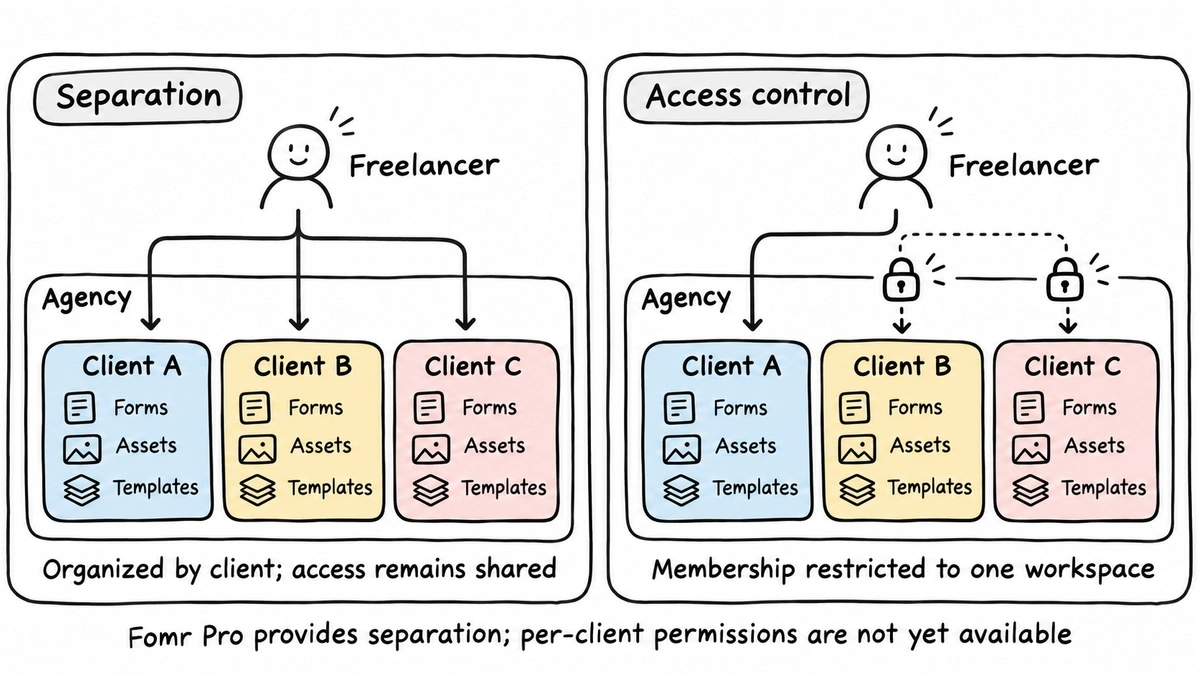
There are two levels here, and it’s worth being clear on which one you need:
- Separation: each client’s forms live in their own workspace.
- Access control: a freelancer or the client’s own marketer can see one workspace and nothing else.
Most tools do the first. Fewer do the second on a mid-tier plan. Tally does it on Pro, where each workspace has its own members. Fillout’s help center says giving someone access to only one workspace needs its Team plan. Fomr does the first on Pro and not yet the second (more on that below).
3. Branding removed
Clients don’t want a “Made with [tool]” badge under their lead form, and you don’t want to explain why it’s there. Every tool here removes it on a paid plan, but the tier differs: Typeform’s Plus, Jotform’s Bronze, Tally’s Pro, Fillout’s Pro, and Fomr’s Pro.
4. The client’s own domain
A form at forms.clientbrand.com converts better than a link to someone else’s domain, and it looks like the client’s own site in an email or an ad. For agencies the real question is how many domains you get. One domain covers your own agency. Ten clients need ten.
This is the weakest test across the board:
- Typeform includes one custom subdomain on Plus (“across all your forms”). Full custom domains are Enterprise only.
- Jotform’s help center ties custom domains to Enterprise, and its pricing page lists them next to Gold and Enterprise.
- Fillout includes custom domains on Business only.
- Tally includes custom domains on Pro. Its pricing and help pages don’t state a count.
- Fomr Pro includes one custom domain. Multiple custom domains are planned for Business, which isn’t on sale yet.
5. The client’s GA4 and Meta Pixel
Clients pay for ads and want to see which ad produced which lead. That means two things: UTM tags captured with every response, and conversion events landing in the client’s own GA4 property or Meta Pixel.
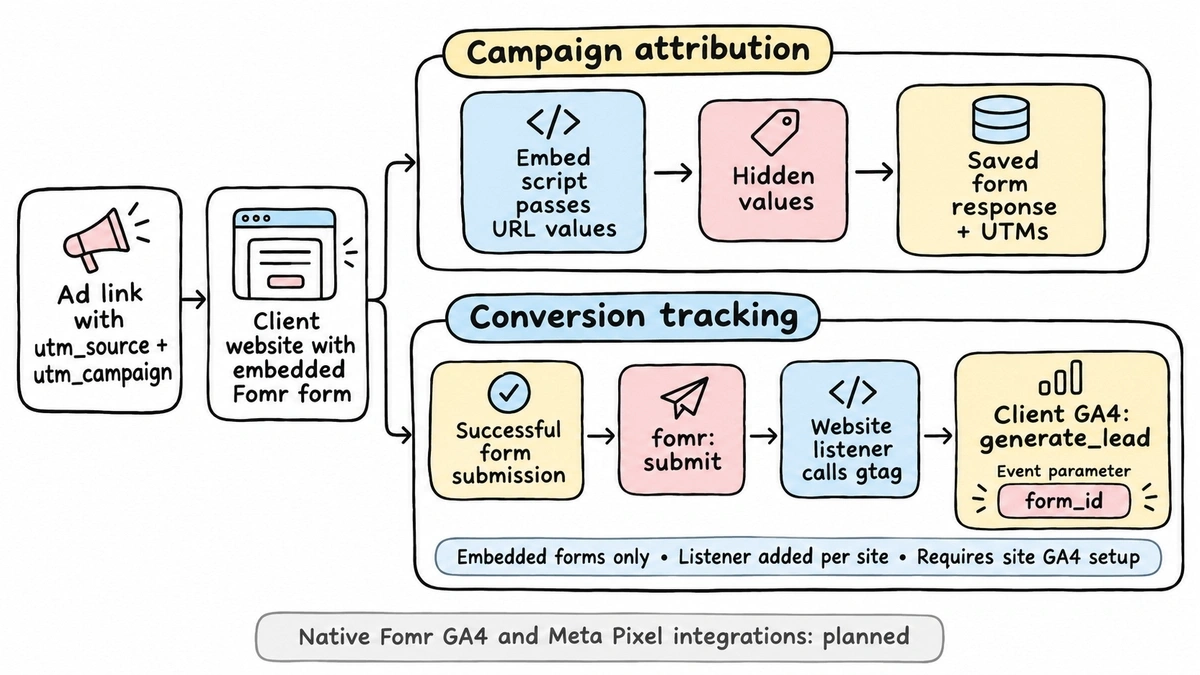
UTM capture is easy almost everywhere. In Fomr, you add hidden values like utm_source and utm_campaign, and the embed script passes them from the page URL into the response automatically. Native pixel integrations are where tools split. Tally includes Google Analytics and Meta Pixel on Pro. Fillout lists Meta Pixel on Business. Typeform lists both as integrations without naming a tier on its pricing page.
Fomr’s native GA4 and Meta Pixel integrations are on our roadmap and not live yet. Until they ship, you can fire the client’s conversion event yourself from the page where the form is embedded, because the Fomr embed sends a fomr:submit event when someone finishes the form:
<iframe src="https://fomr.io/s/embed/YOUR_FORM_ID" title="Request a quote" width="100%" height="500" loading="lazy" allow="clipboard-write; fullscreen" style="border: 0"></iframe><script async src="https://fomr.io/widget/embed.js"></script><script> document.addEventListener("fomr:submit", (event) => { gtag("event", "generate_lead", { form_id: event.detail.formId }); });</script>generate_lead is one of GA4’s recommended events, so it shows up in reports without custom setup. It works, but it’s a workaround: it only covers embedded forms, and someone on your team has to add it per site.
6. A clean hand-off to the client
The form isn’t the deliverable. The leads are. Every client wants them somewhere they already look: an inbox, a spreadsheet, their CRM.
Check three things. Can the client get an email for each response? Can responses flow into a shared Google Sheet? Can you export everything as CSV when the contract ends? And if the client lives in HubSpot or Salesforce, does the tool connect to it without a paid automation layer in between?
This is where Typeform and Jotform earn their price. Both have long integration catalogs, native payment collection, and Jotform adds PDF generation and approval flows that some client work genuinely needs. If your clients expect leads pushed straight into their CRM, that catalog is worth paying for.
How each form builder for agencies scores
Same six tests, same workload (10 clients, about 3,000 responses a month), checked November 3, 2026.
| Test | Typeform | Jotform | Tally | Fillout | Fomr |
|---|---|---|---|---|---|
| Plan for 3,000 responses/mo | Business, $91/mo yearly | Gold, $99/mo yearly | Pro, from $24/mo | Pro, from $40/mo yearly | Pro, $24/mo |
| Response cap on that plan | 10,000/mo | 10,000/mo | None (fair use) | 5,000/mo | None |
| Workspace per client | Workspaces, 5 seats | Single-user on Gold | Unlimited, Pro | Included | Unlimited, Pro |
| Limit a person to one client | Not stated on pricing page | Multi-user only on Enterprise | Yes, Pro | Team plan | Not yet (Business, not on sale) |
| Remove branding | Plus | Bronze | Pro | Pro | Pro |
| Client’s own domain | One subdomain on Plus, domains Enterprise | Enterprise | Pro, count not stated | Business | One domain on Pro |
| GA4 / Meta Pixel | Listed, tier not stated | Not stated on pricing page | Pro | Meta Pixel on Business | Coming soon (UTMs work now) |
| Client hand-off | Large integration catalog | Large catalog, PDFs, approvals | Integrations, webhooks | Integrations | Email, Google Sheets, CSV, REST API |
Read the table honestly and Tally comes out very well for agencies today. It matches us on price and response caps, and it’s ahead on per-client access, pixels and domains. If those three are must-haves this month, Tally is the safer pick right now.
Where Fomr fits for agency work
We built Fomr around the idea that forms should look as good as the client’s site, and that pricing shouldn’t punish volume. For agencies that comes down to a few concrete things.
What you get on Pro:
- Unlimited forms and responses, on every plan. A client’s viral month costs you nothing extra.
- Unlimited workspaces, so each client gets their own forms, templates and assets. Shared logos and standard templates can live in the Default Workspace and show up everywhere.
- Unlimited team members on every plan, so adding a contractor never changes the bill. Our guide to team members for online forms walks through the setup, and the teams page has the overview.
- Branding removed, one custom domain, partial responses, redirect on completion and multiple endings.
- Full design control: 1,700+ fonts, custom colors, backgrounds and multi-column layouts, so each client’s forms match their brand instead of looking like a template.
Give it a try
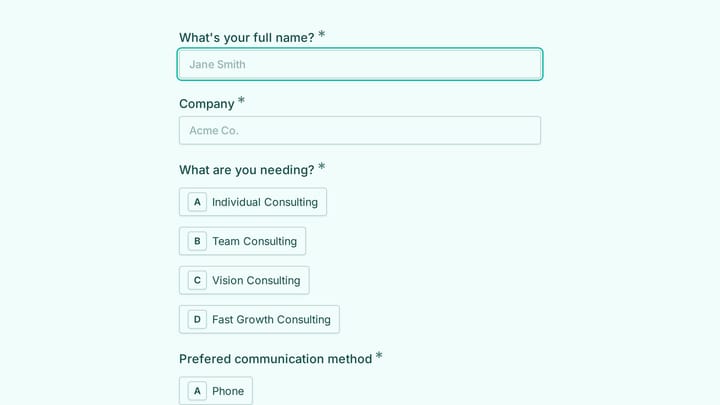
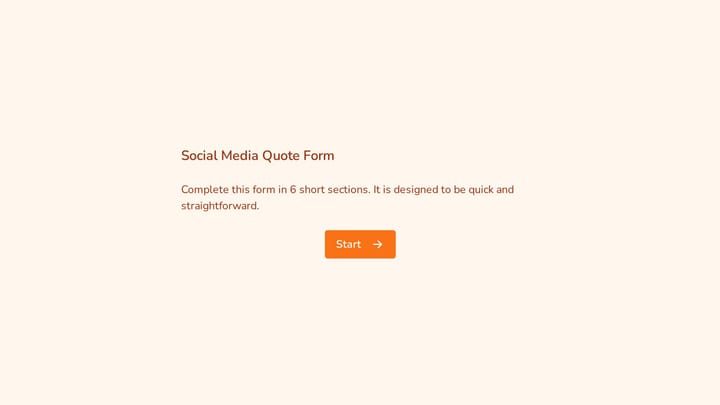
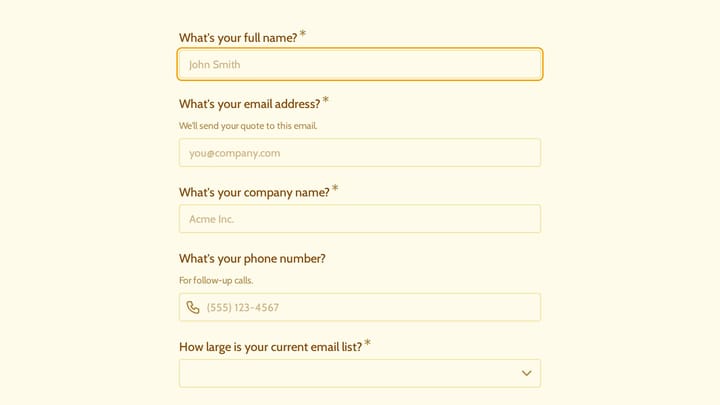
Clone this digital marketing consultant quote form into a client workspace and rebrand it in minutes
This is a real, working template from our gallery. Fill it out like a respondent would, then make it your own.

And what you don’t get yet, stated plainly:
- Per-client access. Roles and permissions are part of Business, which isn’t on sale yet. Today, everyone on your team can open every workspace. You can’t invite a client’s marketer to see only their own forms.
- More than one custom domain. Pro covers one, so it handles your agency domain or one client, not ten. Multiple domains are planned for Business.
- Notifications straight to the client. Owner notifications go to organization members (up to 10 per form), and custom email domains are Business-only. For most clients, a shared Google Sheet is the cleaner hand-off. Our post on email notifications covers the options.
- CRM, Zapier and webhooks. Not yet. The REST API is live, and payments are in progress.
If you truly need a client fully walled off today, you can create a separate organization per client. Each one has its own team, domain and billing, so each client needing Pro features means its own Pro subscription, and an account can be admin of up to 10 organizations. It’s clean isolation, but it’s not cheap at ten clients. We’d only do it for the two or three clients who insist on logging in.
What breaks when you switch
Moving an agency’s forms is real work, so budget for it before you commit to any tool.
- Form URLs change. Every ad, email and QR code pointing at the old link needs updating. A custom domain makes the next move painless, which is a good reason to set one up even if you stay.
- Old responses stay behind. Export a CSV per form before you cancel. Most tools, including ours, don’t import response history from a competitor.
- Automations need rebuilding. Zaps, CRM connections and Sheets syncs have to be reconnected per client.
- Embeds need swapping. Each client site needs the new embed code, which is a ticket per site.
Our advice: don’t migrate everything at once. Move the highest-volume client first, since that’s where caps hurt, and run both tools in parallel for a month. If you’re coming from Jotform specifically, our Jotform alternatives roundup and Typeform vs Jotform comparison cover the rest of the trade-offs.
Which form builder for agencies fits your setup
- You need native CRM and payment integrations for every client: stay on Typeform or Jotform and budget for the volume tier. Their catalogs are the strongest here.
- You need per-client logins, pixels and several client domains today: Tally Pro covers more of that right now.
- Your main pain is response caps, and your team handles client access in-house: Fomr Pro at $24/month gives you unlimited responses, unlimited workspaces and forms that look like the client’s brand.
The quickest way to know is to rebuild one real client form. Open the guest editor without signing up, or start from a template such as one of the intake form templates, drop it into a client workspace, and send next month’s campaign traffic to it. If it holds up at your volume, upgrade to Pro and move the next client.