
Every question can carry its own supporting content — components that appear between the question’s title and its input. Use it for helper text, an example image, or a divider. Each one is a real component, with all its formatting and settings.
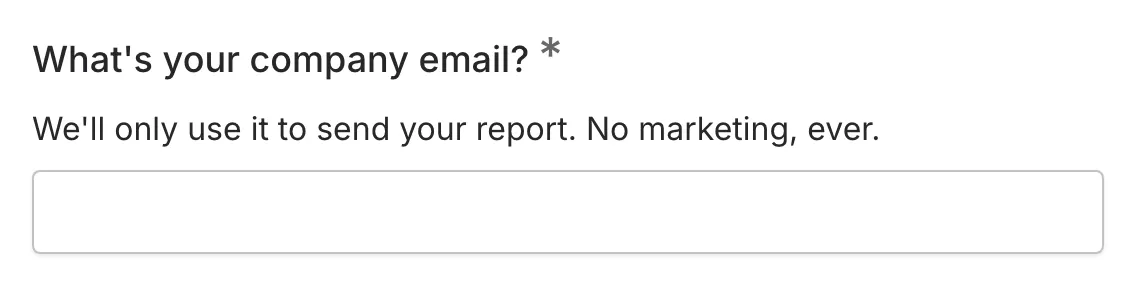
Adding supporting content
Section titled “Adding supporting content”-
Open your form in the editor and start dragging a Text, Image, or Divider component
-
A + line appears between the question’s title and its input — drop the component there
-
Edit it in place, exactly like any other component
You can add several supporting components to one question and reorder them by dragging — sorting inside the area works just like reordering choice options.
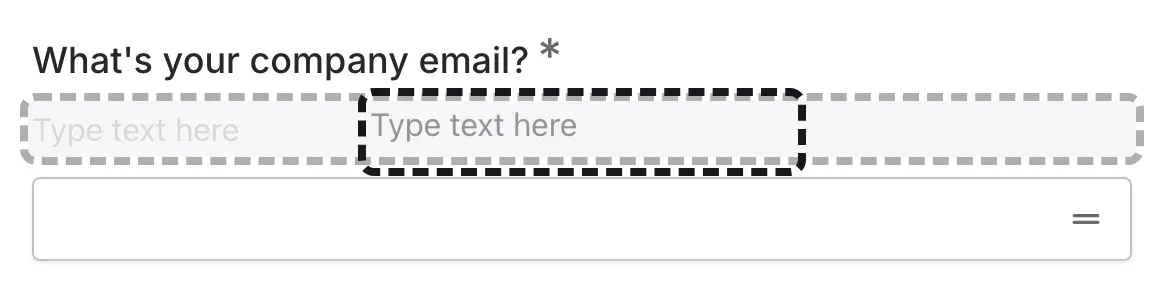
What you can add
Section titled “What you can add”- Text — formatted helper text with bold, italics, links, lists, and answer piping.
- Image — an example screenshot, an illustration, or anything visual that helps people answer.
- Divider — a subtle separator when a question needs visual breathing room.
Moving content out
Section titled “Moving content out”To take a component out of a question, drag it firmly downward or upward until it breaks free of the question’s outline, then drop it anywhere on the page. Supporting components hold on a little tighter than regular ones so you don’t pull them out by accident while sorting.
